Work / Desktop apps / Network

Vigil
Know the moment your website or server goes down.
C#.NET 8WPF
What it does
Know the moment your website or server goes down.
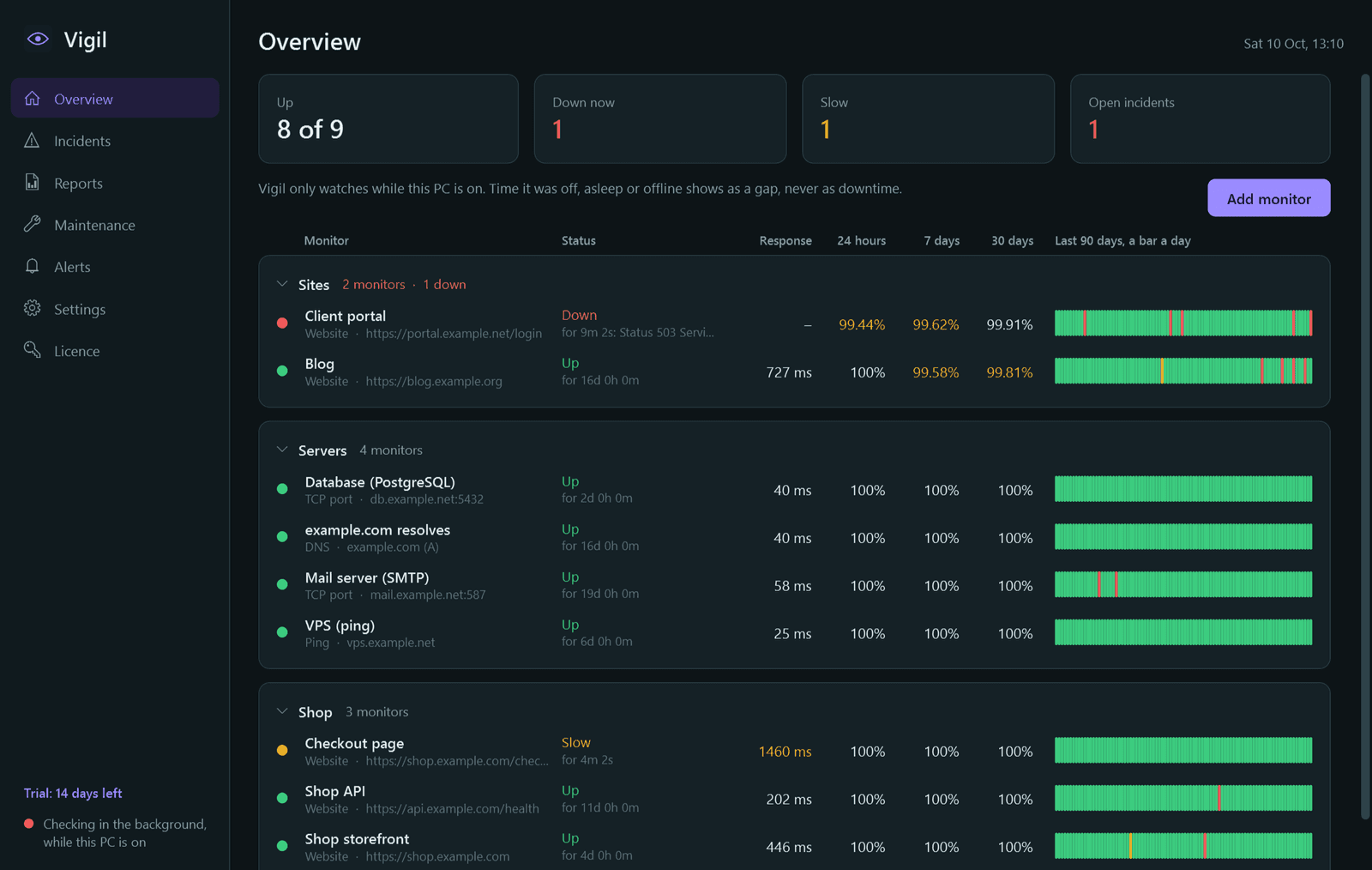
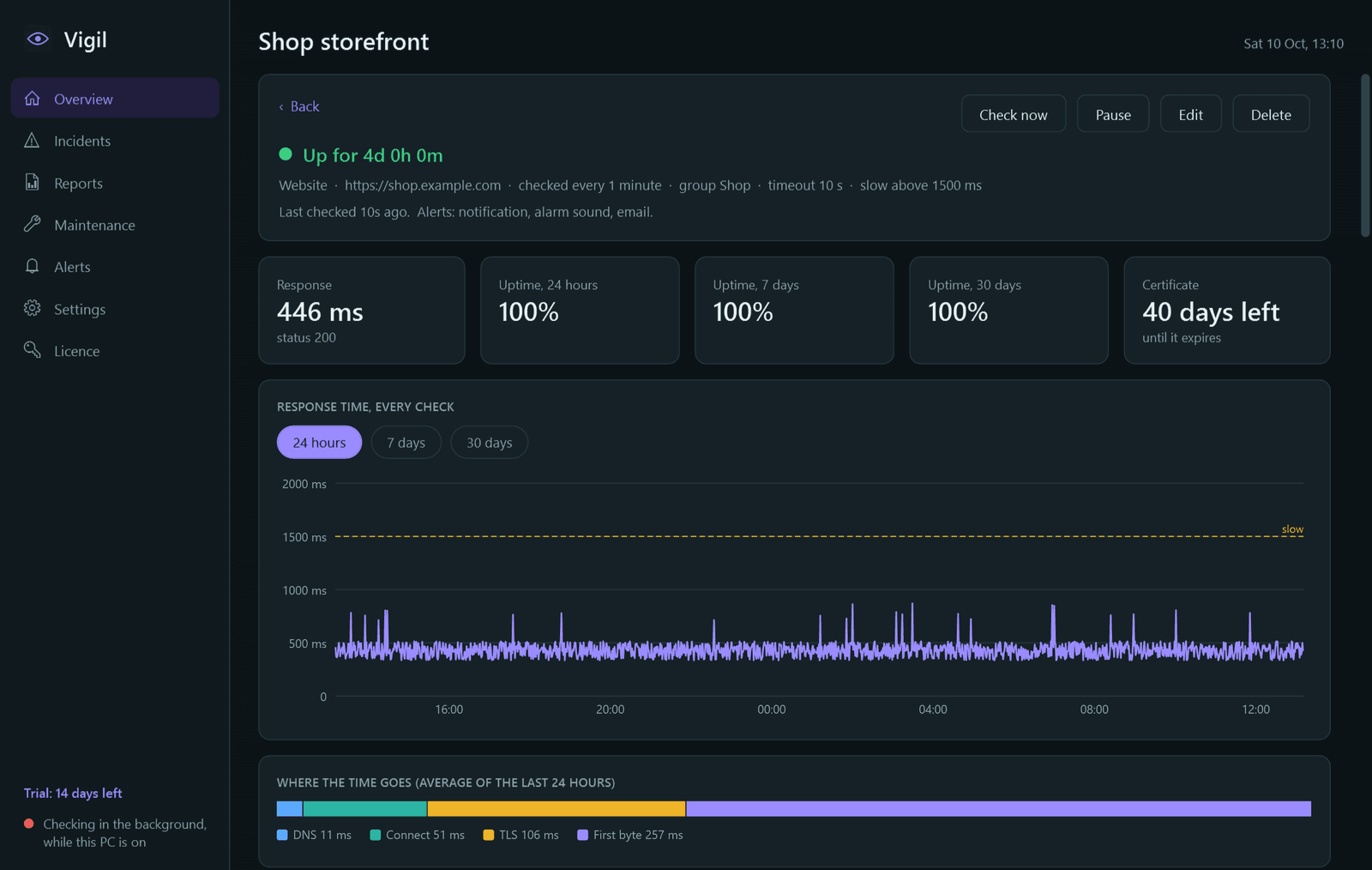
Vigil checks your websites and servers from your own PC, every minute, and tells you the moment one goes down. It keeps the uptime and response-time history, so you can see how reliable each one has really been.
What it watches
- Websites and APIs: up when the status code is the one you expect, with optional "page must contain" and "must not contain" text, custom method, headers and body. An invalid or expired certificate counts as down, and the reason says so.
- Ping: response time and packet loss.
- TCP ports: databases, mail, SSH, game servers.
- DNS: that a name resolves, and to the value you expect.
What it gets right
- No alert on a single failed check: it tries twice more a few seconds apart before opening an incident.
- Before blaming a site it confirms your own internet connection works. If your connection is down, that time is marked "not checked", not downtime, and sends no alerts.
- Time the PC was off or asleep is shown as a gap, never as downtime.
- A polite client: one request per check, a clear user-agent, nothing more often than every 30 seconds, and checks spread out.
Alerts and reports
- Windows notification, an alarm sound that plays until you acknowledge it, email through your own SMTP server, and webhooks with ready-made formats for Slack, Discord and Telegram. Each can be switched on per monitor, and each has a test button.
- Alerts when a monitor goes down, when it recovers (with how long it was down), and optional reminders while it stays down.
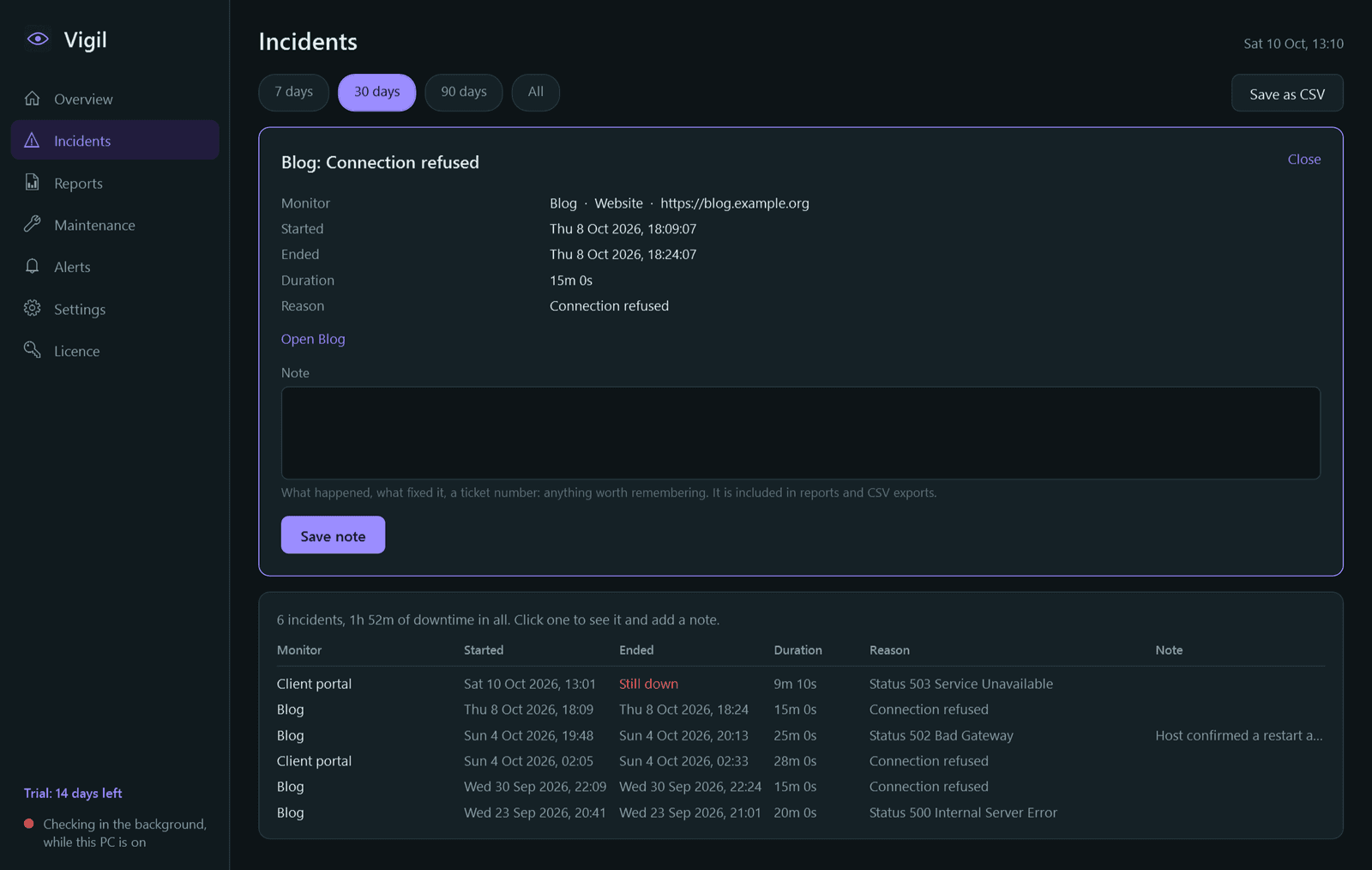
- Incidents with start, end, duration, reason and your own notes. Maintenance windows and pause.
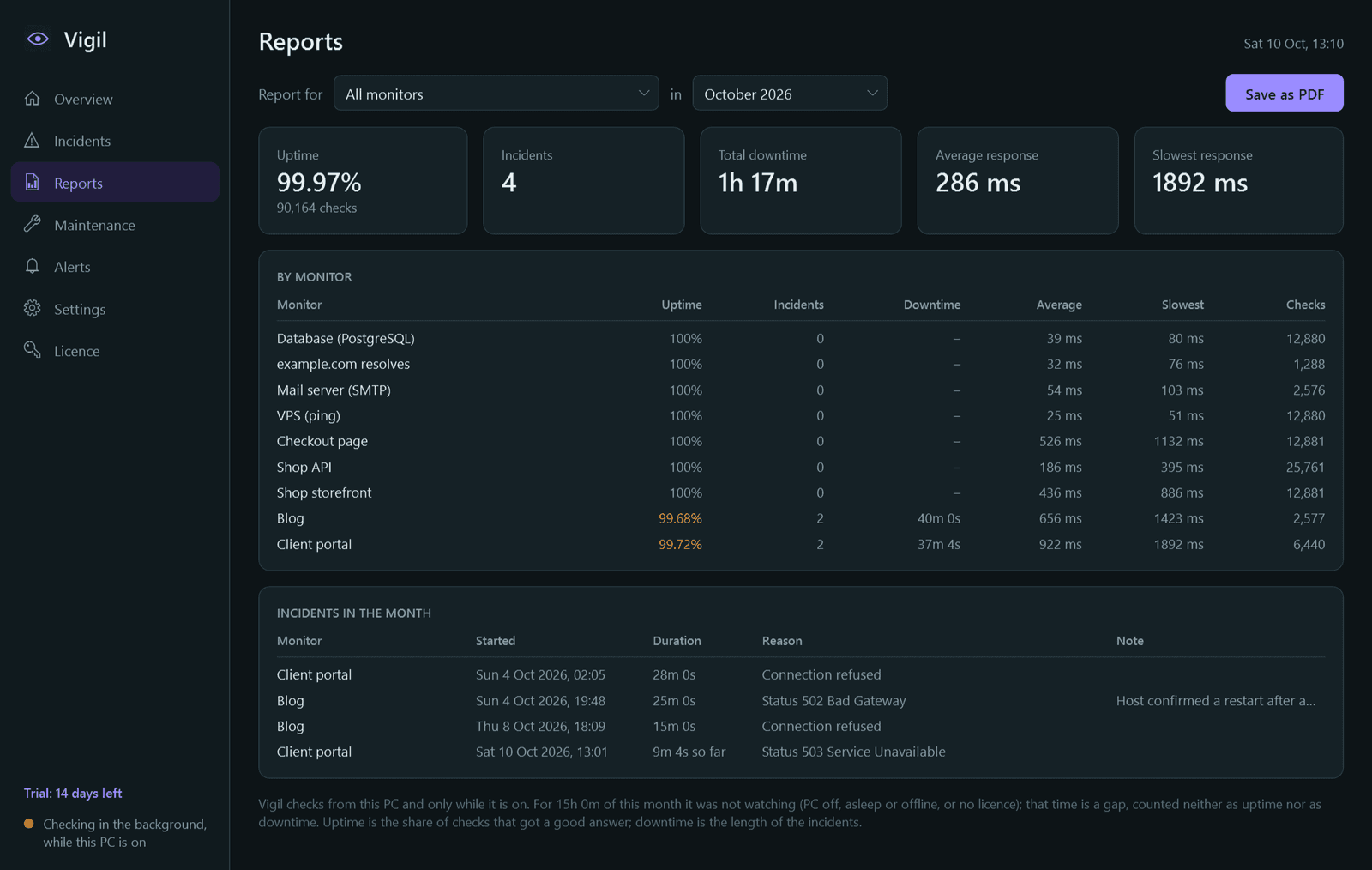
- Monthly report per monitor or group, saved as PDF. CSV export of results and incidents.
Good to know
- Vigil watches from this PC and only while it is on. Checking runs as a Windows service, so it continues when nobody is signed in.
- Passwords, webhook addresses and credential headers are stored encrypted with Windows' own data protection, and never appear in logs or exports.
- Every check is kept for 30 days, then as hourly figures for good. Incidents are kept in full.
- Free for 14 days with every feature. After that Vigil needs a licence to keep working: without one it stops checking and alerting and its pages are closed. Your monitors and history stay on your PC, and checking resumes once you activate.
One-time purchase for one PC. Includes every version released in the following 12 months; the version you have keeps working after that.
Screens
A closer look.
Next project · Desktop appsSignpost →
Need somethinglike this built?
A few lines is enough. You will hear back from a person within one business day.
Start a projector email [email to set] · [booking link to set]