Work / Desktop apps / Network

Airwave
See every Wi-Fi network around you, pick the quietest channel, and track your own signal.
C#.NET 8WPF
What it does
See every Wi-Fi network around you, pick the quietest channel, and track your own signal.
Airwave sits in the notification area and listens to the Wi-Fi around your PC. It shows every network in range with its signal strength and channel, tells you which channel is least crowded, and keeps a history of how good your own connection has been.
What it does
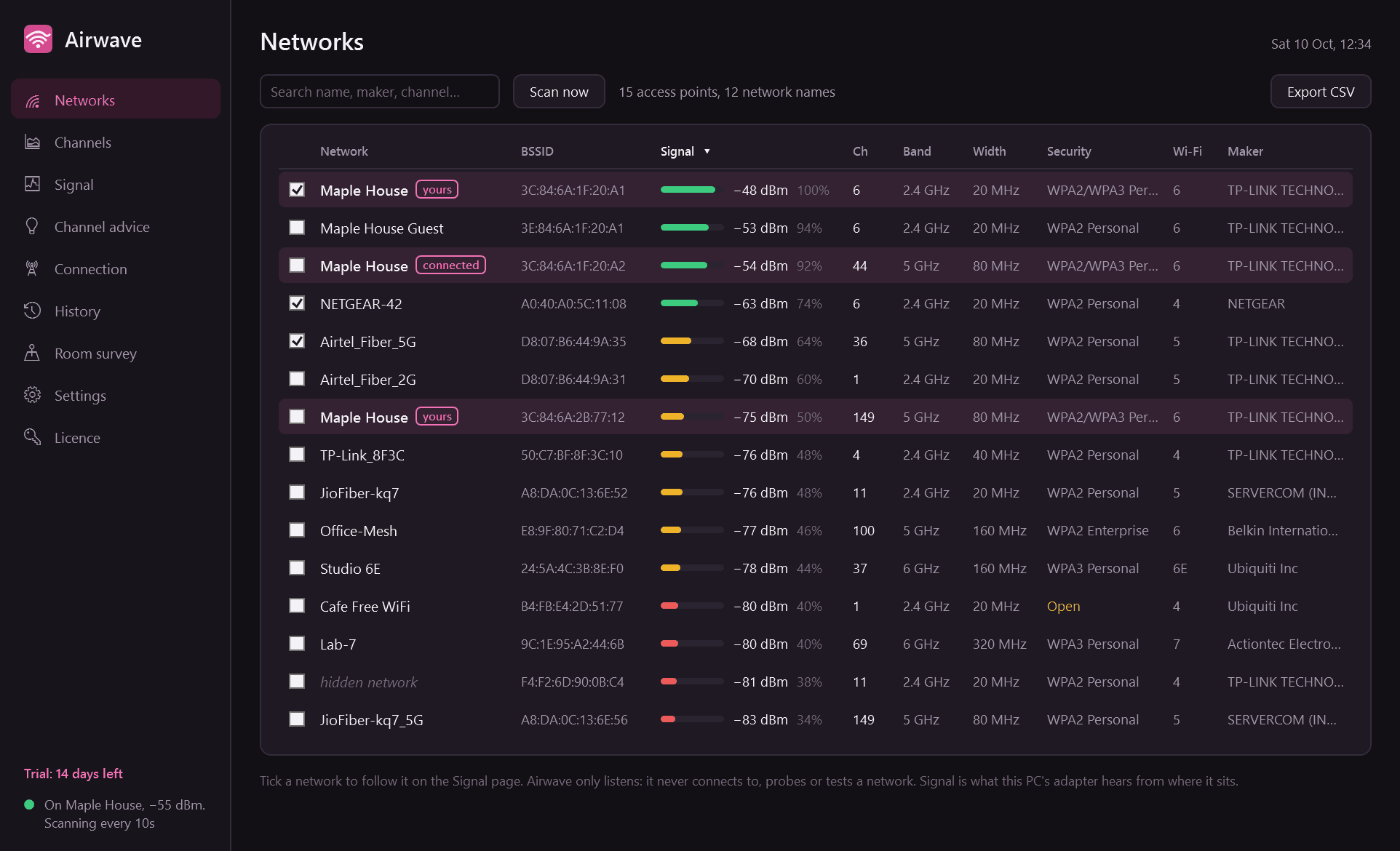
- Lists every access point in range: network name, signal in dBm and as a percentage, channel, band (2.4, 5 or 6 GHz), channel width, security type, Wi-Fi generation and maker. Sortable and searchable, with your own network highlighted.
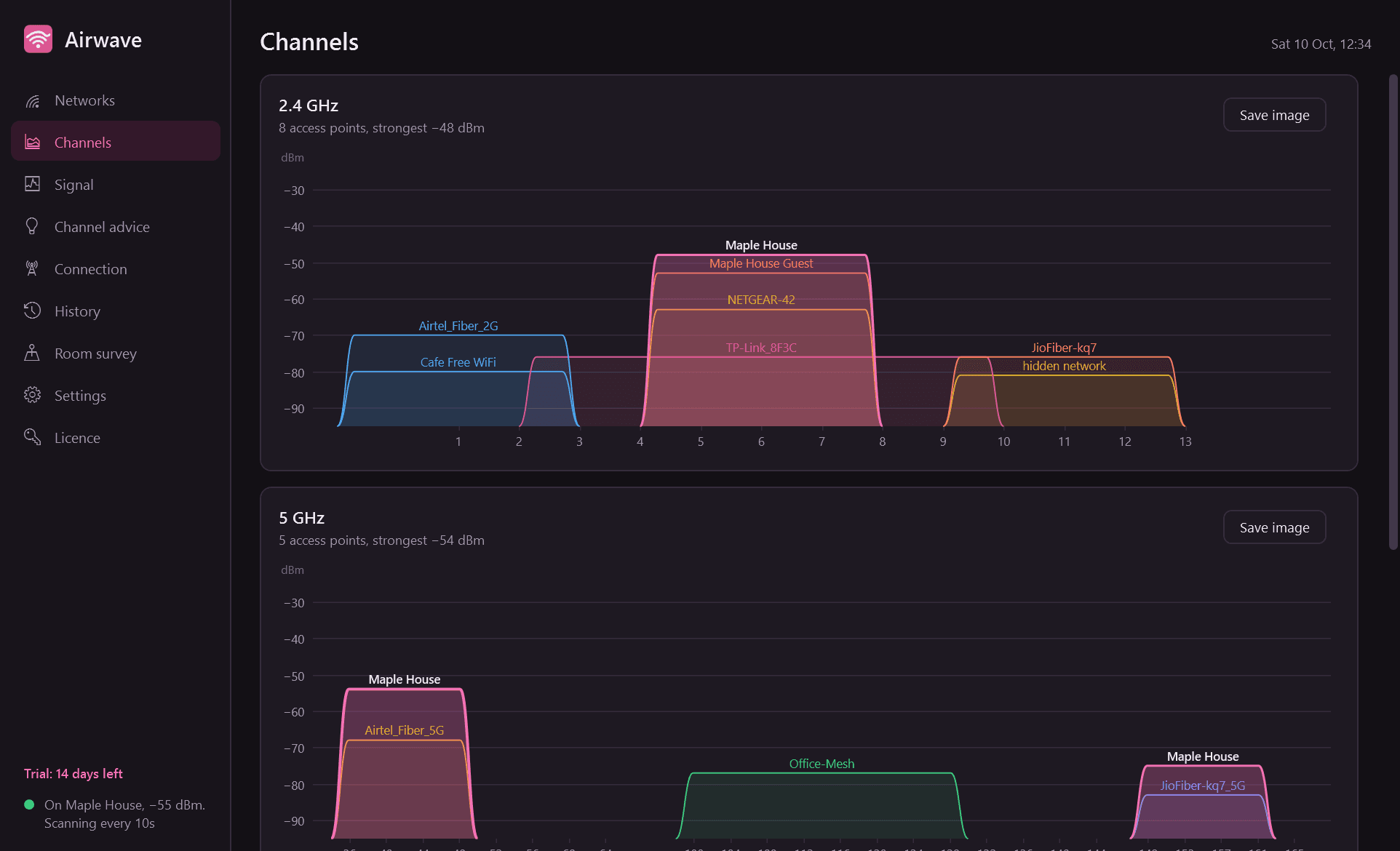
- A channel graph for each band: the classic picture of which networks sit on which channels and how wide they are.
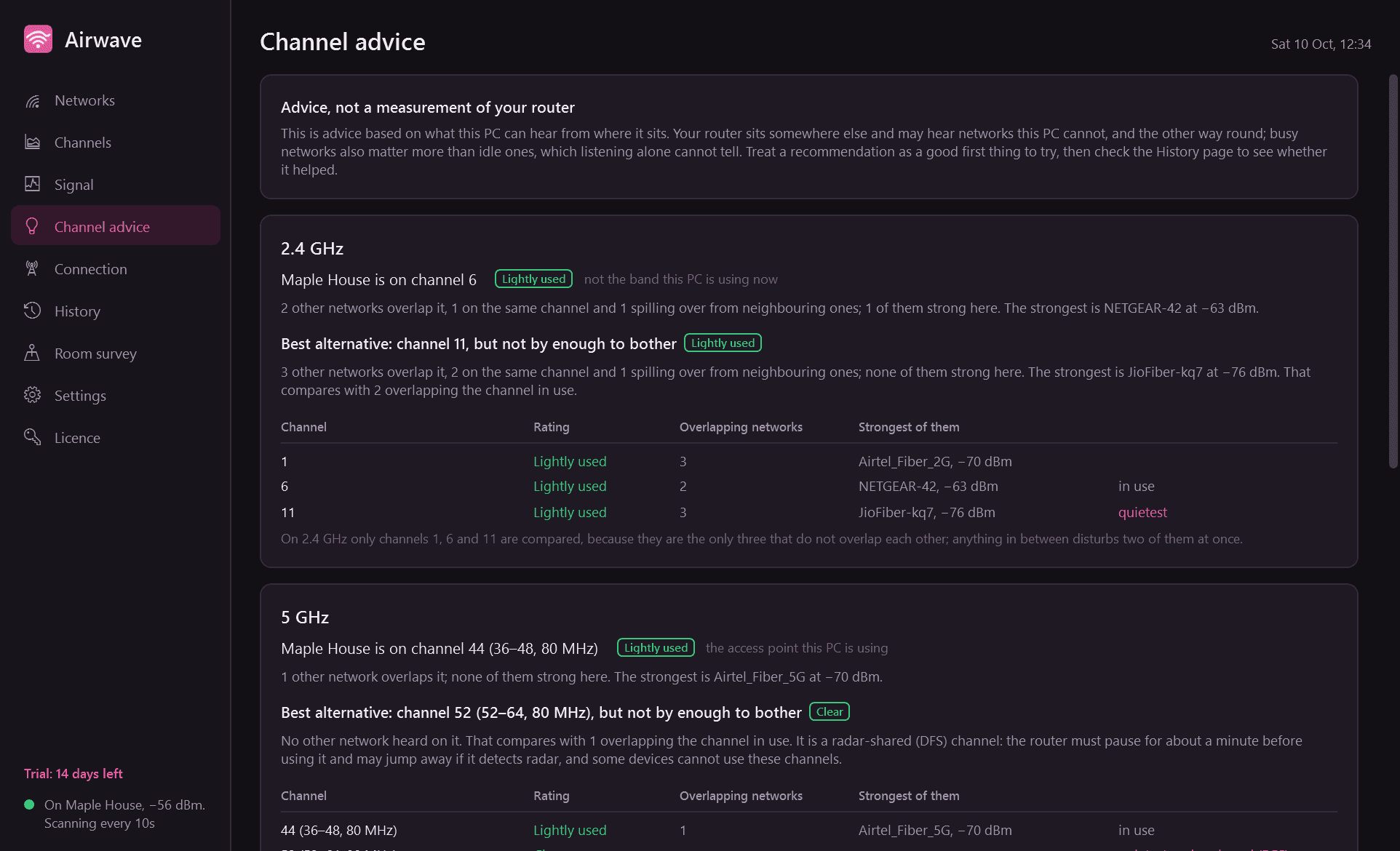
- Channel advice: rates the channel your network is on and names the best alternative on each band, with the reasoning shown (how many networks overlap, and how strong they are).
- A Connection page for the network you are on, with a plain verdict: excellent, good, weak or unusable.
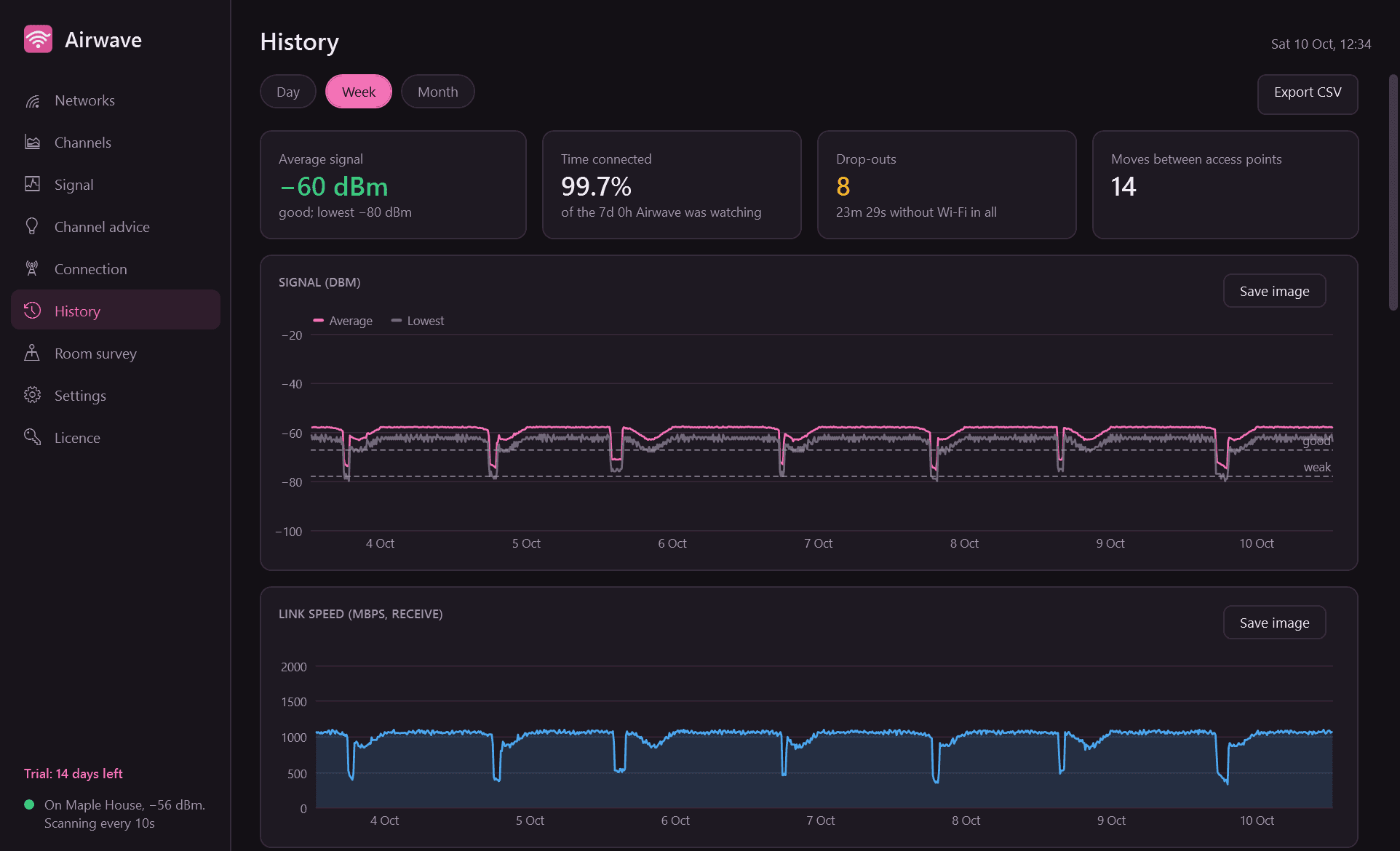
- A history of your own connection, noted once a minute: charts for a day, week and month, every drop-out with its time and duration, moves between access points, and the best and worst hours of the day.
- Room survey: name a spot, press Measure, and Airwave averages the signal for 30 seconds. Compare spots, and measure again to see whether moving the router helped.
- Windows notifications, each with its own switch: weak signal for a few minutes, Wi-Fi disconnects (with a count if it keeps happening), a crowded channel when a clearly better one exists, and a notice when another access point uses your network's name with a different maker or weaker security.
- Signal-over-time graph for any networks you tick. Light and dark mode, CSV export, and any graph saved as an image.
What it does not do
- It only listens. Airwave never connects to, probes or tests a network that is not yours, and it has no password features of any kind.
- Nothing leaves your PC. The only thing Airwave contacts is this store, to check the licence and look for a new version.
Good to know
- It needs a Wi-Fi adapter. A PC on a network cable only has nothing to listen with.
- Newer versions of Windows show nearby Wi-Fi networks to apps only while location access is switched on. Airwave tells you when that is the reason for an empty list and opens the right Windows setting.
- Everything is measured from where the PC sits. Channel advice is a good first thing to try, not a measurement of what your router hears.
- The connection history is kept only while Airwave is running, so let it start with Windows. Time when the PC was asleep shows as a gap, never as a drop-out.
- It installs for your user account only and never asks for administrator rights.
- Free to try for 14 days with every feature. After that Airwave needs a licence to keep running; without one it stops scanning and logging and opens only its licence screen. Nothing is deleted, and your history is shown again once a licence is active.
One-time purchase for one PC. Includes every version released in the following 12 months; the version you have keeps working after that.
Screens
A closer look.
Next project · Desktop appsSentinel →
Need somethinglike this built?
A few lines is enough. You will hear back from a person within one business day.
Start a projector email [email to set] · [booking link to set]