Work / Desktop apps / Network

Alias
Edit the Windows hosts file safely, with profiles you switch in one click.
C#.NET 8WPF
What it does
Edit the Windows hosts file safely, with profiles you switch in one click.
Alias is an editor for the Windows hosts file, the file that decides where a host name leads before any DNS server is asked. It shows the file as a table, groups entries into profiles you switch on and off in one click, checks every change before it is saved, and keeps every version so anything can be undone.
What it does
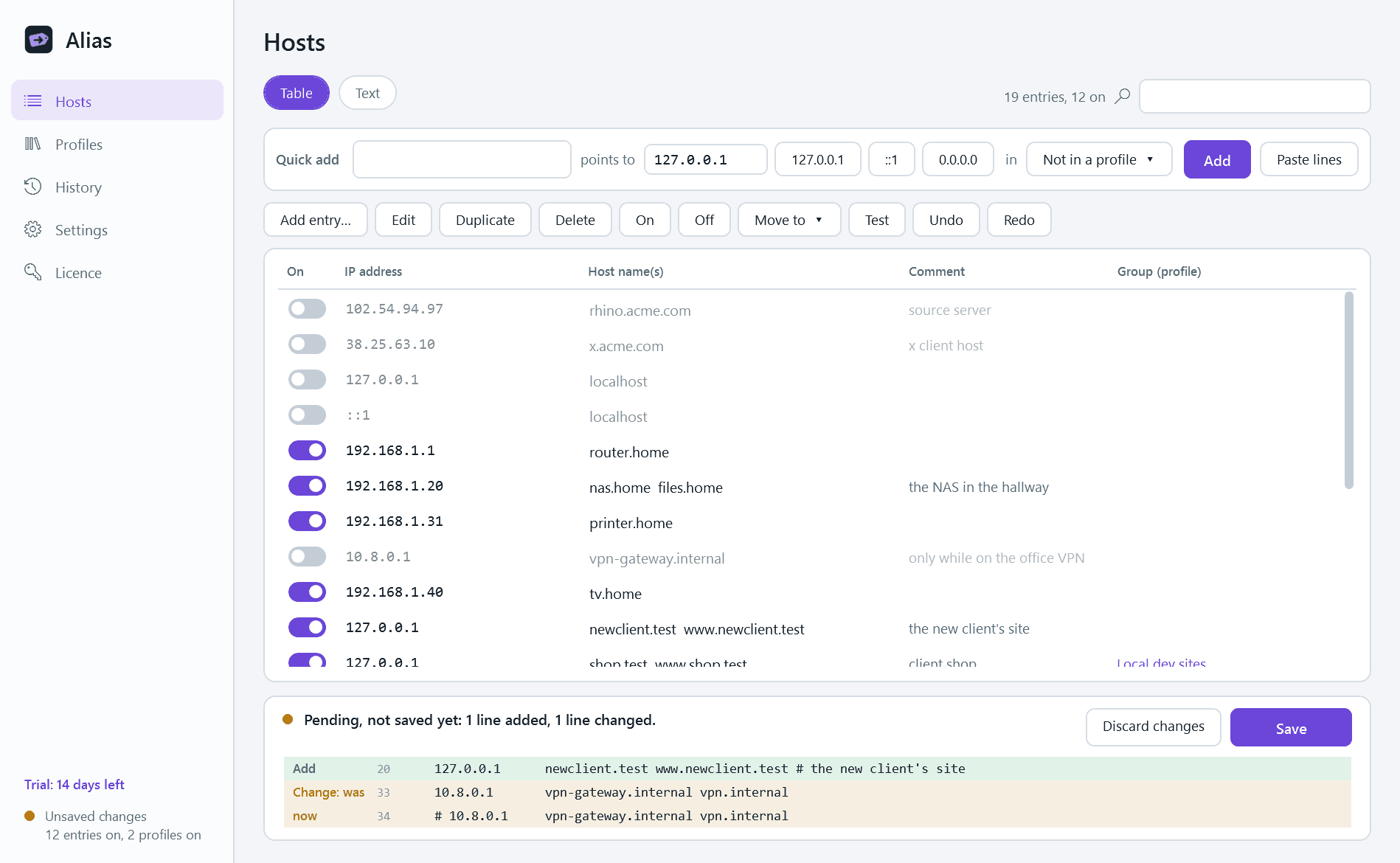
- A table with one row per entry: an on/off switch, address, host names, comment and group. Add, edit, duplicate, delete, drag to reorder, select several, search. Off means commented out, never deleted.
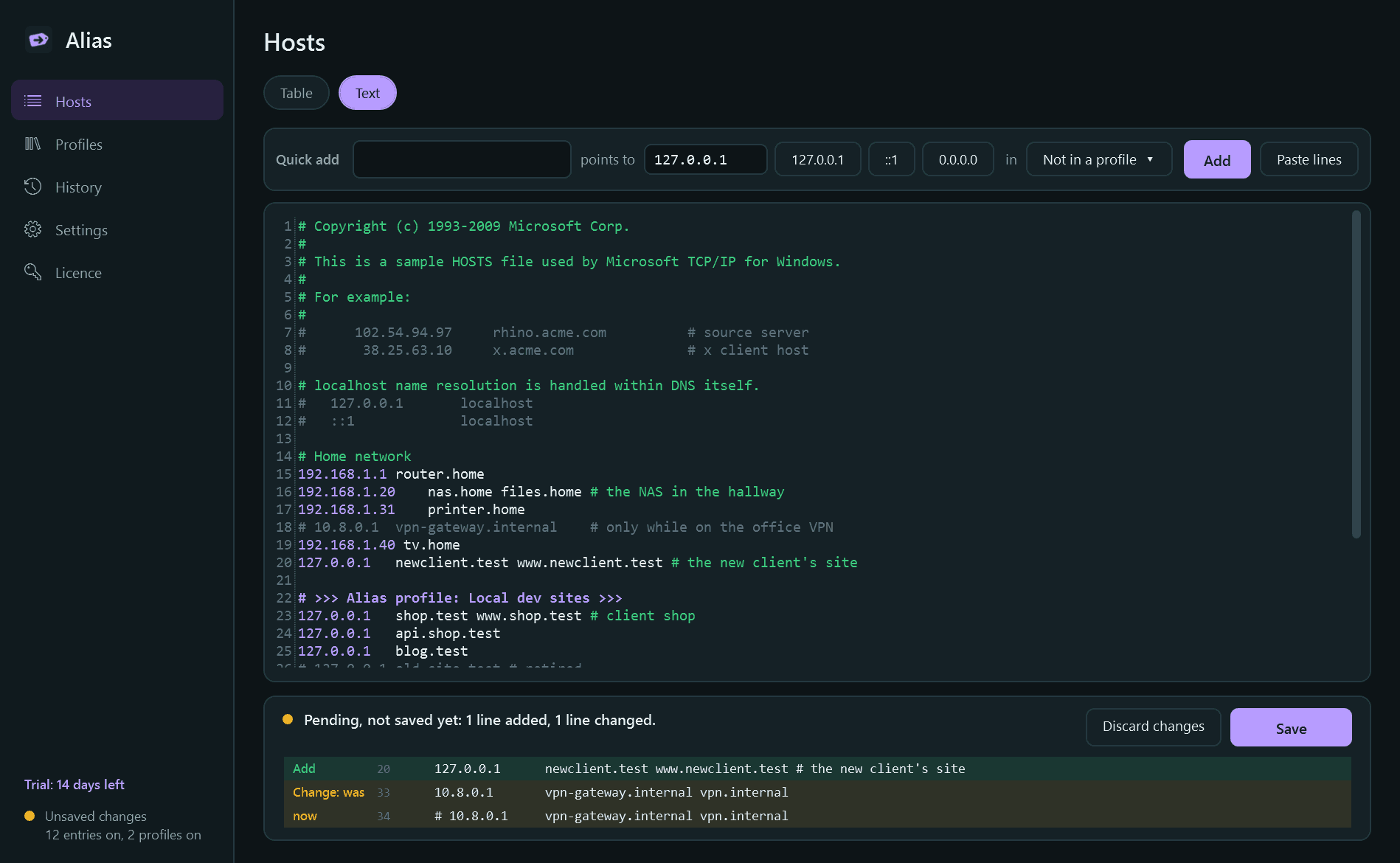
- A text view of the raw file with colouring, for people who prefer it. The two stay in step.
- Quick add: type a host name, pick 127.0.0.1 or another address, done. Paste several lines at once.
- Nothing is written until you press Save. A pending-changes panel lists exactly which lines will be added, removed or changed.
- Checked before saving: addresses that are not addresses, host names that are not valid, the same name pointing to two different addresses, exact repeats. Errors stop the save; warnings do not.
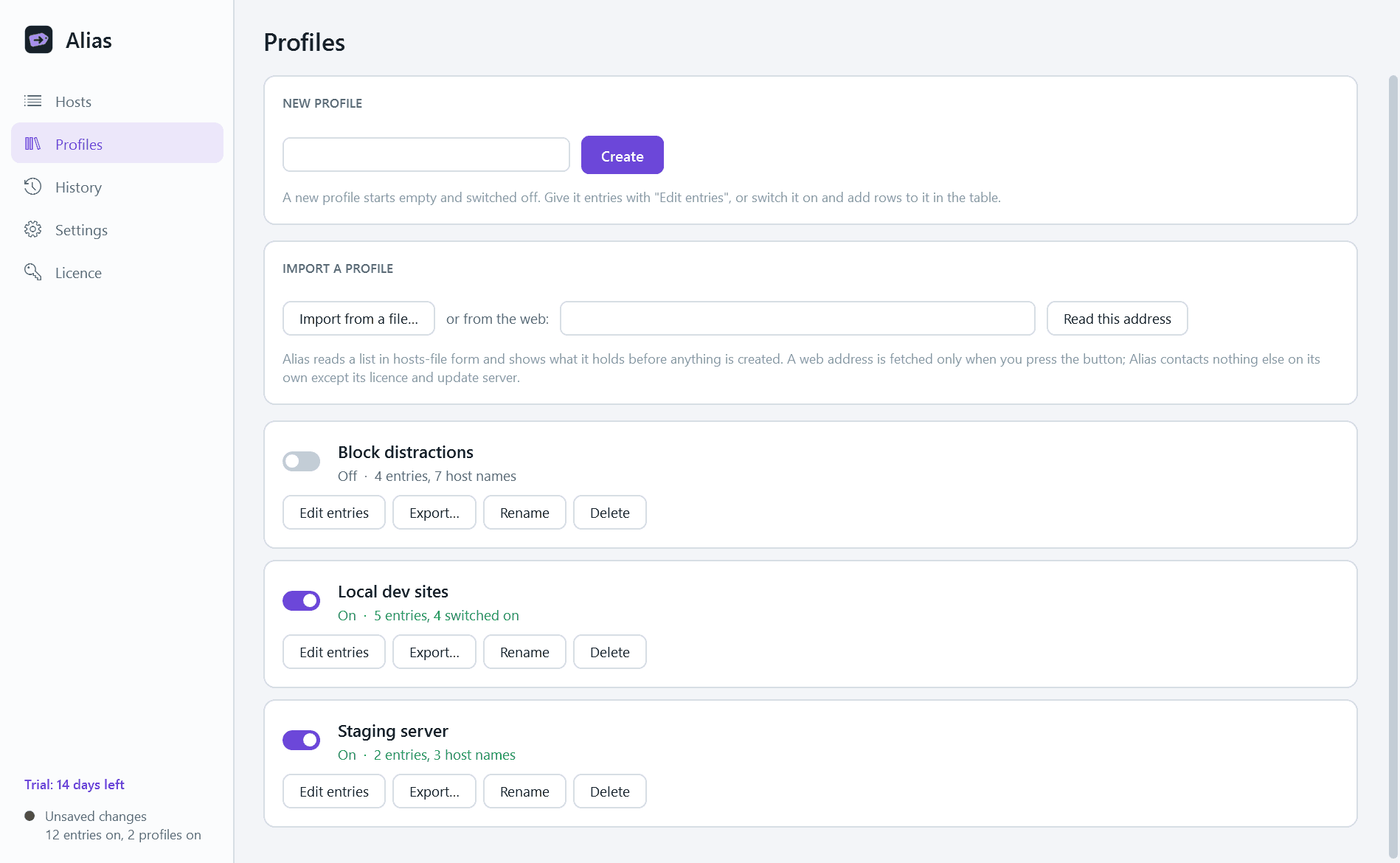
- Profiles: named sets of entries such as "Local dev sites", "Staging server" or "Block distractions". Several can be on at once, and each is switched from the window or the notification-area menu.
- If two profiles disagree about the same host name, Alias says so and asks which one wins.
- Import a profile from a hosts-format file or a web address you give, with a preview before anything is created. Export any profile to a file.
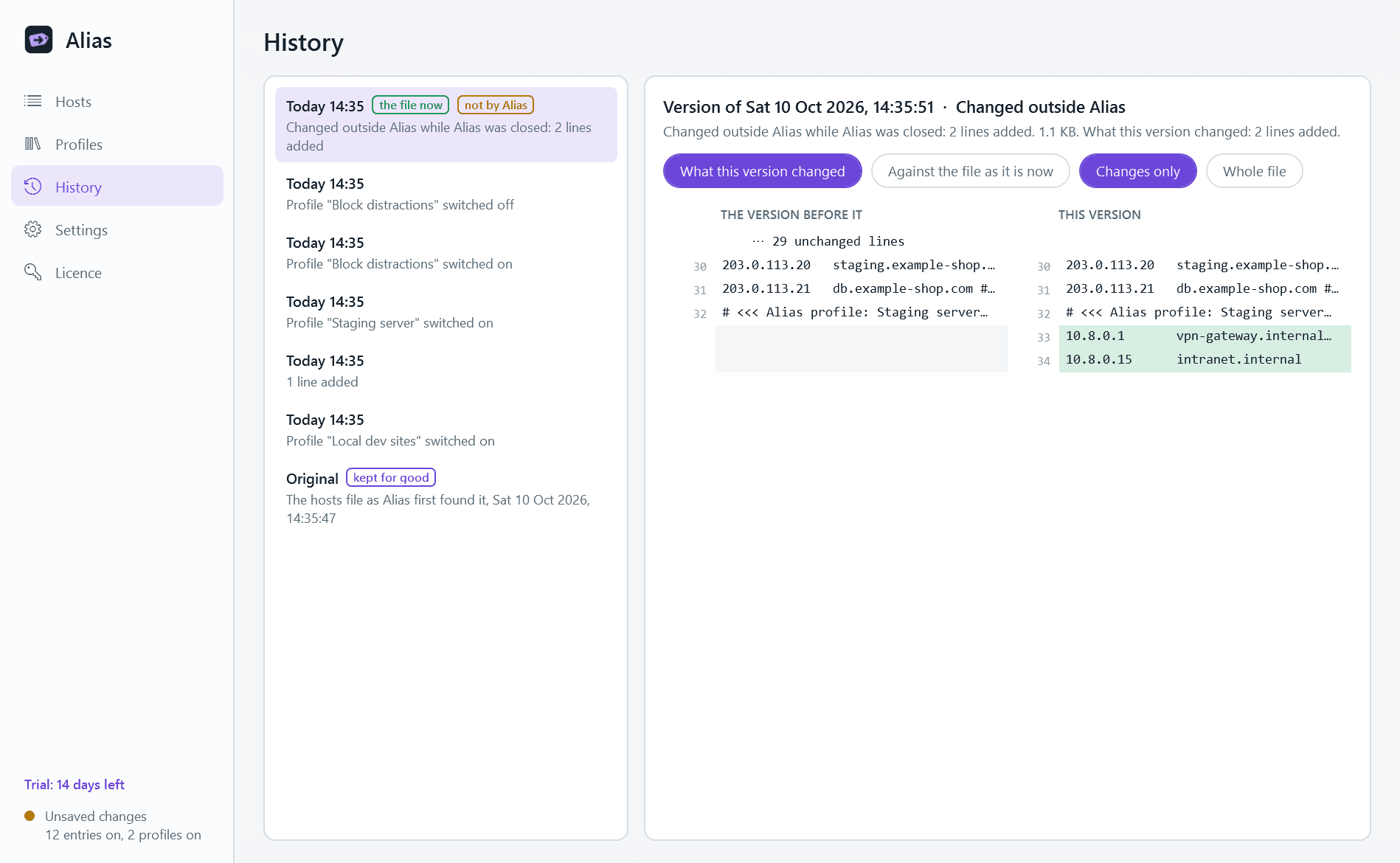
- History: every version of the file with the date and a summary, a side-by-side comparison, and "Restore this version". The file as it was before Alias is kept for good as "Original".
- A notice when anything other than Alias changes the hosts file, with what changed and a choice of Keep or Revert.
- Test on any row: what the name resolves to on this PC right now, and whether that comes from the hosts file.
- Light and dark mode.
Built to be careful
- Lines Alias does not manage come back exactly as they were: comments, blank lines, order, spacing, encoding and line endings. Opening and saving without a change leaves the file identical, byte for byte.
- The new file is written beside the old one, checked, and only then swapped in, so a crash can never leave half a hosts file. The file keeps its permissions.
- Saving needs an administrator, so Windows asks for permission at that moment and only then. Alias itself never runs as administrator.
- If the file is read-only, or security software refuses the write, Alias tells you plainly and says what to do. It never removes a protection by itself.
- Each profile sits between two clearly marked comment lines. Alias never touches anything outside them unless you edit it yourself.
- After a save the DNS cache is emptied and one of the changed names is looked up to confirm the change took effect.
Good to know
- Windows' own rules apply: no wildcards, and a browser with its own secure DNS switched on may not consult the hosts file at all.
- Very large block lists (tens of thousands of entries) can slow Windows' name look-ups. Alias warns you before you import one.
- Nothing about your PC leaves it. Alias contacts a web address only when you import a profile from one, and otherwise only this store, for licence and update checks.
- It installs for your user account only and never asks for administrator rights to install. There is no background service.
- Free to try for 14 days with every feature. After that Alias needs a licence to keep working; without one it opens only a trial-ended screen. That screen can still restore your original hosts file and turn off all Alias profiles, so you are never left with entries you cannot remove. The entries already in the file keep working, and your profiles and history are kept.
One-time purchase for one PC. Includes every version released in the following 12 months; the version you have keeps working after that.
Screens
A closer look.
Next project · Desktop appsStash →
Need somethinglike this built?
A few lines is enough. You will hear back from a person within one business day.
Start a projector email [email to set] · [booking link to set]