Work / Desktop apps / Productivity
Stash
Everything you copy, kept, searchable and one shortcut away.
C#.NET 8WPF
What it does
Everything you copy, kept, searchable and one shortcut away.
Stash remembers everything you copy: text, formatted text, pictures and files. Press a shortcut, type a few letters, and paste any of it again.
It sits in the notification area and starts when you sign in. There is no Windows service, and it needs no administrator rights to install or to run. Windows' own Win+V history is left alone and keeps working.
What it does
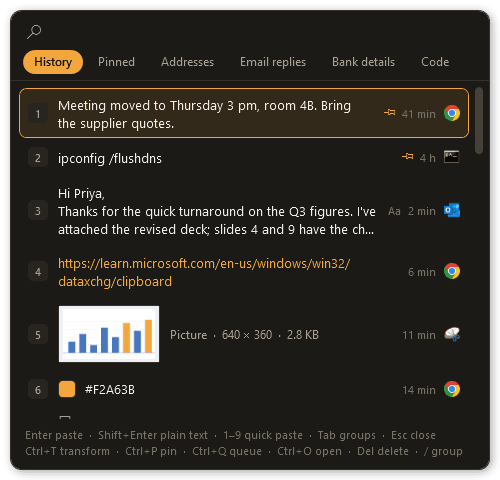
- The list: press Ctrl+Shift+V (you can change it) and a small list opens at the text cursor or the mouse, most recent first. Type to search, move with the arrow keys, press Enter to paste into the window you were in. The number keys 1 to 9 paste the first nine at once. It works entirely from the keyboard and opens instantly.
- Paste as plain text: Shift+Enter drops the formatting. A second shortcut pastes the last thing you copied as plain text without opening the list.
- Everything is kept, not just the last 25 items: no limit on how many, or a limit you choose by number or by age (90 days to begin with). Search covers all of it.
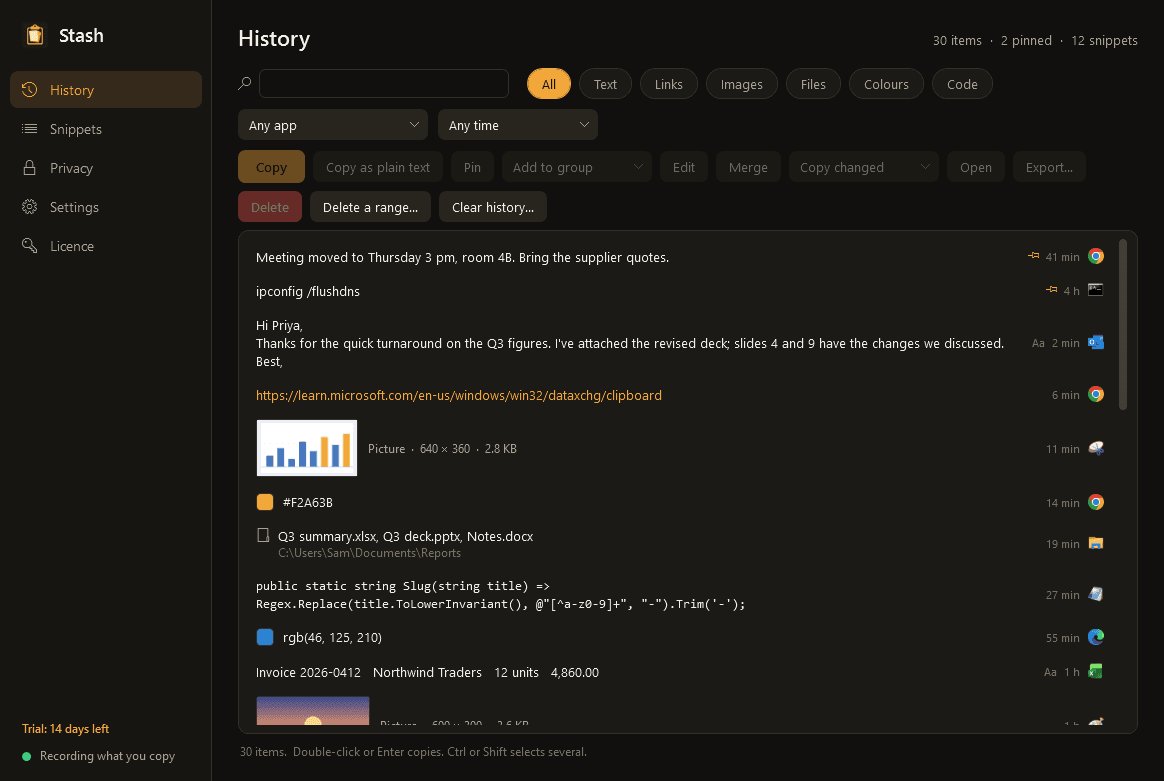
- Each row shows what the item is: the first lines of text, a thumbnail of a picture, the names of copied files, a swatch for a colour code, and the icon of the app it came from.
- Pins keep an item at the top and for ever.
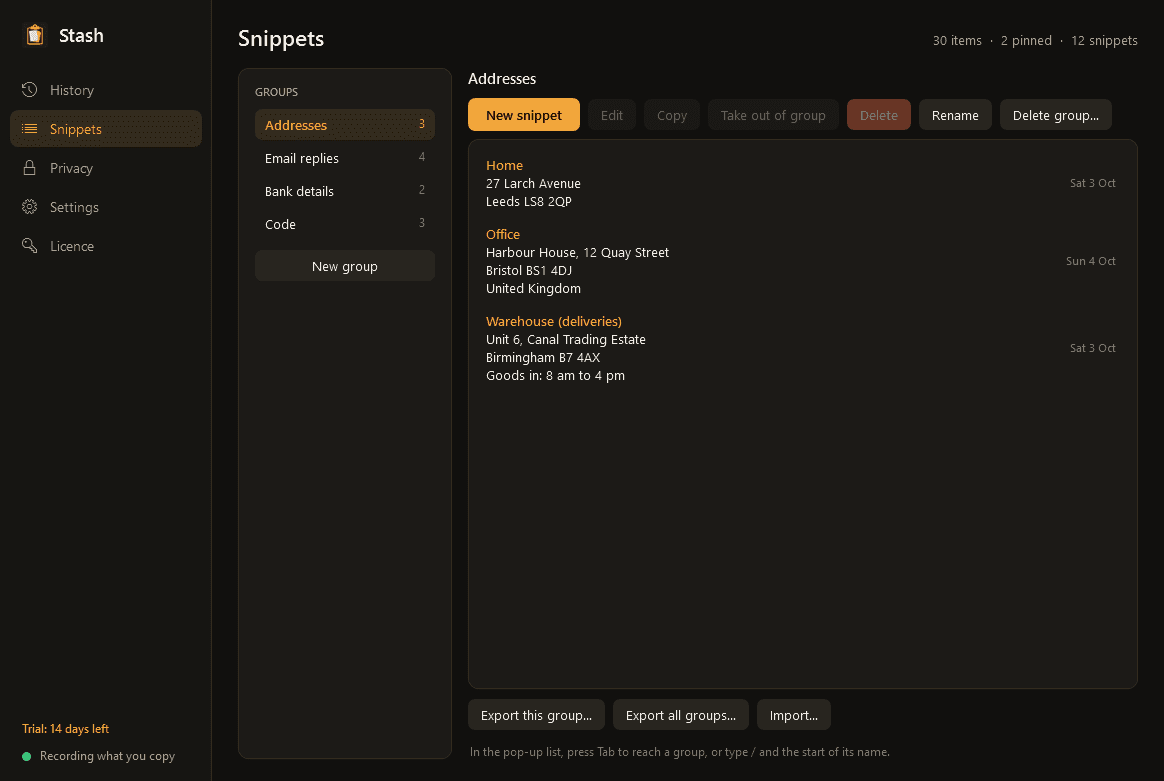
- Groups of snippets with your own titles, for things you paste again and again: addresses, bank details wording, email replies, code. Reach a group from the list with Tab, or type / and the start of its name.
- Paste queue: collect several copies, then paste them one after another, in order, with repeated presses.
- Paste with a change: trim spaces, UPPER, lower or Title case, remove line breaks, sort a list, remove duplicate lines. The stored item is not altered.
- The main window has the whole history with filters by type (text, links, pictures, files, colours, code), by source app and by date. Edit a text item, merge several into one, delete one, delete a range, or clear the lot.
- Quick actions: open a link, show a copied file in its folder, view a picture full size or save it as a file.
- Export chosen snippets or whole groups to a file and import them on another PC.
- Light and dark mode.
Your privacy
- Nothing you copy ever leaves your PC. No cloud, no sync, no telemetry. The only network use is the licence check and the update check with this store.
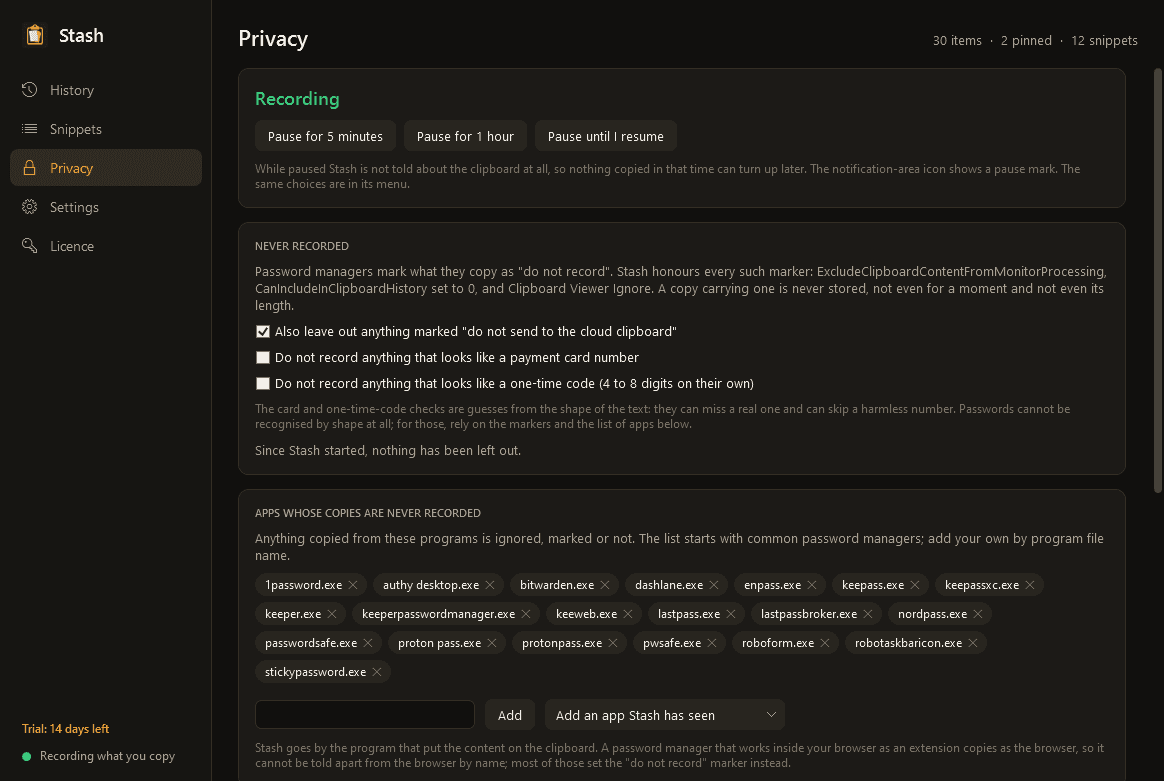
- Password managers mark what they copy as "do not record". Stash honours those markers: such items are never stored.
- A list of apps whose copies are never recorded, already filled with common password managers. Add your own.
- Pause recording from the notification area: for 5 minutes, 1 hour, or until you resume.
- Optionally skip anything that looks like a payment card number or a one-time code.
- The history is encrypted on disk with a key that Windows keeps for your Windows account, so other accounts on the PC and anyone who copies the files cannot read it. It does not protect against someone using your PC while you are signed in and it is unlocked.
- "Delete everything" really deletes everything: the records, the stored pictures and their thumbnails.
Good to know
- Free to try for 14 days with every feature. After that Stash needs a licence to keep working; without one it stops recording, its shortcuts do nothing and it opens only a screen that asks for a licence key. That screen still lets you delete everything Stash recorded. Otherwise your history and snippets are kept and come back when a licence is entered. Copy and paste in Windows itself are never affected.
- Stash pastes by putting the item on the clipboard and pressing Ctrl+V for you. Windows does not allow that into a window that runs as administrator; there Stash leaves the item on the clipboard and tells you to press Ctrl+V yourself.
- Copied files are remembered as their paths, not as copies of the files. If a file is later moved or deleted, pasting it as a file will not work.
- Stash records only while it is running, and only what is copied after it starts.
- A password manager that runs inside your browser as an extension copies as the browser, so Stash cannot tell it apart by name; it relies on the "do not record" marker, which most of them set.
- The shortcut Stash holds no longer reaches the app in front. Ctrl+Shift+V is "paste without formatting" in some browsers and chat apps; in Stash, Shift+Enter in the list does that, or pick another shortcut in Settings.
One-time purchase for one PC. Includes every version released in the following 12 months; the version you have keeps working after that.
Screens
A closer look.
Next project · Desktop appsHandoff →
Need somethinglike this built?
A few lines is enough. You will hear back from a person within one business day.
Start a projector email [email to set] · [booking link to set]