Work / Desktop apps / Network

Almanac
Never let a domain or a certificate expire by surprise.
C#.NET 8WPF
What it does
Never let a domain or a certificate expire by surprise.
Almanac keeps a calendar of everything that expires: your domain registrations and the certificates your websites and mail servers hand out. Give it your domains and it warns you well before one runs out, and tells you when something about them changes that you did not expect.
What it watches
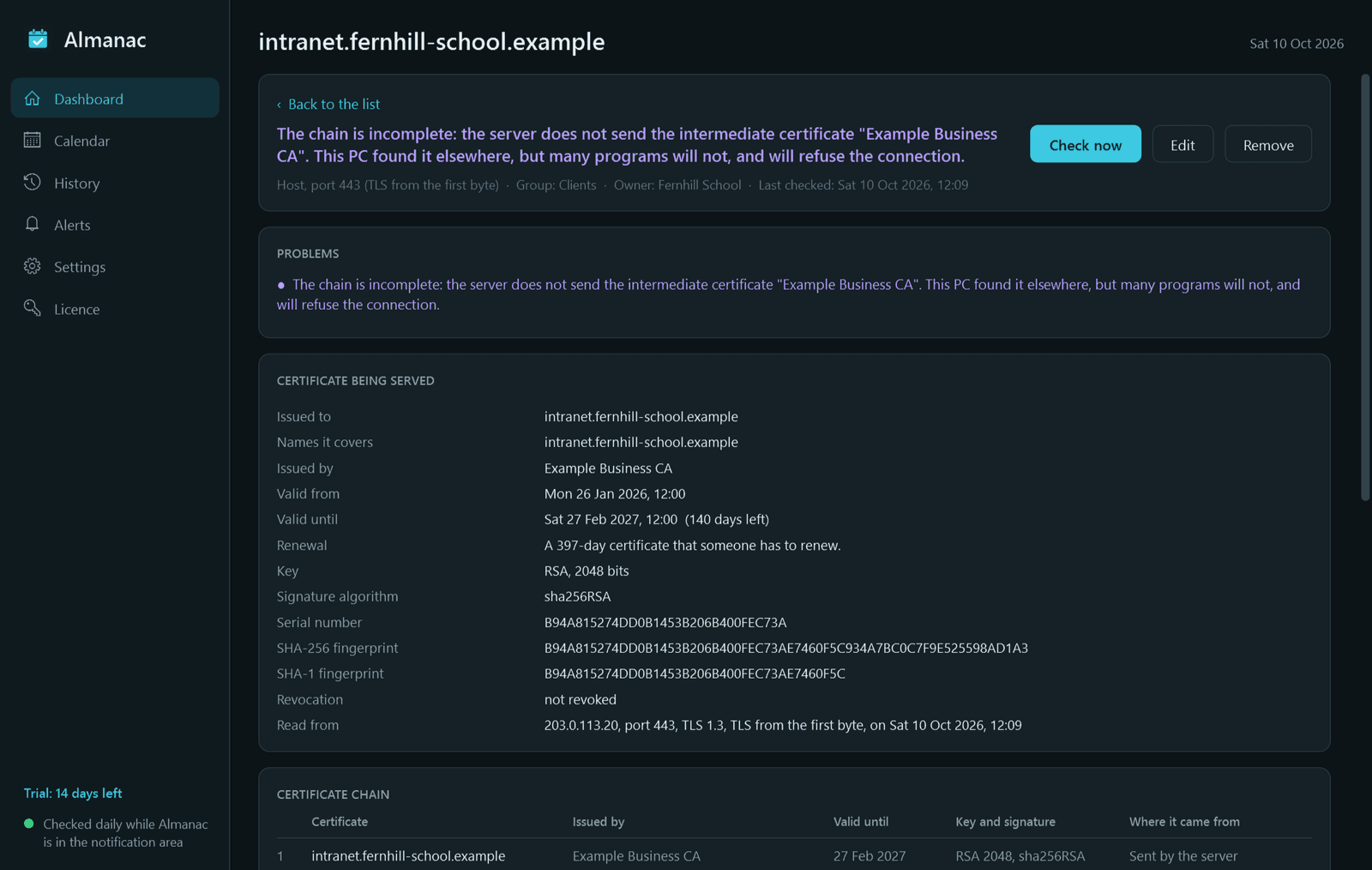
- Certificates, per host and port: it connects the way a browser or mail client does, including mail ports that upgrade with STARTTLS, and reads the certificate actually being served. It records who it was issued to, every name it covers, the issuer, the dates, key, signature, serial, fingerprint and the full chain.
- Certificate problems in plain words: expired, not yet valid, wrong name, incomplete or untrusted chain, self-signed, revoked, weak key or signature.
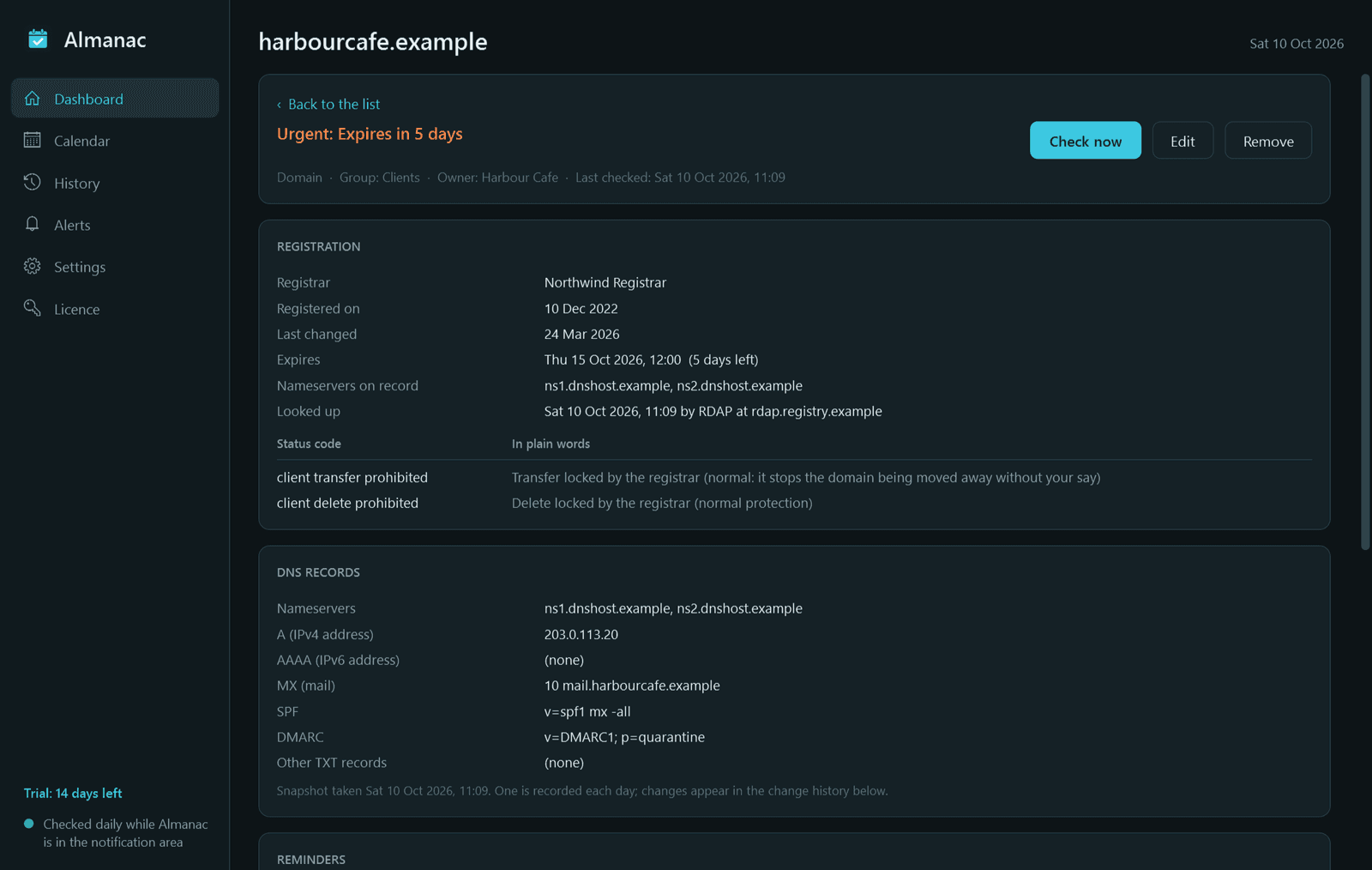
- Domain registrations: registrar, created, updated and expiry dates, nameservers, and the registry's status codes explained (on hold, pending delete, transfer locked and the rest). Looked up through RDAP at the right registry, with WHOIS where a registry has no RDAP.
- A daily DNS snapshot of each domain: nameservers, A and AAAA, MX, SPF and DMARC, with the history kept so changes can be seen.
What it gets right
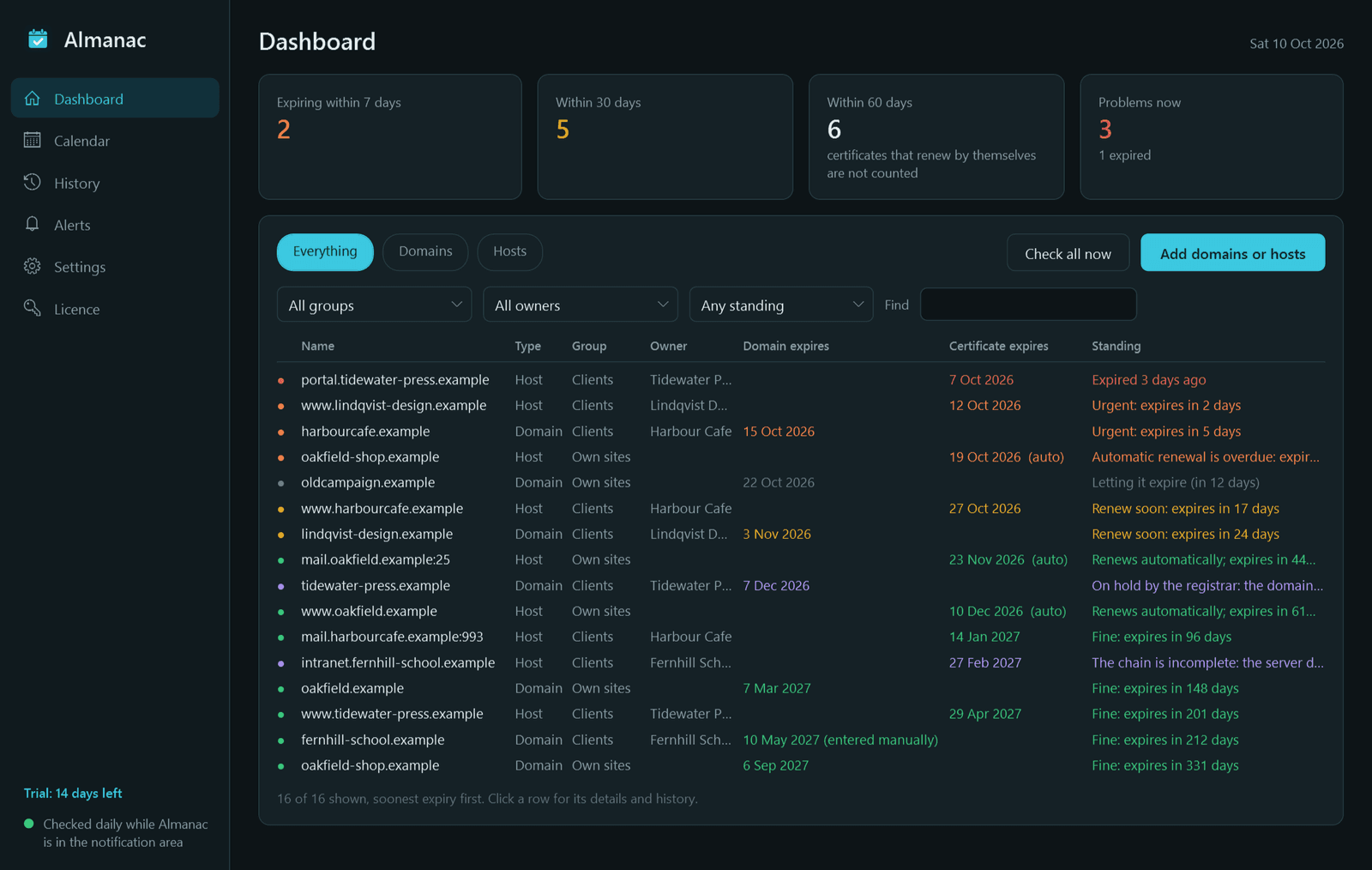
- A 20-day-left Let's Encrypt certificate is not treated like a 20-day-left yearly one. Certificates that renew by themselves are left alone, until one passes its usual renewal point without being replaced: then Almanac warns loudly.
- Some registries do not publish an expiry date. Almanac says so, and lets you type the date in, labelled as entered manually. It never estimates or invents a date.
- A polite client: one registration lookup per domain per day, spaced out, backing off when a registry asks. A normal handshake only: no scanning of any kind.
Reminders and alerts
- Reminders 60, 30, 14, 7, 3 and 1 days before an expiry and on the day; the schedule is yours to change. Snooze, mark as handled, or flag "I am letting this one expire".
- Straight away when a certificate problem appears, a certificate is replaced, or nameservers, registrar, domain status, MX, SPF or DMARC change.
- Windows notification, email through your own SMTP server, and webhooks with ready-made formats for Slack, Discord and Telegram, switchable per item or group, each with a test button. Optional weekly summary email.
Dashboard and reports
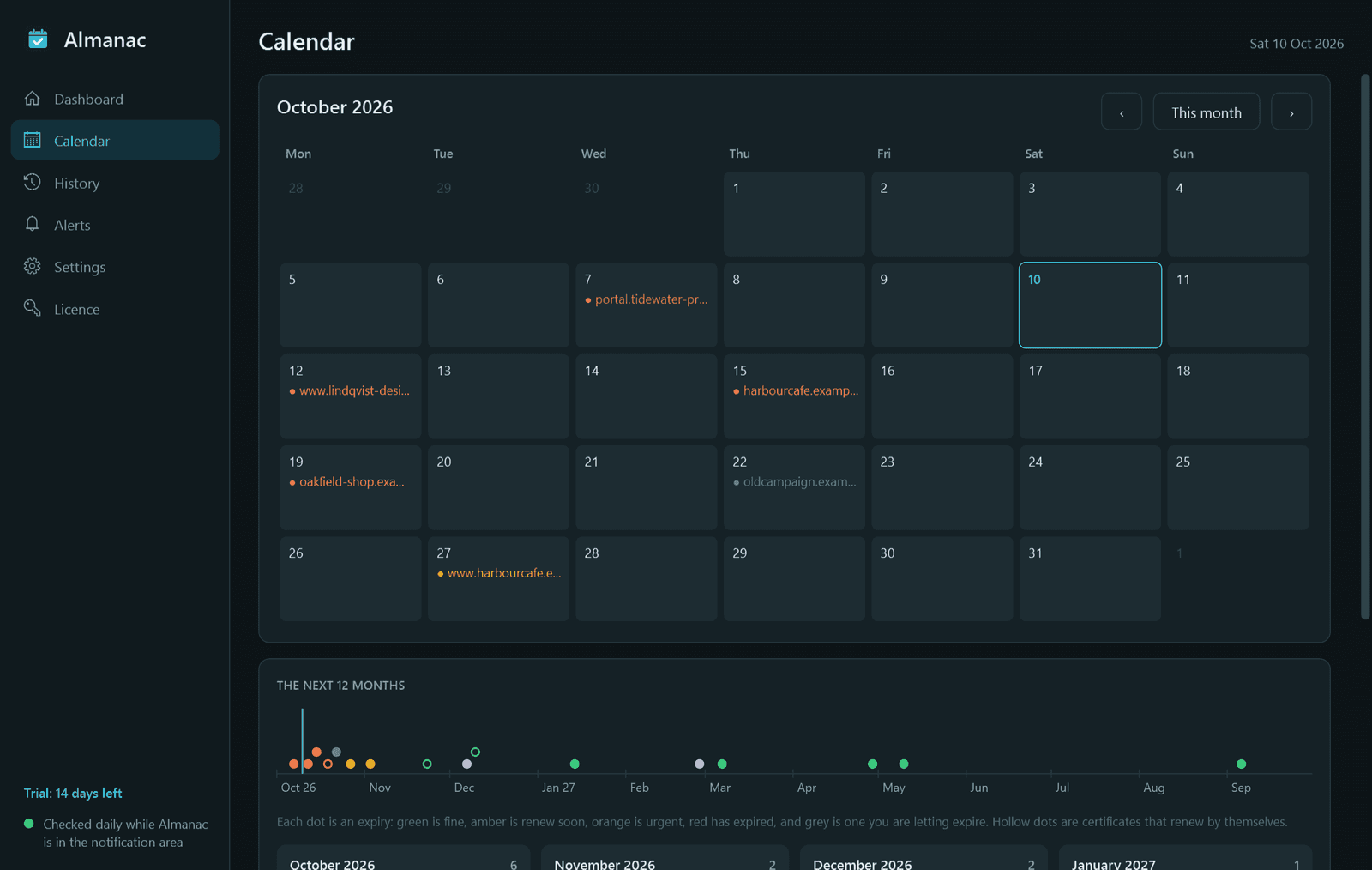
- One list, soonest expiry first, colour-coded, filtered by group, owner, type and standing. A month calendar and a 12-month timeline.
- A page per domain or host with every field, the chain and the change history.
- Export to a calendar file (.ics) and CSV, and a printable PDF expiry report per group or owner: handy when you look after clients' domains.
Good to know
- Almanac checks once a day from its icon in the notification area and catches up on anything it missed while the PC was off. It uses no Windows service and installs without an administrator prompt.
- SMTP passwords and webhook addresses are stored encrypted with Windows' own data protection, and never appear in logs or exports.
- Free for 14 days with every feature. After that Almanac needs a licence to keep working: without one it stops checking and sending reminders and its pages are closed. Your domains and history stay on your PC, and checking resumes once you activate.
One-time purchase for one PC. Includes every version released in the following 12 months; the version you have keeps working after that.
Screens
A closer look.
Next project · Desktop appsAlias →
Need somethinglike this built?
A few lines is enough. You will hear back from a person within one business day.
Start a projector email [email to set] · [booking link to set]