Work / Desktop apps / Developer

Anvil
The developer toolbox that works with the network cable unplugged.
C#.NET 8WPF
What it does
The developer toolbox that works with the network cable unplugged.
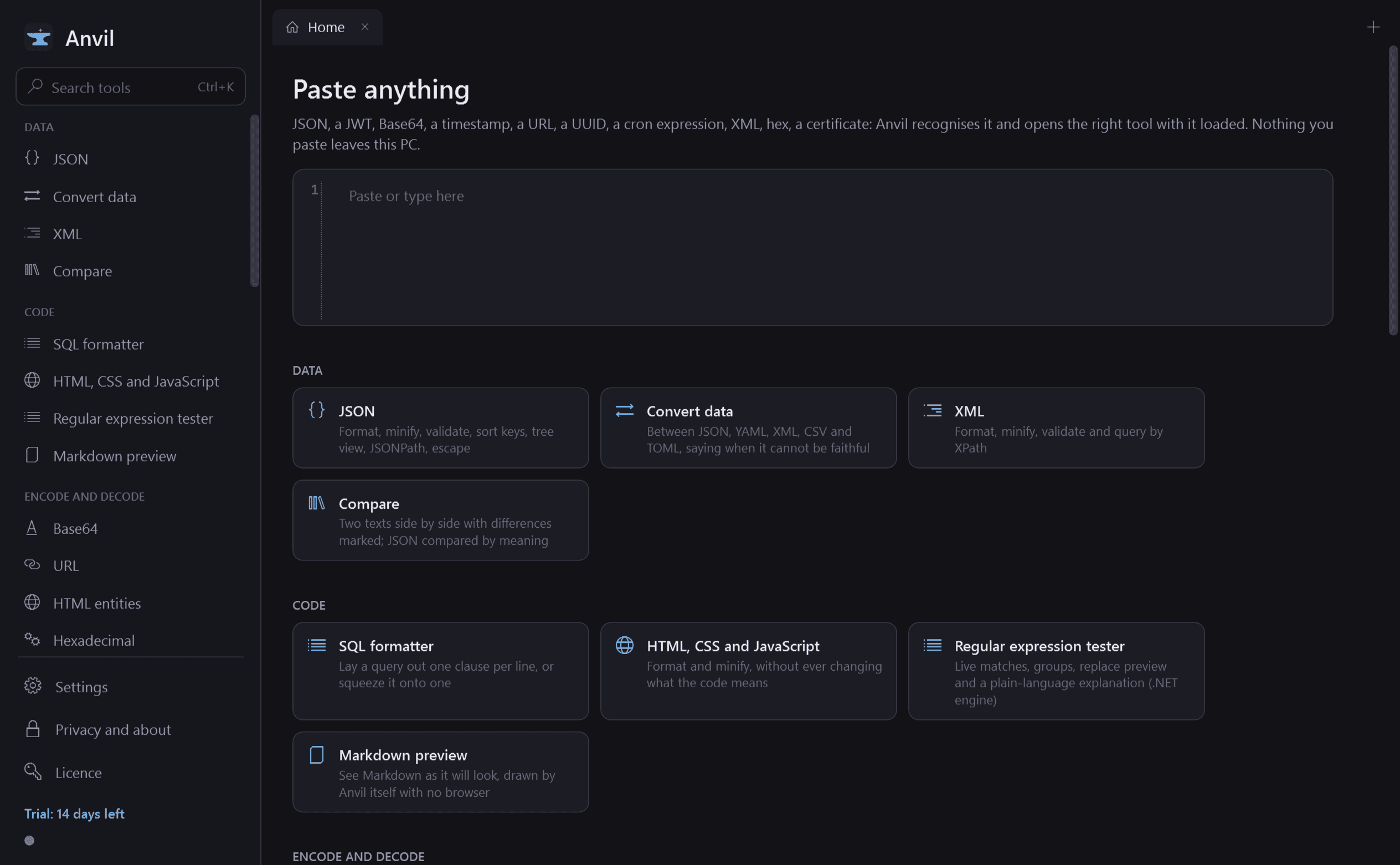
Anvil is the developer toolbox that works with the network cable unplugged. The small jobs developers keep opening random websites for (format JSON, test a regular expression, decode Base64 or a JWT, hash a file, convert a timestamp) are all here, in one fast window that never sends anything anywhere.
People paste tokens, keys and customer data into online tools every day. Anvil does the same jobs on your own PC.
The privacy promise, and how to check it
- No tool ever makes a network request. The only times Anvil uses the internet are to check its licence and to look for an update.
- No analytics, no crash upload, no remote fonts or scripts. Previews are drawn by Anvil itself, not by a browser. The Markdown preview does not fetch remote pictures unless you click to allow it for that one document.
- History of inputs is off. If you turn it on for a tool it is encrypted with Windows DPAPI, limited in size and clearable. Tools that handle secrets (JWT, hashes with a key, passwords, certificates) never keep history.
- Nothing you paste is written to a log, a temporary file or a settings file. "Clear everything" wipes all tabs and history.
- Check it yourself: disconnect the network and every tool works exactly as before.
Getting to the right tool instantly
- Smart paste: press Ctrl+Alt+A anywhere (you can change it). Anvil comes to the front, looks at the clipboard, recognises JSON, a JWT, Base64, a timestamp, a URL, a UUID, a cron expression, XML, a hex string or a PEM certificate, and opens the right tool with it loaded. When it could be several things it offers the choices.
- Ctrl+K finds a tool by name or keyword ("epoch", "b64", "pretty").
- Send to another tool: pass a result straight on (decode Base64, format the JSON inside, compare), with a trail to step back along.
- Tabs, favourites and recently used tools.
The tools
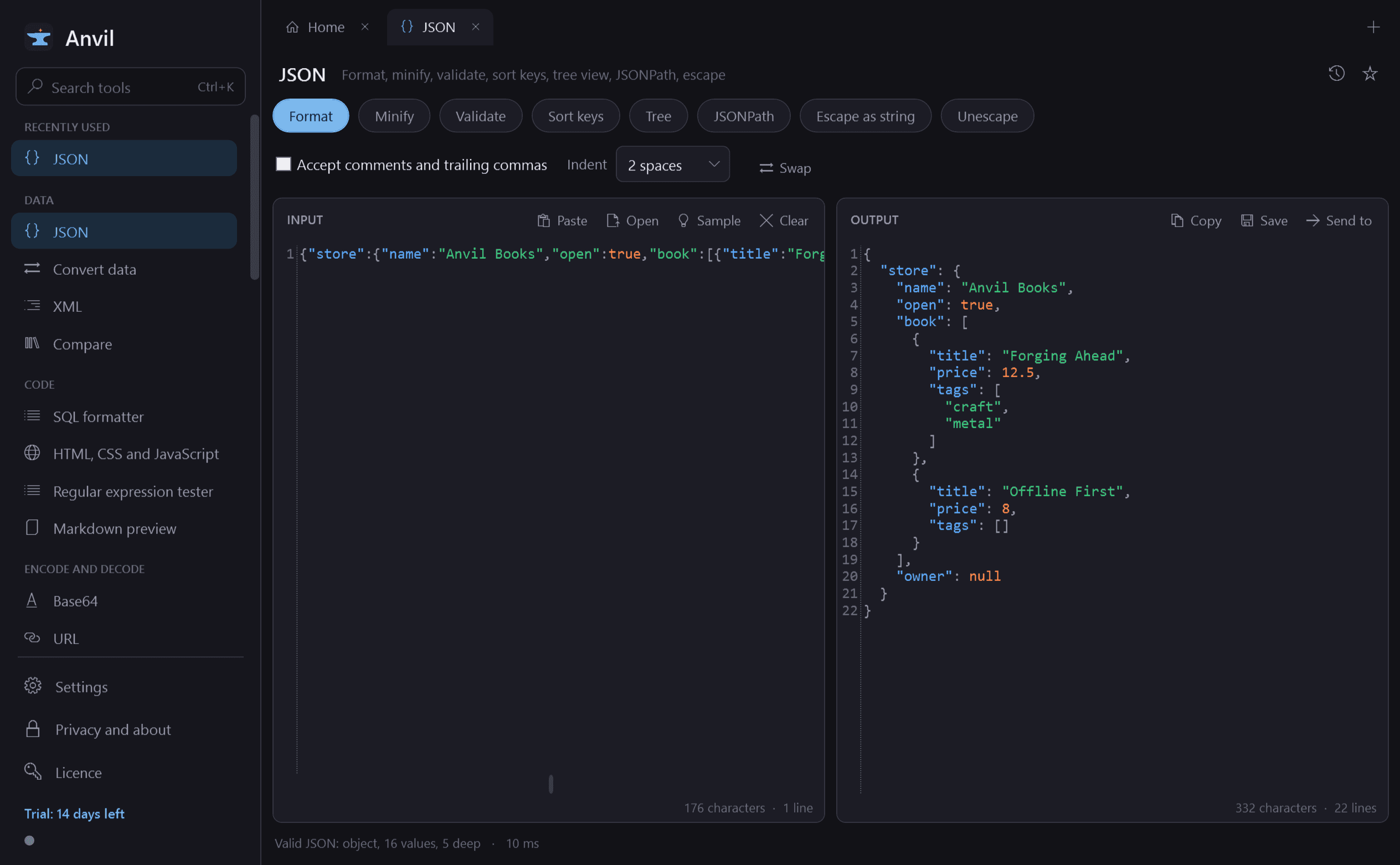
- JSON: format, minify, validate with the exact error position, sort keys, collapsible tree with search, JSONPath, escape and unescape as a string.
- Convert between JSON, YAML, XML, CSV and TOML, saying clearly when a conversion cannot be faithful.
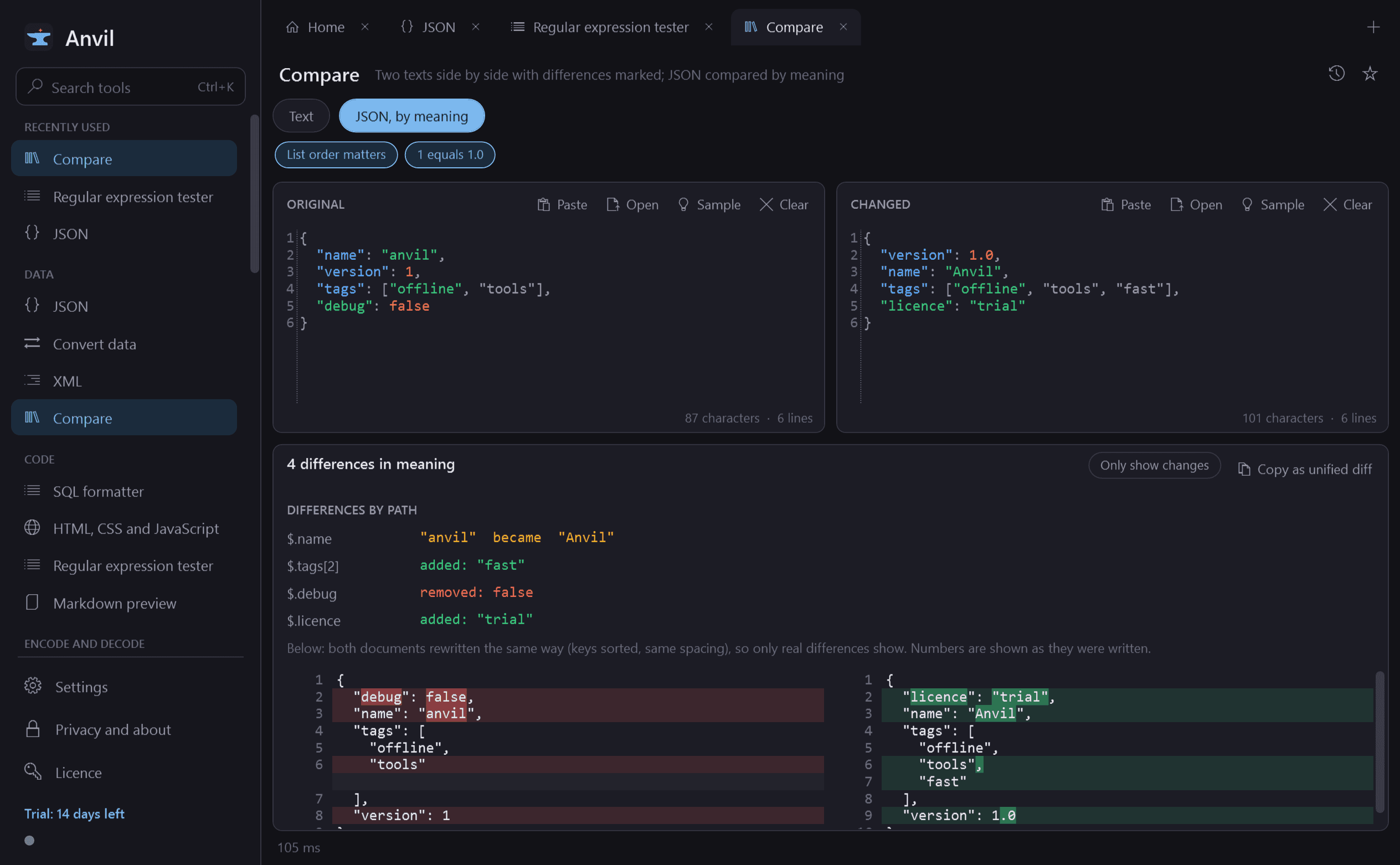
- Compare: two texts side by side with line and word differences marked, and a JSON compare that ignores key order and spacing.
- XML: format, minify, validate, XPath. SQL formatter. HTML, CSS and JavaScript formatter and minifier.
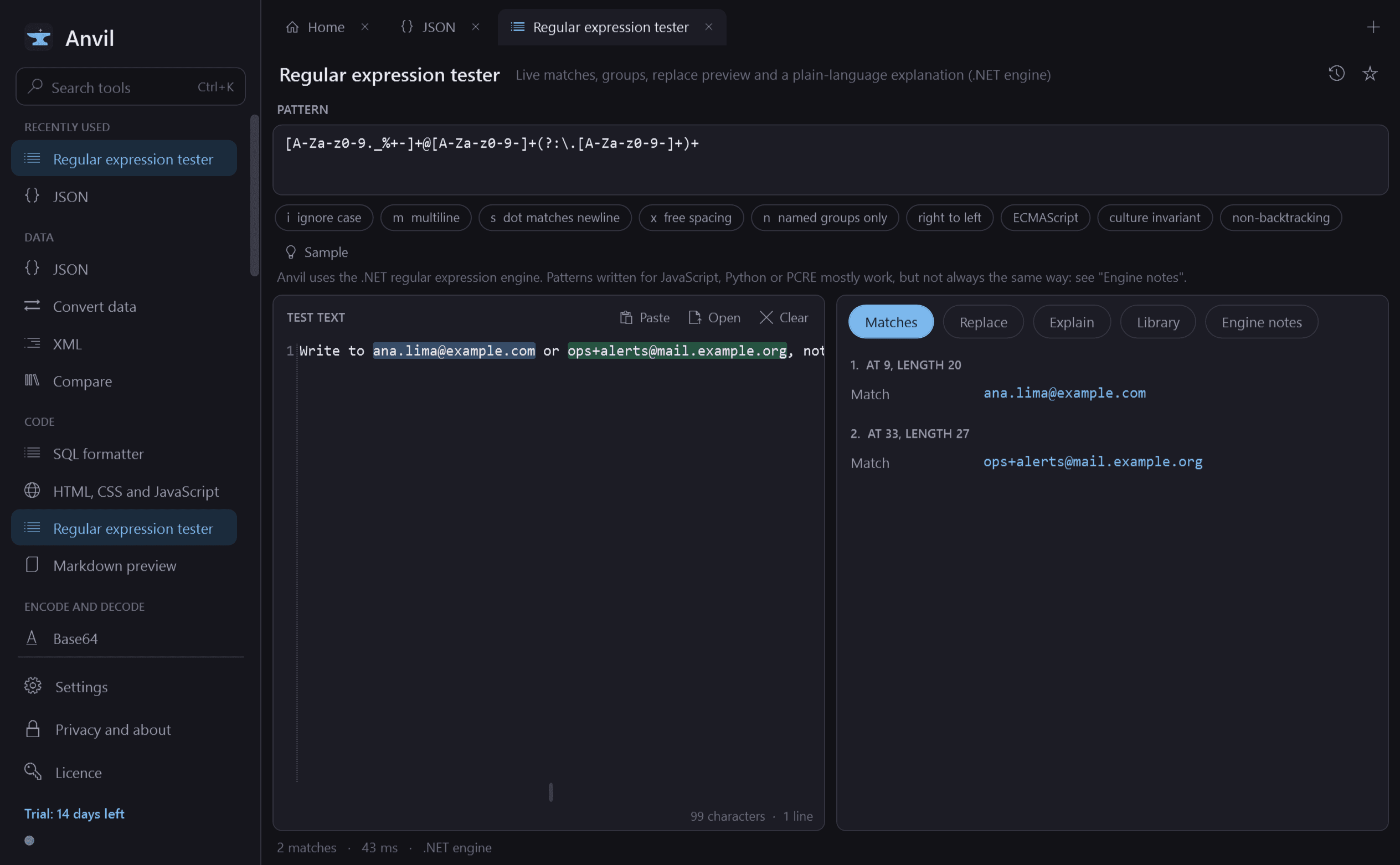
- Regular expression tester: live highlighted matches, capture groups, replace preview, a plain-language explanation of the pattern and a library of common patterns. Every run has a time limit, so a runaway pattern cannot hang the app. It uses the .NET engine and lists the differences from JavaScript, Python and PCRE.
- Encoders and decoders: Base64 (text, files and images with preview; standard and URL-safe), URL encoding with a parser and an editable query-string table, HTML entities, hexadecimal, Unicode escapes, quoted strings for ten languages, Gzip, Deflate, zlib and Brotli.
- JWT: header and payload decoded, expiry and issue times in readable form ("expired 2 h ago", "valid for 3 h"), and the signature checked against a secret or public key you paste.
- Certificates: subject, issuer, validity dates, names covered, key type and fingerprints from a PEM or DER file.
- Hashes: MD5, SHA-1, SHA-256, SHA-384, SHA-512 and CRC32 of text or a file of any size, HMAC with a key, and "compare with expected". MD5 and SHA-1 are marked as unsuitable for security.
- Generators: UUID versions 4 and 7 and ULID in bulk, random strings and passwords from the cryptographically secure source, lorem ipsum, QR codes saved as PNG or SVG.
- Time: Unix timestamps to and from dates, ISO 8601, any time zone to any other, the current time ticking, and the difference between two dates.
- Cron: an expression explained in plain words with its next ten run times, and a builder.
- Numbers: binary, octal, decimal and hexadecimal with a bit view; byte sizes (KB against KiB).
- Text: change case, sort lines, remove duplicates, reverse, trim, number, count characters, words, lines and bytes, find and replace, line endings, text encoding.
- Network: IP subnet calculator for IPv4 and IPv6, and HTTP status codes.
- Viewers: Markdown preview and a hex viewer for files of any size.
Built for real work
- Every tool works the same way: input on one side, output on the other, updating as you type, with copy, paste, open, save, swap, clear and a sample.
- Large input does not freeze the window: a 50 MB JSON file is formatted off to the side with progress and a Cancel button, and shown in a viewer that only draws what is on screen.
- Errors appear beside the input with line and column, in plain language.
- Light and dark, a monospaced editor with line numbers, syntax colouring, word wrap and adjustable text size.
Good to know
- Free to try for 14 days with every feature. After that Anvil needs a licence to keep working: without one it gives its shortcut back to Windows and opens only a screen that asks for a licence key. Favourites and settings are kept; any saved history stays encrypted and can be deleted from that screen.
- It installs for your user account only and never asks for administrator rights. There is no Windows service.
- The regular expression tester uses the .NET engine, the SQL formatter is a pretty-printer and not a validator, and certificates are read, not judged for trust.
One-time purchase for one PC. Includes every version released in the following 12 months; the version you have keeps working after that.
Screens
A closer look.
Next project · Desktop appsStrongbox →
Need somethinglike this built?
A few lines is enough. You will hear back from a person within one business day.
Start a projector email [email to set] · [booking link to set]