Work / Desktop apps / Productivity
Blink
Break and eye-rest reminders that follow your real activity, and stay out of the way of calls, films and presentations.
C#.NET 8WPF
What it does
Break and eye-rest reminders that follow your real activity, and stay out of the way of calls, films and presentations.
Blink is a break and eye-rest reminder. It notices how long you have been working without a pause and nudges you to rest your eyes, stand up and stretch at sensible intervals. It stays quiet during calls, presentations and films, and it shows whether you actually took the breaks.
It sits in the notification area and starts when you sign in. There is no Windows service, and it needs no administrator rights to install or to run.
Timing that follows what you are really doing
- Working time is counted only while you are using the keyboard or mouse. Step away and the timer stops.
- A natural pause counts as a break: if you are away for as long as a break would have lasted, that break's timer starts again quietly and it is logged as taken. Locking the PC, sleep and signing out count the same way.
- It does not interrupt a full-screen film, game or slideshow, Windows presentation mode or focus assist (do not disturb), or a call (the microphone or camera in use). A reminder that falls due then is held and shown shortly after. Each of these is a setting.
- Working hours: optionally only on the days and between the times you choose.
Breaks
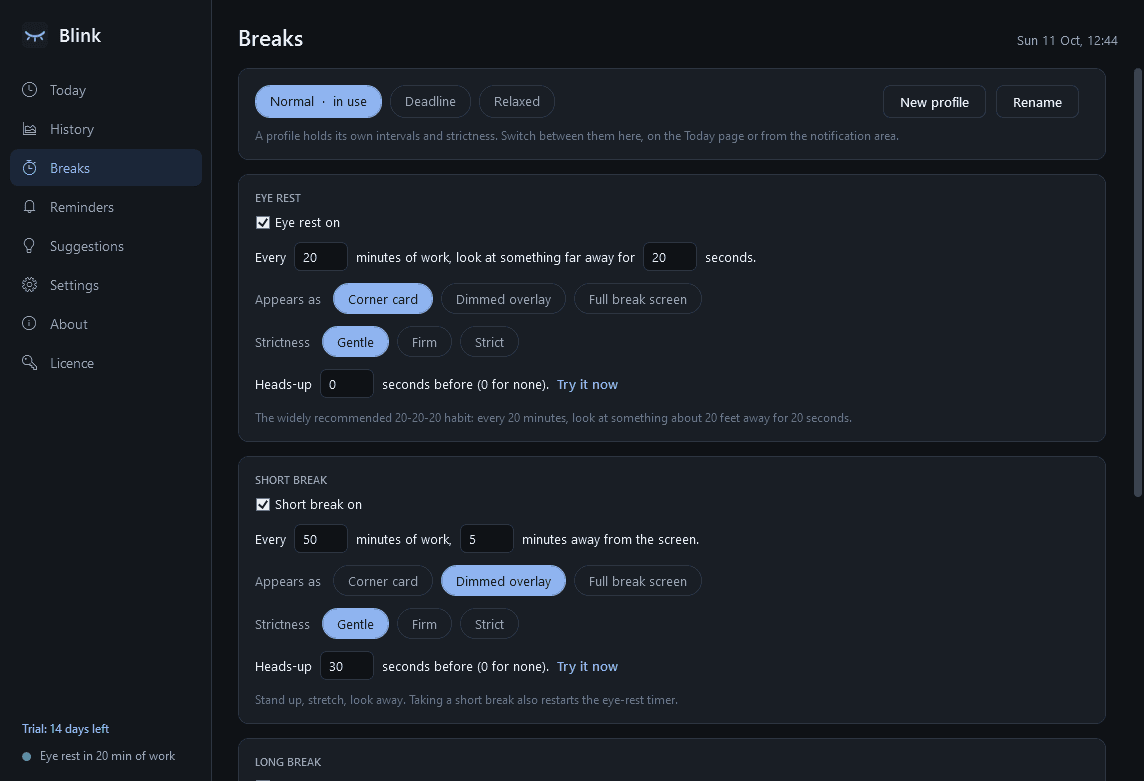
- Eye rest: every 20 minutes, look at something far away for 20 seconds (the widely recommended 20-20-20 habit). Small and unobtrusive by default.
- Short break: every 50 minutes, 5 minutes away from the screen.
- Long break: after a set number of short breaks, 15 minutes.
- Your own reminders: any text on any interval (drink water, check posture, stand up), as a gentle toast rather than a break screen.
- Optional daily ones: a wind-down reminder at a set time, and a notice when your active time today passes a limit you set.
- Every interval and length can be changed, and each break can be switched off.
How a break appears
- A heads-up shortly before, with Start now, Postpone and Skip.
- Three styles to choose from for each break: a corner card with a countdown, a dimmed see-through overlay on all monitors, or a full break screen on all monitors.
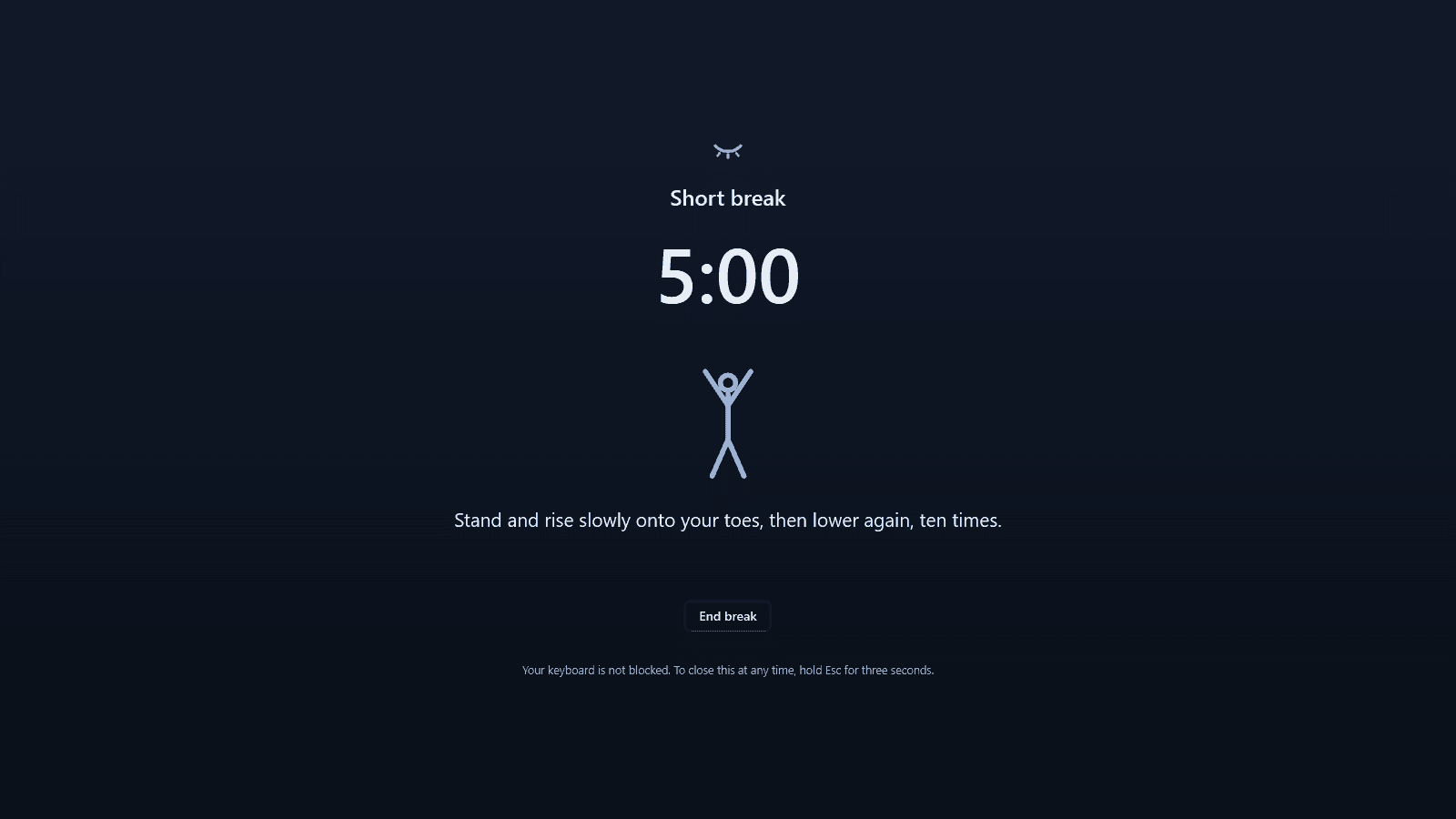
- A calm break screen: a countdown and one suggestion at a time (an eye exercise, a stretch, a breathing rhythm), each with a simple drawing, and an optional soft sound at the start and end. A few dozen suggestions are included; edit them or add your own.
- If you keep typing or moving the mouse, the countdown waits and a gentle note says so. The break only counts when you actually stop.
- Strictness for each break: Gentle (skip and postpone freely), Firm (limited postpones a day, and Skip asks twice) or Strict (no Skip or Postpone button).
Always in your hands
- Holding Esc for three seconds always closes a break, even a Strict one.
- Blink never blocks your keyboard or mouse and never takes the keyboard focus: whatever you were typing into keeps receiving it.
Results
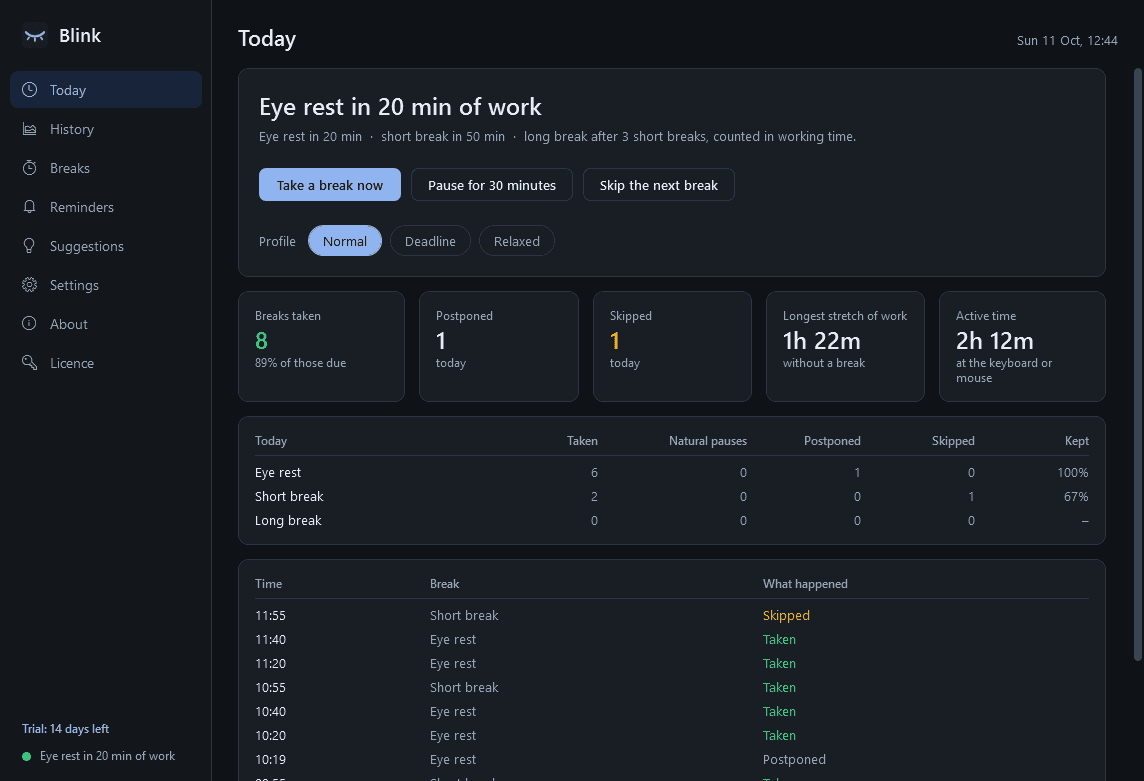
- Today: breaks taken, postponed and skipped, your longest unbroken stretch of work and total active time.
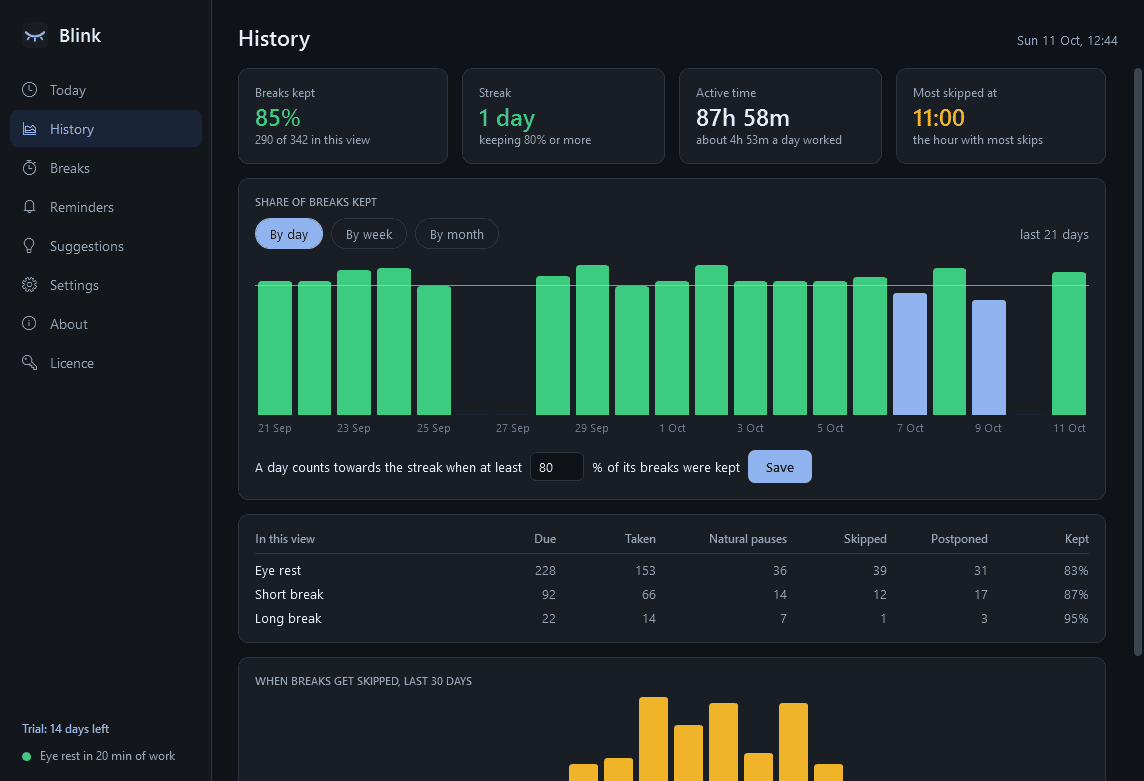
- History by day, week and month: the share of breaks you kept for each type, a streak of days meeting a goal you set, and the times of day you skip most.
- A weekly summary toast, which can be switched off.
Controls
- A notification-area icon showing the time until the next break, with a menu to take a break now, pause for 30 minutes, an hour or until tomorrow, skip the next break and switch profile.
- Global shortcuts for "break now" and "pause"; you choose the keys.
- Profiles such as Normal, Deadline and Relaxed, each with its own intervals and strictness.
- Light and dark mode. Negligible CPU and memory.
Private by design
- Blink only asks Windows how long ago the keyboard or mouse was last used. It does not record or look at what you type, and it never opens your microphone or camera: it reads Windows' own record of whether an app is using them.
- Settings and history stay on your PC. The only times it uses the internet are to check its licence and to look for updates.
Good to know
- Blink is not medical advice. Its reminders and suggestions are general wellbeing ideas; if you have eye strain, pain or any health concern, ask a qualified professional.
- Whether focus assist is on is read from Windows in a way Microsoft does not document; if Windows will not say, Blink treats it as off.
Trial and licence
- A 14-day trial with everything. After that a licence is needed: without one Blink stops reminding and opens only its licence page. Your settings and history are kept and work again as soon as a licence is entered.
Screens
A closer look.
Next project · Desktop appsKeystone →
Need somethinglike this built?
A few lines is enough. You will hear back from a person within one business day.
Start a projector email [email to set] · [booking link to set]