Work / Desktop apps / Design

Darkroom
Resize, convert and compress a whole folder of pictures in one go, with a before-and-after preview and your originals left untouched.
C#.NET 8WPF
What it does
Resize, convert and compress a whole folder of pictures in one go, with a before-and-after preview and your originals left untouched.
Darkroom is a batch image tool. Drop in a folder of pictures and it resizes, converts and compresses them all in one go, including "make each one under 200 KB", with a before-and-after preview. Your originals are left untouched.
Adding pictures
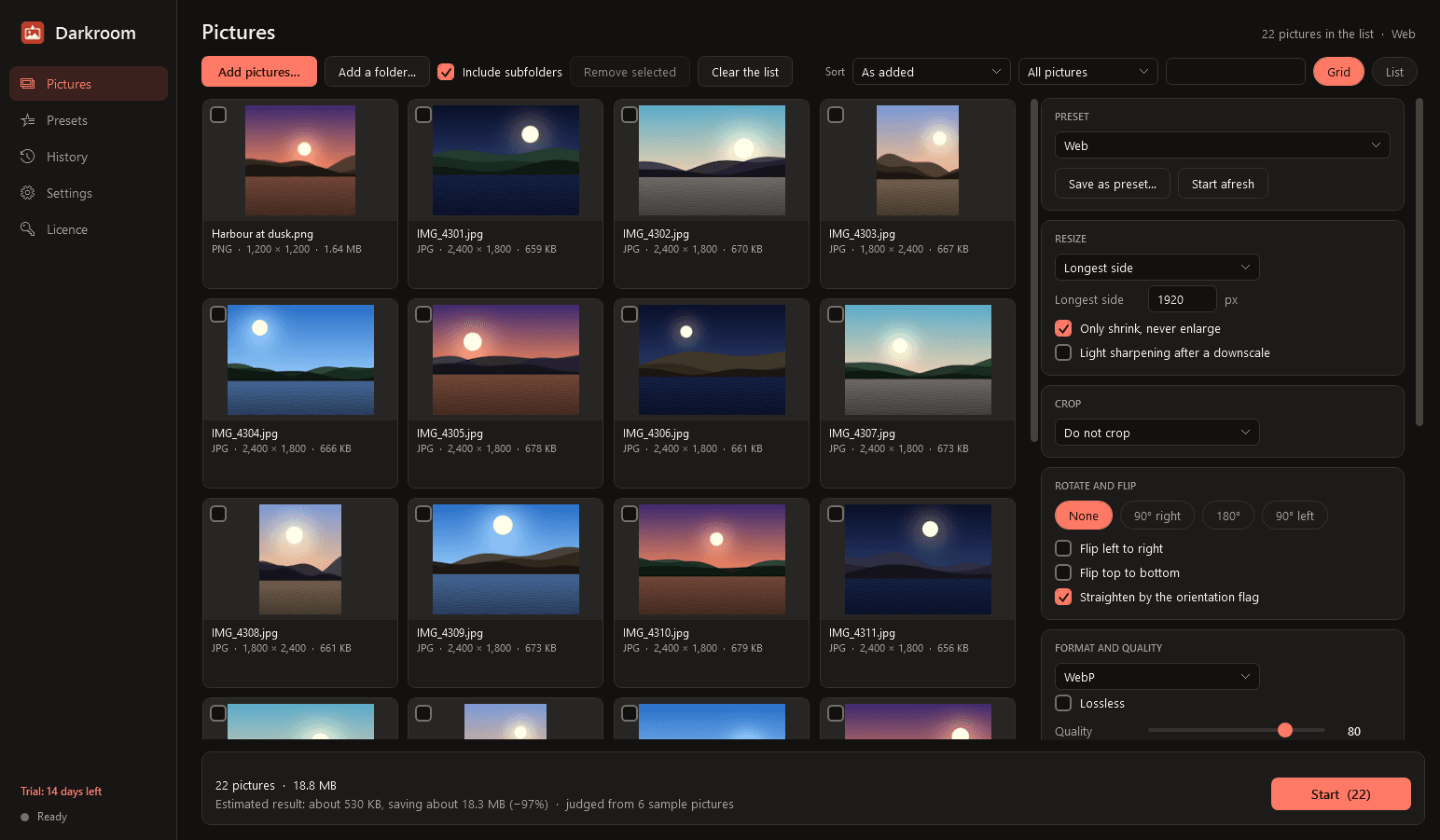
- Drag files or folders onto the window, use the Add buttons, or choose Send to, Open with Darkroom, in Explorer. With or without subfolders.
- A grid or a list showing each picture's format, dimensions and file size. Sort, filter by format or name, select and remove.
- Reads JPG, PNG, WebP, GIF, BMP, TIFF, AVIF and ICO on any PC. HEIC phone photos and camera RAW files are read through Windows' own codecs for them, where the PC has them; where it does not, Darkroom tells you what is missing instead of failing.
What you can do, in any combination
- Resize to a width, a height, a longest side, a percentage, or an exact width × height: fit inside, fill and crop, or stretch. "Only shrink, never enlarge" is on by default.
- Crop to a shape (1:1, 4:3, 3:2, 16:9, or your own) or to exact pixels, anchored where you choose.
- Rotate, flip, and straighten by the photo's orientation flag.
- Convert to JPG, PNG, WebP, AVIF, TIFF, BMP, GIF or ICO, with the right options for each: JPG quality and progressive; PNG lossless and optimised, or reduced to a palette; WebP and AVIF quality or lossless. A transparent picture saved in a format without transparency gets a background colour you choose.
- Set the DPI value written in the file (it does not change the pixels, and Darkroom says so).
- Light sharpening after a downscale.
- Name the results by a pattern: the original name plus a suffix, a counter, the dimensions, the date.
A target file size
- "Each file under N KB": Darkroom finds the highest quality that fits. If quality alone cannot reach the size, it steps the dimensions down and tells you that it did.
- "Between N and M KB at exactly W × H pixels", which is what many online application forms demand for photos and signatures. There is a blank "Form photo" preset for it: enter the pixels and the KB range the form asks for.
- A target that cannot be met is reported as such, never passed off as met.
Before and after
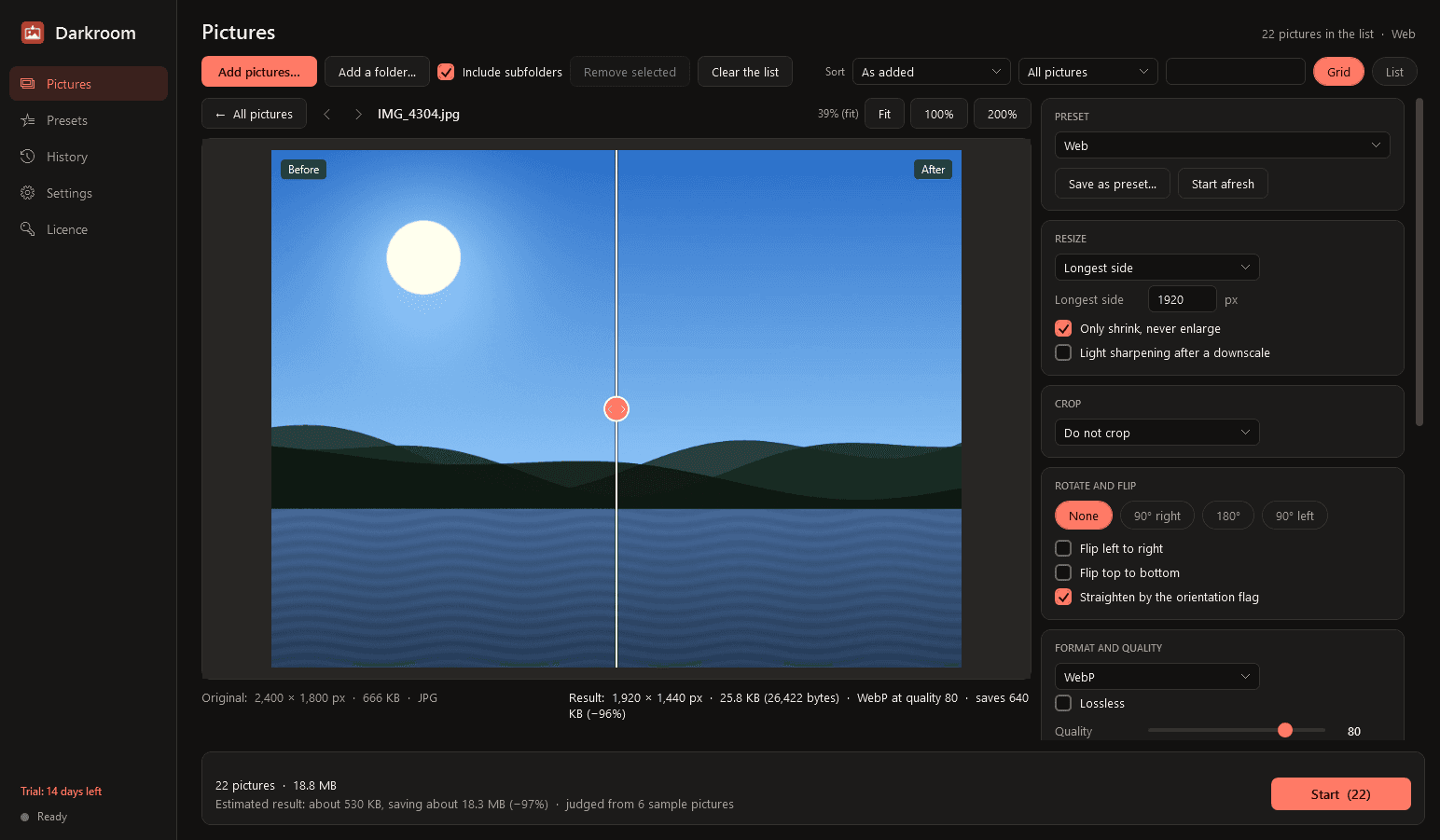
- Click any picture for a before-and-after view with a divider you drag across it, zoomable to 100% and beyond.
- It shows the original and resulting dimensions, the file size and the saving, and updates as you change the settings.
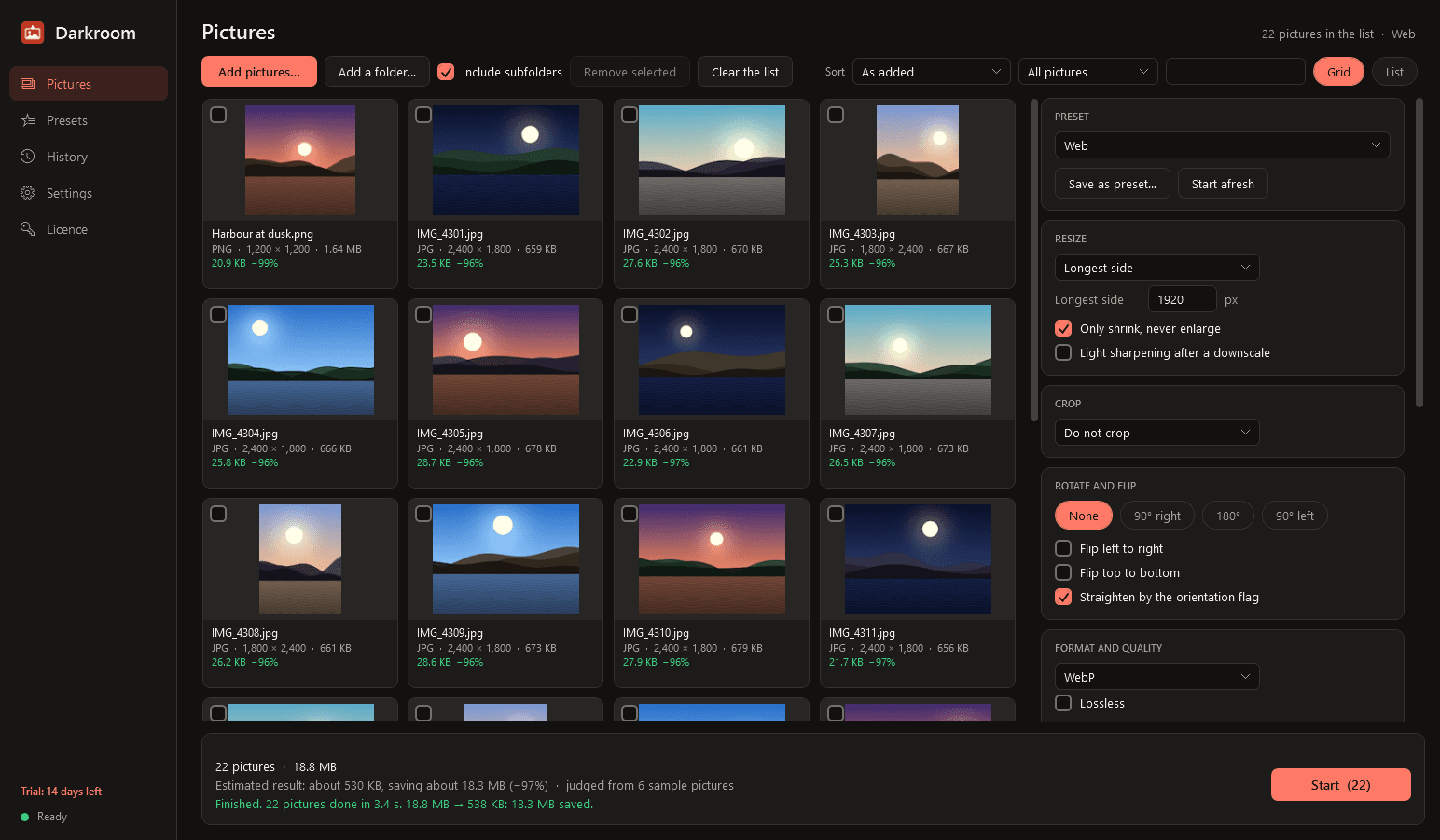
- A running estimate for the whole batch: original size, estimated result, estimated saving.
Your originals are safe
- Results go to a new "Darkroom" folder beside the originals, or a folder you choose, keeping the folder structure. Originals are only ever read.
- An explicit, clearly warned "replace originals" option exists; when used, each original goes to the Recycle Bin first, so it can be got back.
- No existing file is ever overwritten without asking: add a number, skip, or replace through the Recycle Bin.
- A picture that cannot be read is skipped and listed with the reason. It never stops the batch.
- If a result would come out larger than the original, Darkroom says so and offers to keep the original instead.
Metadata and colour
- Keep everything, strip everything, or strip only location and personal details while keeping the date taken and the copyright.
- JPG, PNG and WebP can have their location data removed without being compressed again, so nothing is lost.
- Colours are converted to sRGB by default, which is right for the web, so they do not shift. The original colour profile can be kept instead.
- Resampling uses a high-quality filter and is done in linear light, so shrunken pictures keep their brightness and detail.
Presets and history
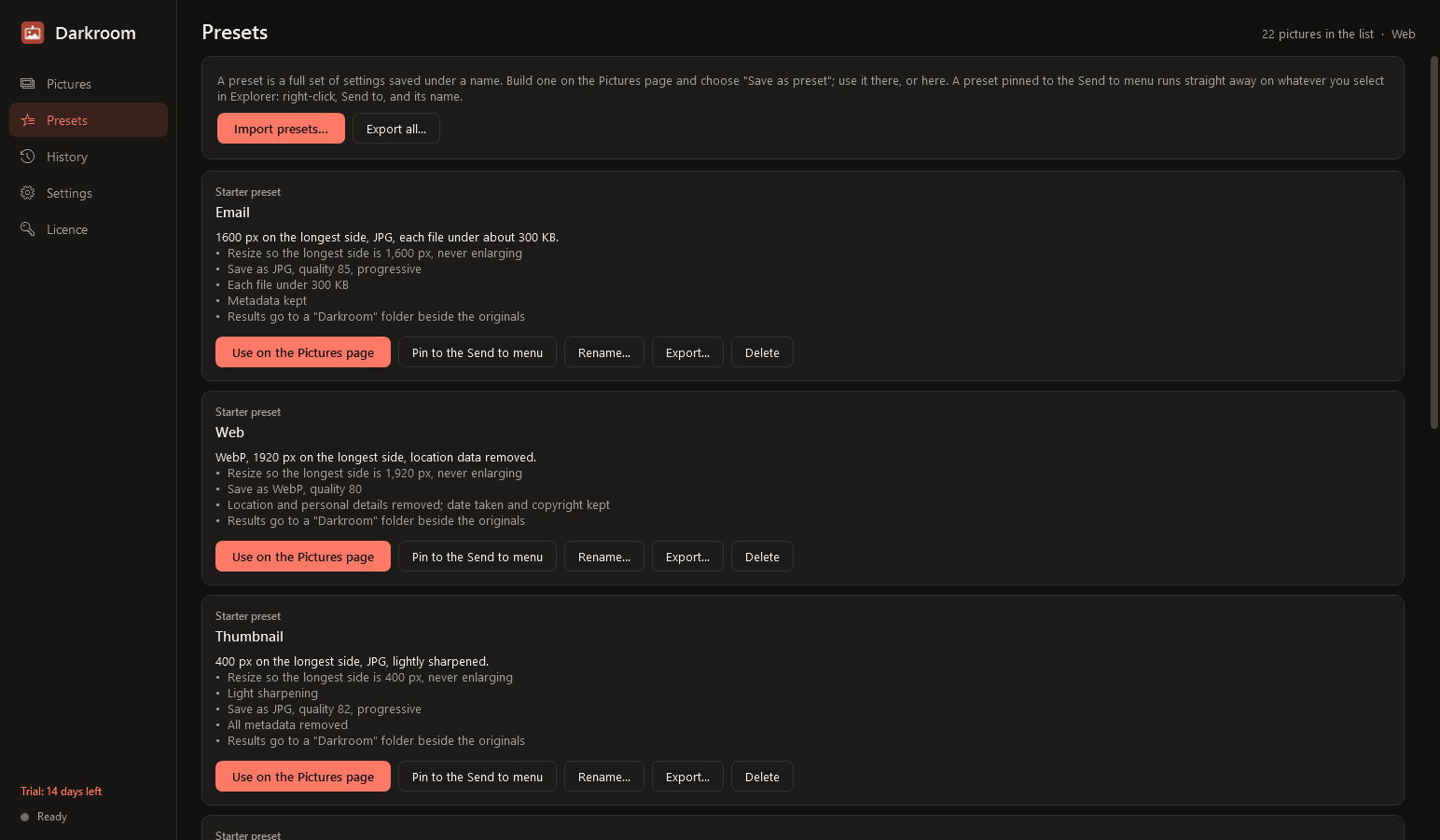
- Save any combination of settings as a named preset. Seven come ready to edit: Email, Web, Thumbnail, Social square, Phone photos to JPG, Strip location data, and Form photo.
- Pin a preset to Explorer's Send to menu, and a right-click runs it straight away on the selected pictures.
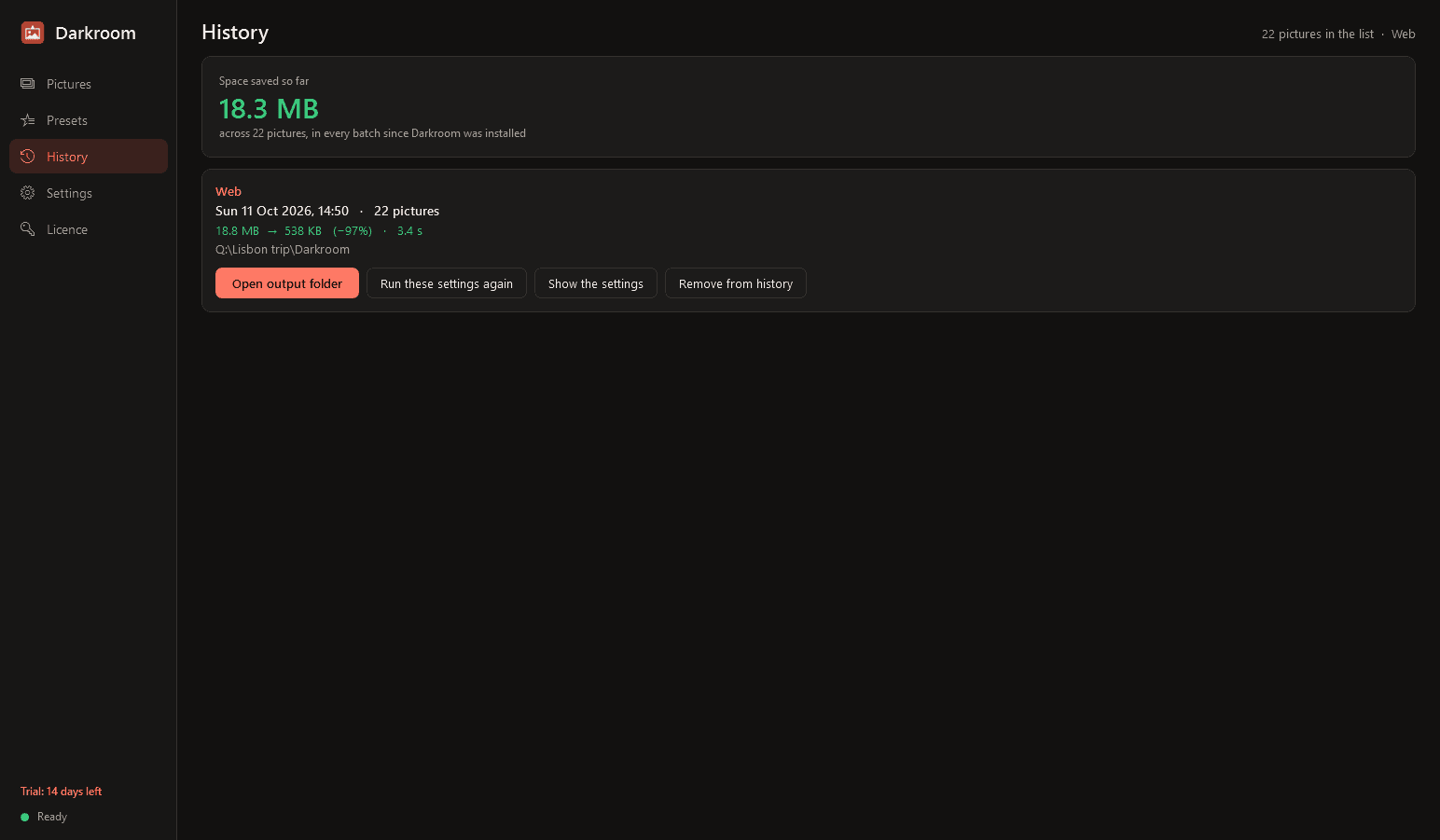
- A history of every batch with its date, number of pictures, preset and size before and after, and a running total of the space saved. Open the output folder, or run the same settings again.
Good to know
- It uses every processor core, stays responsive, and works through a batch picture by picture, so a thousand photos or a 50-megapixel one are no trouble. Pause and cancel at any time; a summary at the end.
- HEIC cannot be written by any Windows app without a licensed encoder; "same format" saves a HEIC as JPG. Reading HEIC needs the HEVC Video Extensions codec from the Microsoft Store, which some PCs come with.
- Camera RAW files are read as far as Windows' own RAW codec knows the camera.
- An animated GIF keeps its animation when saved as GIF; in other formats its first frame is used.
- It installs for your user account only, never asks for administrator rights, runs no Windows service and has no notification-area icon. It runs only when you open it.
- Your pictures never leave your PC. The only thing Darkroom contacts is this store, to check the licence and look for a new version.
- Light and dark mode.
- Free to try for 14 days with every feature and no watermark on anything it writes. After that Darkroom needs a licence to keep working; without one it opens only a screen for entering a key. The pictures you have made stay yours, and two things still work there: opening your last output folder and exporting your presets. Presets and history are kept and are usable again once a licence is active.
One-time purchase for one PC. Includes every version released in the following 12 months; the version you have keeps working after that.
Screens
A closer look.
Next project · Desktop appsFader →
Need somethinglike this built?
A few lines is enough. You will hear back from a person within one business day.
Start a projector email [email to set] · [booking link to set]