Work / Desktop apps / System

Daybreak
See how long your PC takes to start, and what made it slower.
C#.NET 8WPF
What it does
See how long your PC takes to start, and what made it slower.
Daybreak keeps a history of how long your PC takes to start, shut down and wake, and shows when and why it got slower. It sits in the notification area, reads the measurements Windows already makes, times each sign-in itself and keeps everything.
What it does
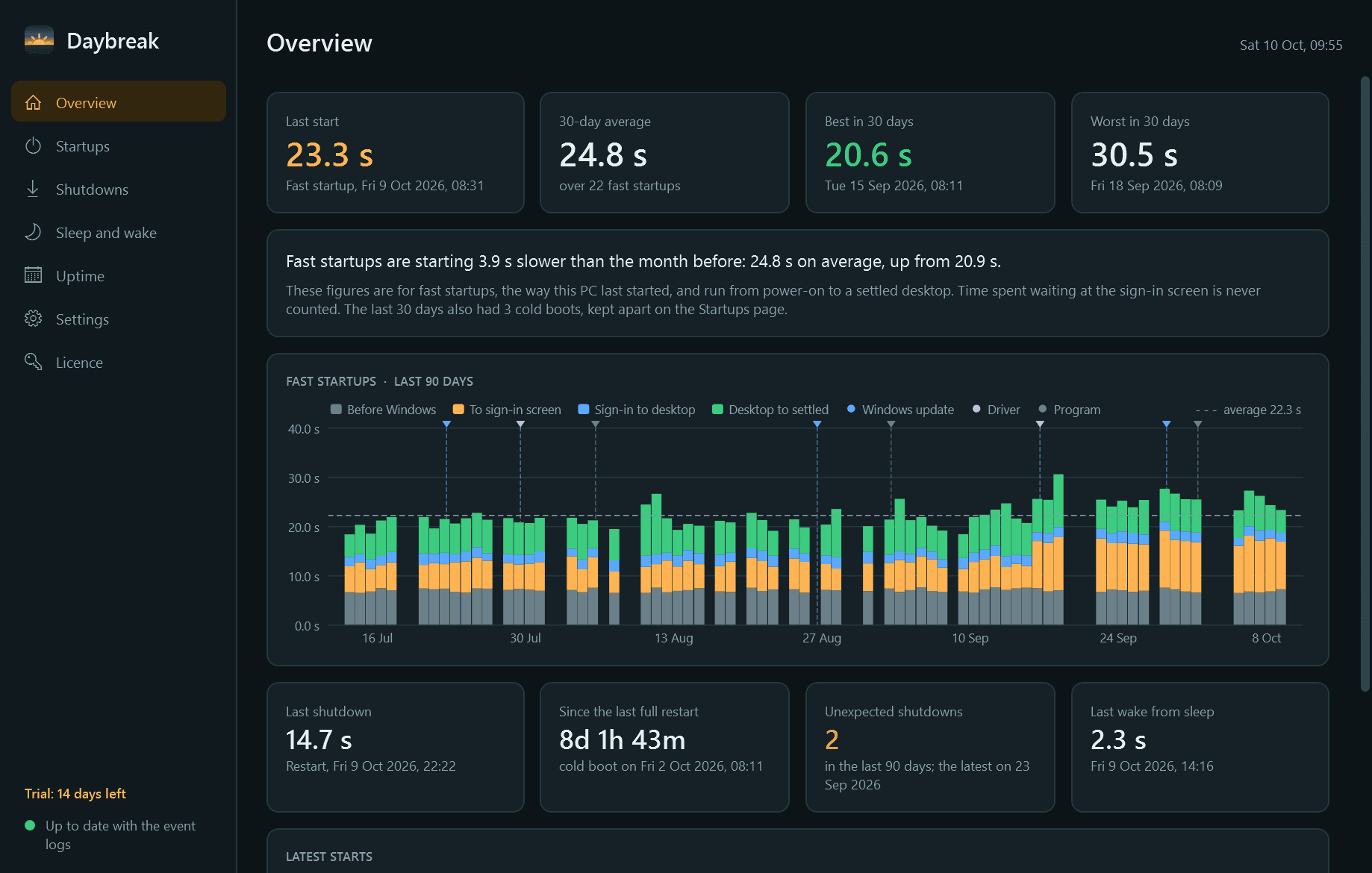
- The headline: your last start time, the 30-day average, the best and worst, and a plain sentence such as "starting 4 seconds slower than the month before".
- Start times charted over weeks and months, split into phases: before Windows, to the sign-in screen, sign-in to desktop, and desktop to settled.
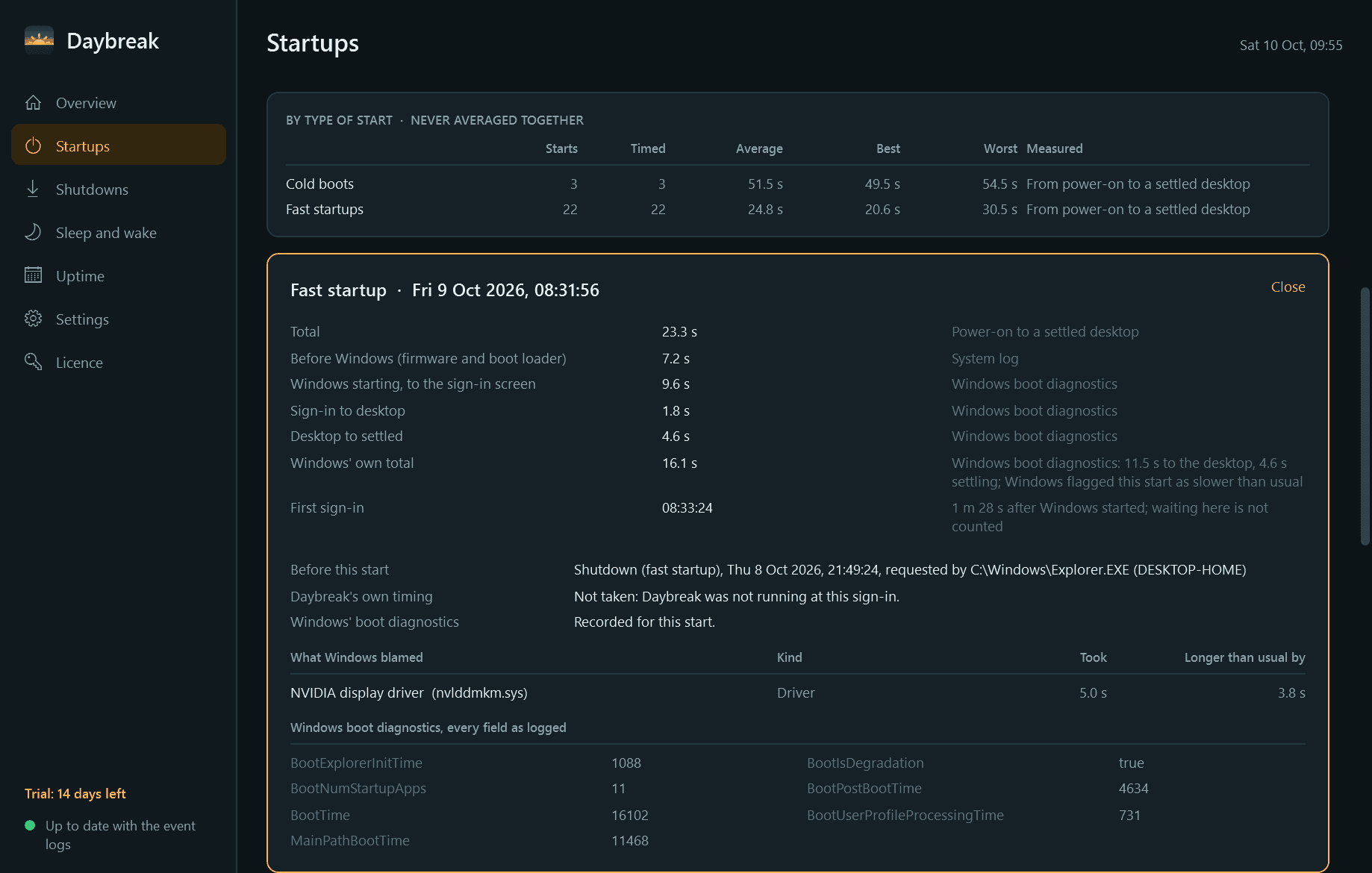
- Cold boots, fast startups and resumes from hibernation kept apart, so they are never averaged together.
- What Windows blamed for a slow start, shutdown or wake: the app, driver or service, and how much longer than usual it took.
- Change markers on the charts for Windows updates, driver changes and newly installed programs, so a jump can be matched to its cause.
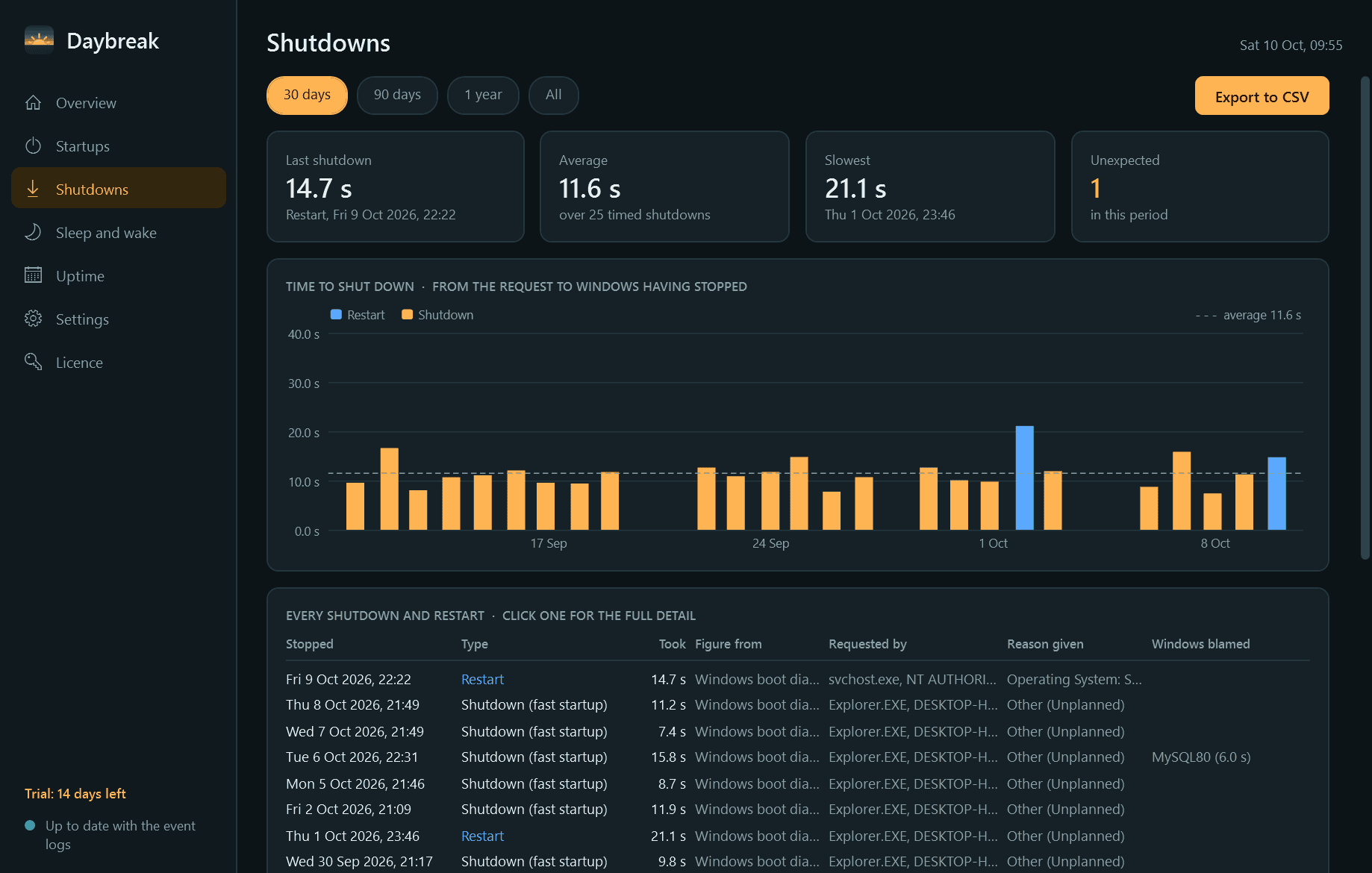
- Every shutdown and restart: how long it took, who or what asked for it and the reason given.
- Sleep and wake times, and what woke the PC.
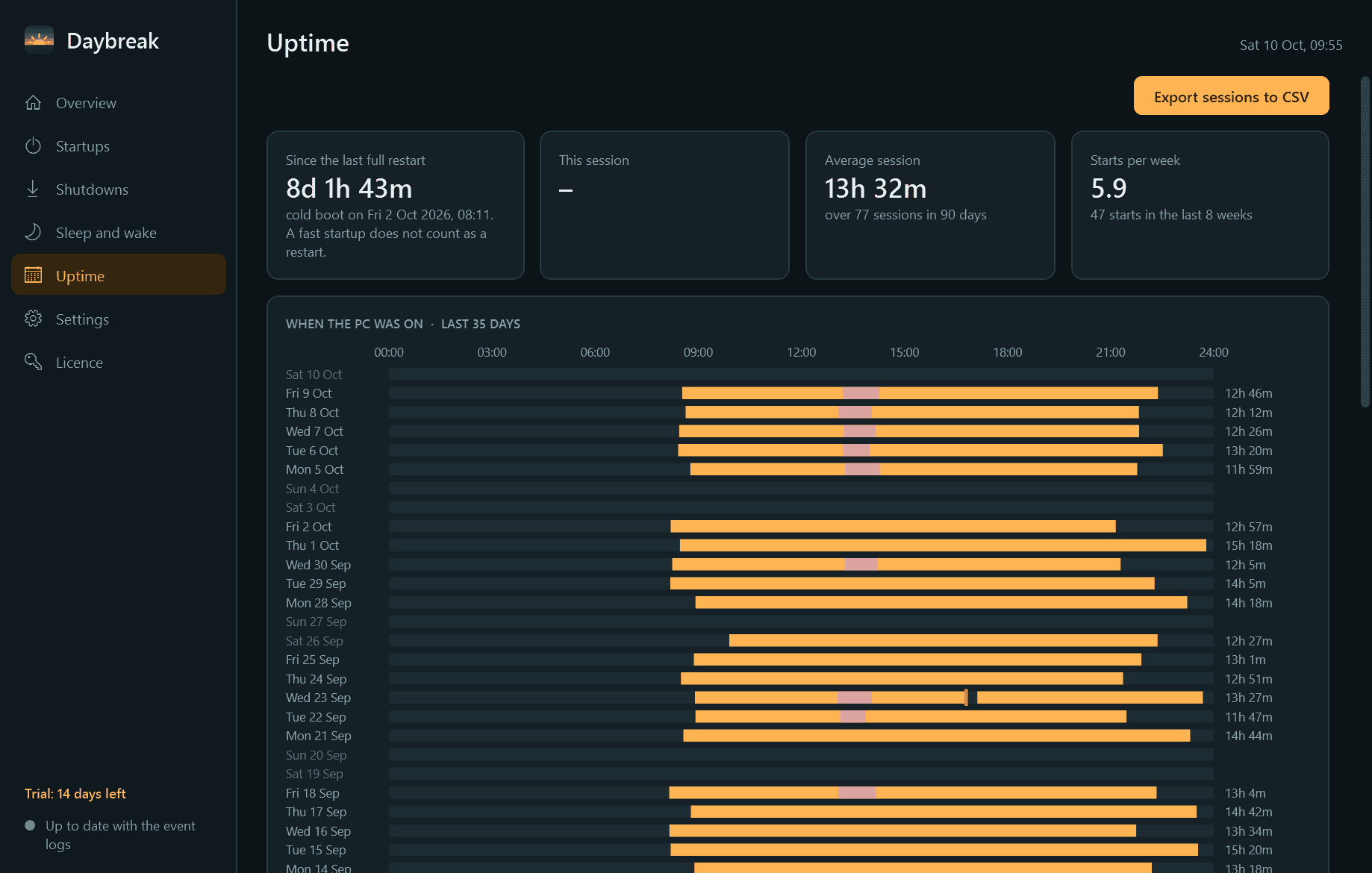
- Uptime: a calendar of when the PC was on, session lengths, time since the last full restart, and a list of unexpected shutdowns and blue screens.
- Notifications for a start that took much longer than usual, an unexpected shutdown, and a PC that has not been restarted for a while. Each can be switched off.
- Light and dark mode, and export of starts, shutdowns, sleeps and sessions to CSV.
Good to know
- Free to try for 14 days with every feature. After that Daybreak needs a licence to keep running; without one it stops, and what it has recorded is kept for when you enter a key.
- On first run it imports the history Windows' event logs still hold, so there is something to look at from day one.
- Windows keeps its detailed boot measurements, and what it blamed, for administrators. Daybreak offers a one-time "Enable detailed boot data" step, which Windows asks an administrator to approve. Without it you still get every start, shutdown and wake, with fewer phases and no named causes.
- Every figure says where it came from: Windows' boot diagnostics, the System log, or Daybreak's own timing.
- Daybreak can only time sign-in to a settled desktop itself if it starts with Windows, which it does by default.
- Sleep means ordinary standby. Modern Standby (S0) on newer laptops is not recorded.
- It installs for your user account only and never asks for administrator rights to install. History stays on your PC and is never deleted.
One-time purchase for one PC. Includes every version released in the following 12 months; the version you have keeps working after that.
Screens
A closer look.
Next project · Desktop appsKickoff →
Need somethinglike this built?
A few lines is enough. You will hear back from a person within one business day.
Start a projector email [email to set] · [booking link to set]