Work / Desktop apps / System
Kickoff
See what slows your PC's start-up, and switch it off or delay it safely.
C#.NET 8WPF
What it does
See what slows your PC's start-up, and switch it off or delay it safely.
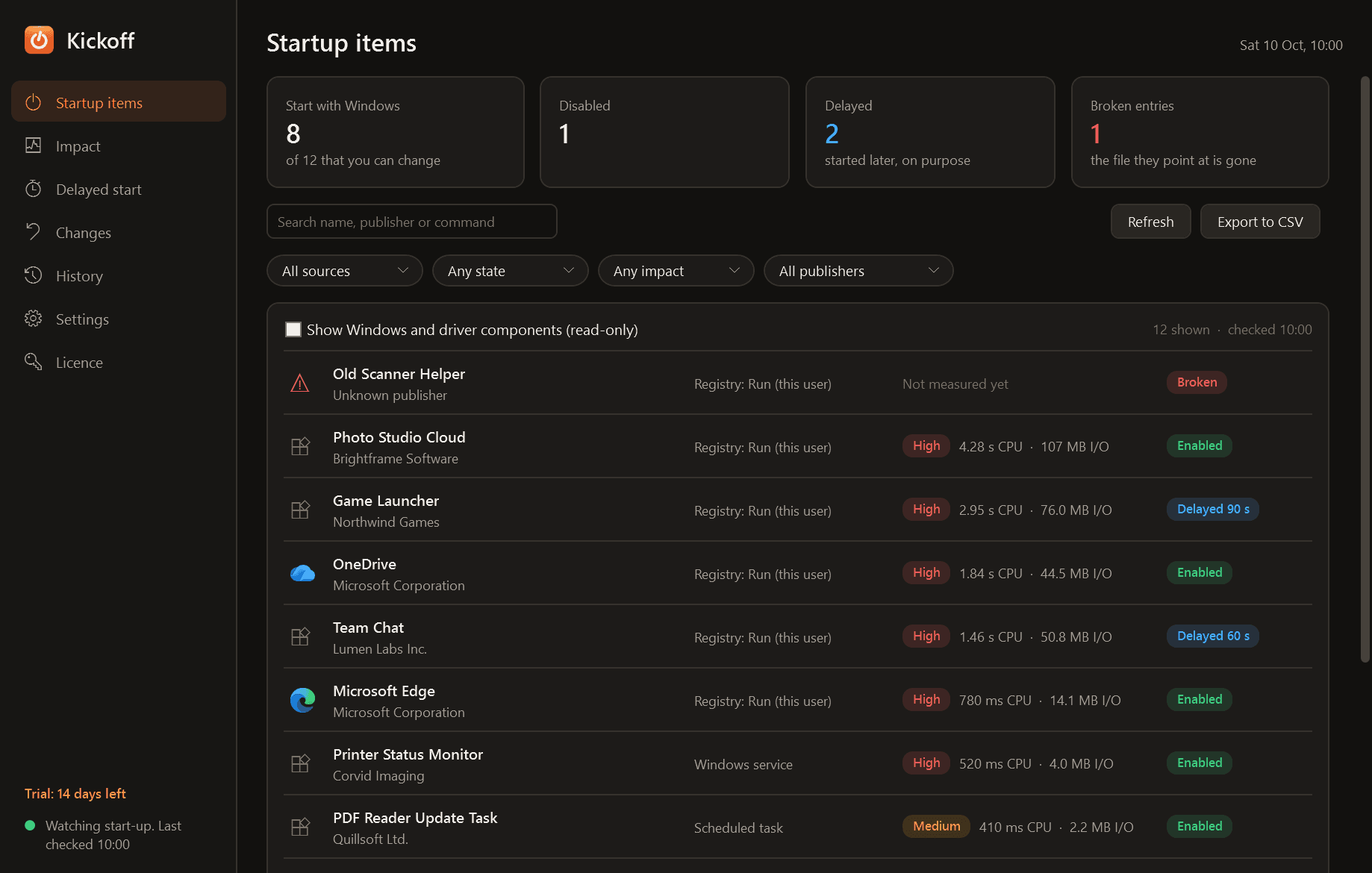
Kickoff shows everything that launches when Windows starts, measures what each item really costs on your PC, and lets you switch items off or start them later, in a way that can always be put back.
What it does
- One list of everything that starts with Windows: the Run and RunOnce registry keys, both Startup folders, scheduled tasks that run at sign-in or boot, automatic services, and Store apps.
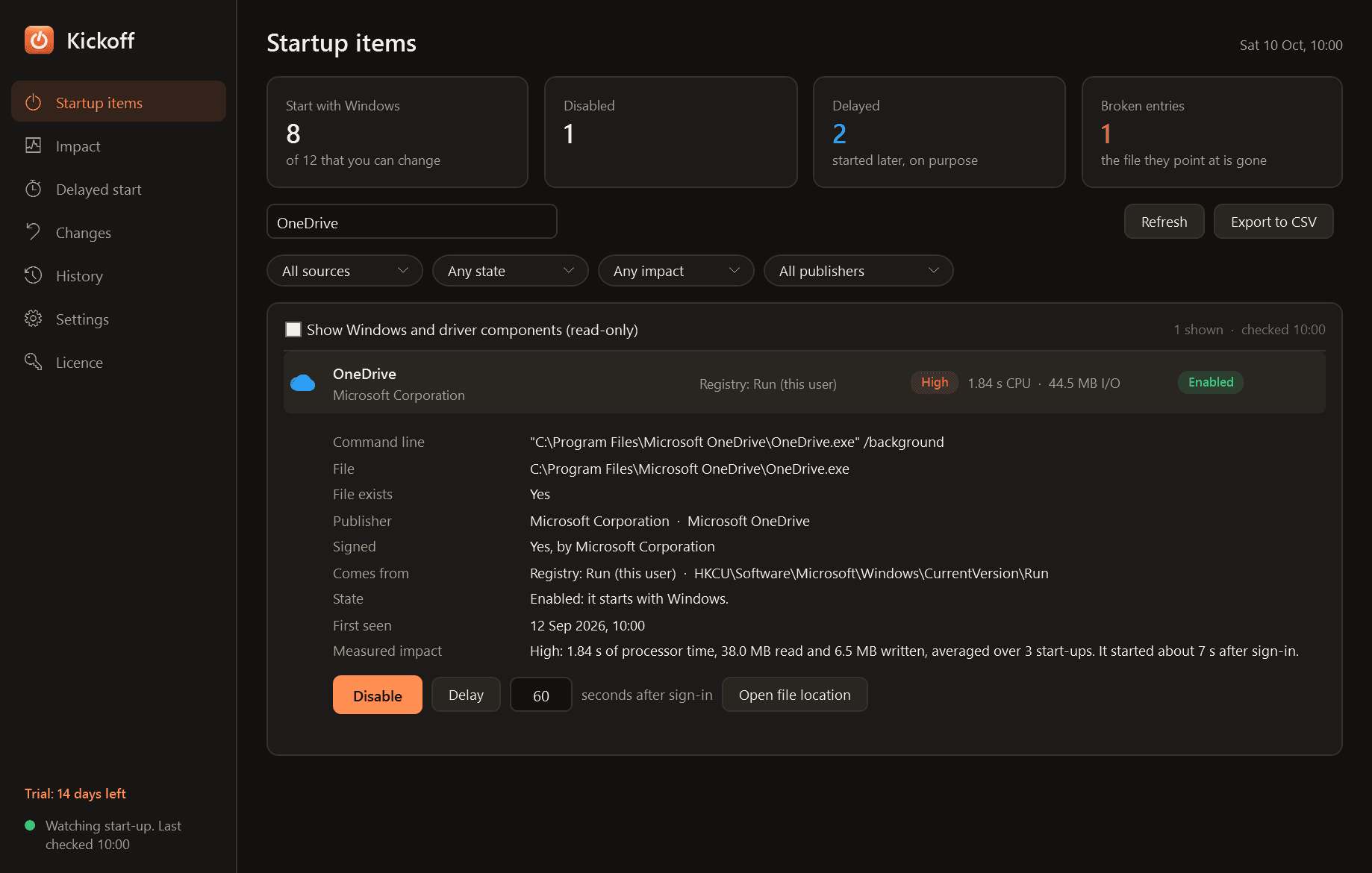
- For every item: publisher, command line, the file it runs, whether that file is signed, and whether it still exists. Entries whose file is gone are flagged as broken.
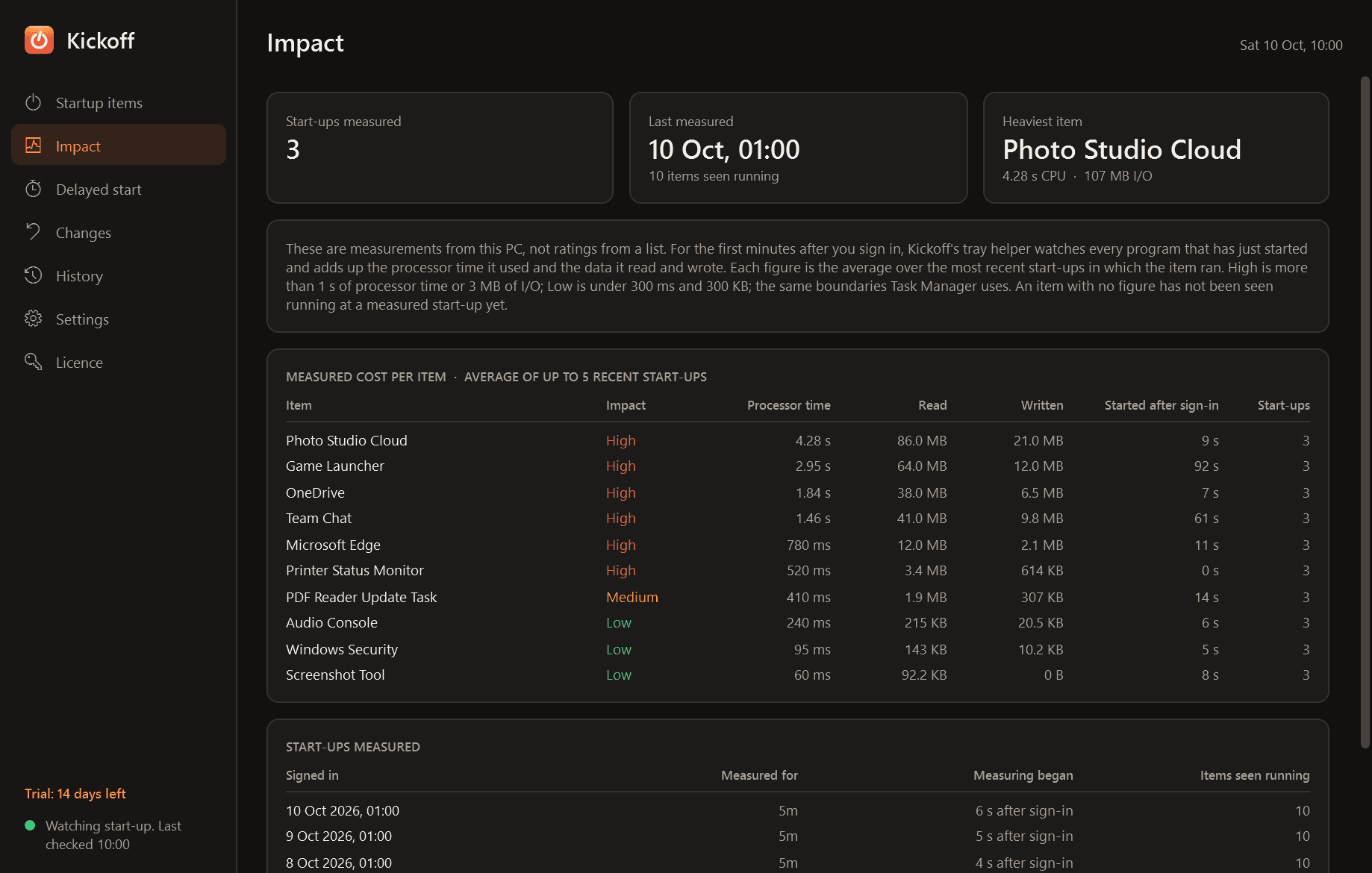
- Measured impact, not a guess. For the first minutes after you sign in, Kickoff adds up the processor time and the data each start-up program read and wrote, and shows Low, Medium or High with the numbers behind it, averaged over recent start-ups.
- Disable and enable items the same way Task Manager does, so nothing is deleted. Tasks and services are disabled, never removed.
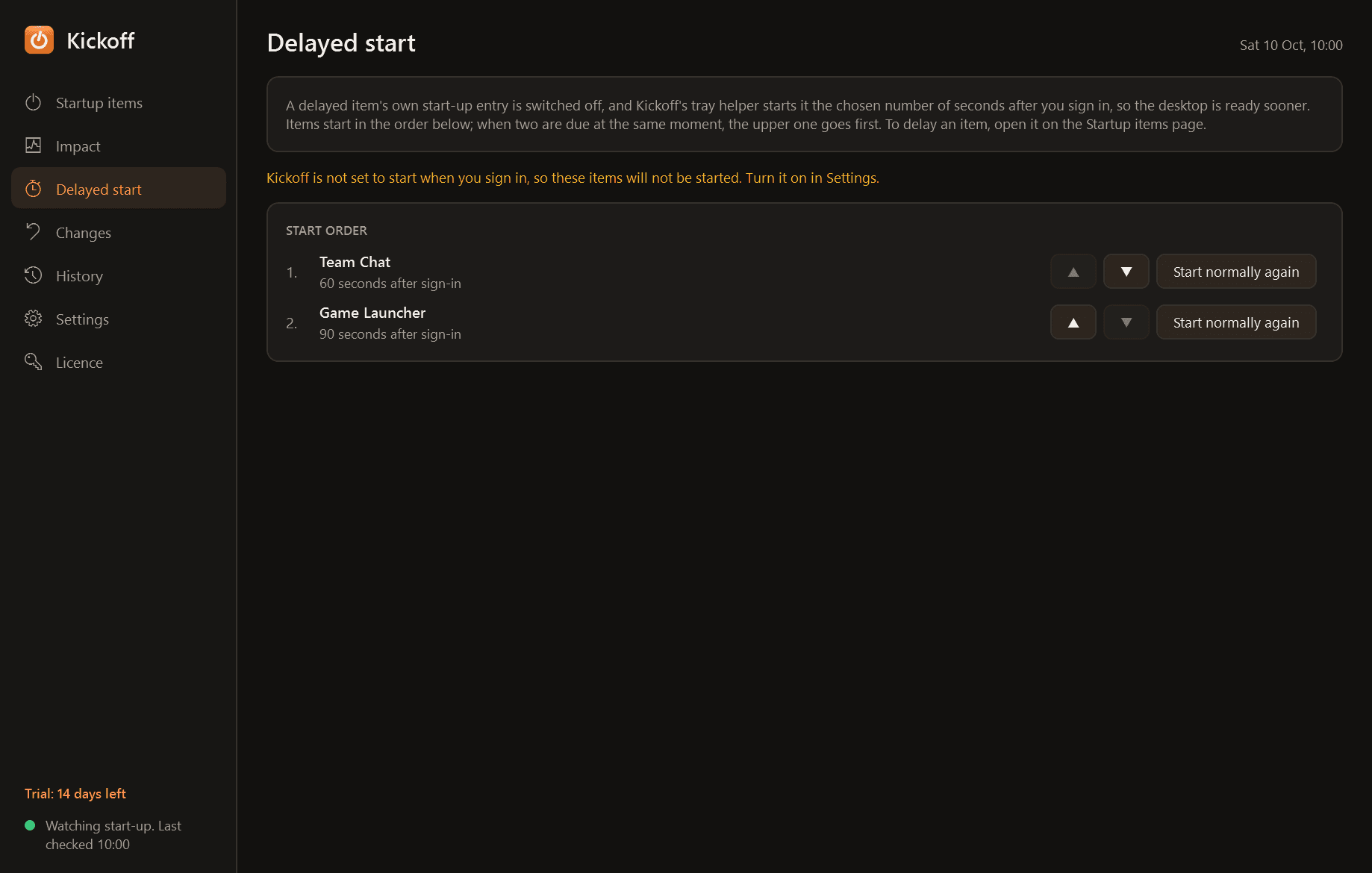
- Delay an item: Kickoff starts it a chosen number of seconds after you sign in, in an order you set, so the desktop is ready sooner.
- An undo log with the exact original value of every change, Undo for each one, and "Restore everything to how it was".
- A notification with Allow and Disable when a program adds itself to start-up, and a history of what was added and when.
- Search, filters by source, state, impact and publisher, light and dark mode, and export of the list to CSV.
Good to know
- Impact figures appear after the first restart with Kickoff installed. Until an item has been seen running at a start-up it says "not measured yet".
- Items that belong to one user need no administrator. Machine-wide entries, services and most tasks do, and Windows asks at that moment.
- Parts of Windows and driver services are shown read-only. Security software is labelled, and disabling it asks first.
- A service that shares a Windows host process with others cannot be measured by itself, and a program that starts and exits within the first seconds of sign-in can be missed.
- It installs for your user account only and never asks for administrator rights to install.
- Uninstalling sets delayed items back to starting normally.
- Free to try for 14 days with every feature. After that Kickoff needs a licence to keep working; without one it stops. Changes you already made can still be undone and items you delayed are still started, so your start-up is never left stuck.
One-time purchase for one PC. Includes every version released in the following 12 months; the version you have keeps working after that.
Screens
A closer look.
Next project · Desktop appsTwins →
Need somethinglike this built?
A few lines is enough. You will hear back from a person within one business day.
Start a projector email [email to set] · [booking link to set]