Work / Desktop apps / System

Evergreen
See which of your apps have updates, and update them in one click.
What it does
See which of your apps have updates, and update them in one click.
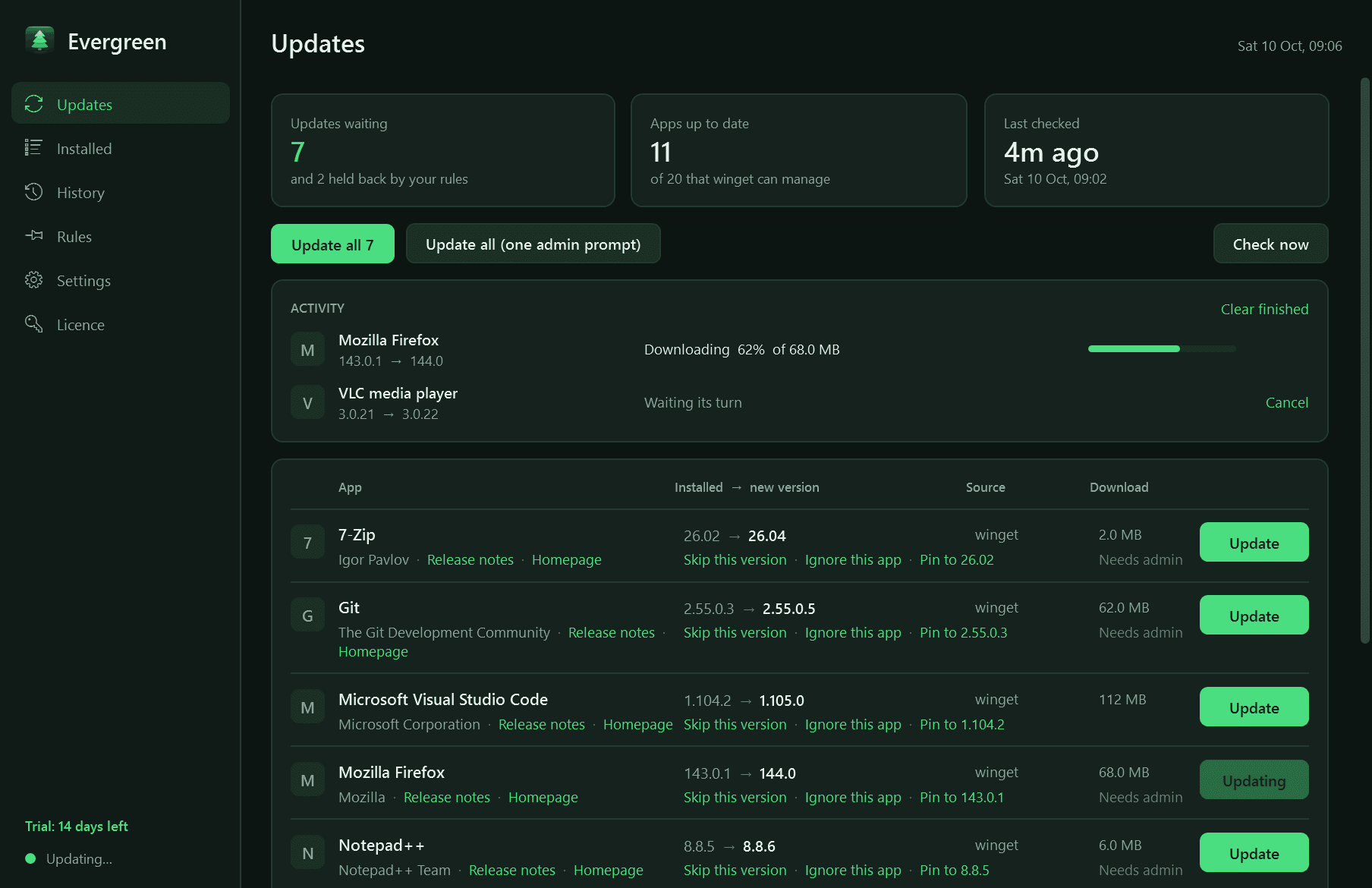
Evergreen shows which of your installed programs have updates waiting and updates them in one click. It sits in the notification area with a badge for the number waiting, and keeps a record of every update it runs.
It has no catalogue of its own. Everything comes from Windows Package Manager (winget), Microsoft's own tool: winget downloads each installer from its publisher and checks it against the catalogue before running it.
What it does
- One list of every app with an update: installed and new version, where it comes from, the download size, and links to the release notes and homepage.
- Update one app, or all of them. Updates run one at a time, silently where the installer allows it, each with its own progress, and a failure never stops the rest.
- One administrator prompt for a whole batch, instead of one per app. Windows still asks; Evergreen never goes around it.
- A warning before updating an app that is open, with the choice to skip it.
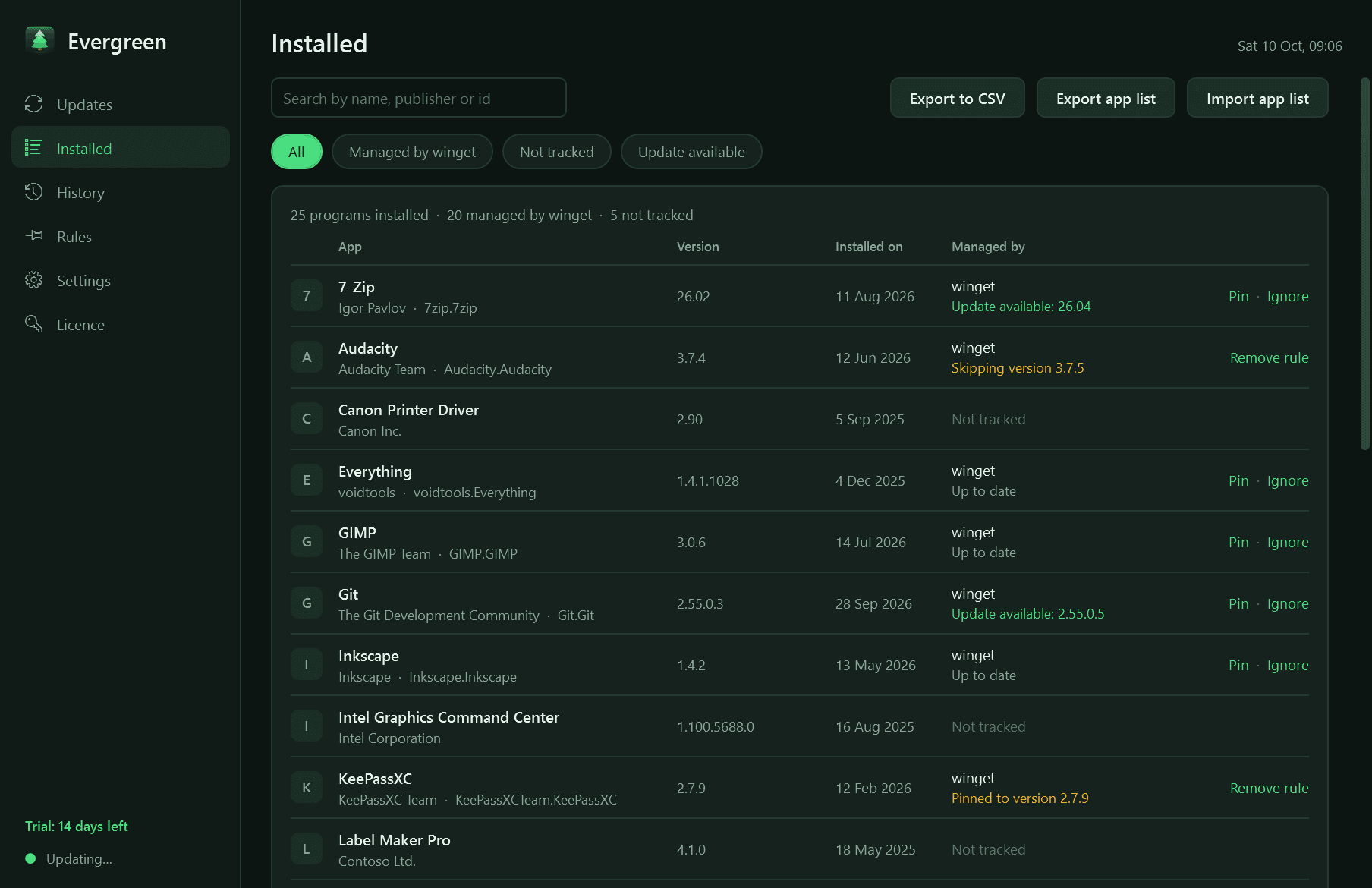
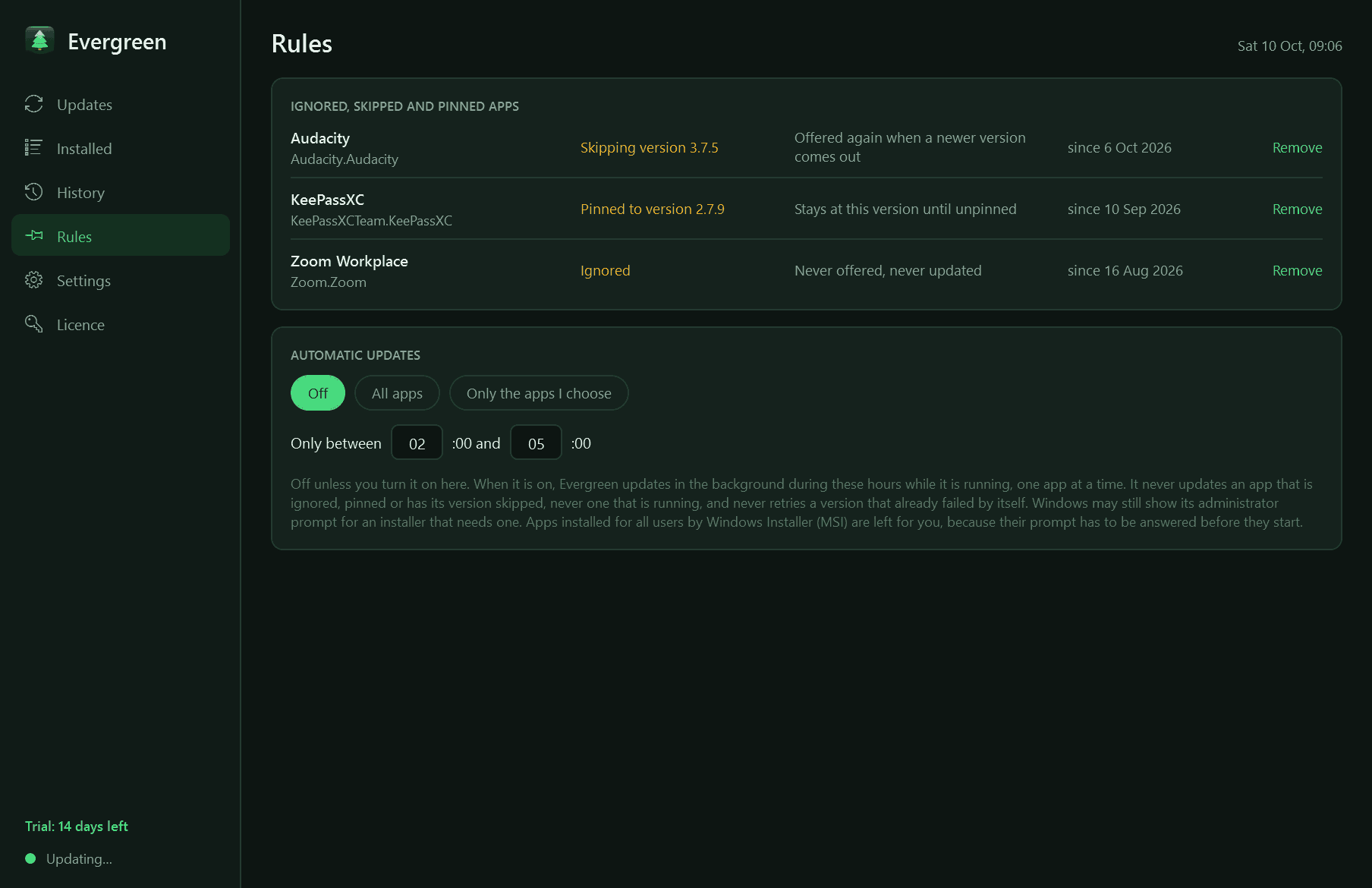
- Rules you set: ignore an app, skip one version, or pin an app to the version you have.
- A searchable list of everything installed, including the programs winget cannot manage, which are shown as "not tracked" rather than hidden.
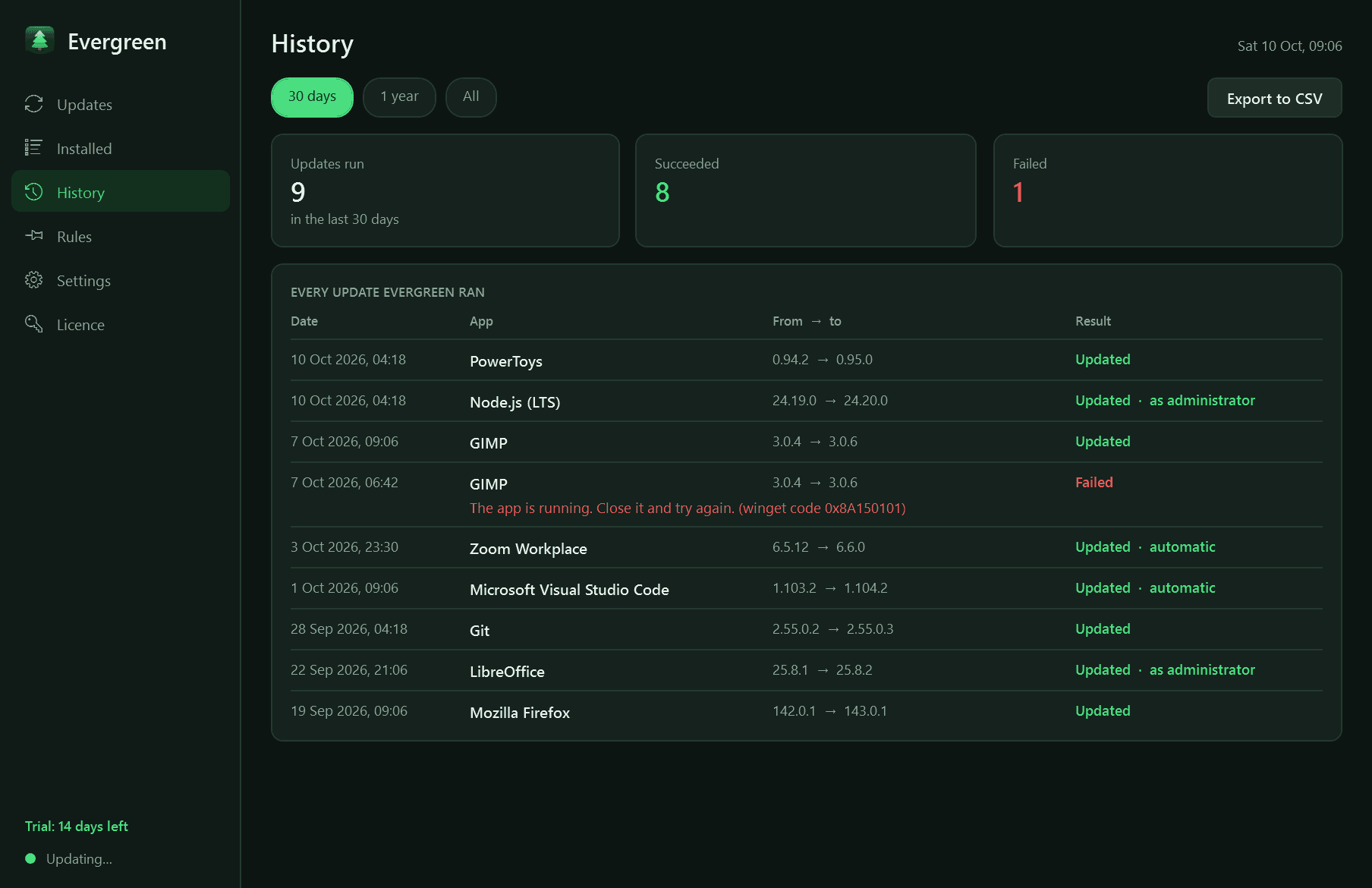
- A history of every update: date, app, from and to version, and the reason in plain words if it failed.
- Checks when you sign in and on a schedule. Automatic updates are off unless you turn them on, for all apps or chosen ones, inside the hours you pick.
- Notifications when updates are available and when an update finishes or fails. Each can be switched off.
- Light and dark mode, export to CSV, and an app list you can export and import to install the same set on another PC.
Good to know
- Free to try for 14 days with every feature. After that Evergreen needs a licence to keep running; without one it stops, and your rules and history are kept for when you enter a key.
- It needs Windows Package Manager 1.6 or newer, which Windows 11 and current Windows 10 already have. If it is missing, Evergreen says so and points you to "App Installer" in the Microsoft Store.
- It can only update what winget has in its catalogues. Programs it cannot match are listed but not updated.
- Updating an app accepts that app's licence terms on your behalf, as winget's own "accept package agreements" option does.
- It checks only while it is running, so let it start with Windows.
- It installs for your user account only and never asks for administrator rights itself. Some of the apps it updates do; Windows shows its own prompt for those.
One-time purchase for one PC. Includes every version released in the following 12 months; the version you have keeps working after that.
Screens
A closer look.
Need somethinglike this built?
A few lines is enough. You will hear back from a person within one business day.