Work / Desktop apps / Network
Handoff
Send files between your PCs, and to your phone, straight over your own network.
C#.NET 8WPF
What it does
Send files between your PCs, and to your phone, straight over your own network.
Handoff sends files, folders and text between the PCs on your own network, directly and at the full speed of the network. No cloud, no account, no internet needed. It can also hand files to a phone, or take them from one, through a QR code, with no app on the phone.
What it does
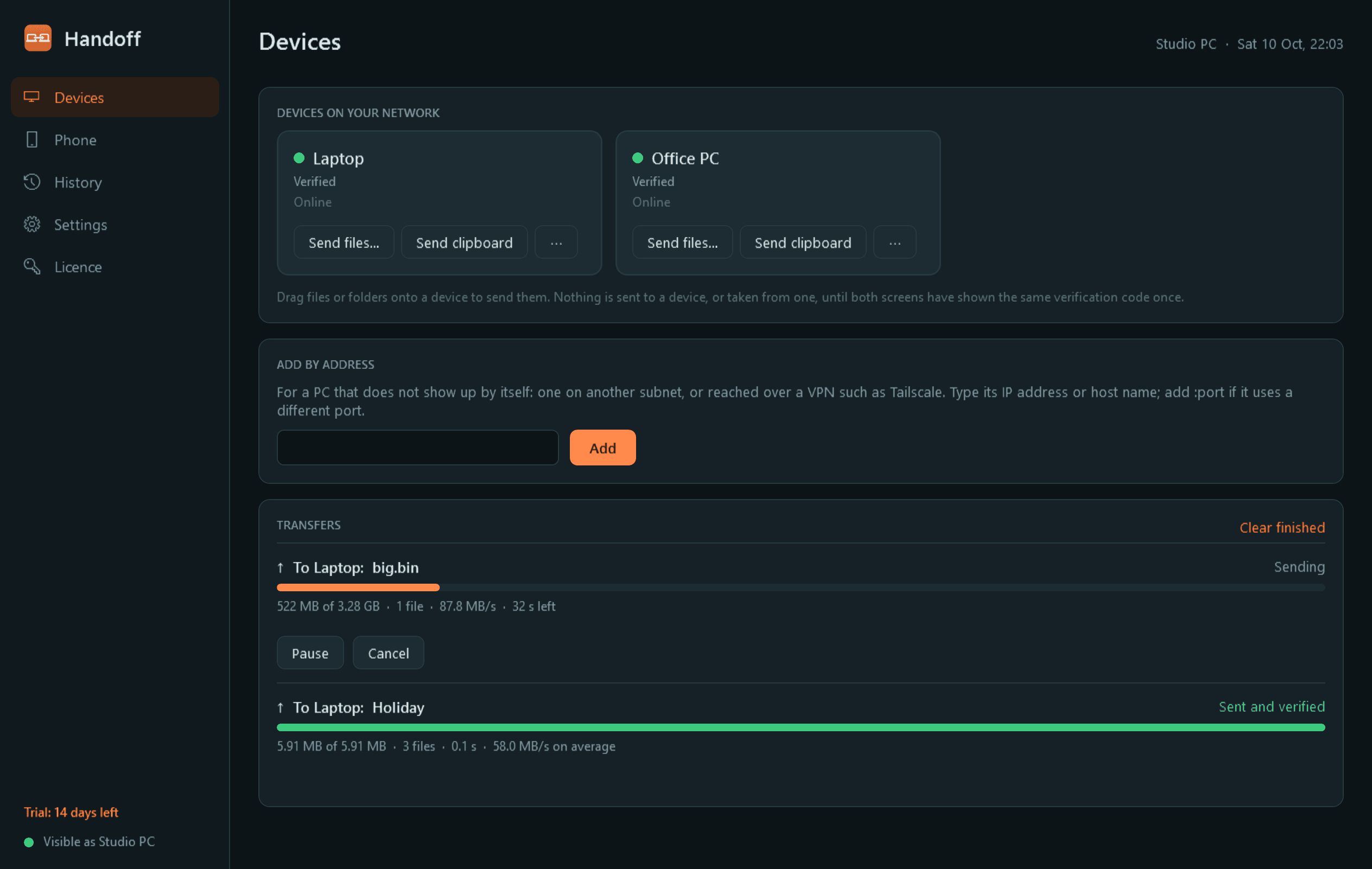
- Finds the other PCs running Handoff on your network by itself and lists them with an online dot. A PC on another subnet, or reached over a VPN such as Tailscale, can be added by address.
- Send by dragging files or folders onto a device, from "Send with Handoff" in Explorer's Send to menu, or straight from the clipboard: copied text and pictures too.
- Several files and whole folders keep their structure. You see progress for each file and overall, the speed and the time left, and can pause, resume or cancel from either end.
- If the connection drops in the middle, the transfer carries on from where it stopped instead of starting again.
- Every file is checked against a checksum when it arrives. A file that does not match is reported and is not kept.
- Receiving asks first: who is sending, what, and how big, with Accept, Decline, or Accept and always trust this device. Free disk space is checked before anything is accepted.
- Received files land in a folder you choose, in a subfolder per sender if you like. An existing file is never overwritten. Received text goes to the clipboard; a received link is offered with an Open button and never opened by itself.
- History of everything sent and received, with open file, show in folder, send again and CSV export. Light and dark mode.
Security
- Transfers between PCs are encrypted. Each installation makes its own key pair on first run; the private key is stored protected by Windows for your account and never leaves the PC.
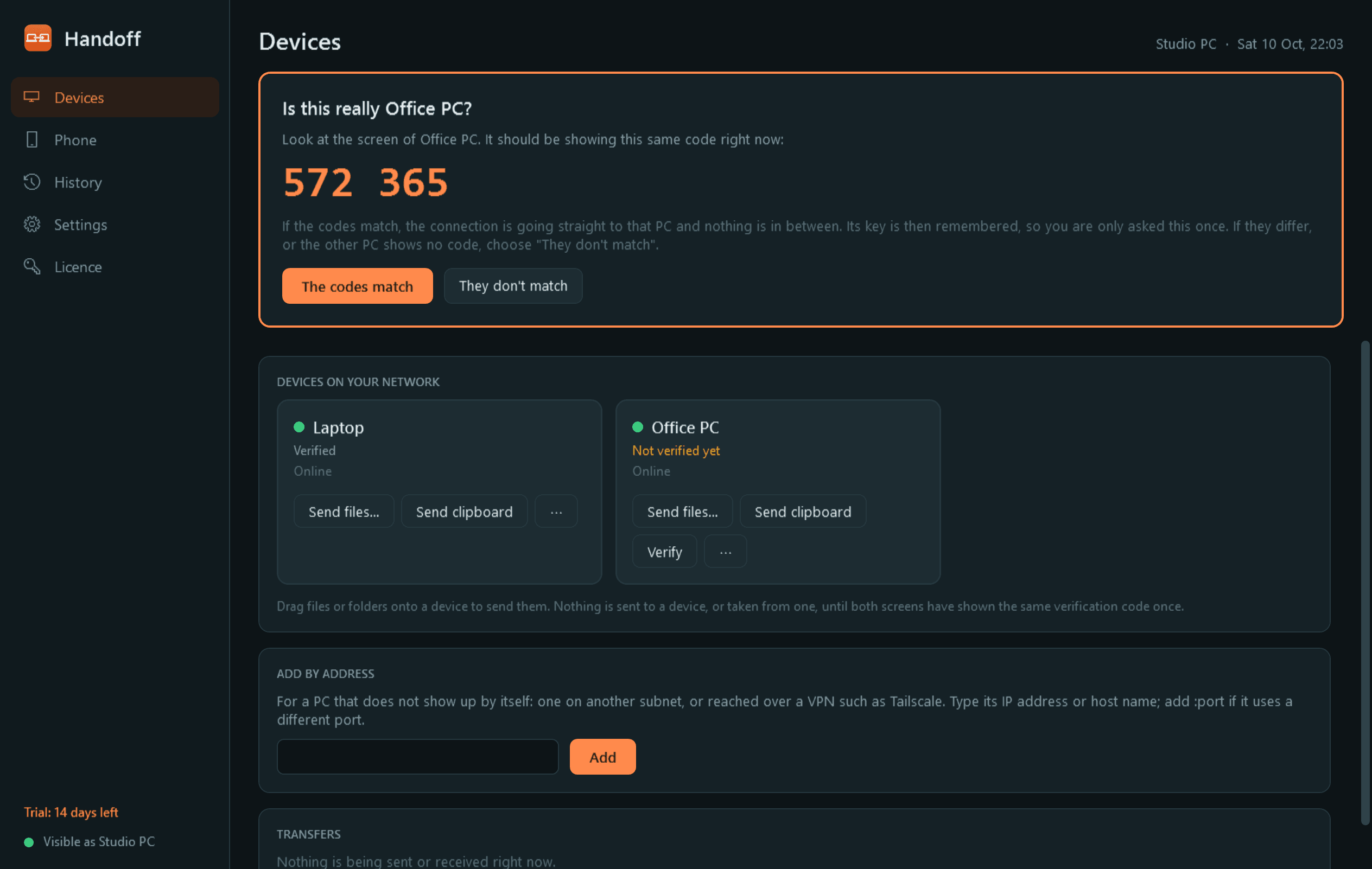
- The first time two PCs meet, both screens show the same short code so you can see it really is the other machine. After that its key is remembered, and a changed key raises a clear warning instead of connecting.
- Nothing is ever received without your approval, unless you have chosen that for a device you trust. A device you have not verified cannot send, browse or fetch anything.
- File names from the network are treated as hostile: they cannot write outside the Received folder, and nothing received is ever opened or run automatically. Received files keep Windows' "from another computer" mark, so SmartScreen still applies.
- Handoff is only active on networks Windows has marked Private. On a public network it is invisible and does not listen, unless you allow that network yourself.
- No relay servers and no telemetry. Traffic goes straight between the two devices. The only thing Handoff contacts on the internet is this store, for licence and update checks.
Phone links: what to know
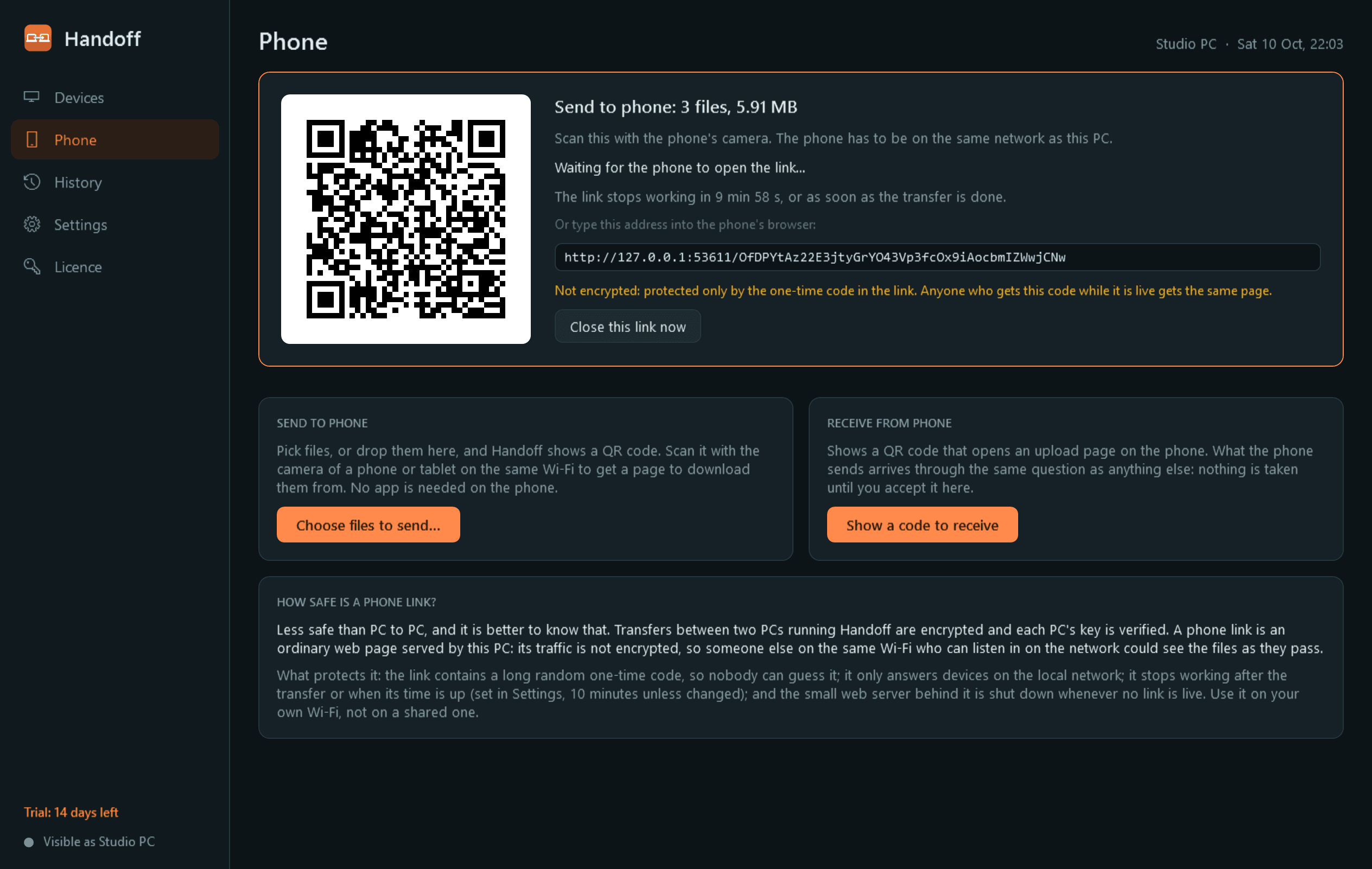
- "Send to phone" shows a QR code that opens a download page on the phone; "Receive from phone" opens an upload page, and what the phone sends still needs your approval on the PC.
- A phone link is an ordinary web page served by your PC over your local network. Unlike PC-to-PC transfers it is not encrypted. It is protected by a long random one-time code in the link, works only on the local network, and stops after the transfer or after a time you set (10 minutes unless changed). The small web server behind it is shut down whenever no link is live.
Good to know
- Each PC needs its own installation of Handoff. A PC in its trial and a licensed PC can exchange files with each other.
- Receiving needs Windows Firewall to let Handoff in on Private networks. Handoff explains Windows' prompt before it appears, can add the rule for you through Windows' administrator prompt, and tells you plainly if other PCs cannot reach this one.
- It installs for your user account only and never asks for administrator rights to install. There is no background service; it sits in the notification area.
- Free to try for 14 days with every feature. After that Handoff needs a licence on that PC to keep running; without one it stops and shows only a trial-ended screen. Files you have received stay where they are, and your trusted devices and history are kept for when you enter a key.
One-time purchase for one PC. Includes every version released in the following 12 months; the version you have keeps working after that.
Screens
A closer look.
Next project · Desktop appsShutter →
Need somethinglike this built?
A few lines is enough. You will hear back from a person within one business day.
Start a projector email [email to set] · [booking link to set]