Work / Desktop apps / Productivity
Hush
Keep distracting websites and apps closed while you work, and see the focused time you really got.
What it does
Keep distracting websites and apps closed while you work, and see the focused time you really got.
Hush is a focus blocker. You choose the websites and apps that distract you, start a focus session or set a schedule, and Hush keeps them closed until the time is up. Then it shows you how much focused time you actually got.
It sits in the notification area and starts when you sign in. There is no Windows service, no driver and no browser extension, and it needs no administrator rights to install or to run.
What it does
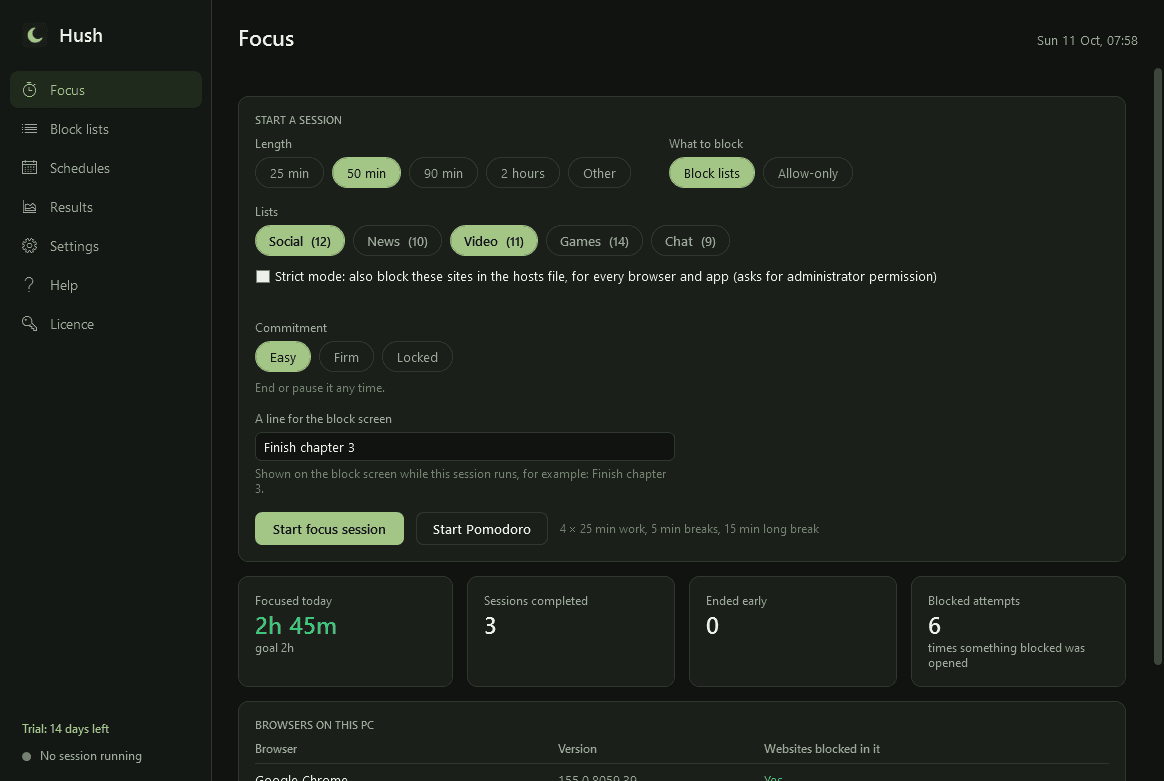
- Focus sessions: start now for the length you pick, with one click or a keyboard shortcut.
- Pomodoro: work, short break and long break cycles with your own lengths. Blocking is on during work and off during breaks, with a gentle sound and a notification at each change.
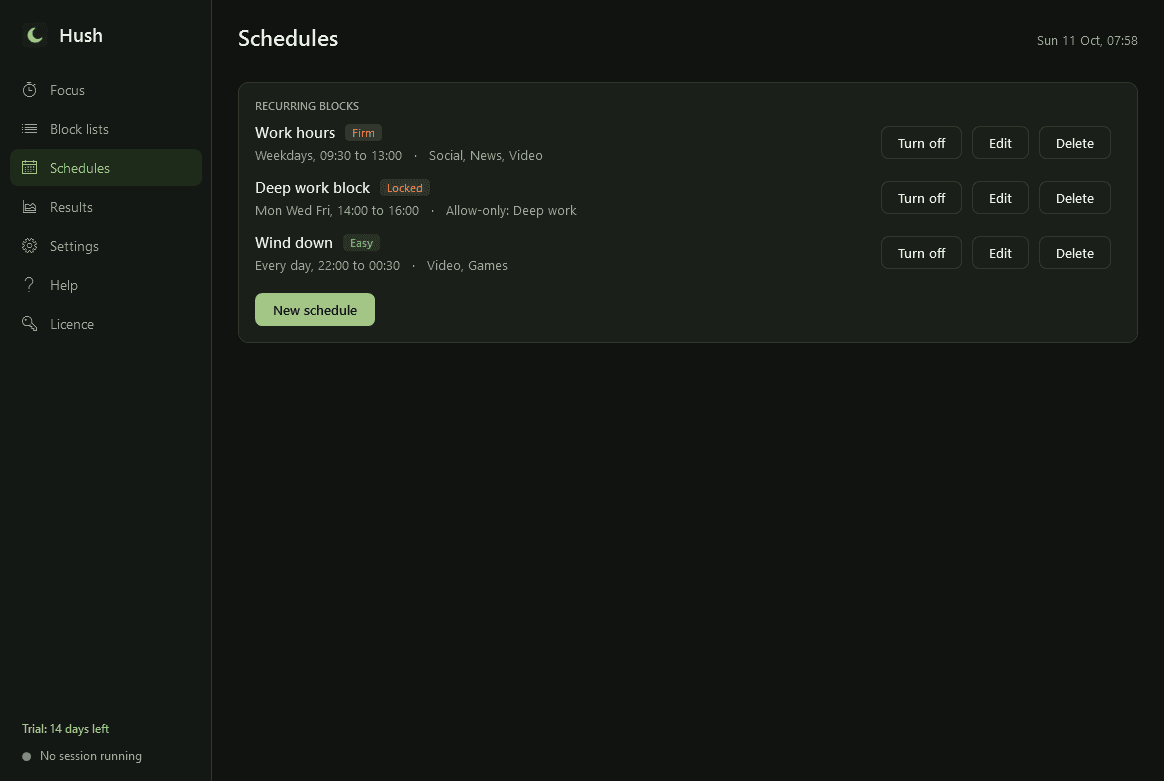
- Schedules: recurring blocks by day and time, for example weekdays 09:30 to 13:00, each with its own lists.
- Daily allowances: "30 minutes of Video a day". The time counts down while you are on those sites or apps, warns at 5 minutes left, then blocks until tomorrow.
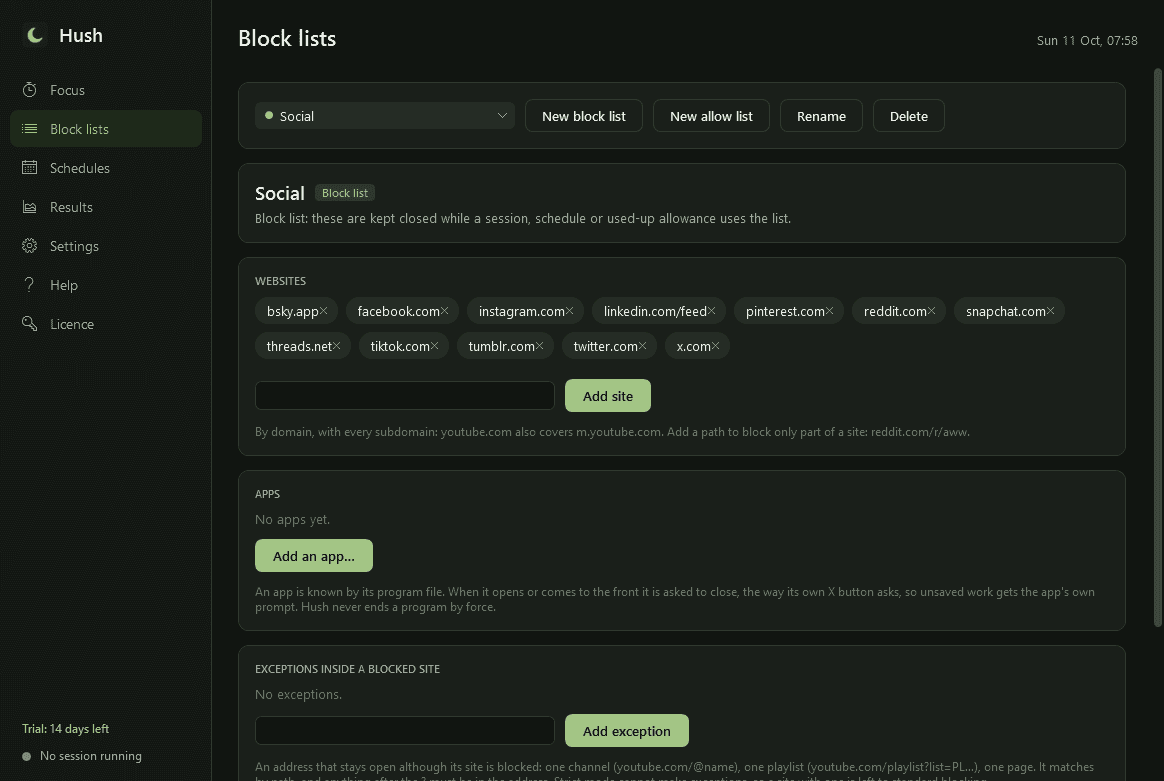
- Block lists: named sets of sites and apps. Starter lists for Social, News, Video, Games and Chat that you can edit. Add a site by typing it; add an app by picking it from what is running or installed.
- Allow-only mode for deep work: everything is blocked except a short list of apps and sites.
- Exceptions inside a blocked site: block youtube.com but keep one channel or playlist open.
- Websites are matched by domain, subdomains included, with an optional path: youtube.com, reddit.com/r/aww.
- Works in Chrome, Edge, Firefox, Brave and Opera, in private and incognito windows too. Tested with Chrome 155, Edge 155, Brave 1.97, Opera 137 and Firefox 157. If a browser window cannot be read, Hush tells you.
- Apps are asked to close the way their own X button asks, so unsaved work gets the app's own "save?" prompt. Nothing is ever ended by force. Or have apps only hidden behind the block screen.
- A calm block screen: what was blocked, the time remaining, a line of your own ("Finish chapter 3") and a Back to work button. No guilt-tripping, no ads.
- Three levels of commitment. Easy: end any time. Firm: type a long random phrase or wait 60 seconds to end early. Locked: cannot be ended, paused or edited until the time is up.
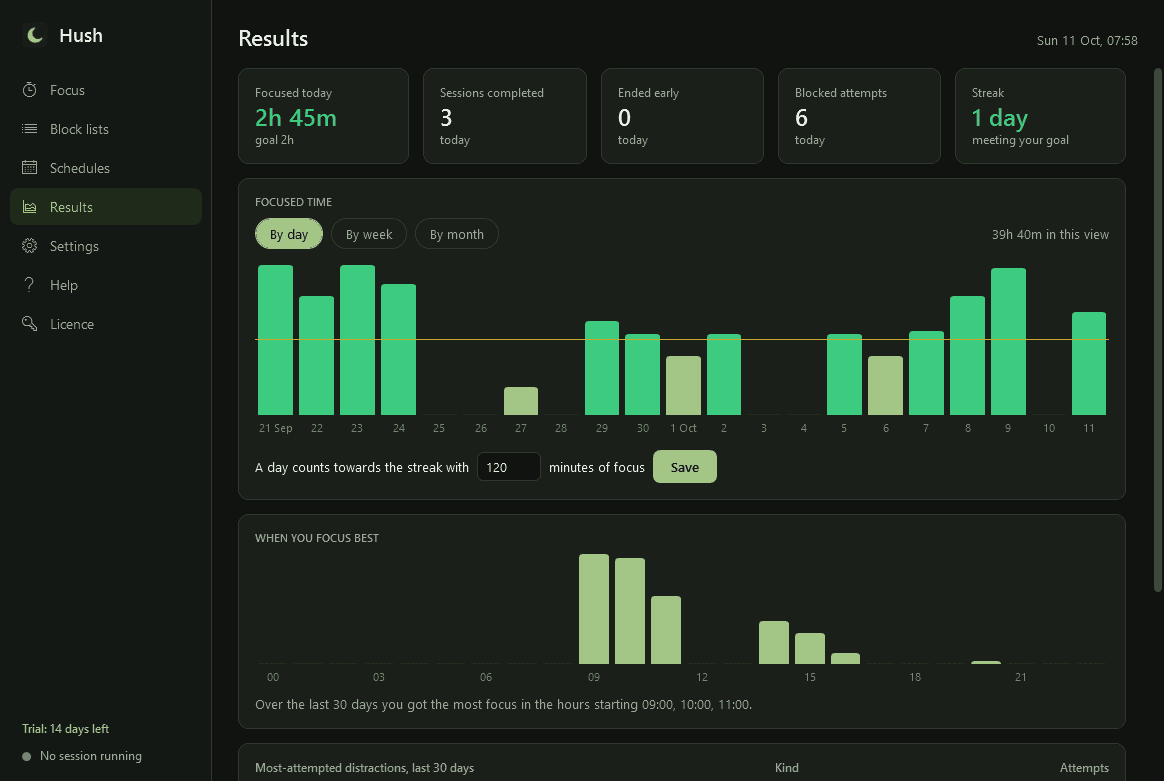
- Results: focused time today, sessions completed and ended early, and how often you tried to open something blocked. History by day, week and month, a streak for the days you met your goal, your most-attempted distractions and the hours you focus best.
- Optional strict mode: also blocks the sites for every browser and app through the Windows hosts file. Windows asks for administrator permission when you switch it on.
- Light and dark mode.
Good to know
- Hush is a commitment aid for your own Windows account, not a security or parental-control product. Someone determined, or with administrator rights, can remove it. Uninstalling it from Windows Settings always works, even during a Locked session, and restarting Windows in Safe Mode is the documented emergency exit.
- A session's length is counted in running time, not by the clock, so changing the PC's clock does not end a Locked session. A Locked session survives Hush being closed and carries on after a restart.
- Hush reads the address of the active tab through Windows' accessibility interface, compares it with your lists and forgets it. It records only the blocked site or app and the time of each attempt. It never stores your browsing history or the address of any page that was not blocked.
- A browser Hush does not recognise is reported as not supported; websites are not blocked in it unless you add it as an app or use strict mode. Browser windows without an address bar, such as installed web apps, cannot be read.
- Strict mode's entries sit in a clearly marked block in the hosts file and are removed when the session ends. A browser using its own secure DNS is allowed to ignore the hosts file (Chrome and Edge did not, when tested), so strict mode is an addition to the normal blocking, not a replacement.
- It listens for Windows' own notifications instead of polling, and does nothing at all when no session, schedule or allowance is in force.
- Everything stays on your PC. The only network use is the licence check and the update check with this store.
- Free to try for 14 days with every feature. After that Hush needs a licence to keep working; without one it lets go of everything at once, so nothing stays blocked, and opens only a screen that asks for a licence key. Your lists, schedules and history are kept.
One-time purchase for one PC. Includes every version released in the following 12 months; the version you have keeps working after that.
Screens
A closer look.
Need somethinglike this built?
A few lines is enough. You will hear back from a person within one business day.