Work / Desktop apps / Productivity
Jot
A shortcut, a thought, Esc. Saved, searchable, and out of the way.
What it does
A shortcut, a thought, Esc. Saved, searchable, and out of the way.
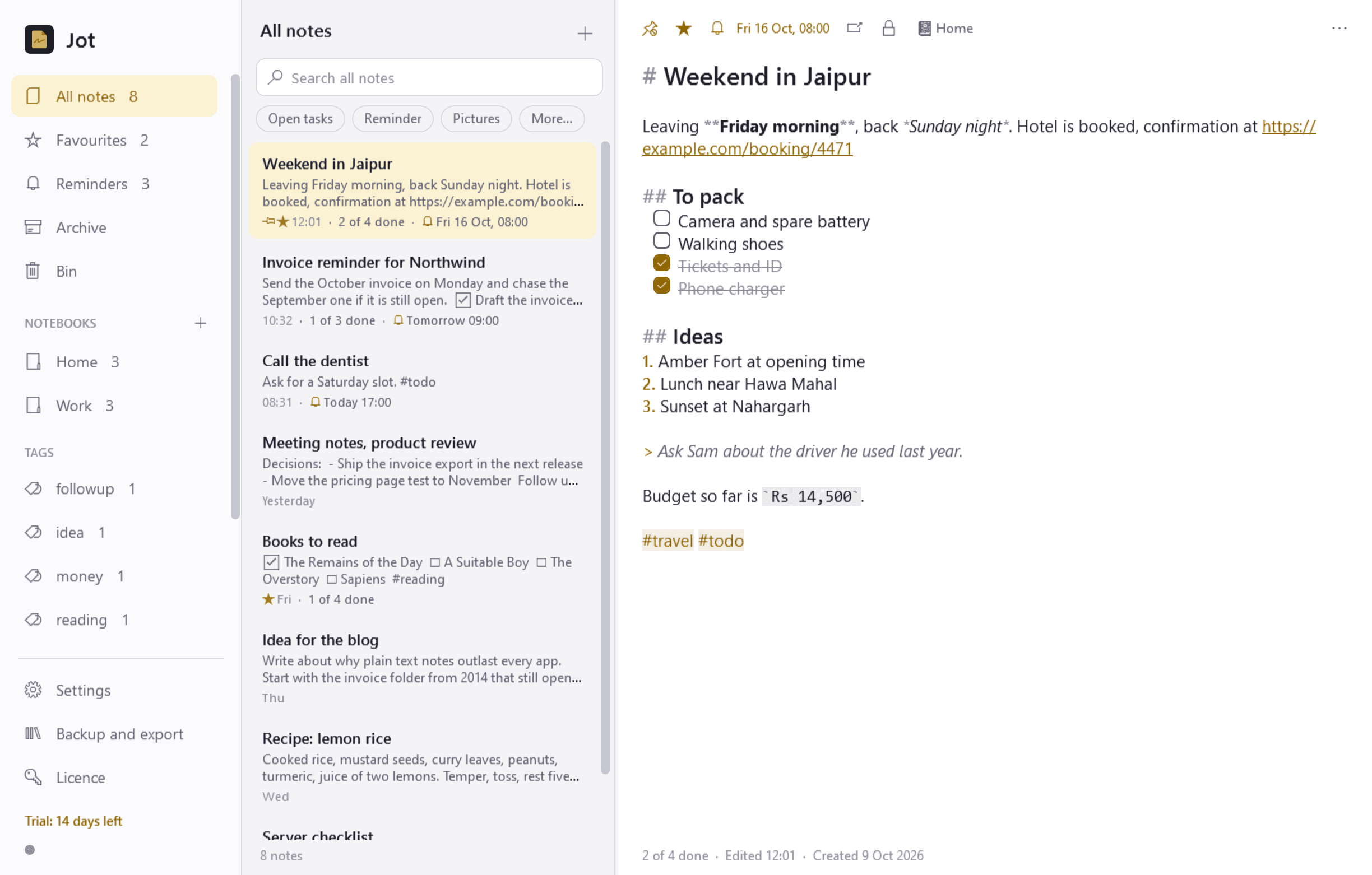
Jot is where you write things down. Press a shortcut from anywhere, a small note window appears at once with the cursor ready, type the thought and press Esc. It is saved and out of the way. Later you can search everything, stick notes to the desktop, tick off checklists and set reminders.
It sits in the notification area and starts when you sign in. There is no Windows service, and it needs no administrator rights to install or to run.
Capture: speed is the point
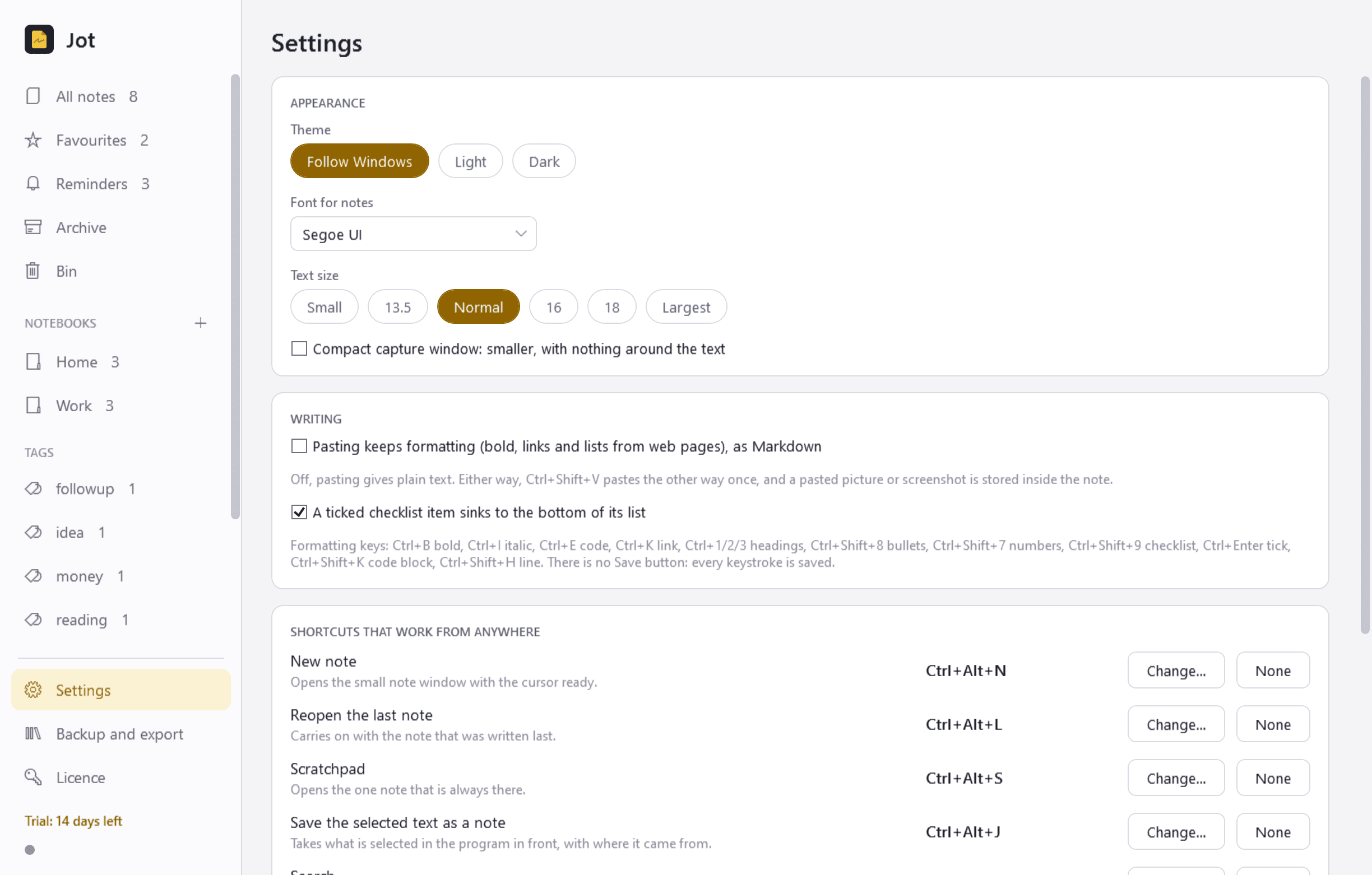
- Ctrl+Alt+N (you can change it) opens the note window instantly, on the screen you are using. Esc or a click anywhere else puts it away.
- There is no Save button anywhere. Every keystroke is saved as you type, so nothing is lost even if the PC or the app stops mid-sentence.
- More shortcuts: carry on with the note you wrote last, open the always-there Scratchpad, or save the text you have selected in any program as a note, with the program, the window title and, for browsers, the page address written underneath.
- Paste a picture or a screenshot into a note and it is stored inside the note.
- The first line of a note is its title. No title box to fill in.
Writing
- Light formatting that appears as you type, each with a key: headings, bold, italic, bullet and numbered lists, checklists, links, inline code, code blocks, a horizontal line.
- Notes are stored as ordinary Markdown text, never in a private format.
- Checklists: tick with a click or a key, ticked items can sink to the bottom, and lists show "3 of 7 done".
- Pasting gives plain text unless you ask to keep the formatting. Pasted web addresses are clickable.
- Unlimited undo while a note is open, and a version history for every note, so an accidental deletion of half a note can be rolled back.
Finding and organising
- A notes list beside the editor, newest first, pinned notes on top.
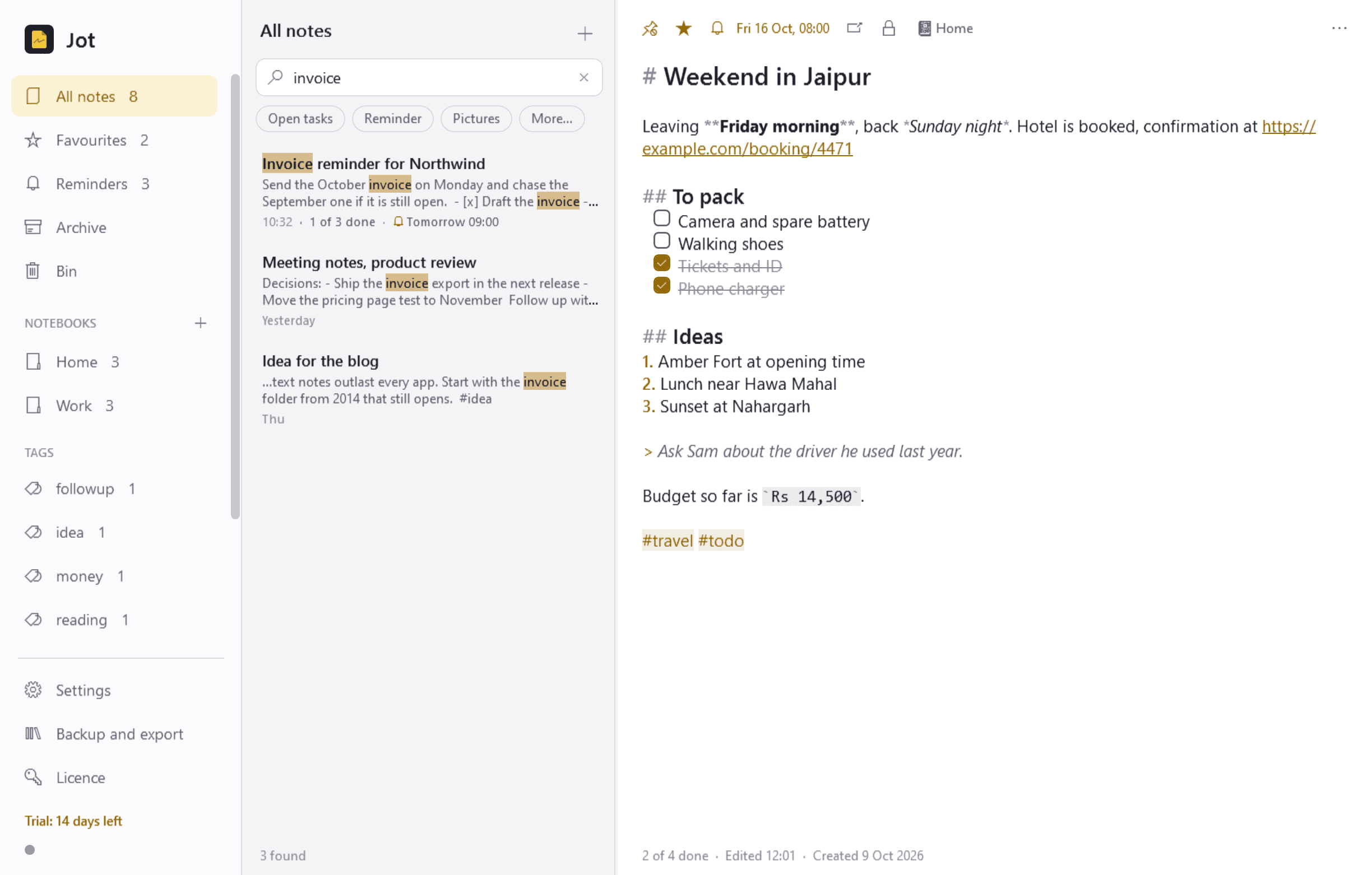
- Search as you type across every note, instant even with thousands of them, with the matches marked. A shortcut opens Jot straight into the search box.
- Tags written inline as #word, listed with counts. Notebooks for those who prefer folders. A note can have both.
- Filters: unticked tasks, has a reminder, has pictures, created or edited between two dates, captured from a certain program.
- Favourites, an archive that is out of the way but still searchable, and a bin that keeps deleted notes for 30 days.
Sticky notes
- Any note can be stuck to the desktop as a small coloured window. It stays where you put it and comes back there after a restart.
- Always on top, see-through, or rolled up to just its title.
- It is still a normal note: editable in place, searchable, and unsticking it does not delete it. One shortcut shows or hides them all.
Reminders
- Set one on any note: later today, tomorrow morning, a date and time, or repeating daily, on weekdays, weekly or monthly. Typing "tomorrow 9am" or "every weekday 8:30" is understood.
- A card appears at the time with Open, Snooze (10 minutes, 1 hour, tomorrow) and Done. Reminders missed while the PC was off appear when you next sign in.
- One view lists every reminder to come.
Keeping notes safe
- Everything is stored on your PC only. No cloud, no account, no sync, no telemetry. The only times Jot uses the internet are to check its licence and to look for updates.
- An automatic daily backup of all your notes to a folder you choose, the last 14 kept, with a restore screen.
- Export one note, a selection or everything as Markdown files (pictures alongside), plain text or PDF. Print a note. Import Markdown and text files, or a whole folder of them.
- Locked notes: any note can be locked with a password. Its text, saved versions and pictures are encrypted (PBKDF2-HMAC-SHA-256 with 600,000 iterations, AES-256-GCM) and its text is kept out of search. A forgotten password cannot be recovered. Notes that are not locked are ordinary data that any program running under your Windows account can read.
Good to know
- Free to try for 14 days with every feature. After that Jot needs a licence to keep working: without one its shortcuts go back to Windows, sticky notes are hidden, reminders stop and it opens only a screen that asks for a licence key. Your notes are never deleted, and that screen still lets you export all of them as Markdown files. Everything works again once a licence is entered.
- Saving selected text from another program works by asking that program to copy, then putting your clipboard back. Windows does not allow that from a window that runs as administrator.
- A PDF made by Export is a picture of each page, so its text cannot be selected. Printing to "Microsoft Print to PDF" gives a PDF with selectable text.
- A shortcut that another program already holds cannot be taken; Jot tells you and lets you pick another.
- It installs for your user account only and never asks for administrator rights.
One-time purchase for one PC. Includes every version released in the following 12 months; the version you have keeps working after that.
Screens
A closer look.
Need somethinglike this built?
A few lines is enough. You will hear back from a person within one business day.