Work / Desktop apps / System
Twins
Find duplicate files and remove the extra copies safely.
C#.NET 8WPF
What it does
Find duplicate files and remove the extra copies safely.
Twins finds files that are stored more than once, across folders and whole drives, and helps you remove the extra copies without risking the one you keep. It can also find photos that look alike without being the same file.
What it does
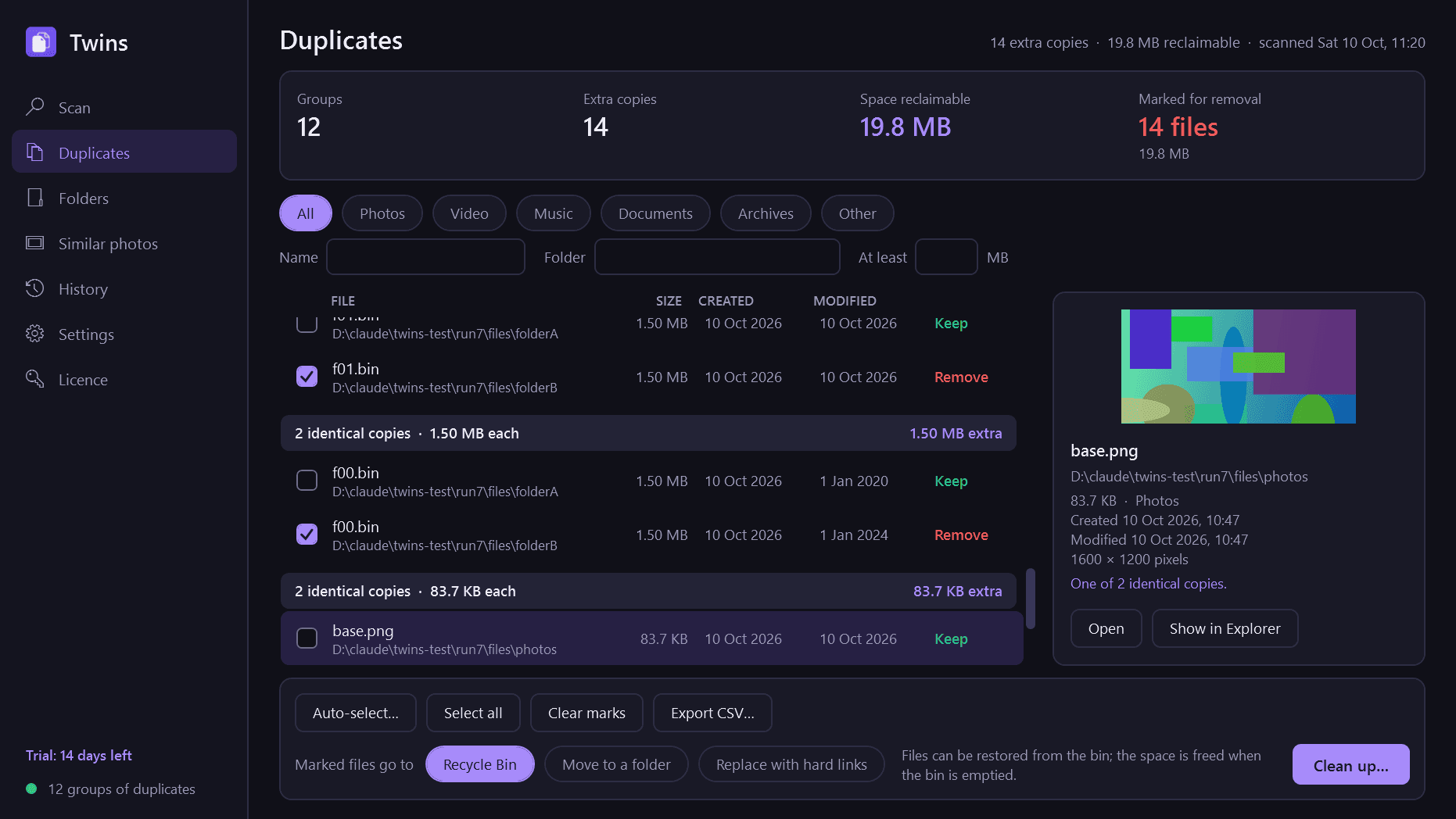
- Finds identical files in any folders or drives you choose. Two files count as duplicates only when their whole contents are identical, byte for byte; the name, the size and the date decide nothing.
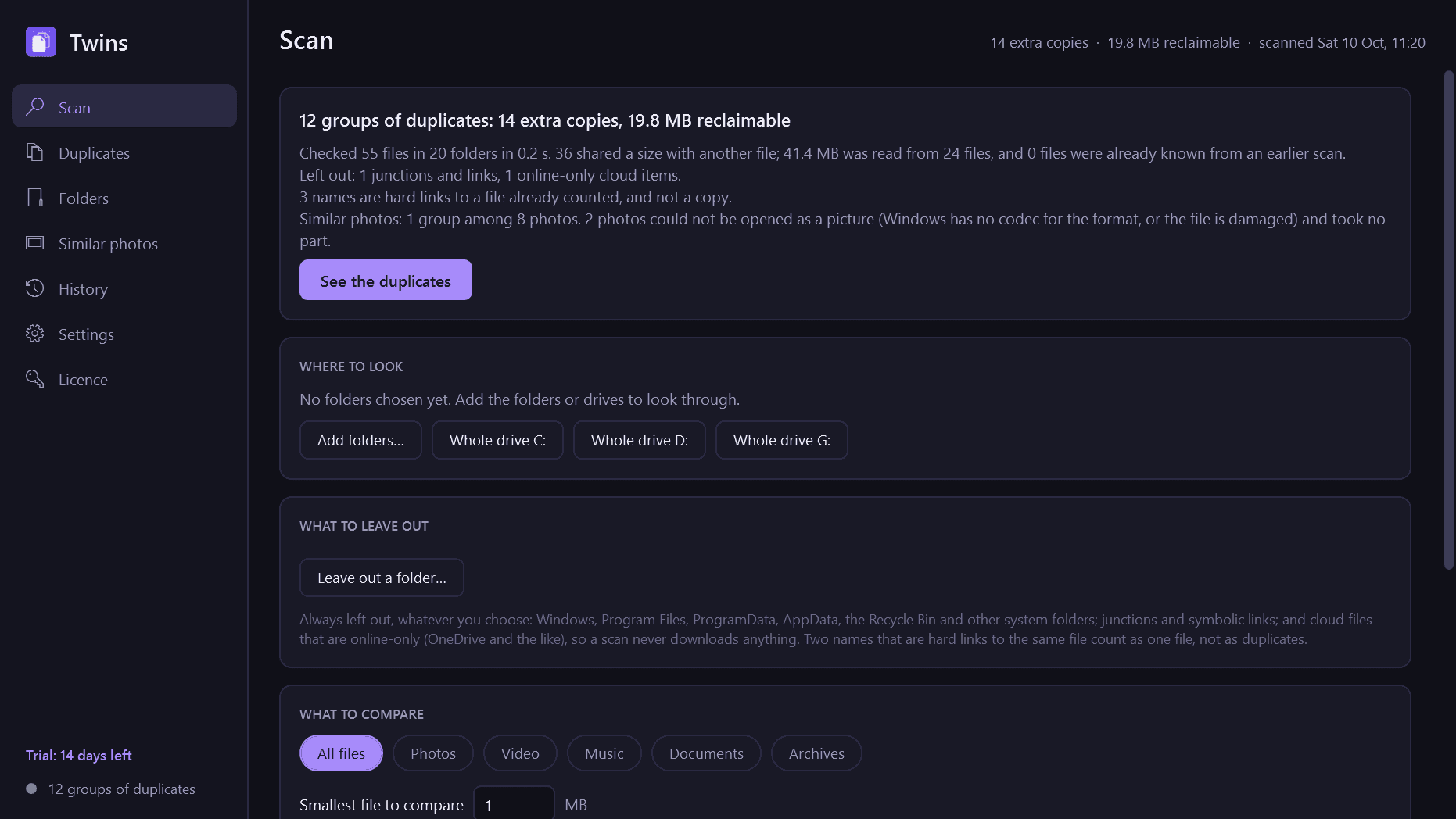
- Fast: files are grouped by size first, then by their first and last block, and only what still matches is read in full. Several threads, live progress, pause and cancel.
- Remembers what it has read, so a second scan only reads files that changed.
- Results as groups, the most wasted space first, with a preview of pictures, video, text and PDFs, and filters by type, size, folder and name.
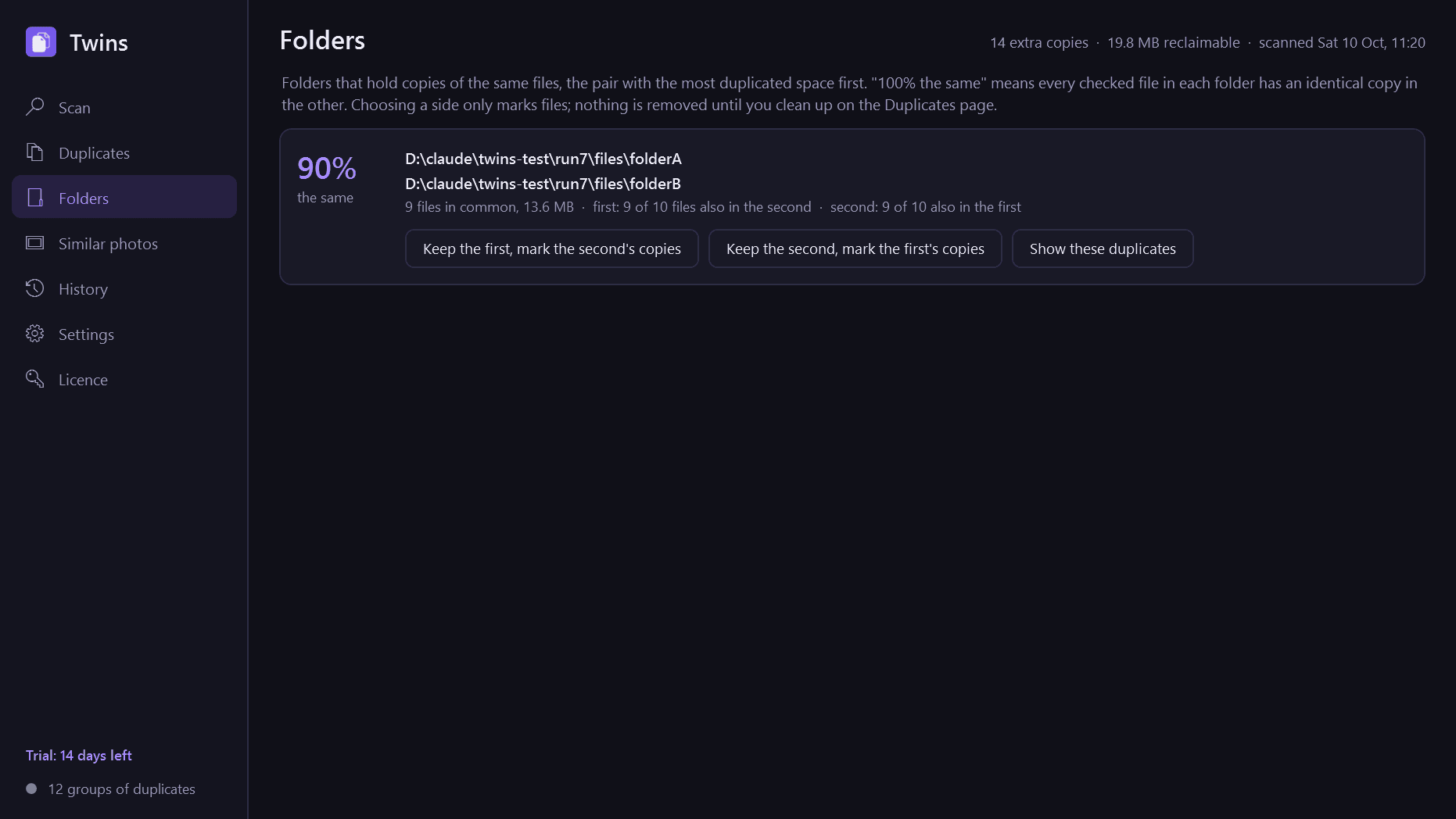
- Folder view: pairs of folders that hold copies of each other's files ("these two are 94% the same"), so a copied folder can be dealt with in one go.
- Rules for what to keep, which you can combine: newest, oldest, a preferred folder, the shortest path, the original name over "copy" and "(1)" names.
- Three ways to remove the extras: the Recycle Bin, a folder of your choice (keeping the folder structure, with undo), or hard links, which free the space while every path keeps working.
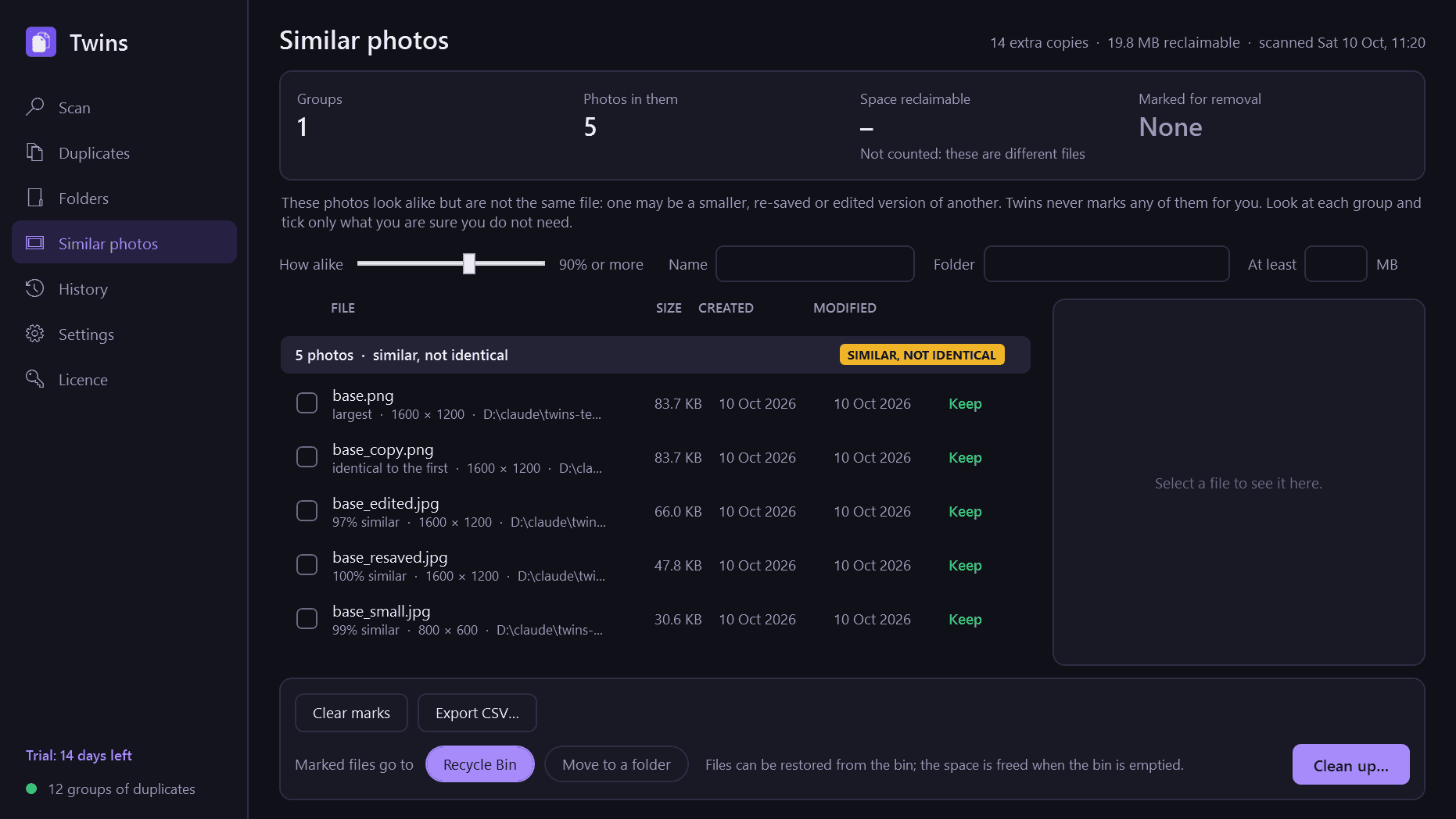
- Similar photos, as a separate optional search: resized, re-saved or lightly edited copies of the same picture, with a slider for how alike.
- A history of every clean-up, light and dark mode, and export of the results to CSV.
Good to know
- One copy of every file always stays. Twins will not let you mark every copy in a group, by ticking, by rules or by select-all, and it checks again on disk before removing anything.
- Nothing is ever deleted outright. If Windows cannot put a file in the Recycle Bin, Twins leaves it where it is.
- Before a file goes it is compared once more, byte for byte, with the copy that stays.
- Windows, Program Files, ProgramData, AppData, the Recycle Bin and other system folders are never scanned. Junctions and links are not followed.
- Cloud files that are online-only (OneDrive and the like) are left out, so a scan never downloads anything.
- Two names that are hard links to the same file are one file, not duplicates, and are shown as such.
- Similar photos are always labelled "similar, not identical" and are never marked for you. That search works on JPEG, PNG, BMP, GIF and TIFF, and on WebP and HEIC when Windows has the codecs for them.
- Hard links only work between files on the same NTFS drive, and the linked copies become one file: editing one edits them all.
- It installs for your user account only and never asks for administrator rights. It runs only when you open it.
- Free to try for 14 days with every feature. After that Twins needs a licence to keep working; without one it shows only a screen for entering a key. What it remembered about your files and your clean-up history are kept.
One-time purchase for one PC. Includes every version released in the following 12 months; the version you have keeps working after that.
Screens
A closer look.
Next project · Desktop appsBlackbox →
Need somethinglike this built?
A few lines is enough. You will hear back from a person within one business day.
Start a projector email [email to set] · [booking link to set]