Work / Desktop apps / Productivity

Moniker
Rename hundreds of files at once, see every new name first, and undo it if you change your mind.
C#.NET 8WPF
What it does
Rename hundreds of files at once, see every new name first, and undo it if you change your mind.
Moniker is a bulk file renamer. Drop in hundreds of files, stack up a few simple rules (replace this text, add numbering, put the photo's date at the front), watch the new names appear beside the old ones, and rename them all in one click, with a real undo.
Adding files
- Drag files or folders onto the window, use the Add buttons, or choose Send to, Rename with Moniker, in Explorer.
- For a folder: its files only, the files in all its subfolders too, and/or the folders themselves.
- Filter by type or by a name pattern, tick the rows you want, sort by any column in natural order (file2 before file10), or drag rows by hand. The order of the list is the order files are numbered in.
- Tens of thousands of files without the window freezing.
Rules you stack
- Replace text, plain or by regular expression, with a small tester that shows what a pattern matches.
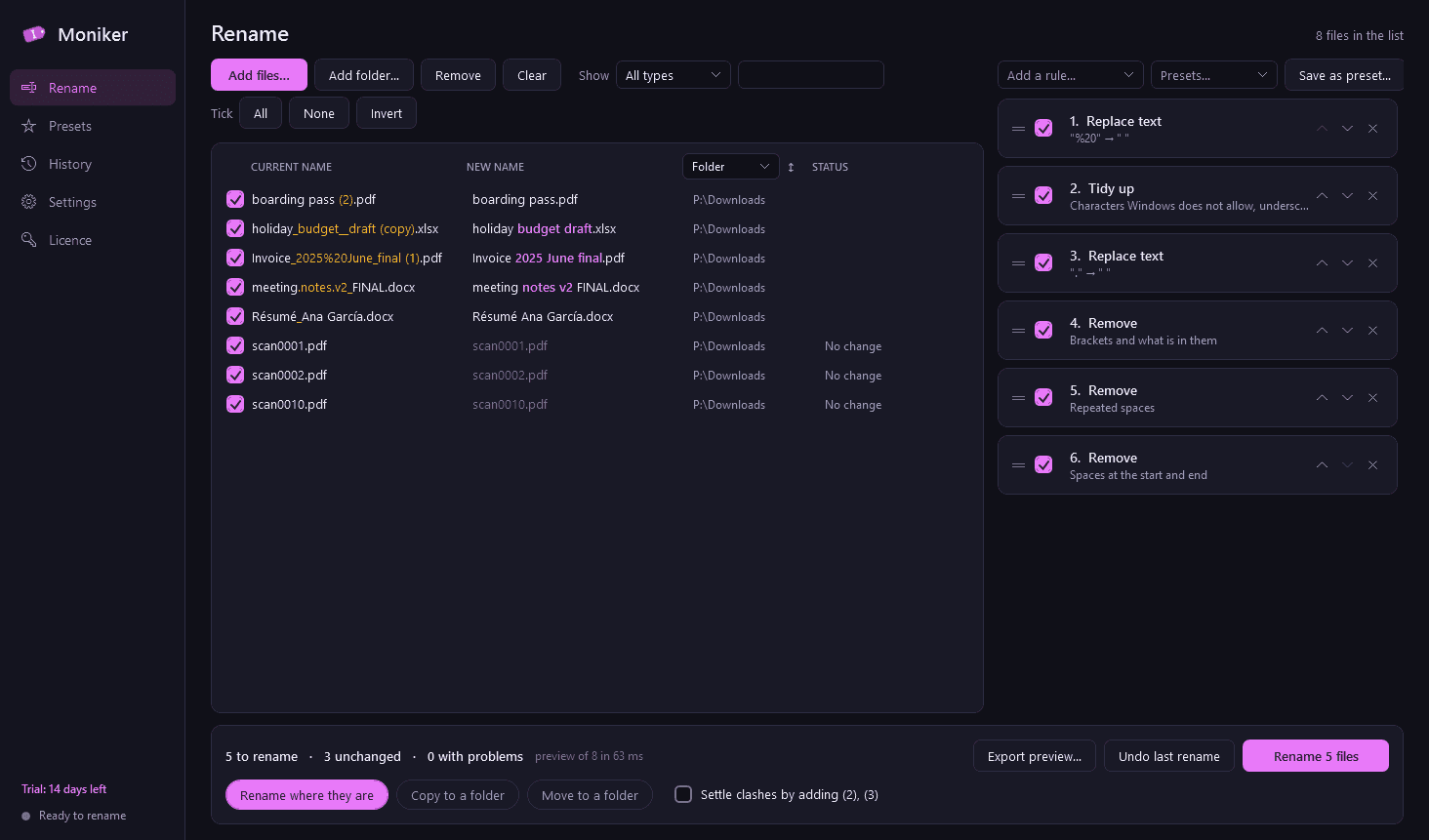
- Insert text, remove a range, everything before or after a text, digits, brackets and their contents, repeated spaces.
- Change case: lower, UPPER, Title Case, Sentence case, with a list of small words to leave alone.
- Numbering with start, step, zero-padding, position and separator; starting again in each folder; letters or roman numerals.
- The file's created or modified date, in any format you define.
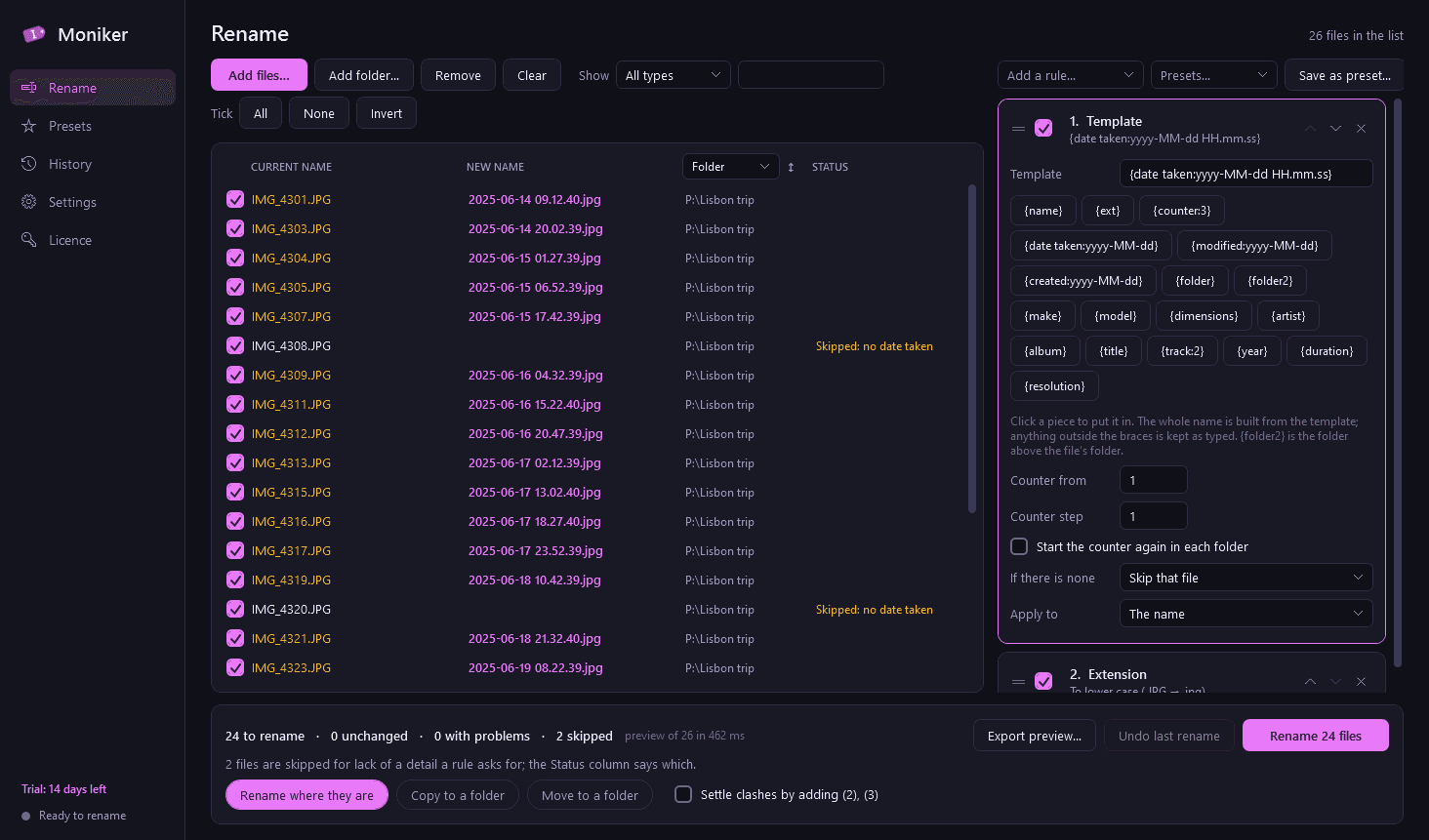
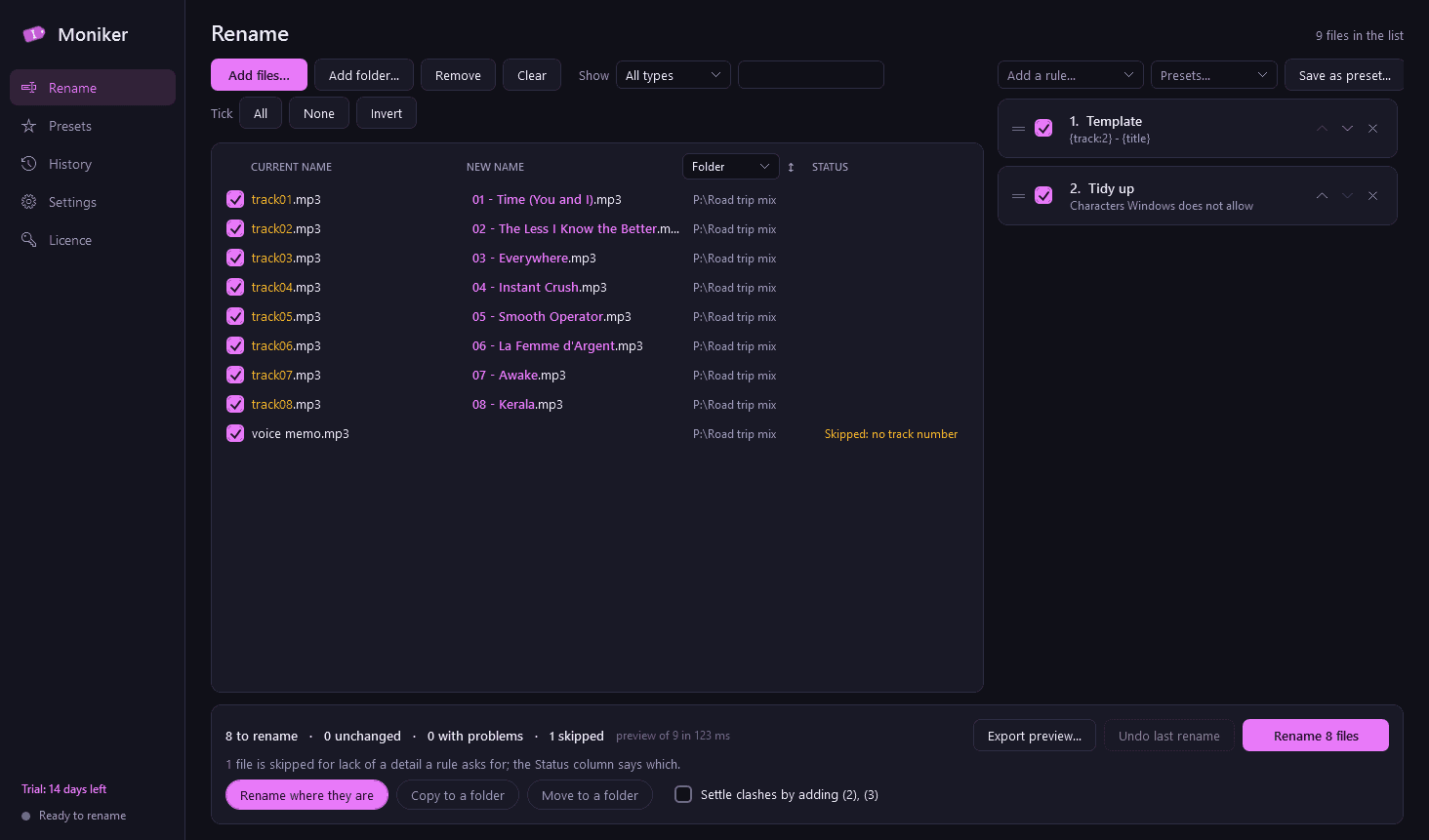
- Photo details (date taken, camera make and model, dimensions), music tags (artist, album, title, track, year) and video details (duration, resolution), read from the files themselves.
- The parent folder's name, tidy-up (characters Windows does not allow, accents to plain letters, spaces to dashes or underscores), rearranging the parts of a name, changing or adding an extension.
- New names from a pasted or loaded list, and a free-form template such as {date taken:yyyy-MM-dd}_{folder}_{counter:3}.
- Each rule applies to the name, the extension, or both, can be switched off without removing it, and is reordered by dragging.
A preview you can trust
- Current name and new name side by side, the changed part highlighted, updating as you edit the rules. Nothing is touched until you press Rename.
- Problems are flagged on each row before anything happens, and Rename stays blocked until they are fixed or those rows are left out: two files ending up with the same name, a clash with a file already in the folder, illegal characters, reserved names such as CON and NUL, names ending in a dot or space, names that are too long, an empty name.
- Clashes can be settled for you by adding (2), (3).
- Export the old and new names to CSV.
Renaming safely
- Renames go in two passes through temporary names, so swaps and chains (a to b while b to a) work.
- Nothing is ever overwritten, under any setting.
- If a file is open in another program or Windows refuses, the batch stops, everything already renamed is put back, and you are shown exactly which file and why, with the choice to skip that file and retry.
- Instead of renaming in place you can copy or move the renamed files into another folder, with subfolders built from the rules (by year and month taken, for example).
Undo, history and presets
- Undo the last rename with one click; every name goes back exactly.
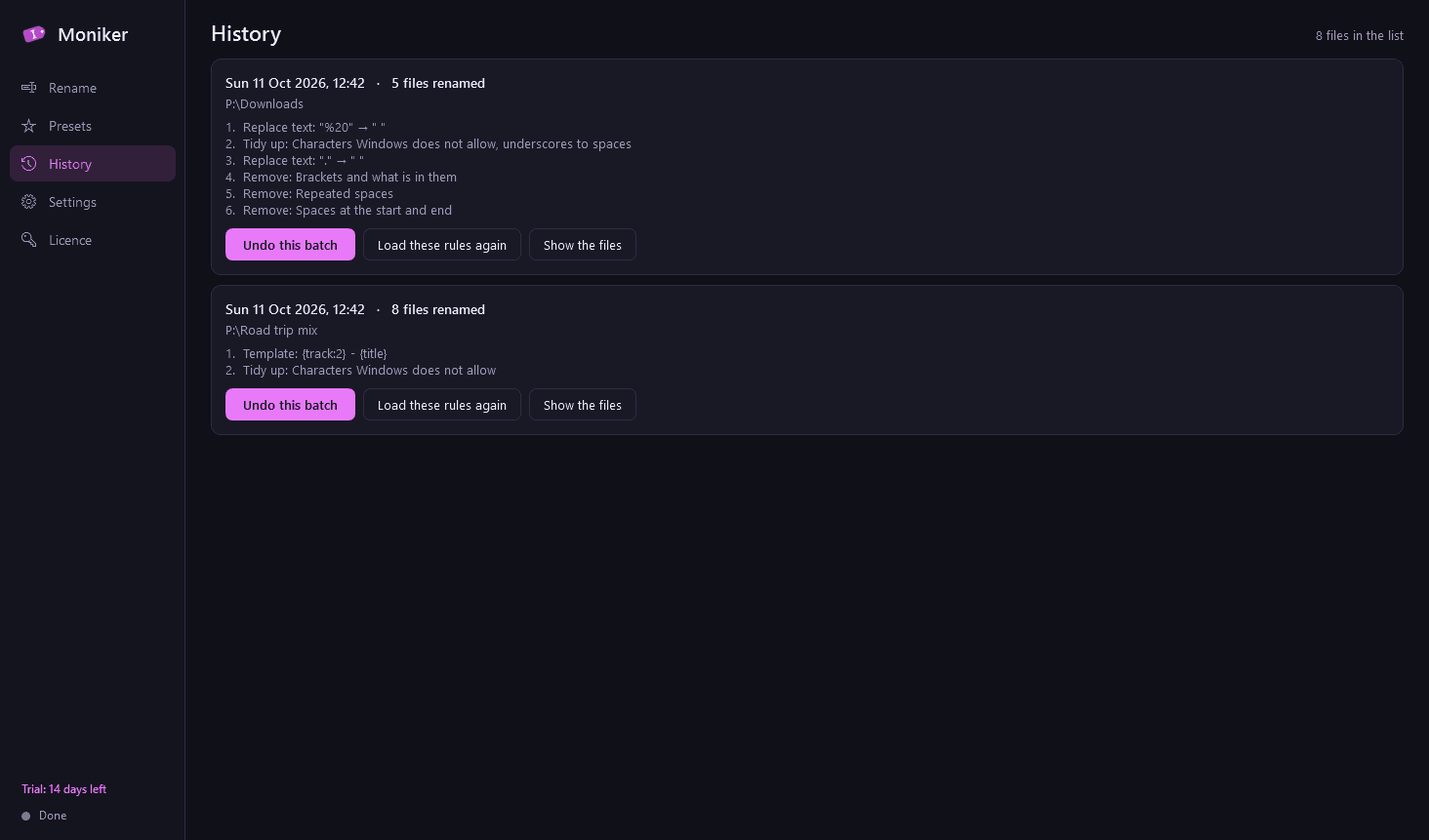
- A history of every batch with its date, folder, number of files and rules. Any batch can be undone later, as long as the files are still where Moniker left them: it checks first, puts back the ones that are, and lists the rest.
- Load the rules of any earlier batch again.
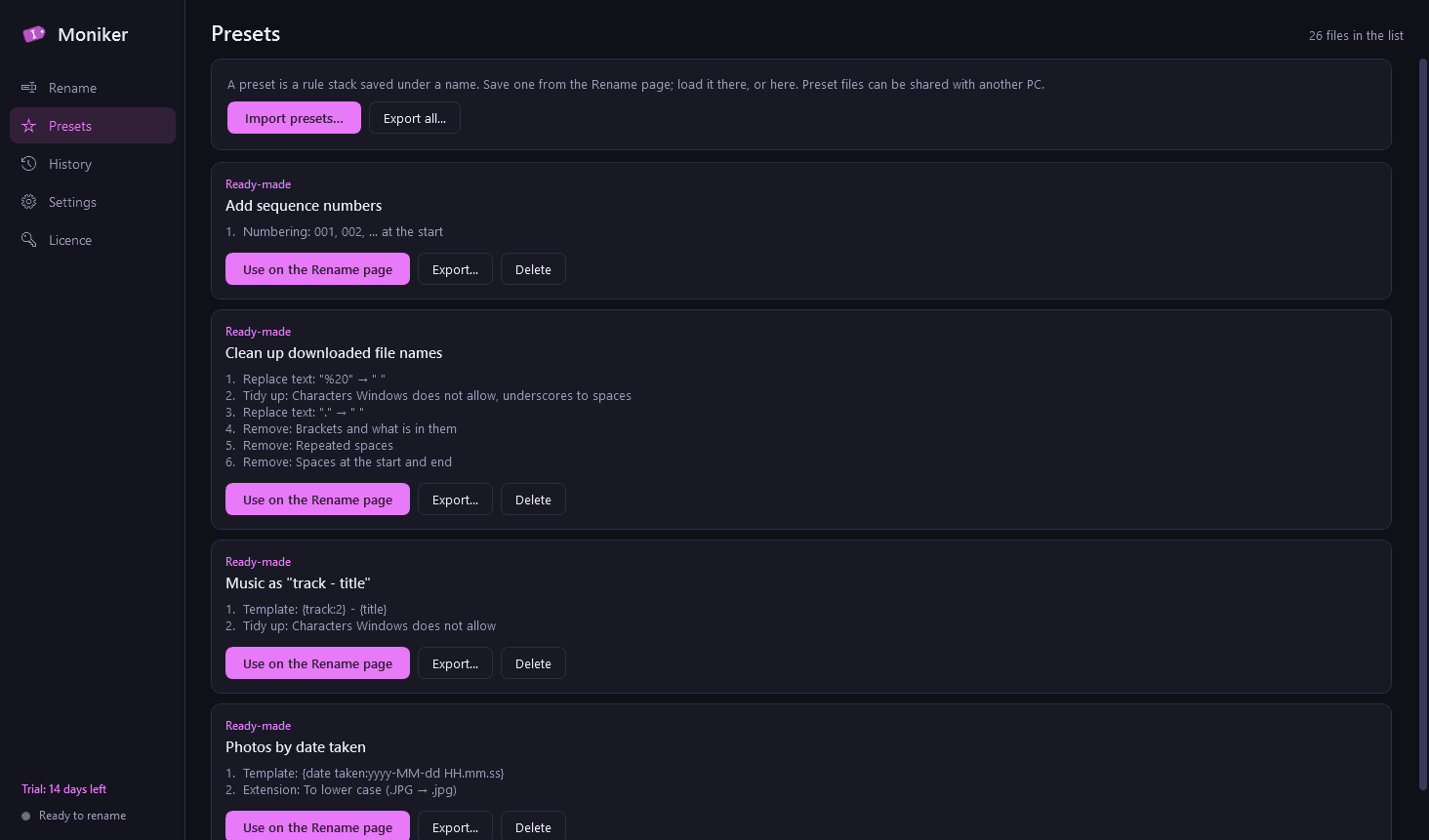
- Save a rule stack as a preset. Four are ready-made: photos by date taken, music as "track - title", clean up downloaded file names, add sequence numbers. Presets can be exported and imported as files.
Good to know
- A file that lacks a detail a rule asks for, such as a photo with no date taken, follows your choice: skip that file, use a fallback such as the modified date, or leave that part empty. Moniker never makes a value up.
- Changing an extension does not convert a file; Moniker says so where you do it.
- Photo details are read from JPEG, HEIC, PNG, TIFF and common camera raw files; music tags from MP3, FLAC, M4A, OGG, WMA and others; video details from MP4, MOV and AVI, and from MKV, WMV and WebM where Windows itself can read them.
- A rename that is cut short by a power cut or a forced close is put back the next time Moniker starts.
- It installs for your user account only, never asks for administrator rights, runs no Windows service and has no notification-area icon. It runs only when you open it.
- Your file names never leave your PC. The only thing Moniker contacts is this store, to check the licence and look for a new version.
- Light and dark mode.
- Free to try for 14 days with every feature. After that Moniker needs a licence to keep working; without one it opens only a screen for entering a key. Two things still work there, so you are never stranded: undoing your last rename, and exporting your presets and rename history. Both are kept and are usable again once a licence is active.
One-time purchase for one PC. Includes every version released in the following 12 months; the version you have keeps working after that.
Screens
A closer look.
Next project · Desktop appsEspresso →
Need somethinglike this built?
A few lines is enough. You will hear back from a person within one business day.
Start a projector email [email to set] · [booking link to set]