Work / Desktop apps / Productivity
Morph
Change the format of a video or audio file so it plays where you need it, instantly and without quality loss whenever the format allows.
C#.NET 8WPF
What it does
Change the format of a video or audio file so it plays where you need it, instantly and without quality loss whenever the format allows.
Morph changes the format of video and audio files you already have. Drop in a file that will not play on your phone, your TV or in your editing program, and get one that will: MKV to MP4, MOV to MP4, a video's soundtrack to MP3, WAV to FLAC, a clip to GIF. Whenever the new format allows it, this takes seconds and loses nothing at all.
Keep the quality, change the wrapping
- A video file is a container (MP4, MKV, MOV) with a picture and sound inside it. Very often the picture and sound are fine and only the container is wrong for your device.
- When the new container can hold the picture and sound as they are, Morph copies them across untouched. Seconds instead of minutes, and bit for bit the same quality: "Instant, no quality loss".
- When only one part does not fit, usually the sound, that part is converted and the rest is copied.
- The picture is re-encoded only when there is no other way, at a setting meant to look the same as the original.
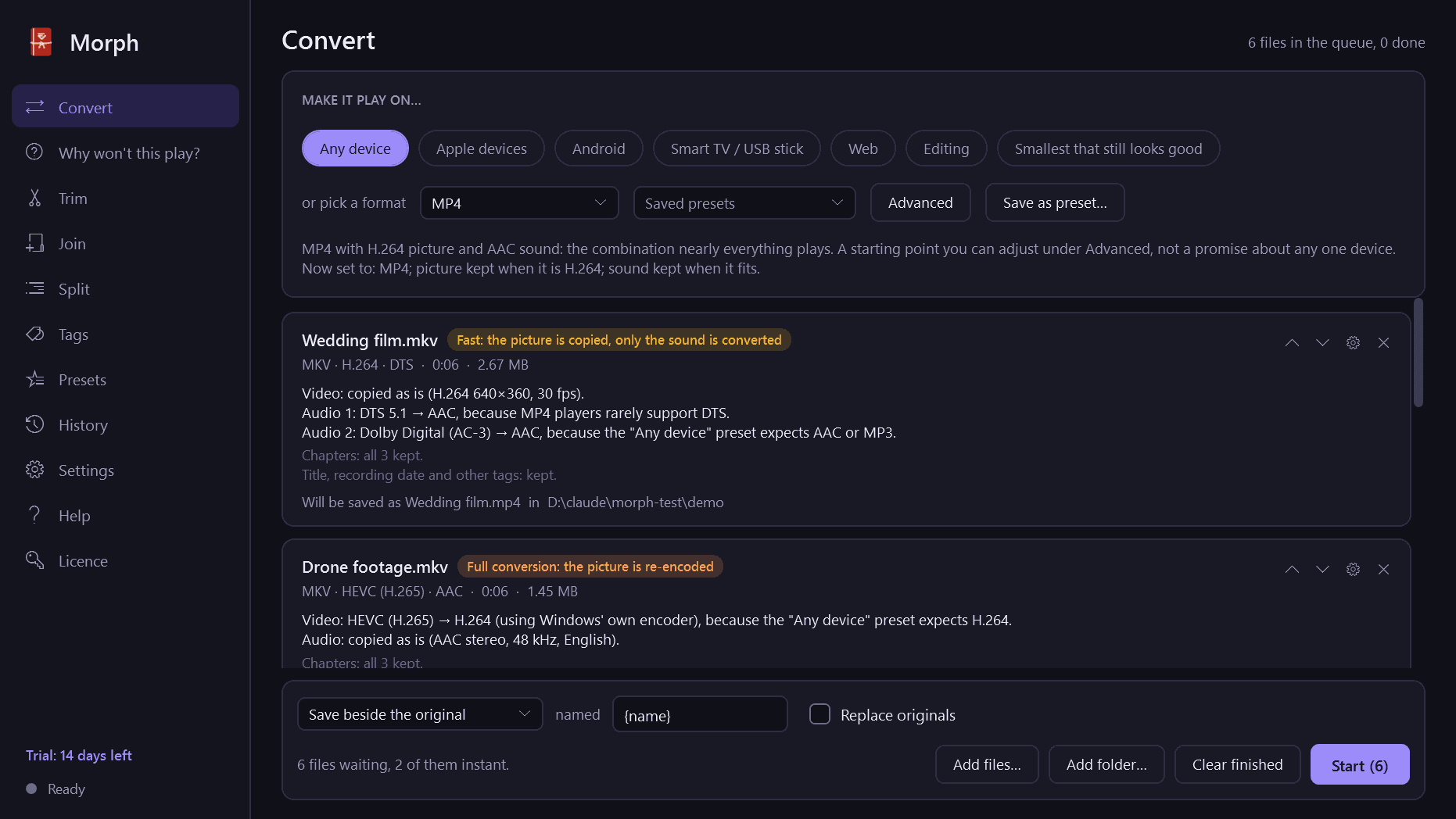
- Before anything starts, every file shows what will happen to it and why: "Video: copied as is. Audio: DTS to AAC, because MP4 players rarely support DTS."
Make it play on...
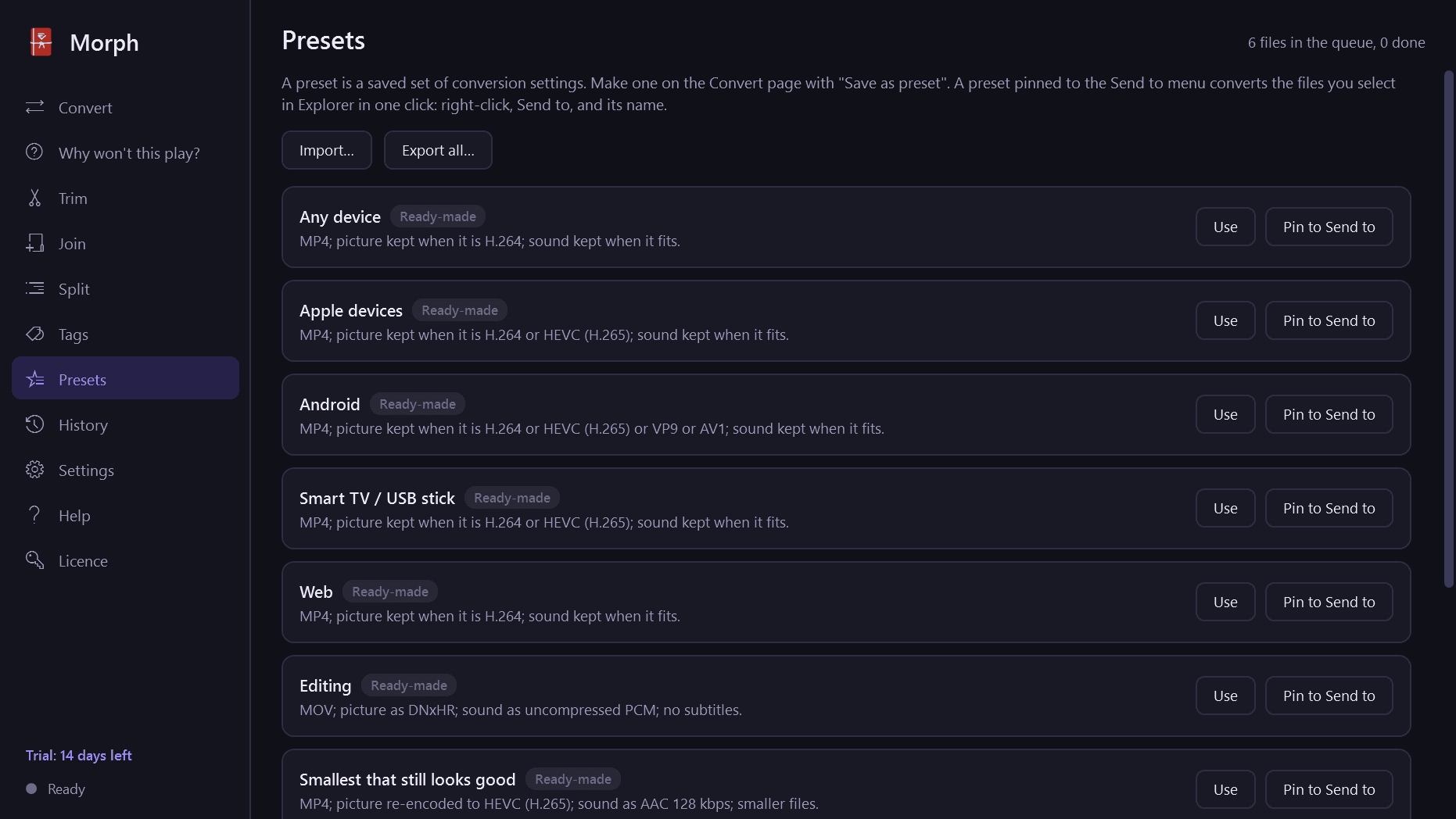
- Any device: MP4 with H.264 and AAC, the combination nearly everything plays.
- Apple devices, Android, Smart TV or USB stick, Web, Editing, and Smallest that still looks good.
- These are sensible starting points that you can adjust and save as your own presets, not promises about any particular device.
Or pick a format
- Video: MP4, MKV, MOV, WebM, AVI.
- Short clips: animated GIF or animated WebP, with size, frame rate and colour controls and a size estimate before you start.
- Audio: MP3, AAC (M4A), Opus, OGG, FLAC, WAV. Pull the soundtrack out of a video into any of these; when it already is in the chosen format it is copied untouched.
- Advanced settings for those who want them: video format, quality, size, frame rate; audio format, bit rate, sample rate, channels.
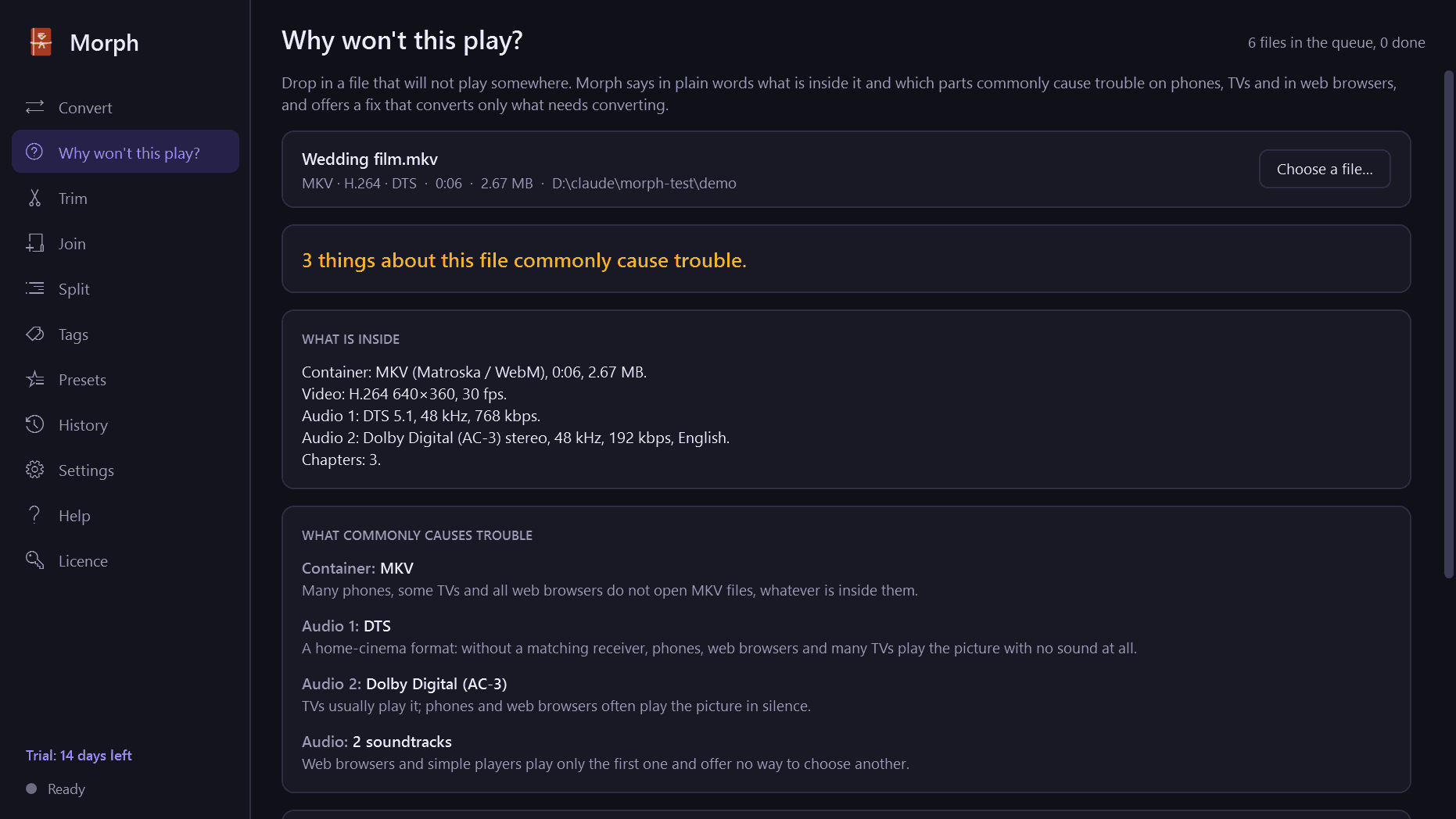
Why won't this play?
- Drop in one file and get a plain-language report: what is inside it, and which parts commonly cause trouble on phones, TVs and in web browsers.
- One click fixes it, converting only what needs converting.
Tracks, subtitles and details
- Choose which soundtracks to keep and which one players start with.
- Subtitles are kept as selectable tracks when the new format can hold them, converted between text formats, saved as .srt files, or burned into the picture. Subtitles from discs are pictures of text: they can be kept or burned in, but not turned into text.
- Chapters, the recording date, titles, track languages and the way a phone video is turned are carried across.
- HDR video is kept when the result can carry it, or converted to standard range with proper tone mapping. Morph tells you which.
- Picture and sound stay together, including phone recordings with a variable frame rate.
Music
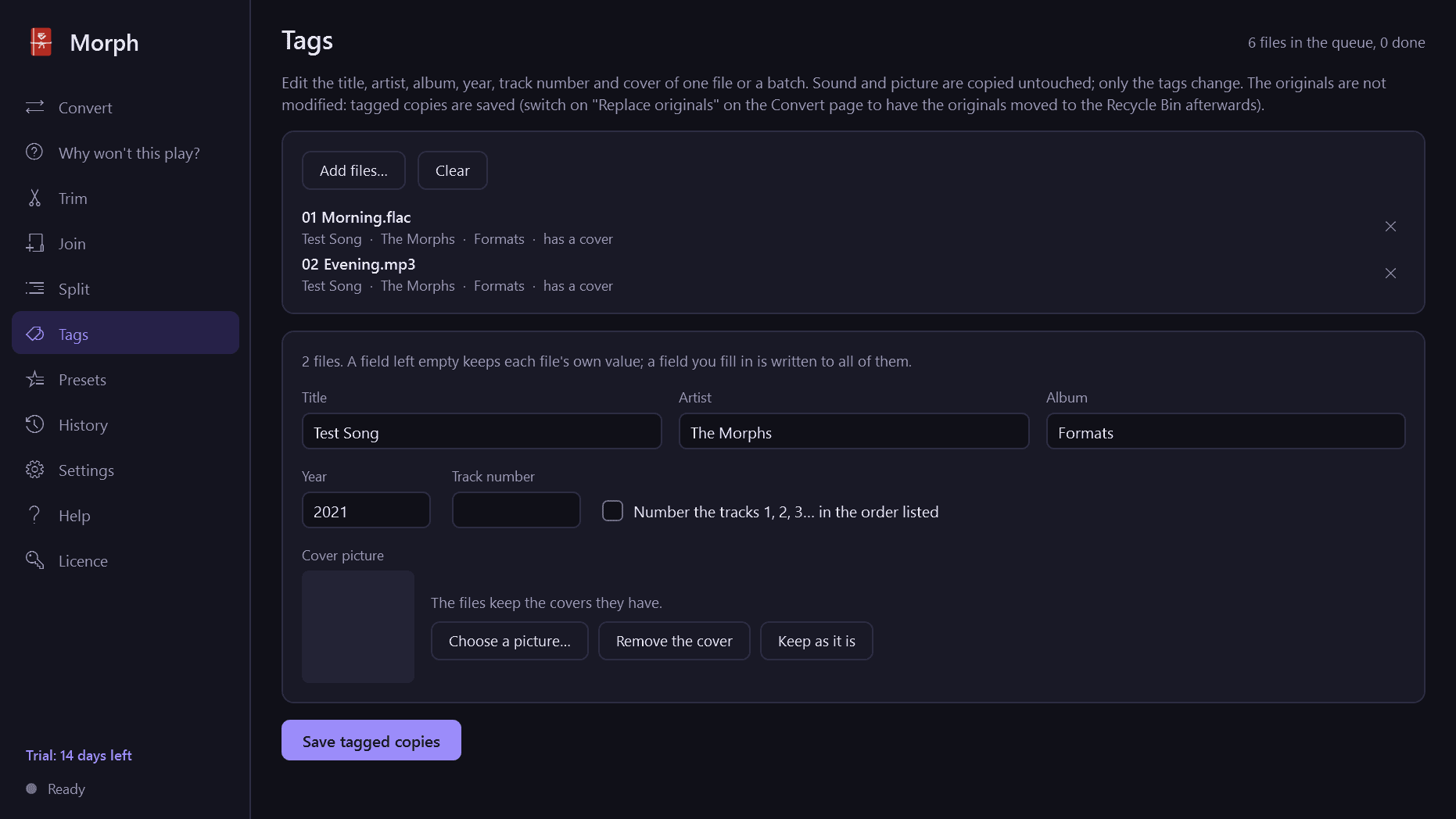
- Tags and cover art are carried between formats.
- A tag editor for title, artist, album, year, track number and cover, for one file or a batch.
- Optional loudness evening-out, so tracks from different sources play equally loud. Off by default, and never applied to sound that is being copied untouched.
Small tools
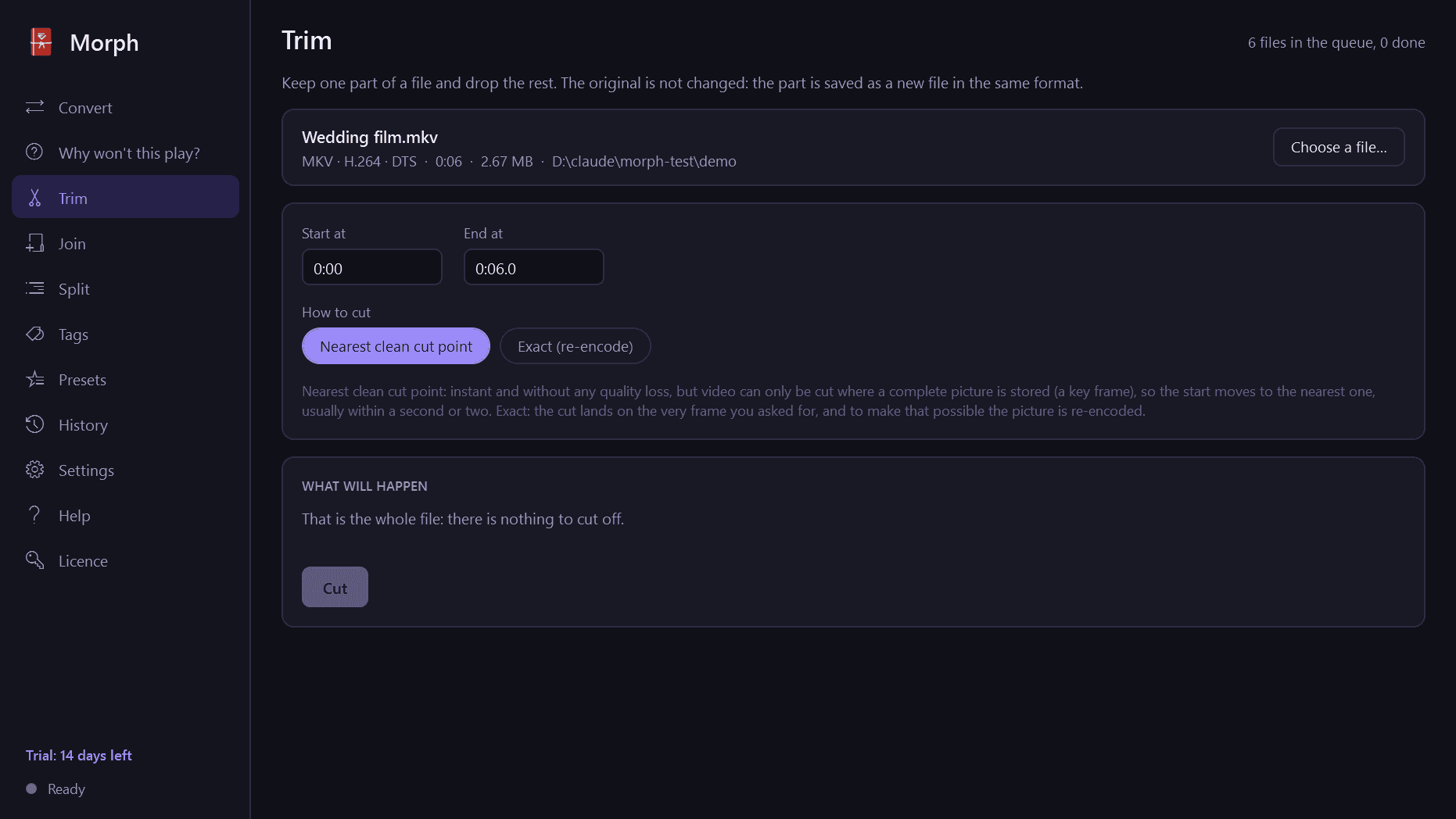
- Trim the start and end. "Nearest clean cut point" cuts instantly without re-encoding; "Exact" lands on the very frame you asked for.
- Join several files into one, without re-encoding when they match, and with a clear note when they do not.
- Split by time, by size or at chapters.
Careful with your files
- A file you give Morph is never changed. Every result is a new file, beside the original or in a folder you choose.
- An existing file is never overwritten without asking.
- "Replace originals" is there if you want it, switched off until you turn it on. An original goes to the Recycle Bin only after its replacement has been checked.
- A stopped or interrupted conversion leaves nothing half-written behind.
- A file that cannot be read is skipped with the reason, and the rest of the batch carries on.
- Every result is read back and checked before Morph says it is done.
Queue, presets and Send to
- Convert a whole batch with shared settings or settings of their own per file. Reorder, pause, resume, stop; see the speed and the time left. The PC is kept awake while it works.
- Save settings as named presets, export them and import them.
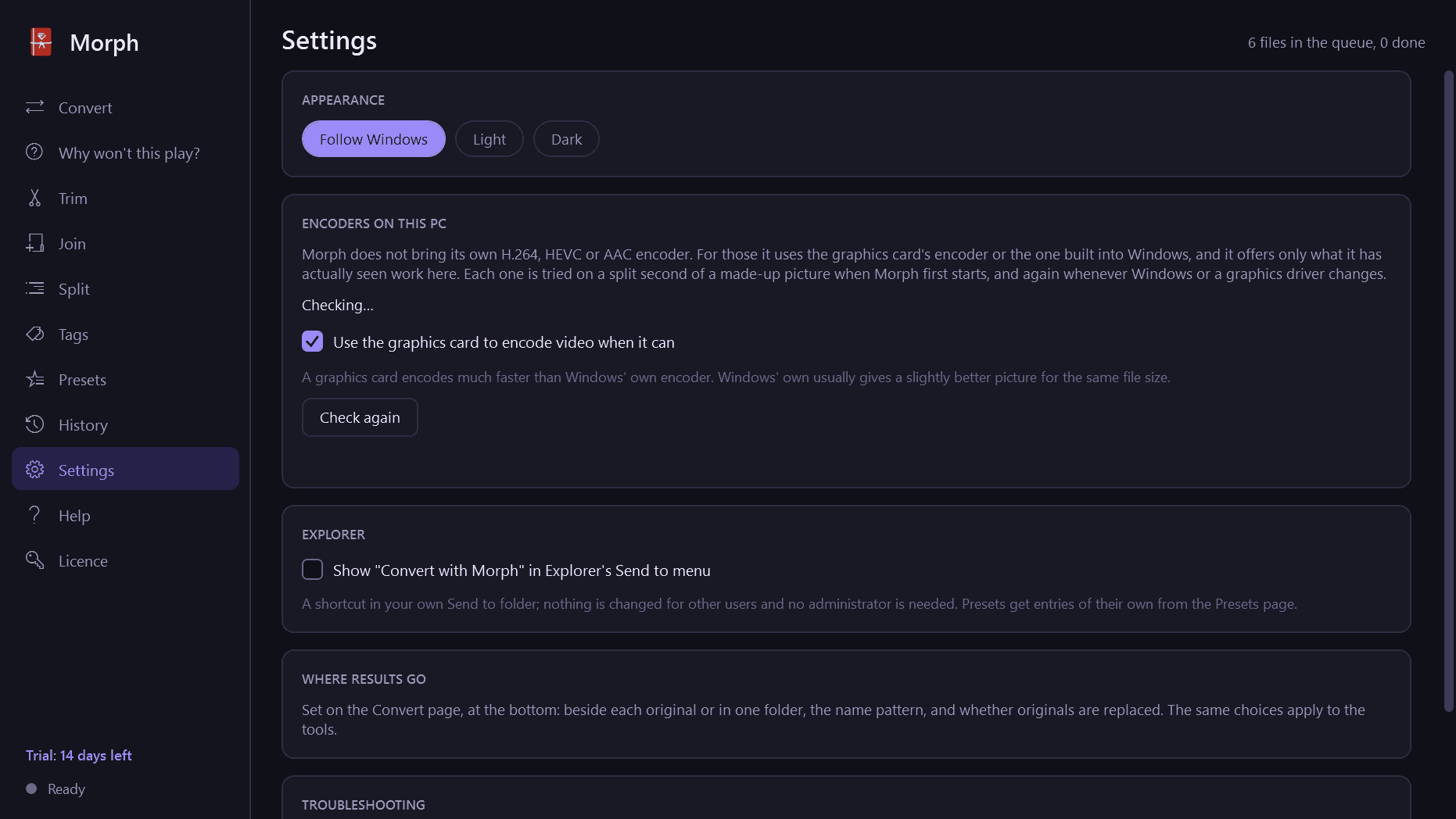
- "Convert with Morph" in Explorer's Send to menu, and any preset can be pinned there for one-click conversions.
- A history of everything converted, with "show in folder" and "do it again".
What Morph does not do
- It converts files that are already on your PC. It does not download from web sites or streaming services.
- Copy-protected (DRM) files cannot be converted. Morph notices them, says so, and makes no attempt to get around the protection.
- H.264, HEVC and AAC are encoded by your graphics card or by Windows itself, not by Morph. Morph checks what works on your PC and offers only that. A PC with no HEVC encoder can still copy HEVC video; it cannot make it.
Good to know
- Your files never leave your PC. The only thing Morph contacts is this store, to check your licence and look for a new version.
- It installs for your user account only, never asks for administrator rights, runs no Windows service and has no notification-area icon.
- Light and dark mode.
- Free to try for 14 days with every feature, no watermark and no limit on length. After that Morph needs a licence to keep working; without one it opens only a screen for entering a key. Two things still work there: opening the folder of your last files, and exporting your presets. The files you made are ordinary video and audio files that play anywhere.
Open-source software
- Morph's media engine is FFmpeg 8.1.3, used under the GNU Lesser General Public License version 2.1 or later. It is a build made for Morph with no GPL or non-free parts, installed as separate programs that you may replace with a build of your own. Morph does not own FFmpeg; it belongs to the FFmpeg developers (https://ffmpeg.org).
- Source code of the media engine, with the recipe it was built by: https://mintmarkapps.com/media/source/morph-engine-source-ffmpeg-8.1.3.zip
- The full list of components and their licences is in the app under Help, Open-source licences.
One-time purchase for one PC. Includes every version released in the following 12 months; the version you have keeps working after that.
Screens
A closer look.
Next project · Desktop appsSqueeze →
Need somethinglike this built?
A few lines is enough. You will hear back from a person within one business day.
Start a projector email [email to set] · [booking link to set]