Work / Desktop apps / Productivity

Squeeze
Make videos smaller: under a size you name or at a quality you choose, with a sample to judge first and your originals left untouched.
What it does
Make videos smaller: under a size you name or at a quality you choose, with a sample to judge first and your originals left untouched.
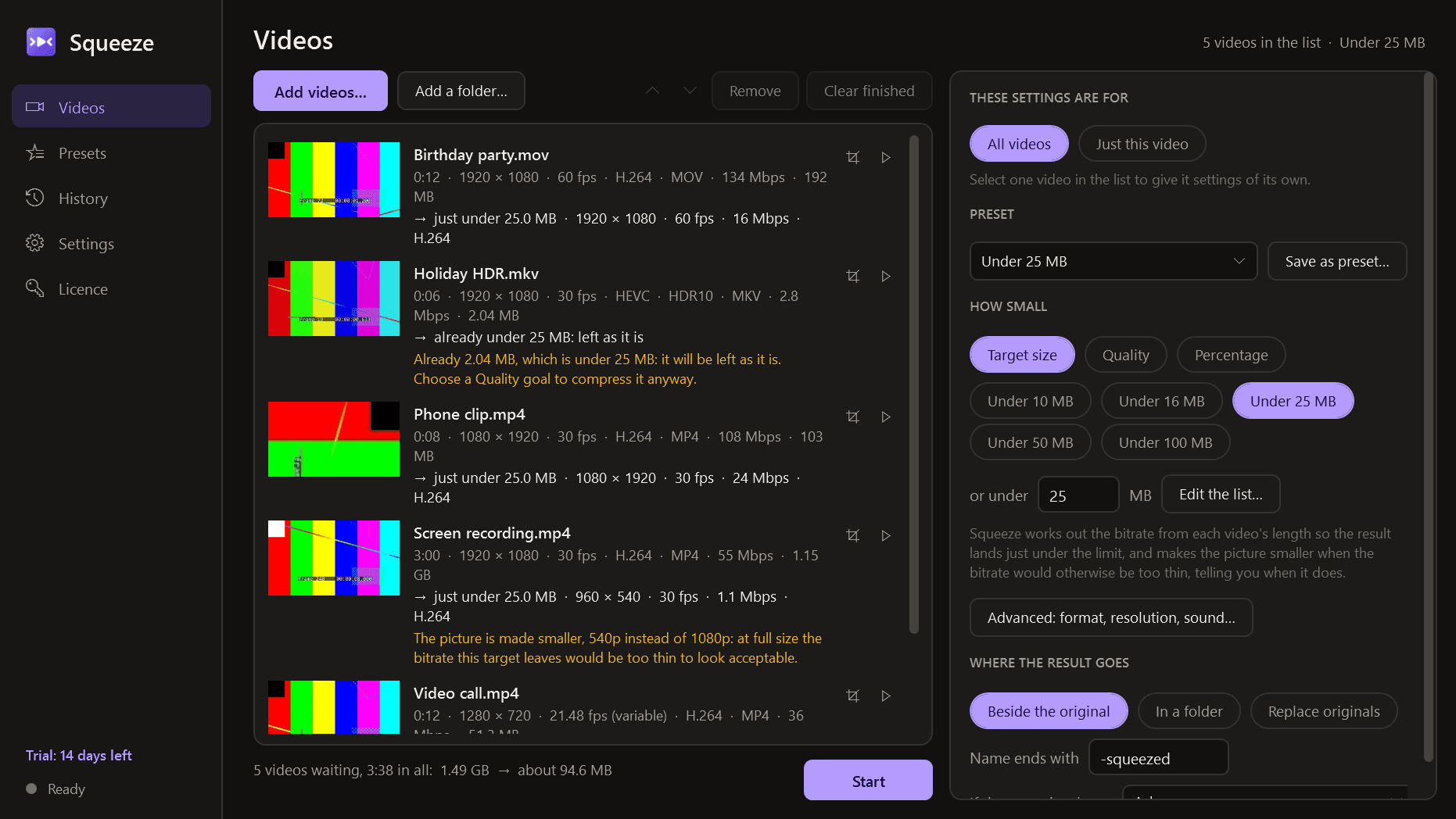
Squeeze makes videos smaller. Drop one in, pick "under 25 MB" or "good quality, much smaller", look at a short sample beside the original, and get a smaller file that plays everywhere. One video or a whole queue, with your originals left untouched.
Adding videos
- Drag files or folders onto the window, use the Add buttons, or choose Send to, Compress with Squeeze, in Explorer.
- Reads what people actually have: MP4, MOV, MKV, WebM, AVI, WMV, and phone and screen recordings with variable frame rates.
- Each video shows a small picture, its length, resolution, frame rate, format, bitrate and size. A file that cannot be read is listed with the reason, never silently dropped.
Choosing how small
- Target size: "under N MB", with buttons you can edit (10, 16, 25, 50, 100 MB) for messaging apps, email and upload limits. Squeeze works out the bitrate from the video's length, checks the result and lands it just under the limit. When the bitrate would be too thin to look acceptable it makes the picture smaller and tells you. A target that is impossible for a video that long is reported as impossible, with the smallest sensible result.
- Quality: visually identical, high, balanced or small.
- Percentage: "about half the size".
- Before you start, every video shows the size, resolution and bitrate it will come out at.
- An Advanced panel for those who want it: H.264 (the default, for maximum compatibility), HEVC or AV1 where your PC can encode them, and VP9; MP4, MKV or WebM; resolution and frame rate; encoder speed; sound kept, re-encoded, mono or removed; graphics-card or software encoding.
A sample before you commit
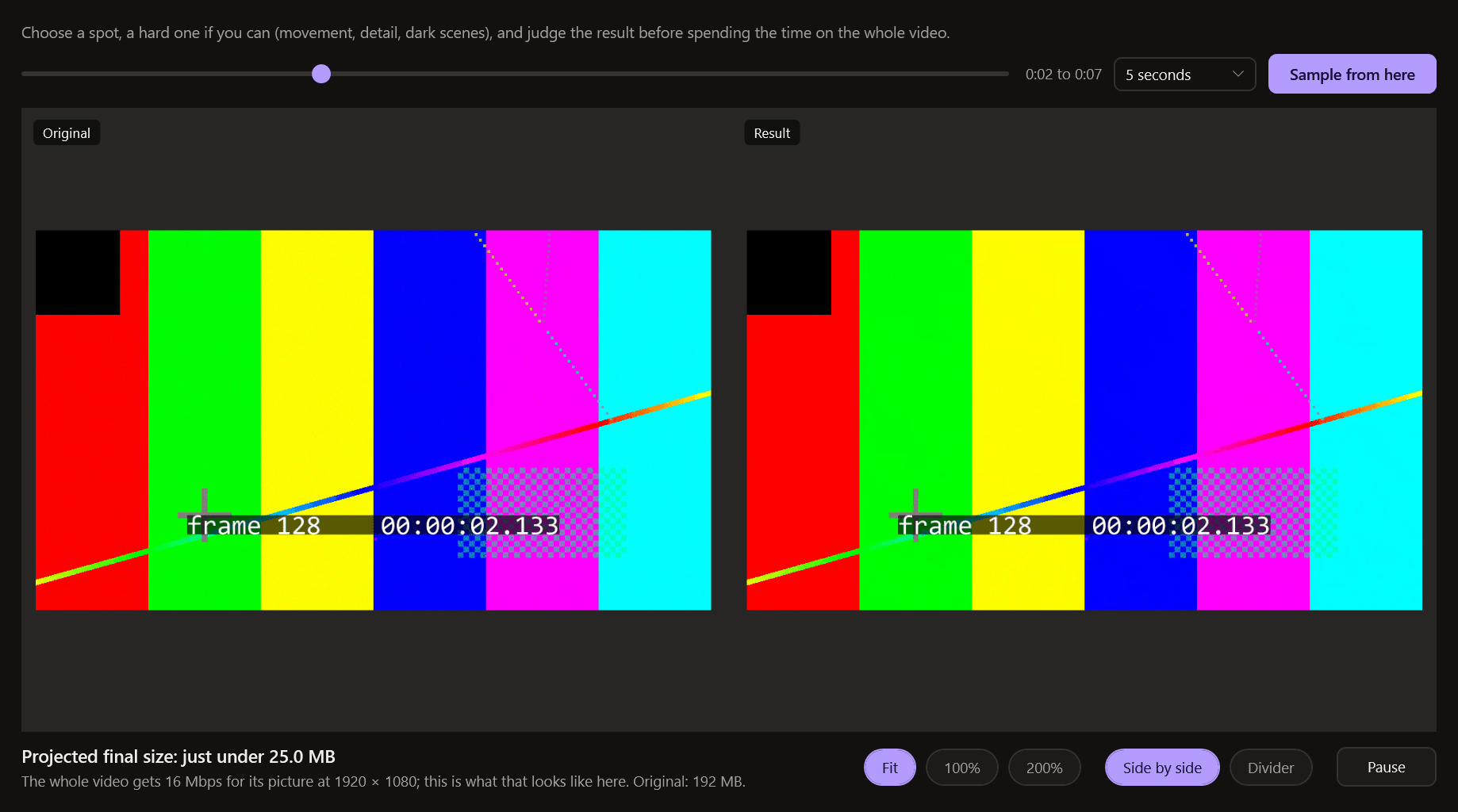
- "Sample" encodes a few seconds from a spot you choose, with exactly the settings the full run would use, and plays them against the original: side by side, or as one picture with a divider you drag.
- The two are shown frame for frame, and can be zoomed to 100%.
- It shows the projected final size, so you can judge quality before spending twenty minutes on the whole video.
Small edits while you are there
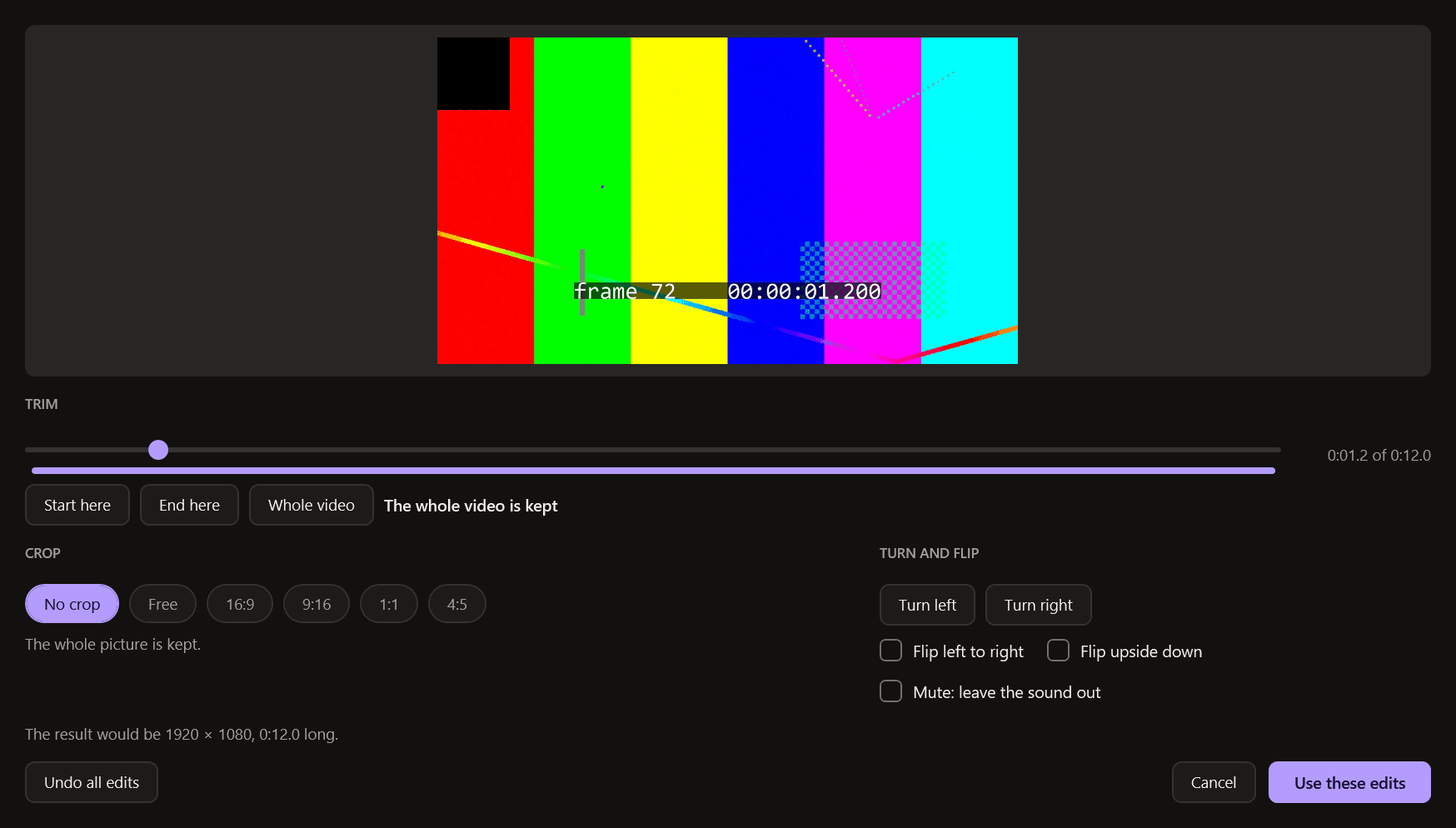
- Trim the start and end with a scrubber.
- Crop freely or to 16:9, 9:16, 1:1 or 4:5. Rotate, flip, mute.
Done properly
- Picture and sound stay in step, including variable-frame-rate phone recordings and long videos.
- Portrait phone videos come out upright. The recording date is kept; location can be removed.
- Sound tracks and subtitles are kept where the format allows.
- HDR recordings are either kept as HDR (HEVC or AV1, where your PC has a 10-bit encoder) or converted to standard range with proper tone mapping, never the washed-out grey of a careless conversion. Squeeze tells you which is happening.
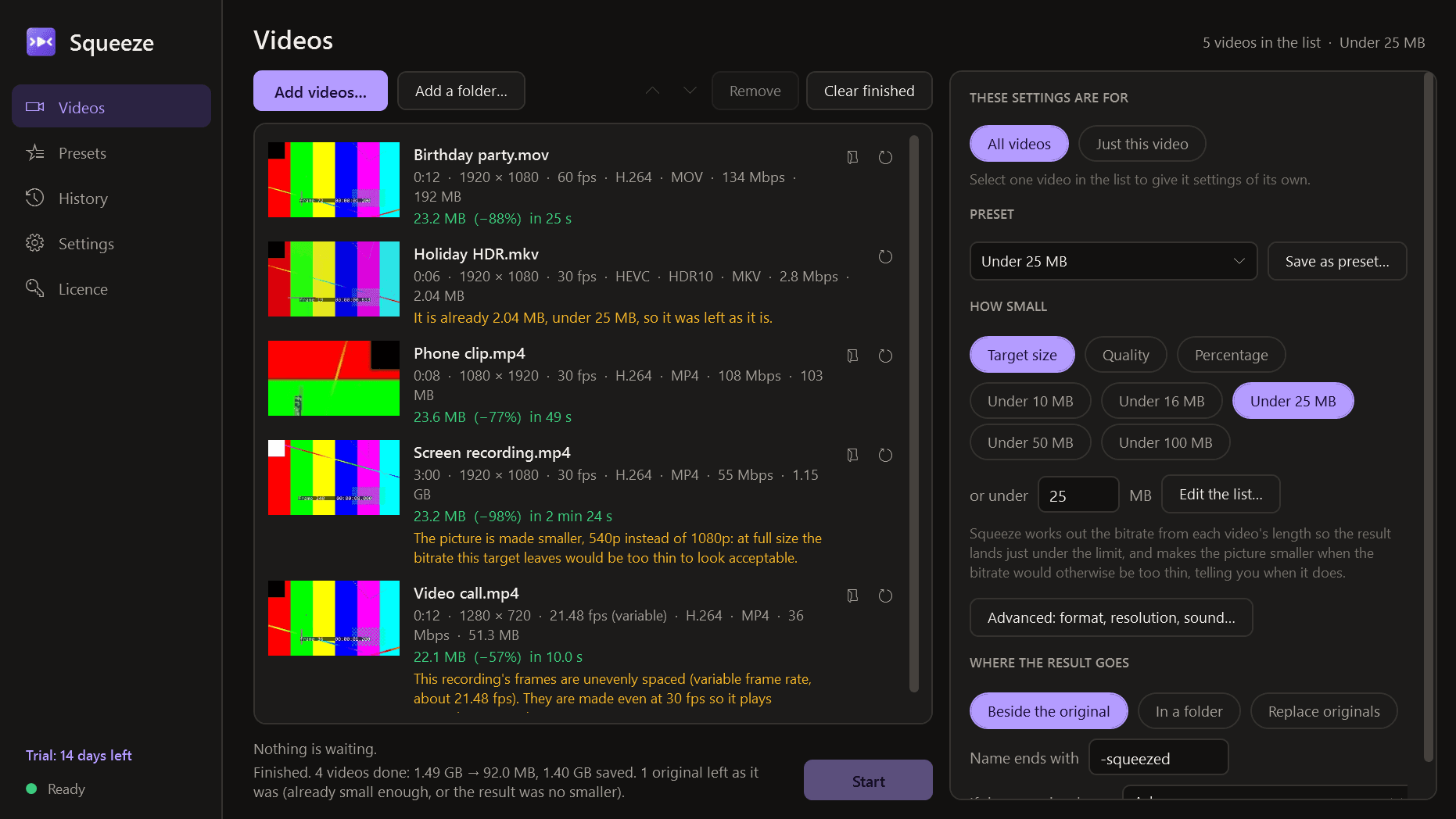
- Nothing is ever enlarged: neither the resolution nor the frame rate. If a result comes out no smaller than the original, it is discarded and the original kept, and Squeeze says so.
- MP4 results start playing at once when streamed or shared.
The queue
- Shared settings for all videos, or settings of its own for any one. Reorder, pause, resume, skip, stop.
- Progress for each video and for the whole queue, with speed and time left.
- Your PC is kept awake while it works and released the moment the queue ends. The encoder runs at a lower priority so the PC stays usable, with a "use everything" switch.
- An optional sound and Windows notification when the queue is finished.
Your originals are safe
- Originals are only ever read. Results go beside them with a suffix, or to a folder you choose. No file is overwritten without asking.
- A result gets its name only after it has been opened again and checked: right length, decodes cleanly. Until then it is a ".squeeze-part" file, so a broken file is never left looking finished.
- If Squeeze or the PC stops in the middle, the unfinished file is removed at the next start and the video goes back in the queue.
- An explicit "replace originals" option sends each original to the Recycle Bin, and only after its replacement has been decoded from start to end.
- Free disk space is checked before starting.
Presets and history
- Save any settings as a named preset. Pin one to Explorer's Send to menu and a right-click starts compressing the selected videos with it.
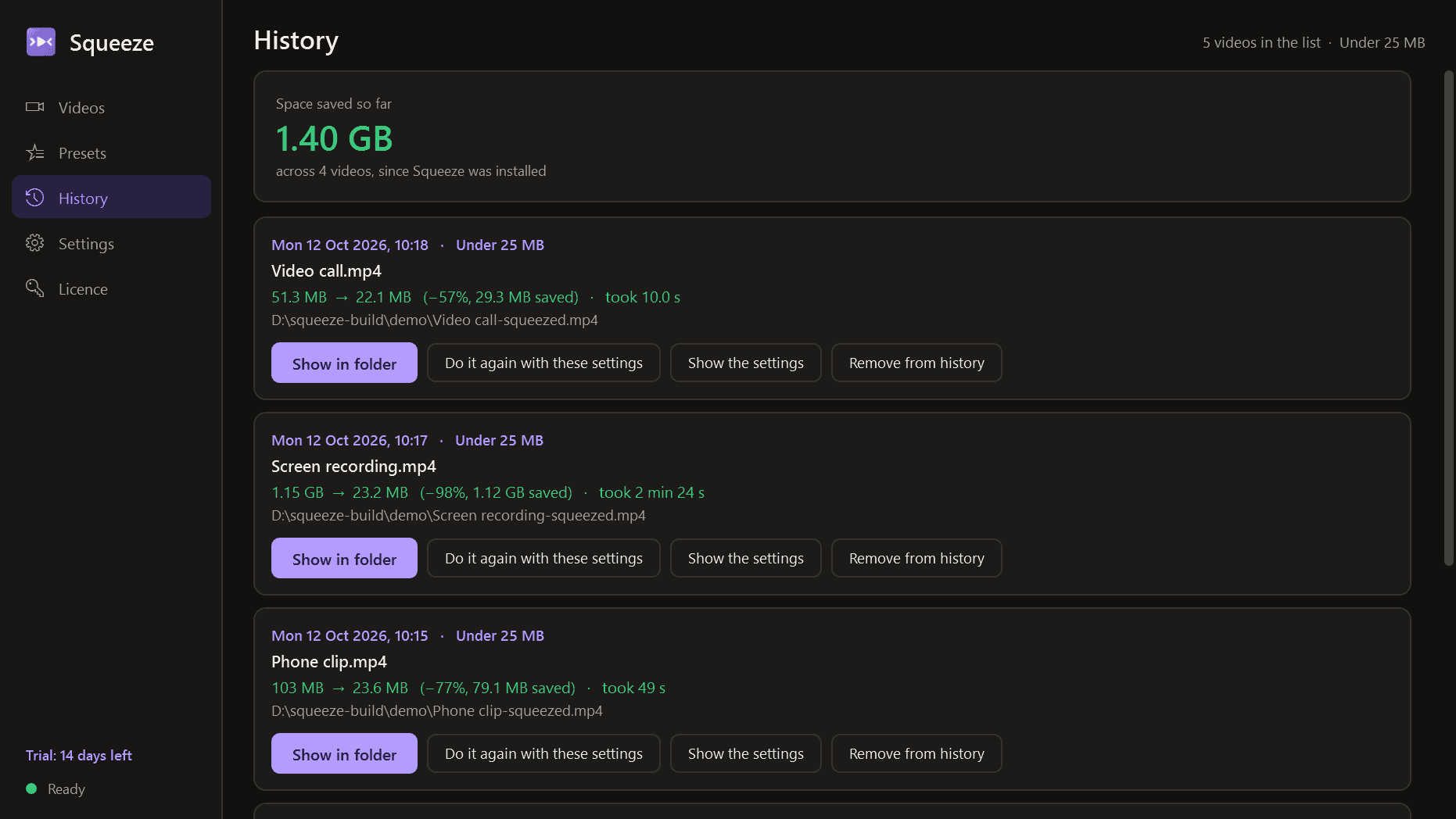
- A history of every video with its date, sizes, saving, time taken and settings, and a running total of the space saved. Show the result in its folder, or do it again with the same settings.
Good to know
- H.264 and HEVC are encoded by Windows' own encoders or by your graphics card (NVIDIA, Intel or AMD), whichever your PC has; AV1 and VP9 by encoders that come with Squeeze, or by the graphics card. On first run Squeeze tries each one with a short test and offers only those that work. HEVC needs a PC whose Windows or graphics card can encode it.
- It installs for your user account only, never asks for administrator rights, runs no Windows service and has no notification-area icon. It runs only when you open it.
- Your videos never leave your PC. The only thing Squeeze contacts is this store, to check the licence and look for a new version.
- Light and dark mode.
- Free to try for 14 days with every feature, no watermark and no length limit. After that Squeeze needs a licence to keep working; without one it opens only a screen for entering a key. The videos you have made are ordinary files that play anywhere and stay yours, and two things still work there: opening your last output folder and exporting your presets. Presets and history are kept and are usable again once a licence is active.
Open-source software
Squeeze reads, filters and packages video with FFmpeg (https://ffmpeg.org), free software licensed under the GNU Lesser General Public License, version 2.1 or later (https://www.gnu.org/licenses/old-licenses/lgpl-2.1.html). FFmpeg is installed as separate programs in Squeeze's "engine" folder, which you may replace with a build of your own. The exact source code it was built from, with the build scripts, can be downloaded from https://mintmarkapps.com/media/source/squeeze-engine-source-1.0.0.tar and will be sent on request to anyone who has the programs, for three years. The full list of open-source components and their licences is in Squeeze under Settings, Open-source licences.
One-time purchase for one PC. Includes every version released in the following 12 months; the version you have keeps working after that.
Screens
A closer look.
Need somethinglike this built?
A few lines is enough. You will hear back from a person within one business day.