Work / Desktop apps / System
Mural
Changes your wallpaper from your own pictures: a different one on each monitor, on a timer or by time of day, cropped properly for every screen.
C#.NET 8WPF
What it does
Changes your wallpaper from your own pictures: a different one on each monitor, on a timer or by time of day, cropped properly for every screen.
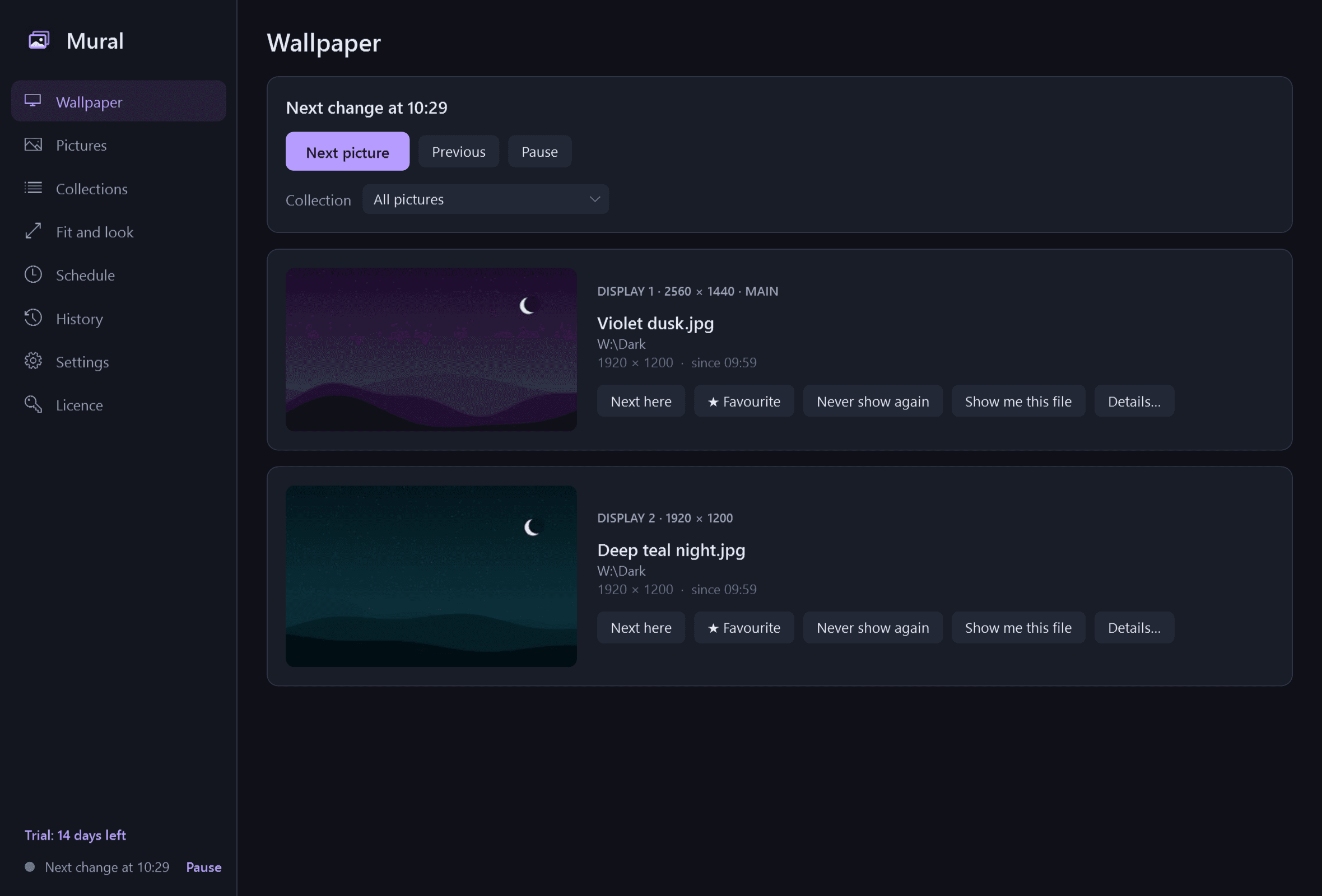
Mural is a wallpaper rotator. It changes your desktop background by itself from folders of your own pictures: a different one on each monitor if you like, on a timer or by the time of day, and one key skips, favourites or bans the picture in front of you. It is what Windows' own slideshow setting should have been.
A picture per monitor, prepared properly
- Each monitor gets its own picture. Monitors are recognised by what they are, not where they are plugged in, so a picture stays with its screen after you undock and redock.
- Mural prepares a copy at exactly each monitor's size, with a high-quality filter, the right way up (it reads the photo's orientation) and in the right colours (it honours the colour profile). Windows is never left to stretch anything.
- Changes cross-fade; the desktop does not flicker and icons do not move.
- Your original pictures are only ever read. Mural never changes, moves or deletes a file.
How it fits the screen
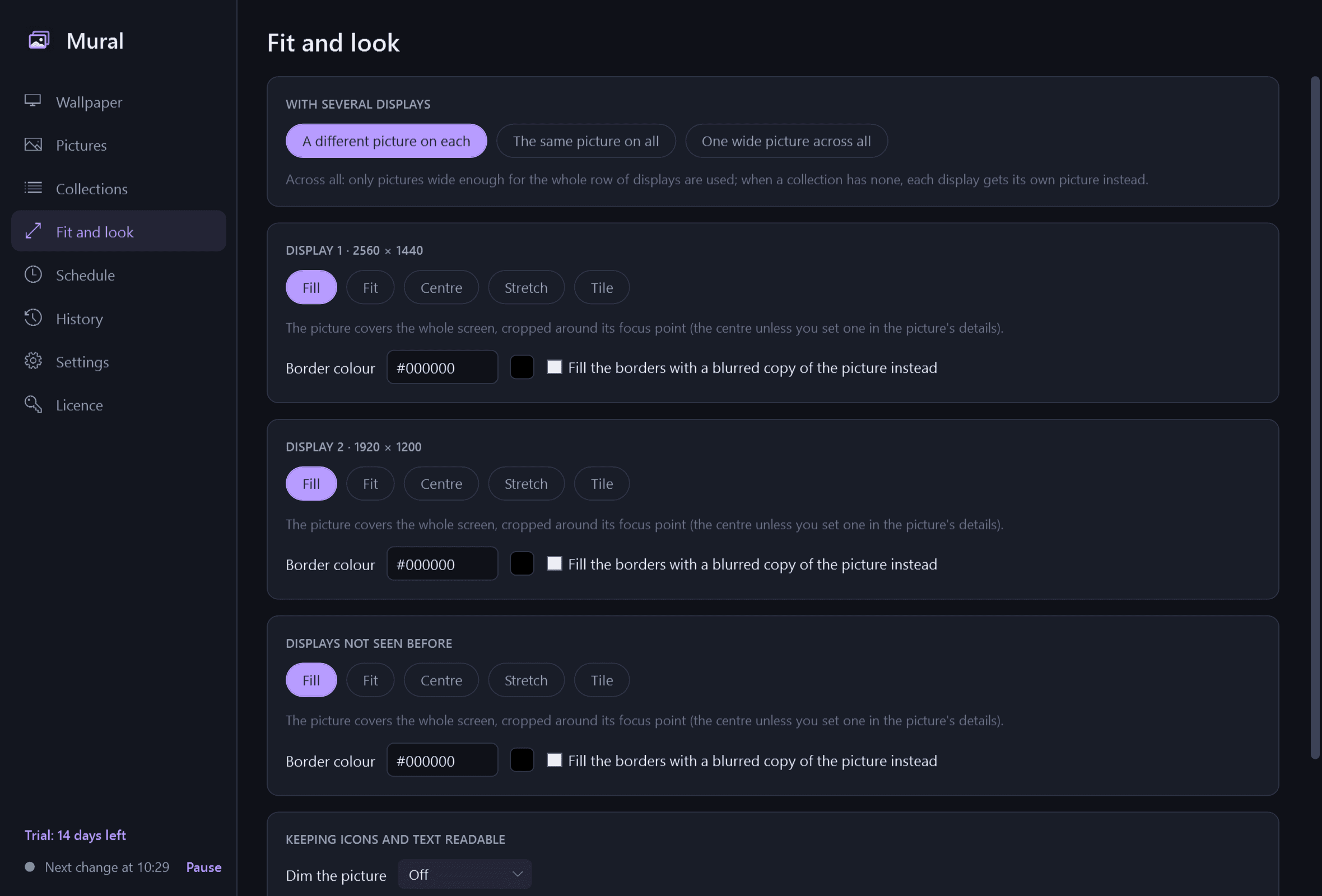
- Per monitor: fill (the default), fit, centre, stretch or tile, with a border colour or a blurred copy of the picture filling the borders.
- Fill crops around a focus point. It is the centre unless you click where the subject is, picture by picture, so faces stop being cut off on a wide screen.
- With several monitors: a different picture on each, the same on all, or one wide picture spread across all of them, allowing for different resolutions, scaling and arrangements. Only pictures wide enough are used for that.
- Optional readability aids: dim, tint or blur the picture a little so desktop icons and text stay legible.
Where pictures come from
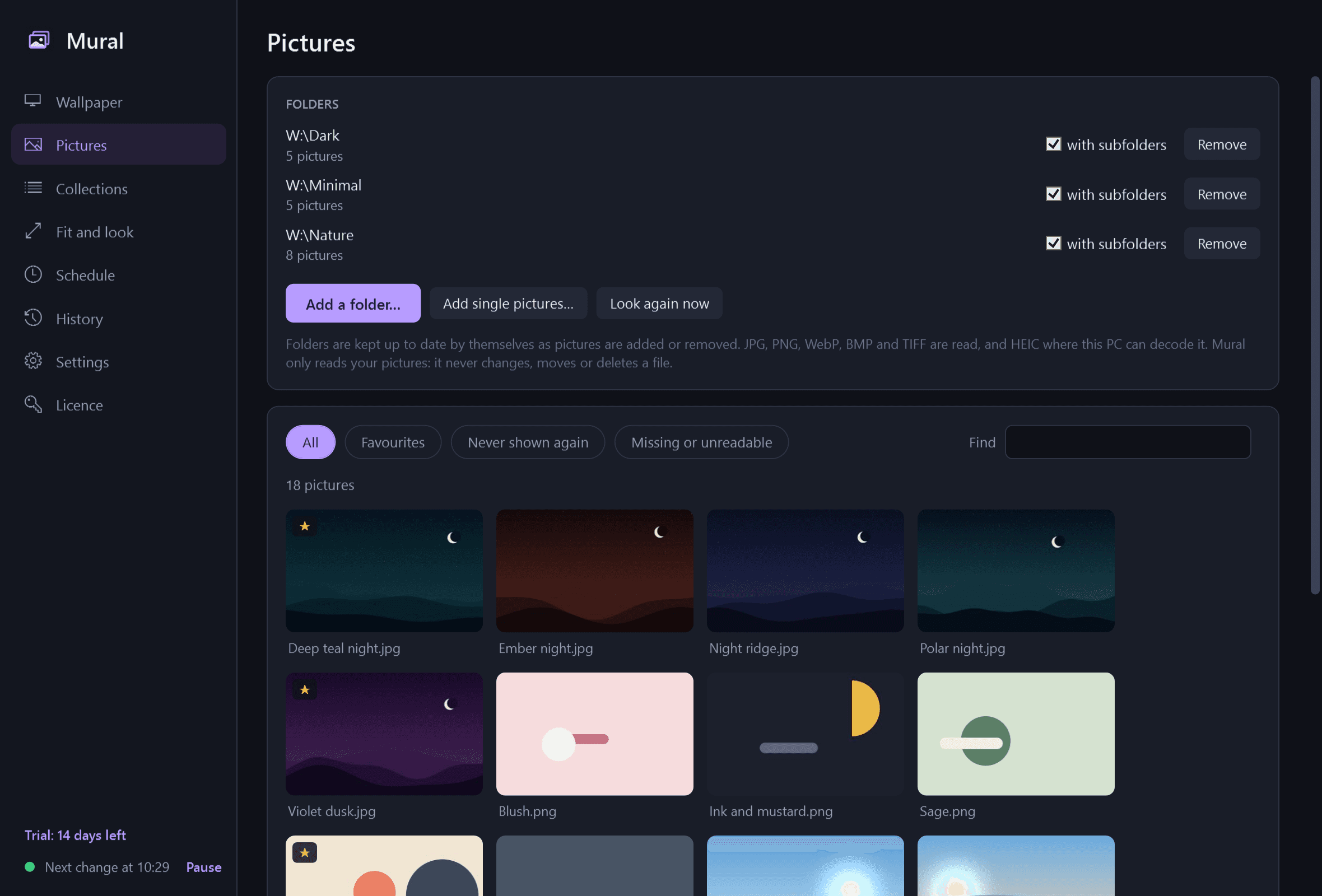
- Folders you add, with or without subfolders, kept up to date by themselves as pictures are added or removed. JPG, PNG, WebP, BMP and TIFF, and HEIC where your PC can decode it.
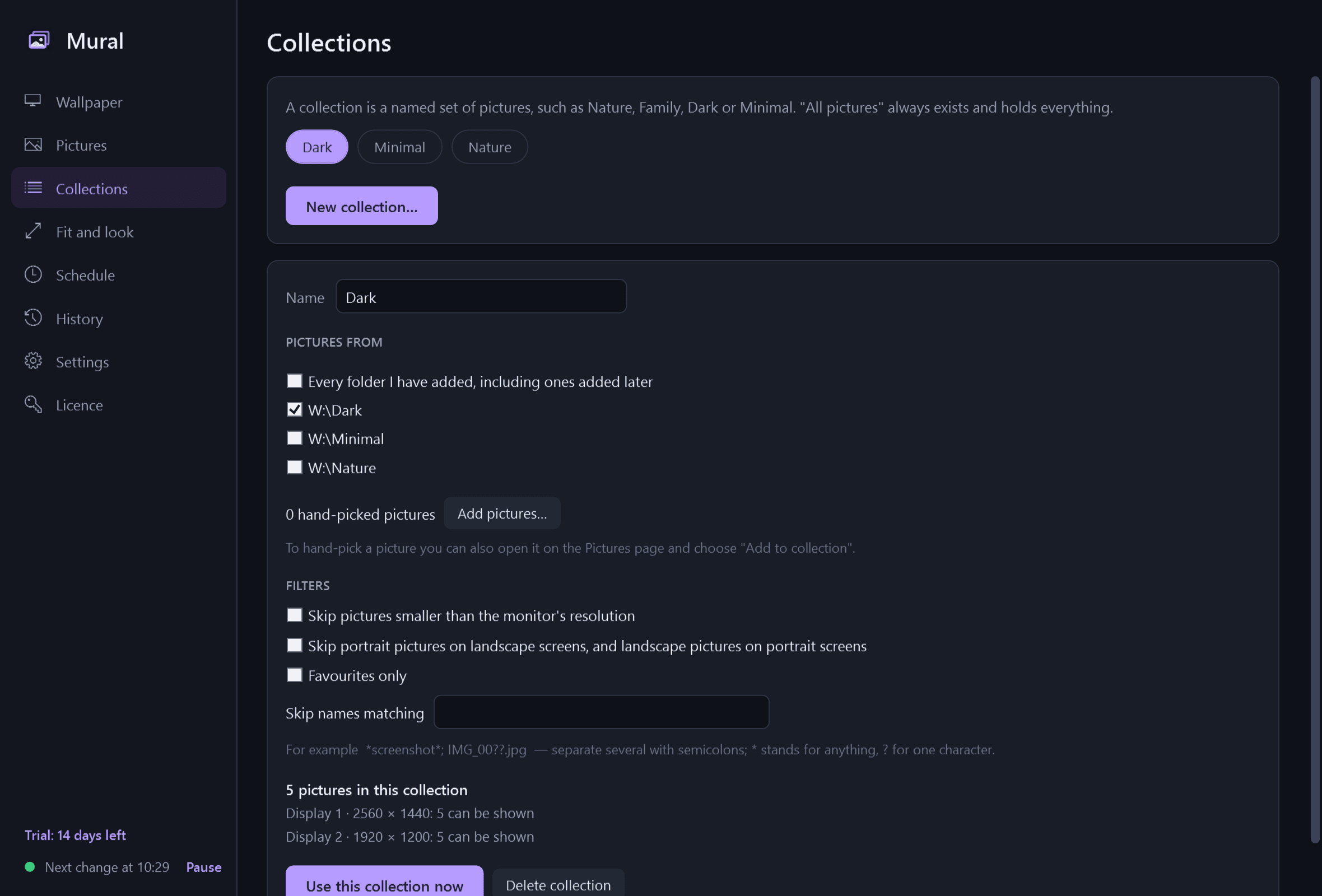
- Collections: named sets such as Nature, Family, Dark or Minimal, built from folders and hand-picked pictures.
- Filters per collection: skip pictures smaller than the monitor, skip portrait pictures on landscape screens (and the reverse), skip by name.
- A browser of every picture with thumbnails: favourite, tag, set as wallpaper now, or "never show again", which only hides the picture from Mural.
- This version shows your own pictures only. It has no online picture sources.
When it changes
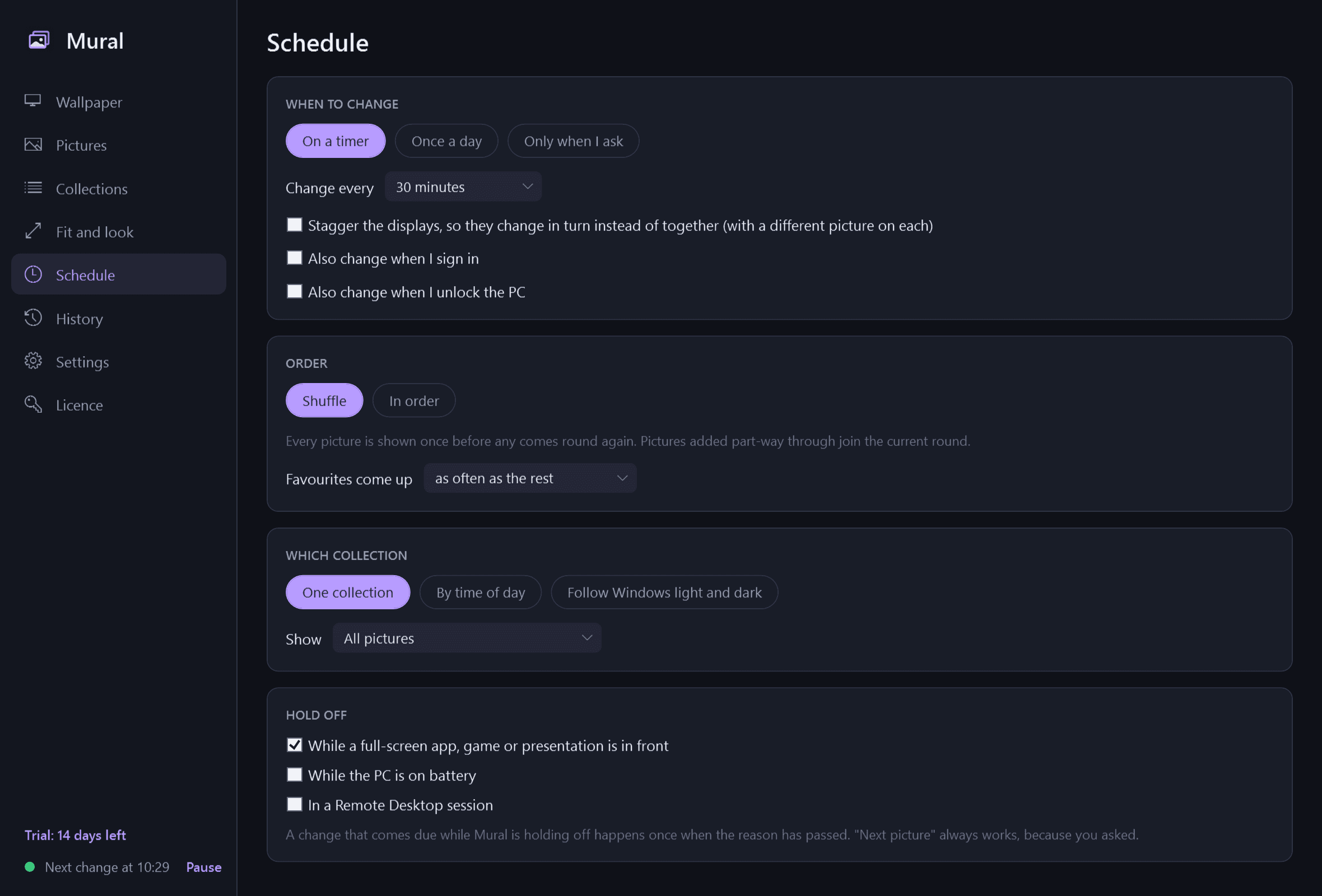
- On a timer from every minute to once a week, once a day at a time you set, at sign-in, at unlock, or only when you ask.
- Shuffle that does not repeat until every picture has been shown, or in order. Favourites can come up more often. Monitors change together or take turns.
- Different collections for morning, day, evening and night, at times you set or following sunrise and sunset. Those are worked out on your PC from a city or coordinates you type: no location service, nothing looked up online.
- Or one collection for Windows' light mode and another for dark.
- Holds off, each a setting: while a full-screen app, game or presentation is in front, on battery, in a Remote Desktop session.
Controls
- Global shortcuts, all changeable: next, previous, favourite, never show again, pause or resume, and "show me this file".
- A notification-area menu with the same, the current picture on each monitor with its name and folder, and a switch of collection.
- History: what was shown on each monitor and when, so you can find that picture from yesterday, open its file or set it again.
- "Restore my original wallpaper": Mural records your wallpaper, fit and background colour before it first changes anything, and puts them back exactly.
- Optionally the same picture on the lock screen, where Windows allows it.
Good to know
- Light and dark mode. Negligible processor and memory use between changes; the next picture is prepared in the background at the lowest priority.
- It installs for your user account only, never asks for administrator rights, and runs no Windows service.
- Your pictures, their names and your location never leave your PC. The only thing Mural contacts is this store, to check the licence and look for a new version.
- Free to try for 14 days with every feature. After that Mural needs a licence to keep working; without one it stops changing the wallpaper and opens only a screen for entering a key. The picture on your desktop simply stays, as an ordinary Windows wallpaper, and "Restore my original wallpaper" still works there. Your collections, favourites and history are kept and work again once a licence is active.
One-time purchase for one PC. Includes every version released in the following 12 months; the version you have keeps working after that.
Screens
A closer look.
Next project · Desktop appsMorph →
Need somethinglike this built?
A few lines is enough. You will hear back from a person within one business day.
Start a projector email [email to set] · [booking link to set]