Work / Desktop apps / Security
Portside
A record of every USB device plugged into your PC, and an alert when a new one appears.
C#.NET 8WPF
What it does
A record of every USB device plugged into your PC, and an alert when a new one appears.
Portside keeps a record of every USB device plugged into your PC. It logs each connect and disconnect with the exact time, shows the whole history, and tells you when something new or unexpected is connected.
It sits in the notification area and starts when you sign in. There is no Windows service, and it needs no administrator rights to install or to run.
What it does
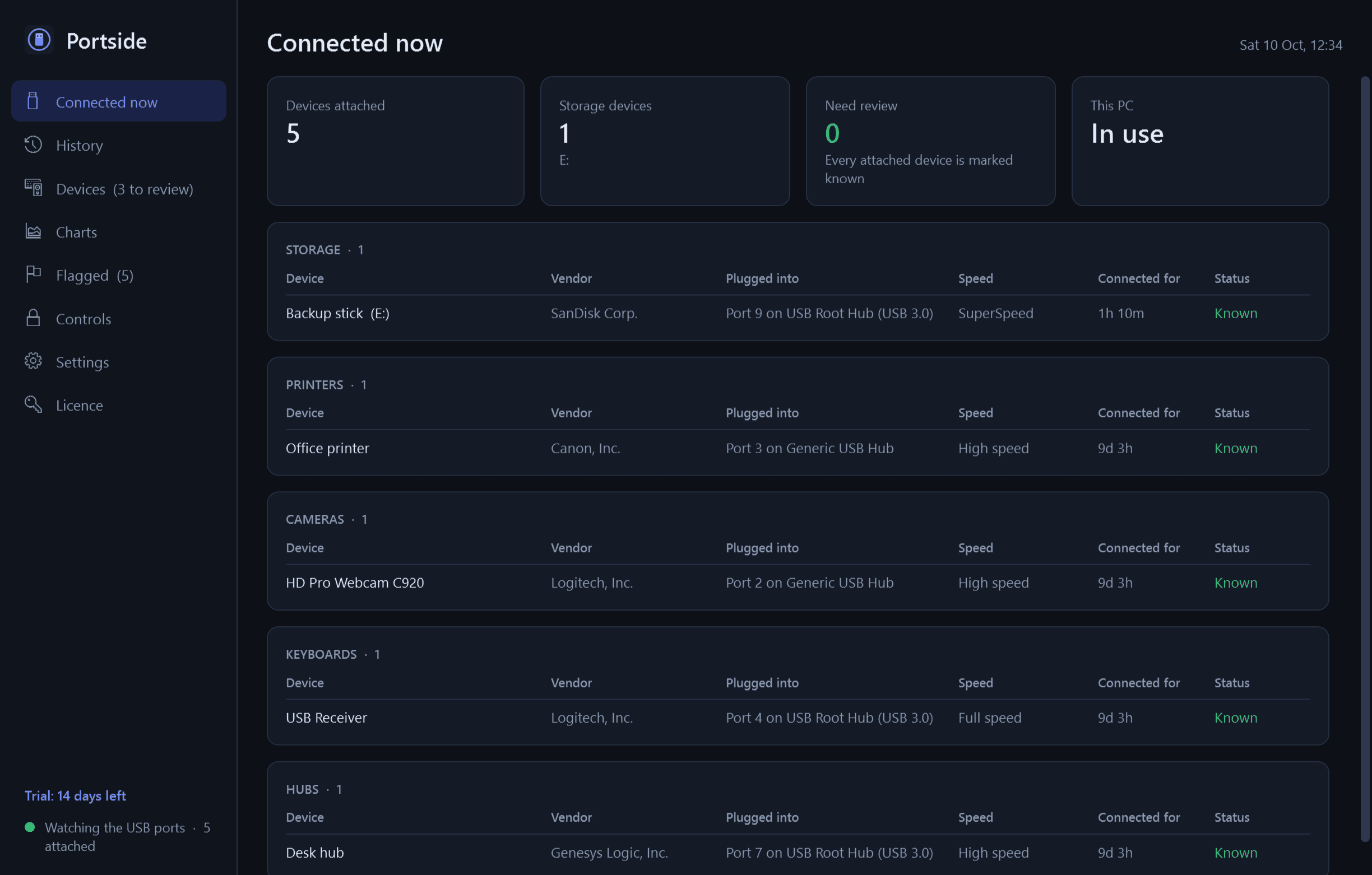
- Connected now: every USB device attached, grouped by type, with how long it has been connected, which port and hub it is on, and its speed.
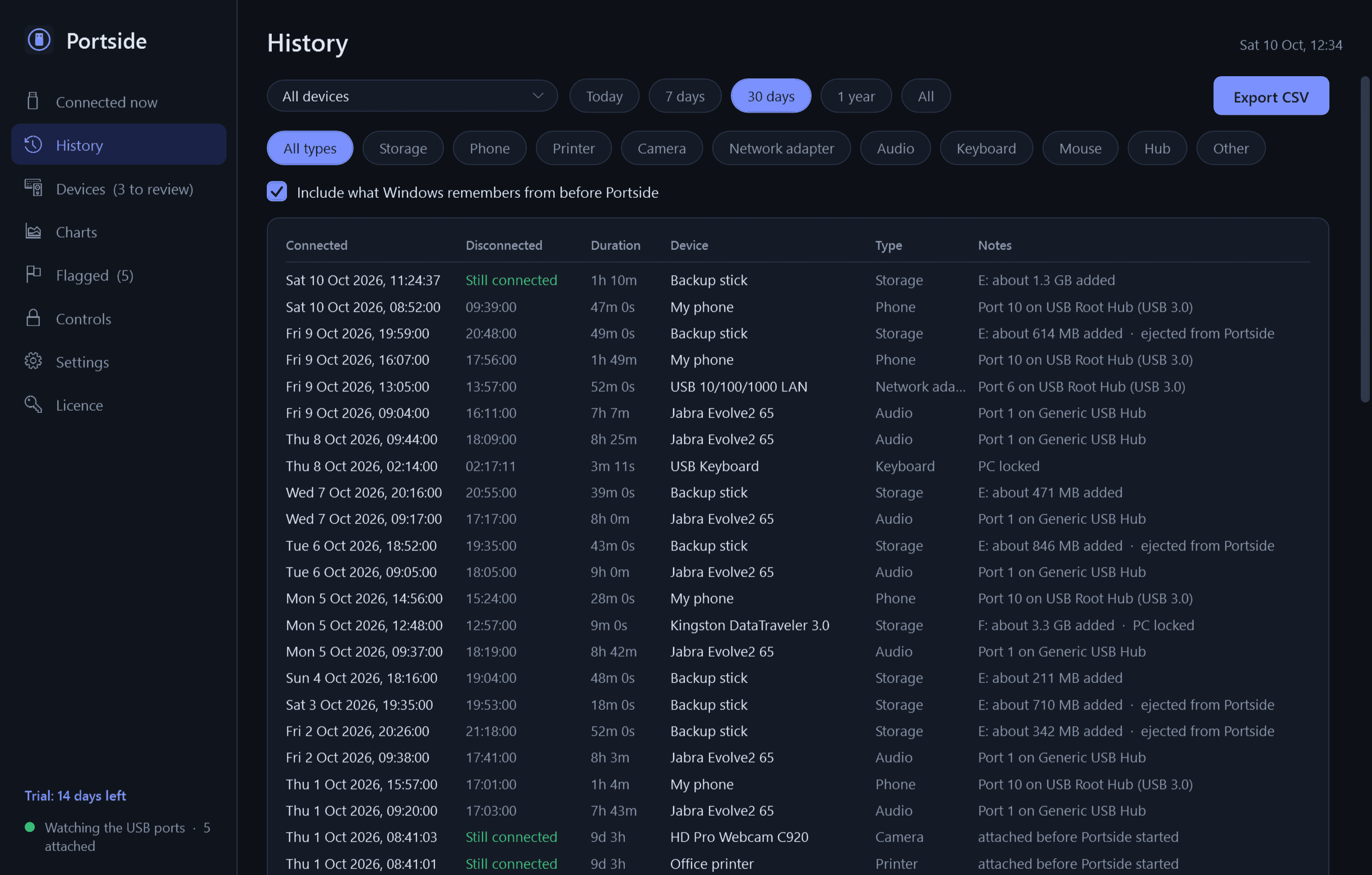
- History: every connect and disconnect, newest first, with duration. Filter by device, type and date.
- Devices: every device ever seen, with first seen, last seen, number of connections and total time connected. Give each your own name and mark it known or unknown; new devices start as "needs review".
- For storage devices: drive letter, volume label, file system, capacity, and free space at connect and at disconnect, so you can see roughly how much was added or removed.
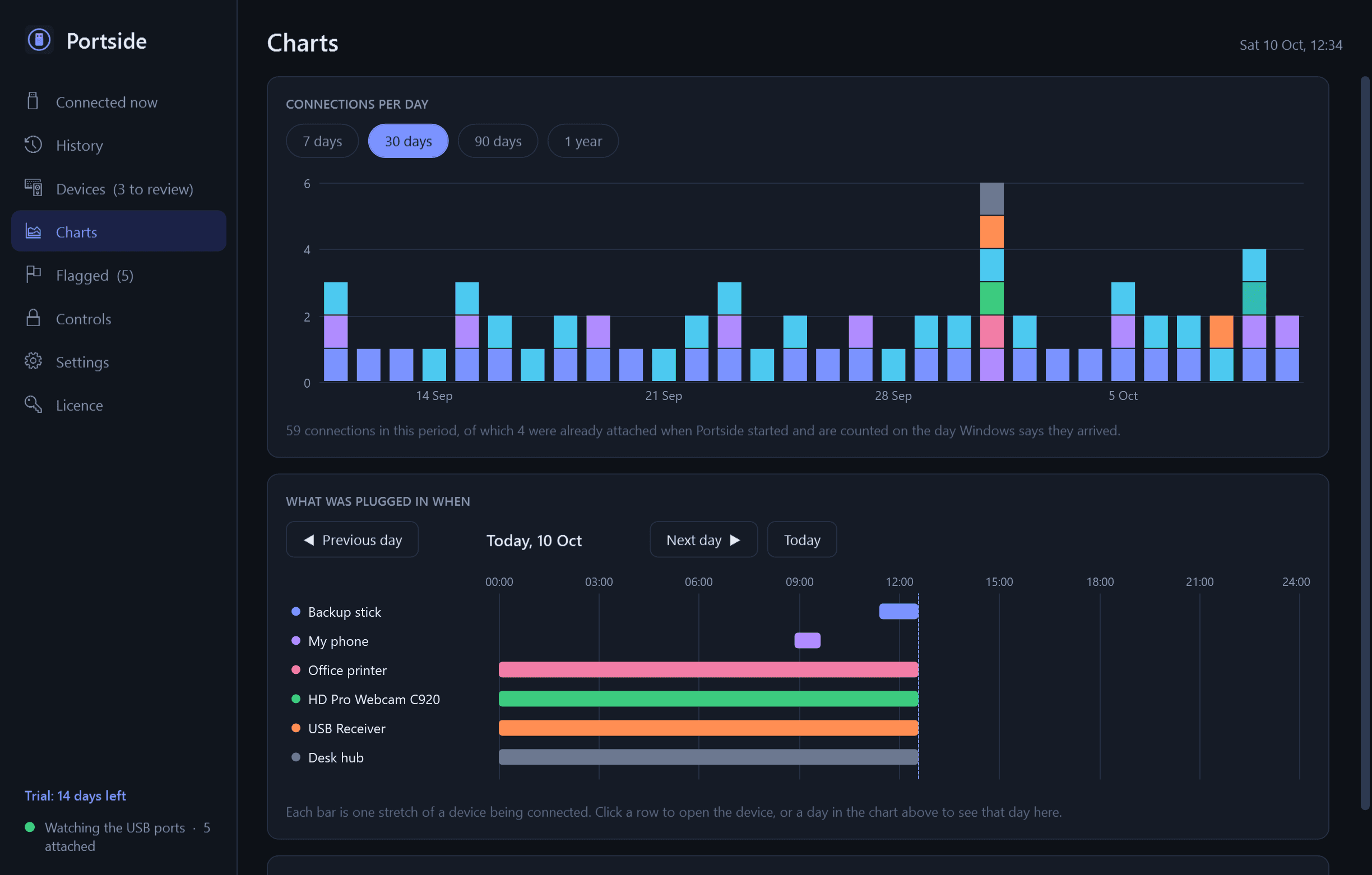
- Charts: connections per day, and a timeline of any day showing what was plugged in when.
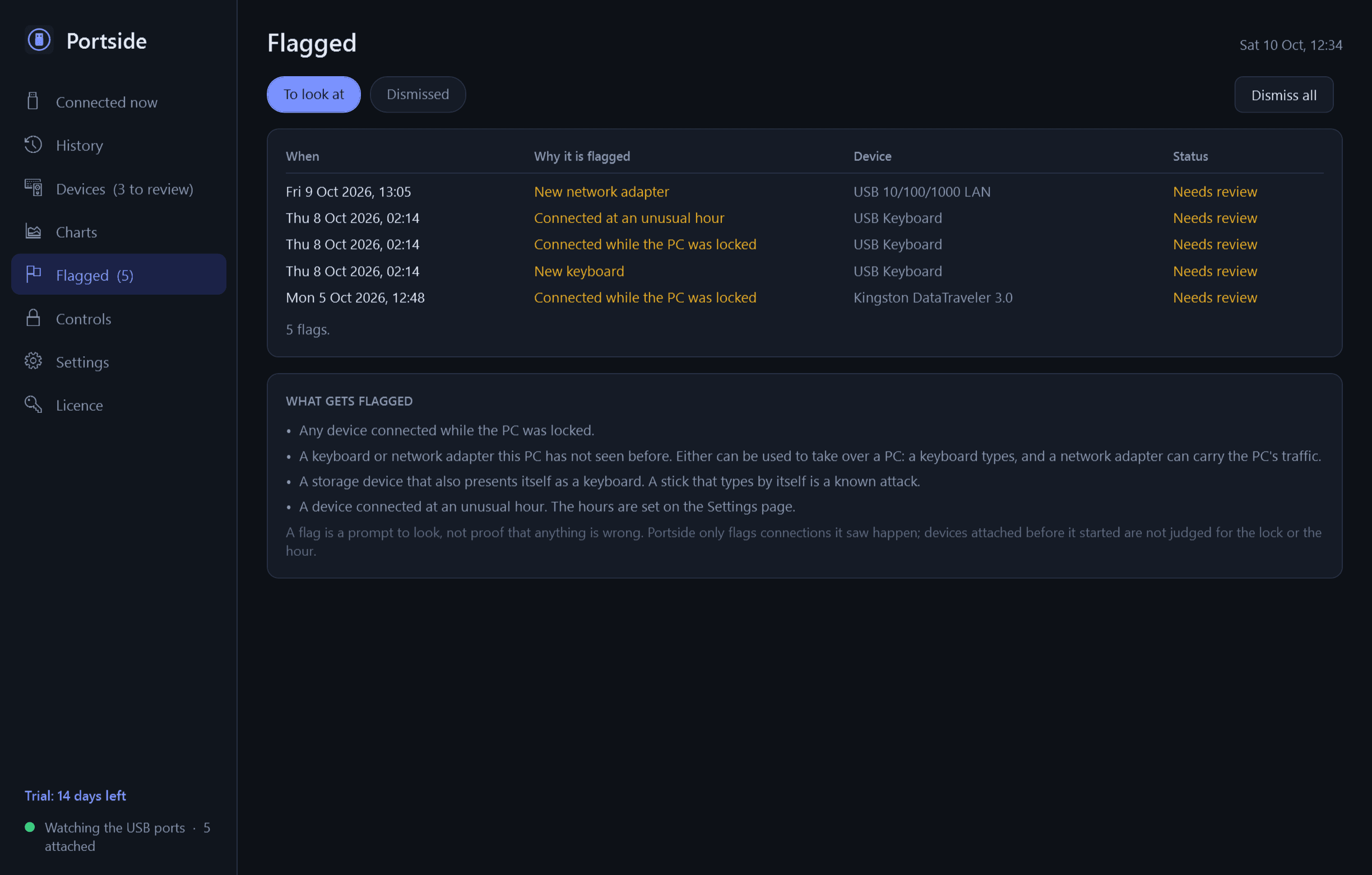
- Flagged: devices connected while the PC was locked, new keyboards and network adapters, storage sticks that also present themselves as a keyboard, and devices connected at unusual hours.
- Alerts as Windows notifications, each with its own switch: a device never seen before (with Mark as known and Review buttons), a new keyboard or network adapter, storage connected while the PC is locked, a device you chose being disconnected, and a storage device that is nearly full.
- Safely eject a storage device from the window or the notification-area menu. If Windows refuses, Portside names the program holding the drive open when Windows says which it is.
- Optional "Block USB storage" and "USB storage read-only" switches. They use Windows' own policy for removable disks; keyboards, mice and other devices are never blocked.
- The notification-area icon shows the number of connected devices. Light and dark mode. Export of the history and the device list to CSV.
Good to know
- Free to try for 14 days with every feature. After that Portside needs a licence to keep working; without one it stops logging and alerting and opens only a screen that asks for a licence key. The history it has recorded is kept.
- Everything stays on your PC. The only network use is the licence check and the update check with this store. Vendor names come from a USB ID list bundled with the app.
- It never looks at or logs individual files on a drive.
- A device is identified by its vendor ID, product ID and serial number. Many keyboards and mice have no serial number, so two identical ones cannot be told apart; Portside says so where it applies.
- On first run it takes in what Windows already remembers about earlier devices. Windows keeps the date each device was first installed, not every time it was plugged in, and Portside shows those records as exactly that, each labelled with where it came from.
- It logs only while it is running. A device still attached when it starts is picked up with the arrival time Windows recorded; a device plugged in and taken out while Portside was closed is not in the history.
- Free space "at disconnect" is the last reading before removal, taken once a minute, or at the moment of an eject from Portside.
- The two storage switches need an administrator, so Windows asks for approval each time. Portside records the setting that was there first and puts it back exactly when you switch them off; you can switch them off even after the trial has ended.
One-time purchase for one PC. Includes every version released in the following 12 months; the version you have keeps working after that.
Screens
A closer look.
Next project · Desktop appsAirwave →
Need somethinglike this built?
A few lines is enough. You will hear back from a person within one business day.
Start a projector email [email to set] · [booking link to set]