Work / Desktop apps / Productivity

Shorthand
Type a few letters, get the whole text. In any program.
C#.NET 8WPF
What it does
Type a few letters, get the whole text. In any program.
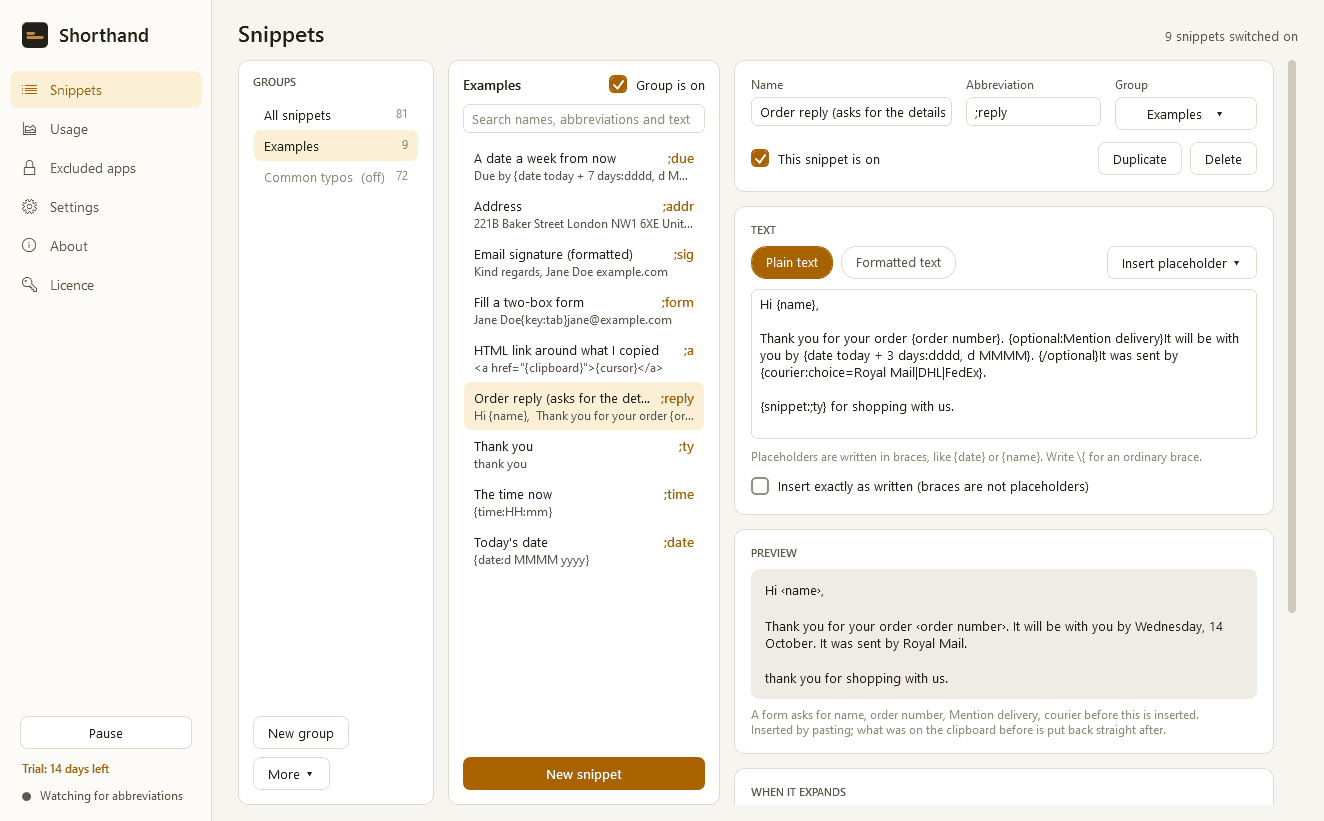
Shorthand is a text expander. Type a short abbreviation such as ;addr or ;ty in any program and it is replaced at once with a longer piece of text you saved in advance: an address, an email reply, today's date, a block of code.
What it does
- Works wherever you type: email, chat, browsers, Word, editors, terminals.
- Expands the moment the abbreviation is finished, or only after a space, Tab, Enter or punctuation. Your choice for each snippet.
- Plain text, or formatted text with bold, links and lists.
- "Match my capitalisation": ;ty gives "thank you", ;Ty gives "Thank you".
- Snippets can be limited to certain programs, or kept out of them.
- Placeholders: the date and time in any format, with arithmetic such as "today + 7 days" and "next Monday"; what is on the clipboard; where the cursor should end up; another snippet inside this one; key presses such as Tab and Enter for filling forms.
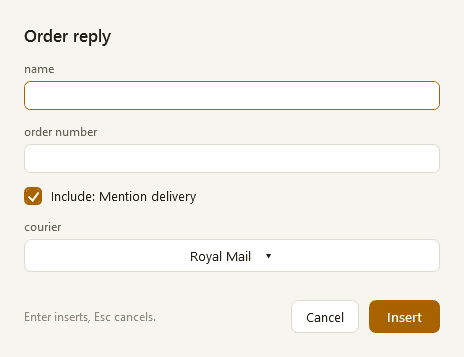
- Fill-in fields: a small form asks for the name, the order number, a choice from a list or an optional paragraph before the snippet goes in.
- Backspace or Ctrl+Z straight after an expansion puts the abbreviation back.
- A search popup on a shortcut, for the snippets whose abbreviation you have forgotten, and a shortcut that turns the selected text into a new snippet.
- Warns you when a new abbreviation clashes with another, is the start of another, or is an ordinary word.
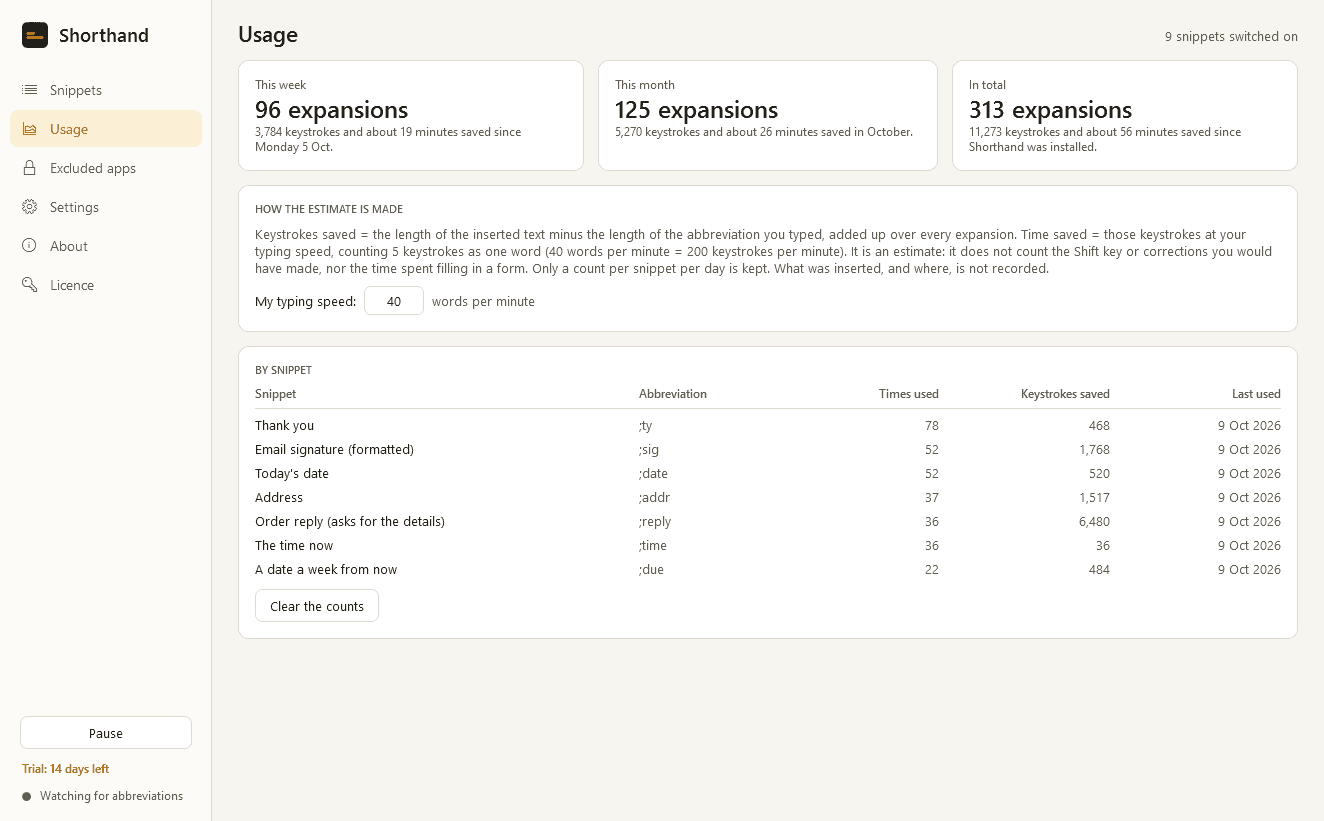
- Groups, import and export, import from CSV, and a usage page that estimates the keystrokes and time saved.
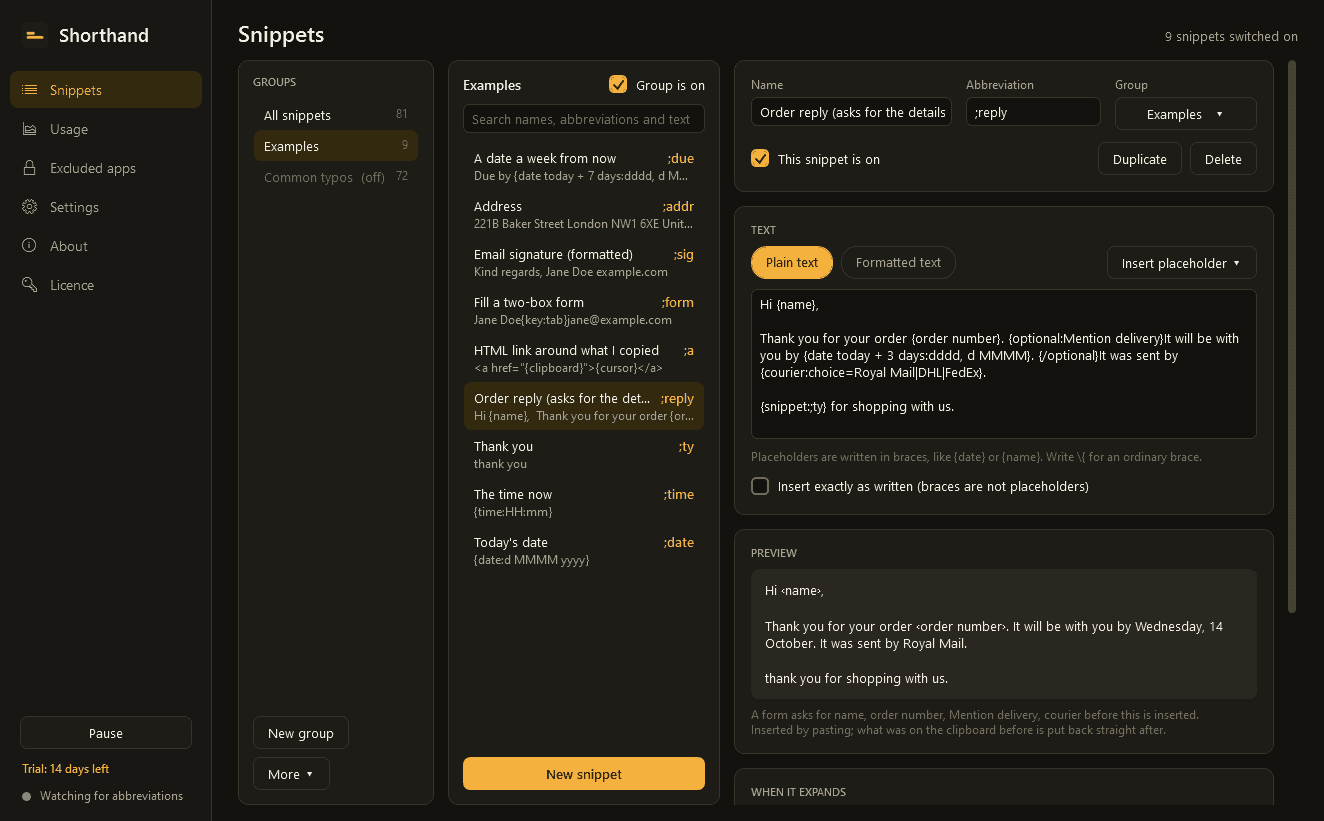
- Light and dark mode. Runs quietly from the notification area.
Your typing stays yours
- Shorthand has to see the keys you press to notice an abbreviation. It is not a keylogger and never behaves like one.
- What you type exists only in a small buffer in memory, the last few characters, and is wiped whenever you click, switch window or press Esc.
- Nothing you type is written to disk, logged or sent anywhere. Your snippets are stored on your PC only: no cloud, no sync, no telemetry. The only times it uses the internet are to check its licence and to look for updates.
- An exclusion list of programs where it does nothing at all, already filled in with common password managers and remote-desktop and virtual-machine windows. Add any program you like.
- Pause it at any time from its icon or with a shortcut.
Good to know
- It cannot expand inside programs that run as administrator, because Windows blocks that. Some games and secure password boxes block it as well.
- Abbreviations are recognised from ordinary keyboard layouts, including Indian-language layouts such as Devanagari INSCRIPT, but not from text while an input method is composing it.
- Long and formatted snippets are pasted in; whatever was on your clipboard is put back straight after.
- It installs for your user account only and never asks for administrator rights.
- Free to try for 14 days with every feature. After that Shorthand needs a licence to keep working: without one it stops watching the keyboard and opens only a screen that asks for a licence key. Your snippets are kept, and you can still export them to a file.
One-time purchase for one PC. Includes every version released in the following 12 months; the version you have keeps working after that.
Screens
A closer look.
Next project · Desktop appsMoniker →
Need somethinglike this built?
A few lines is enough. You will hear back from a person within one business day.
Start a projector email [email to set] · [booking link to set]