Work / Desktop apps / Productivity

Summon
Open anything on your PC from the keyboard.
C#.NET 8WPF
What it does
Open anything on your PC from the keyboard.
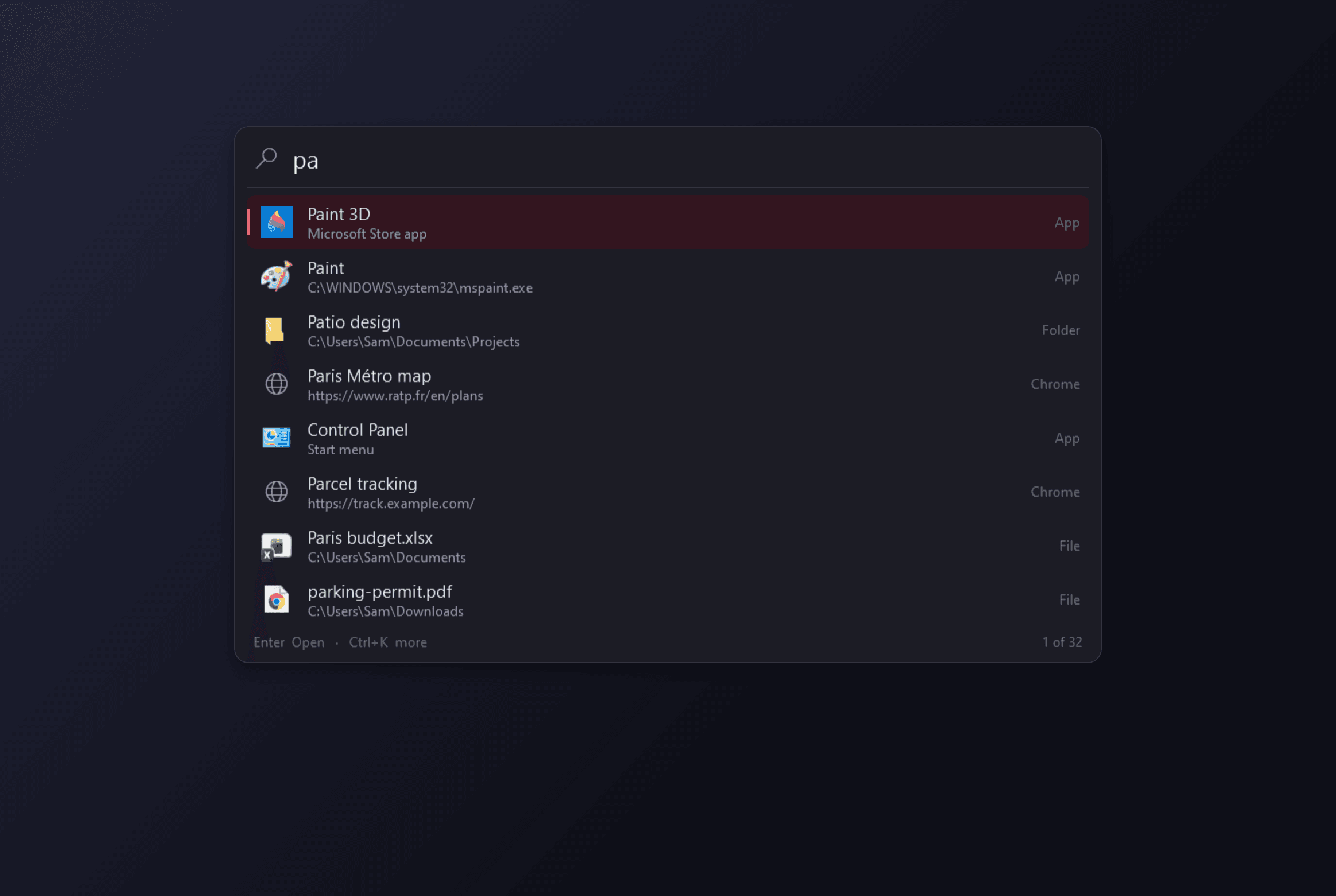
Summon is a keyboard launcher. Press Alt+Space, a search bar appears in the middle of the screen, type a few letters and press Enter. Apps, files, folders, settings, bookmarks, open windows and web searches, without reaching for the mouse.
What it finds
- Apps: everything in the Start menu, Microsoft Store apps and desktop shortcuts, with their real icons.
- Windows settings pages and Control Panel items by name: "bluetooth", "display", "add or remove programs".
- Files and folders in the folders you choose (Desktop, Documents and Downloads to begin with), plus recently opened files. Names and paths only; Summon never opens a file to read it.
- Bookmarks from Chrome, Edge and Firefox, each of which can be switched off.
- Open windows, so the bar doubles as a window switcher.
- Forgiving matching: "vsc" finds Visual Studio Code, initials work, and so do one or two mistyped letters.
- It learns: what you pick for a given set of letters is at the top next time, and what you use often and recently ranks higher.
Built in
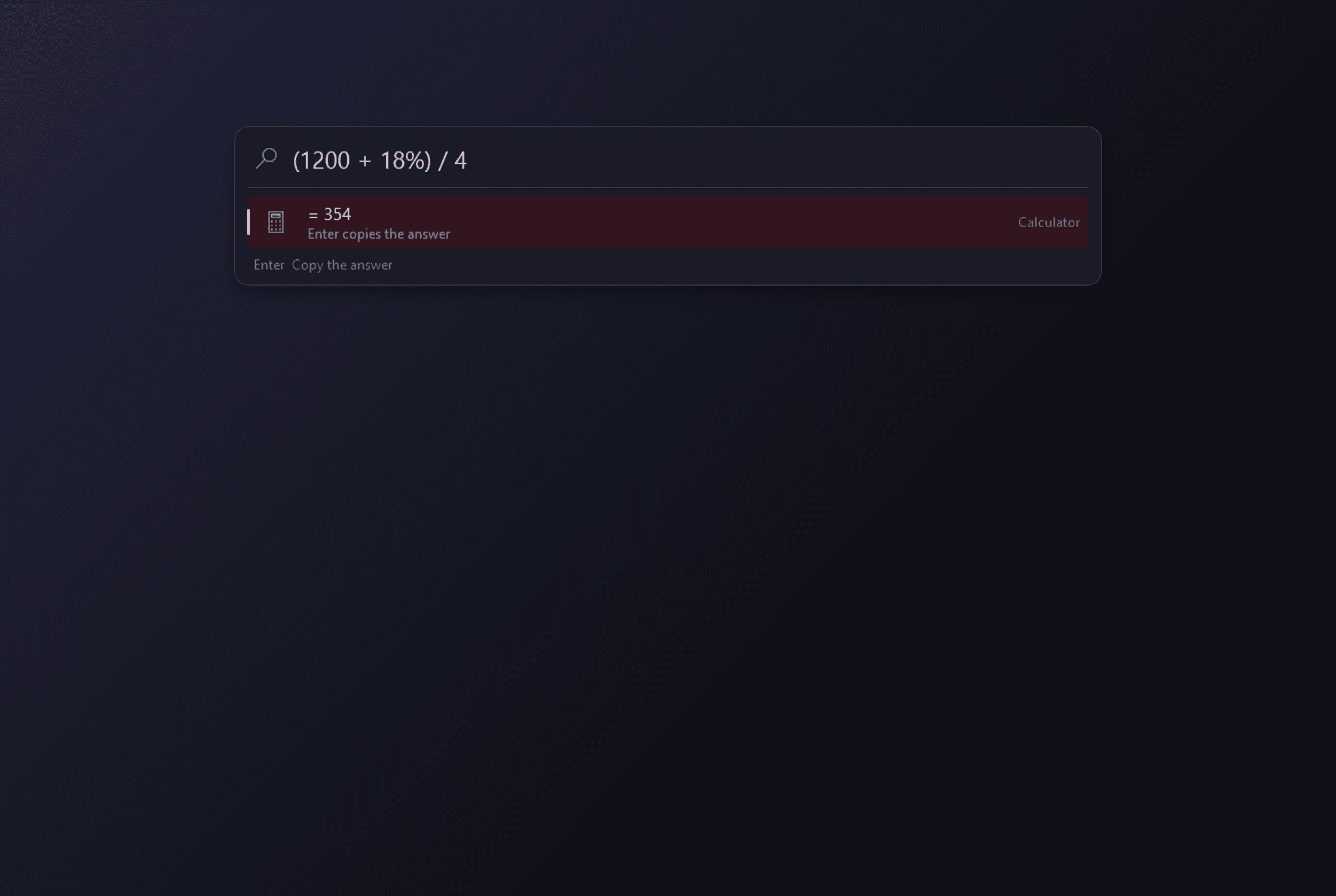
- Calculator as you type, with brackets, percentages and the usual functions. Enter copies the answer.
- Unit conversions worked out on your PC: "12 in to cm", "5 kg to lb", "98.6 f to c".
- Web searches by keyword: "g cats" for Google, "yt", "w", "maps" and more, or your own. They open in your default browser.
- System commands: lock, sleep, restart, shut down, sign out, empty the Recycle Bin, Task Manager. Anything destructive asks first, in the bar, with Cancel selected.
- "> ipconfig" runs a command line; a typed or pasted path or web address opens.
- "close chrome" or "end notepad" closes a running program after you confirm. The programs Windows needs are refused.
Yours
- Aliases: a short word of your own for any result ("ff" for Firefox).
- Quick links to a website, file, folder or program with arguments.
- Custom commands that run a program or script with whatever you type after the name.
- Pinned favourites and recent items when the bar is empty.
- Open as administrator (through Windows' own permission prompt), open the containing folder, copy the path, open with, and a second action on Ctrl+Enter that you choose per kind of result.
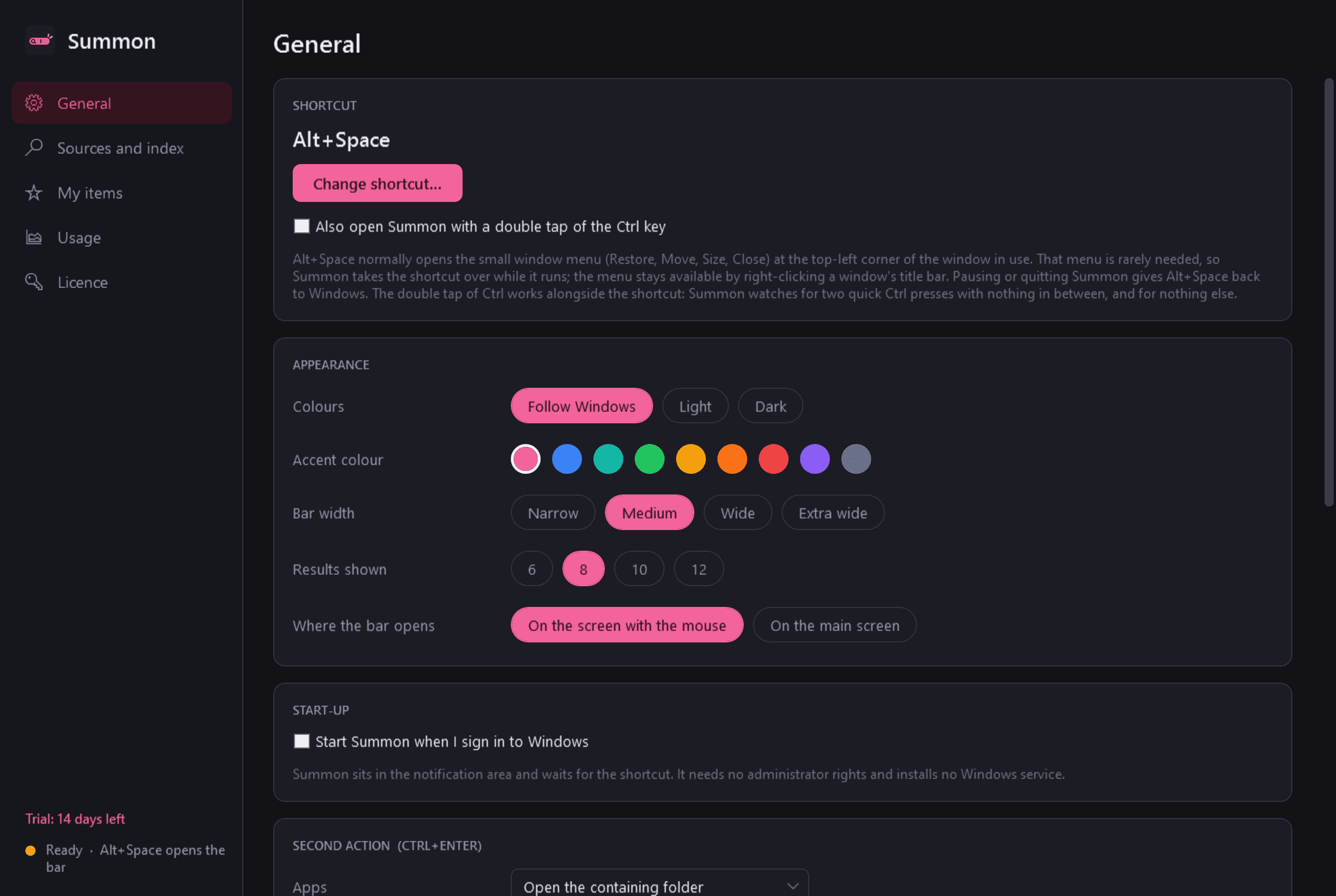
- Bar width, number of results, which screen it opens on, light or dark, accent colour, and a different shortcut or a double tap of Ctrl.
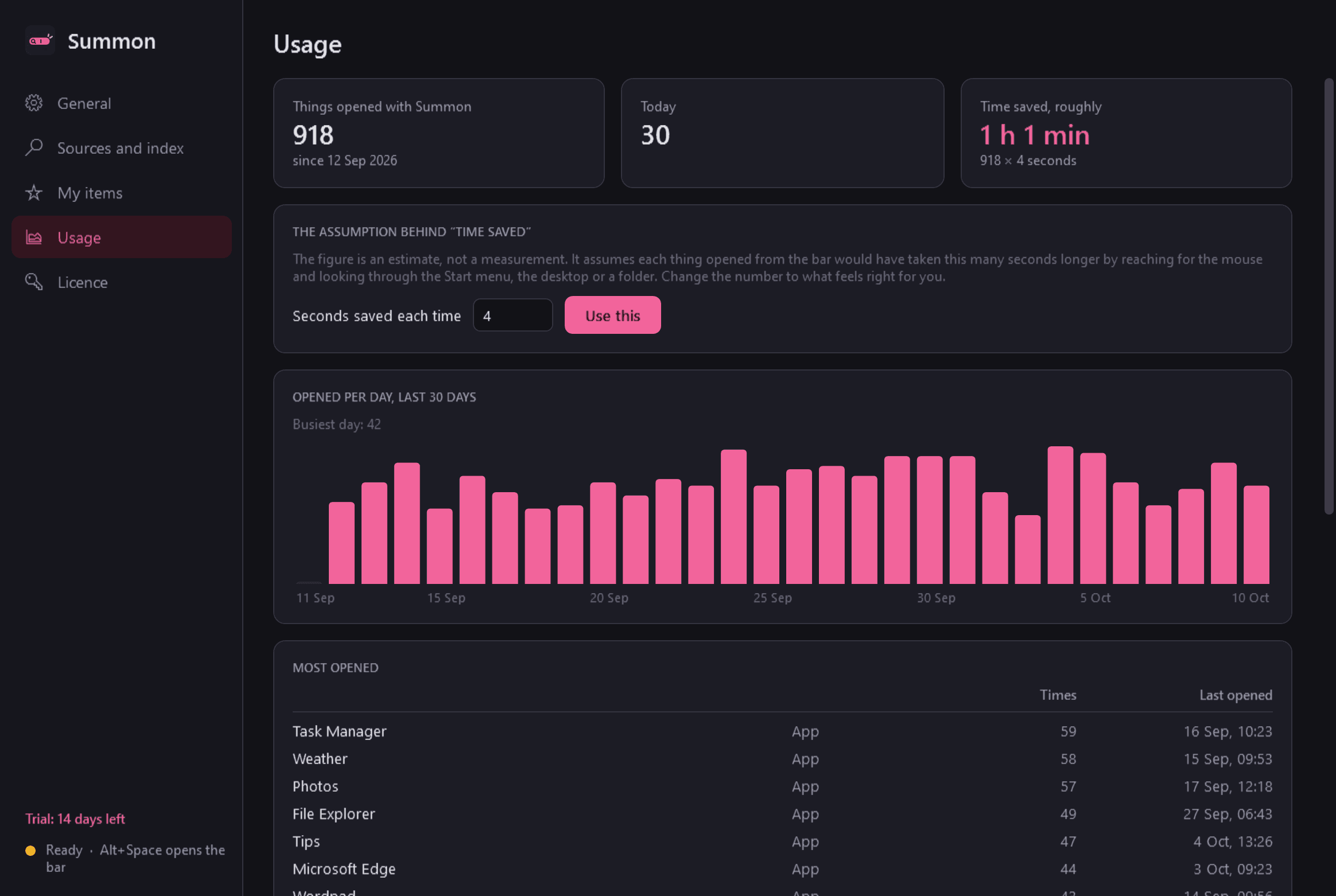
- A usage page: what you open most, how much per day, and an estimate of time saved with its assumption shown.
Good to know
- Alt+Space normally opens the small window menu (Restore, Move, Close). Summon takes that shortcut over while it runs; you can choose another.
- Everything stays on your PC. Summon counts what you open so it can rank results; one button clears that, and learning can be turned off. It does not read browsing history, passwords or cookies.
- No network use except this store's licence and update checks. Summon shows no online suggestions, and there is no currency conversion because that would need an online rate feed.
- It installs for your user account only, needs no administrator rights, and has no background service. It sits in the notification area and uses next to nothing while idle.
- Free to try for 14 days with every feature. After that Summon needs a licence to keep running; without one it gives Alt+Space back to Windows and shows only a trial-ended screen, from which your aliases, quick links and custom commands can still be exported.
One-time purchase for one PC. Includes every version released in the following 12 months; the version you have keeps working after that.
Screens
A closer look.
Next project · Desktop appsGlean →
Need somethinglike this built?
A few lines is enough. You will hear back from a person within one business day.
Start a projector email [email to set] · [booking link to set]