Work / Desktop apps / System

Sweep
Uninstall programs cleanly, and see exactly what gets removed.
C#.NET 8WPF
What it does
Uninstall programs cleanly, and see exactly what gets removed.
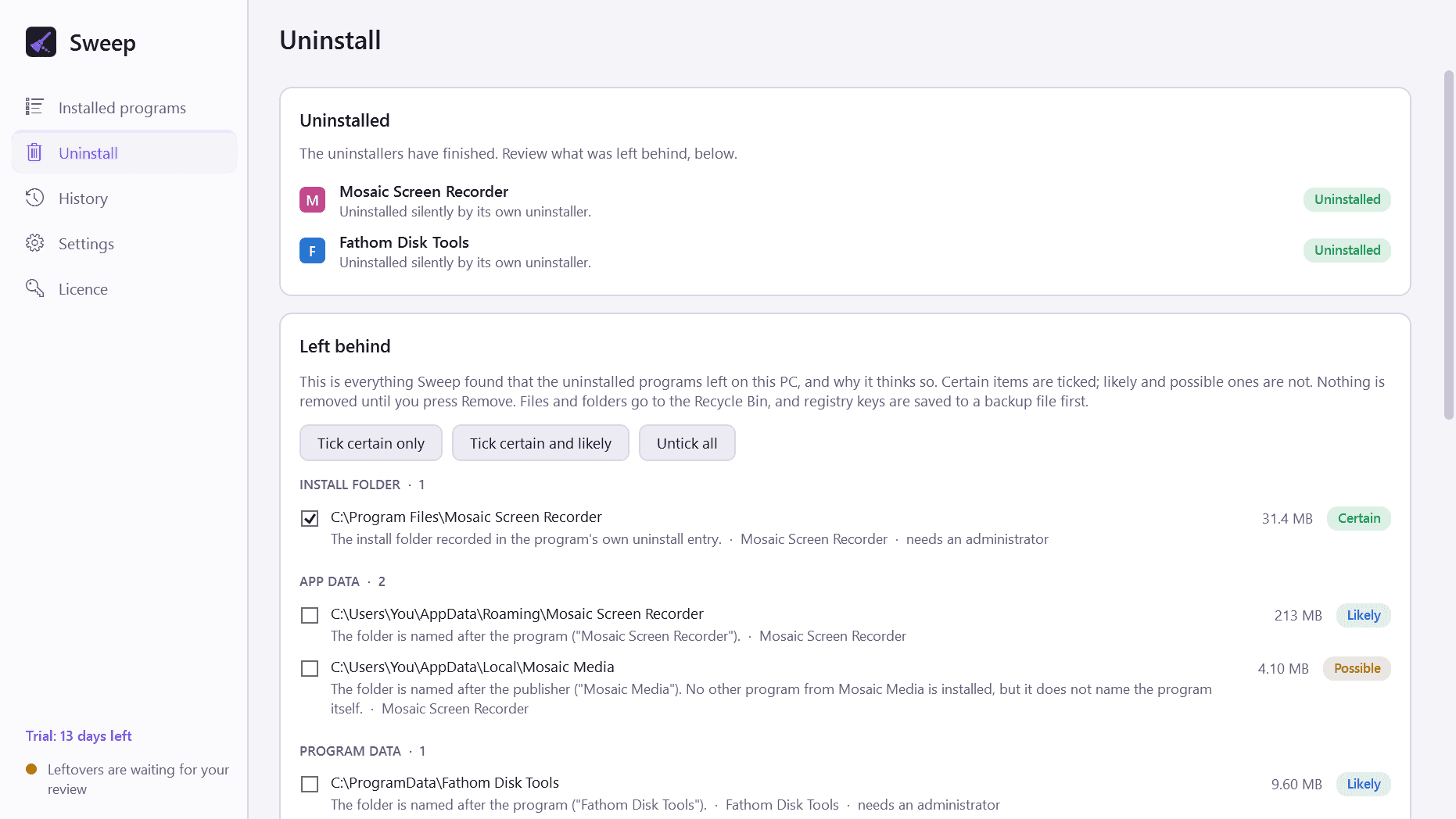
Sweep removes a program with the program's own uninstaller, then finds the files, folders and registry entries it left behind, shows you each one with the reason it was matched, and removes only what you approve.
What it does
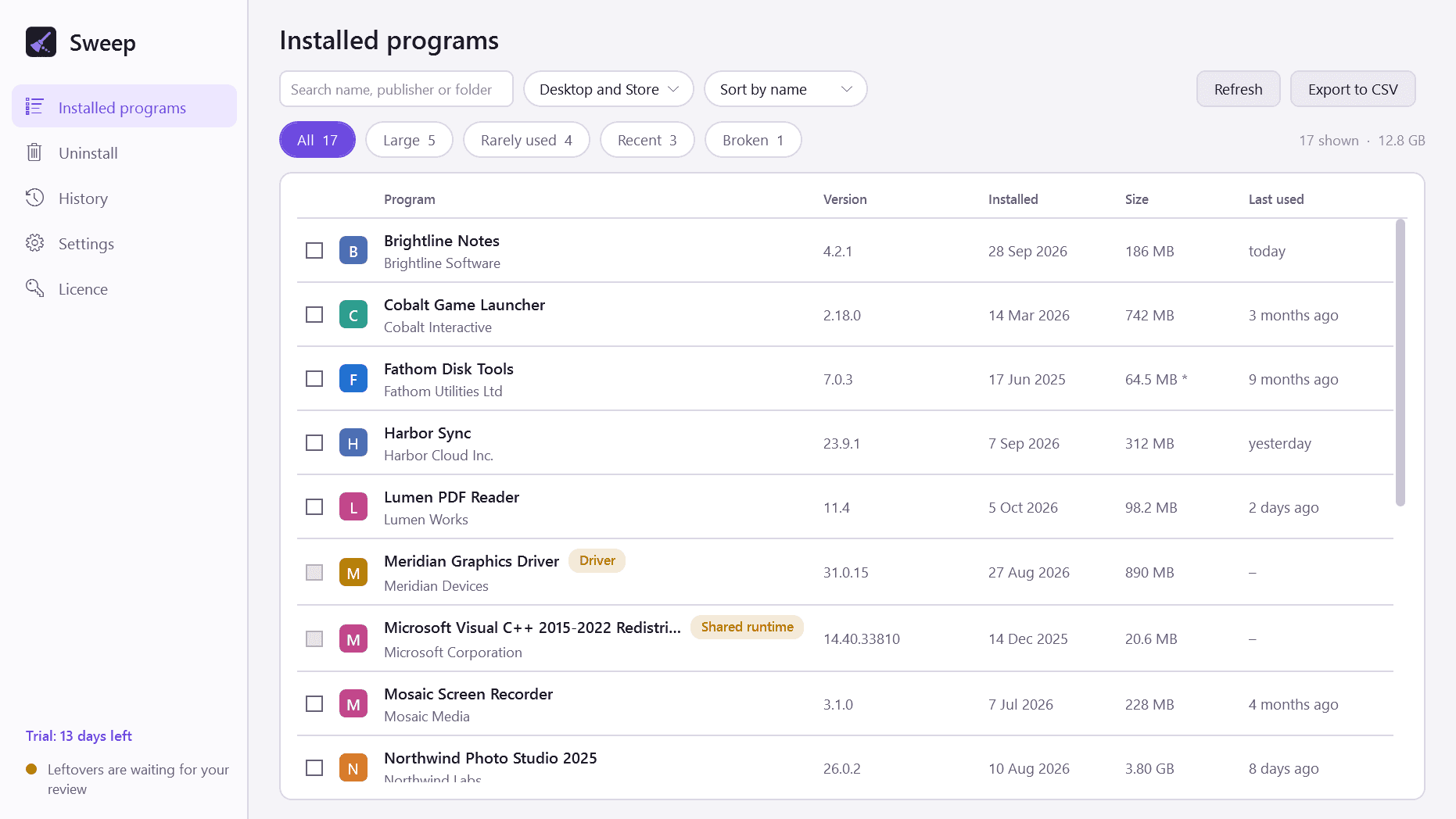
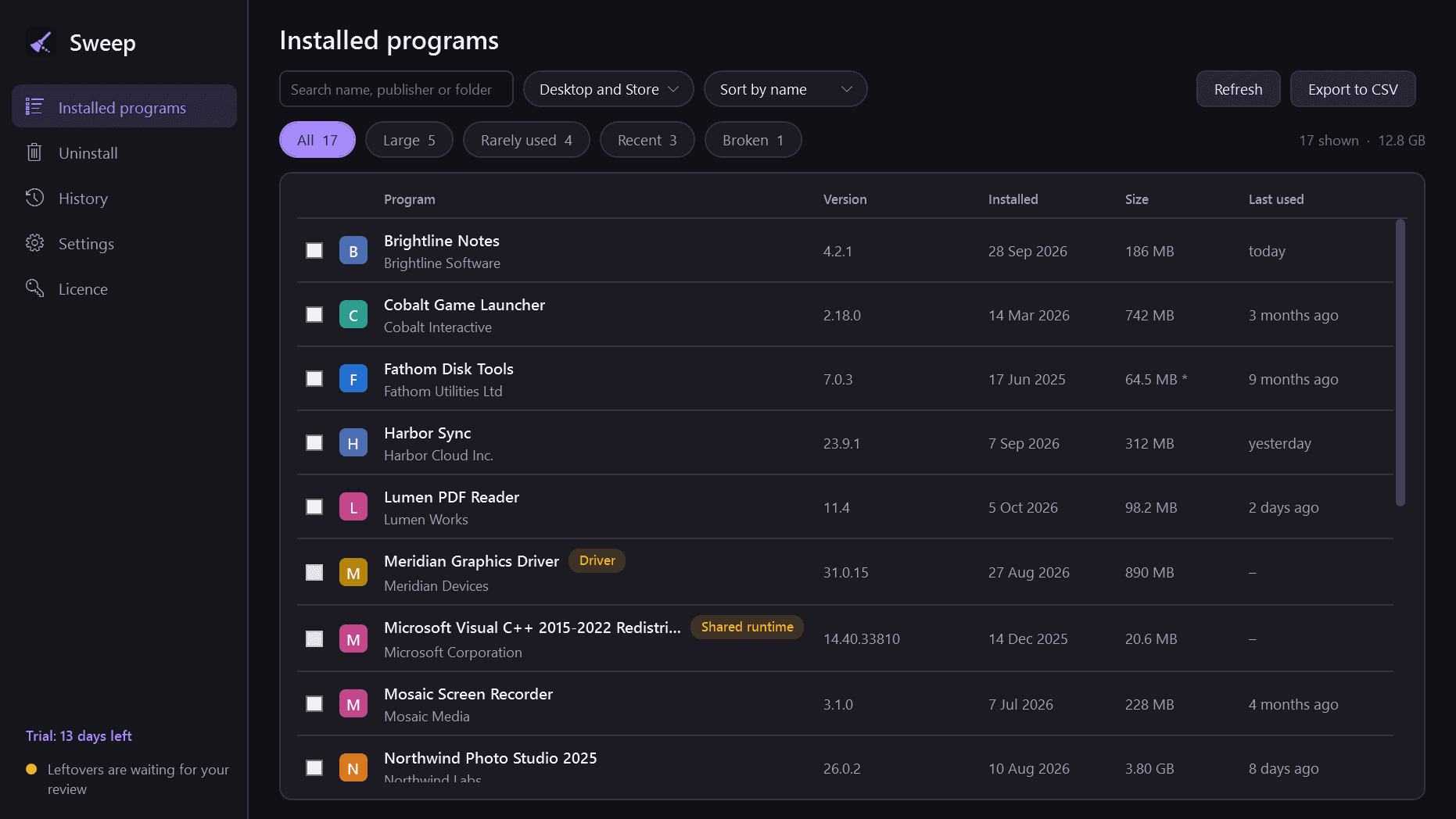
- One list of everything installed: desktop programs and Microsoft Store apps, with publisher, version, install date, size and when each was last used.
- Search, sorting, and filters for large, rarely used, recently installed and broken entries.
- Uninstalls with the program's own uninstaller first, silently where it supports that, otherwise with its normal window.
- Then scans for leftovers: the install folder, AppData and ProgramData folders, Start Menu and desktop shortcuts, registry keys, start-up entries, scheduled tasks, services, file associations and right-click menu entries.
- A review list grouped by type. Every item has a confidence level (certain, likely or possible) and says why it was matched. Certain items are ticked for you, the rest are not, and nothing is removed until you press Remove.
- Batch mode: queue several programs, uninstall them one after another, and review everything they left behind in one list.
- Forced removal for broken entries whose uninstaller is missing.
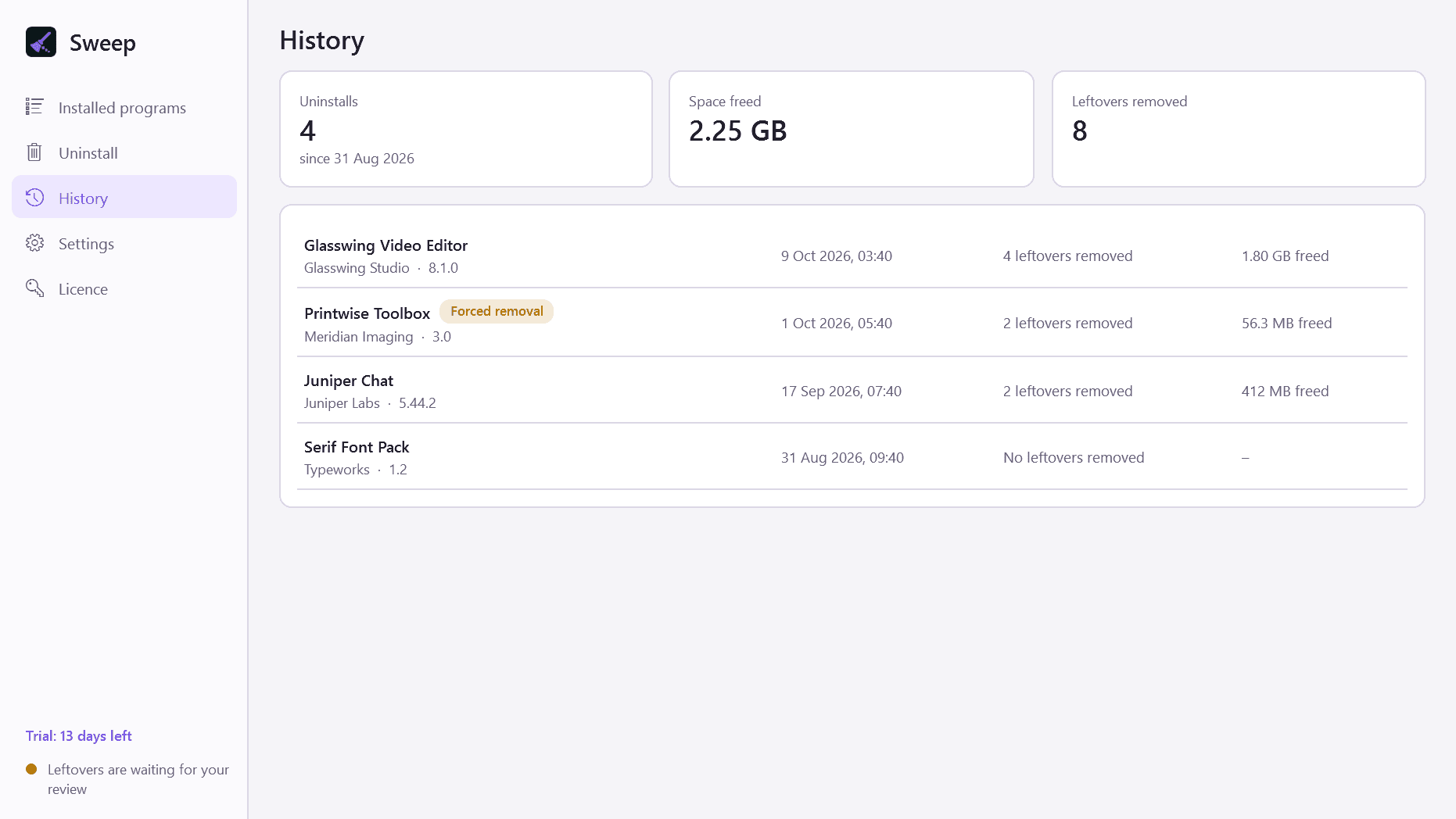
- A history of every uninstall, with what was removed and the space freed.
- Light and dark mode, and export of the installed-programs list to CSV.
Built to be careful
- Files and folders go to the Recycle Bin, never straight to deletion.
- Registry entries are saved to a backup file before they are removed, and History can restore that backup with one button.
- You can have Windows create a System Restore point first.
- A publisher's name alone is never enough to match something while another program from that publisher is installed.
- Shared folders, Windows' own folders, shared runtimes and your documents are never touched.
- Windows components, drivers, security software and shared runtimes are labelled and cannot be ticked for batch removal.
Good to know
- Most uninstalls need an administrator. Windows asks at the moment it is needed, and only for what needs it.
- "Last used" is shown where Windows records it, which is for programs started from the Start Menu, the desktop or Explorer.
- Restoring a registry backup puts the registry entries back; it does not reinstall the program.
- It installs for your user account only and never asks for administrator rights to install.
- Free to try for 14 days with every feature. After that Sweep needs a licence to keep working; without one it opens only a screen that asks for a licence key. Your history and backups are kept.
One-time purchase for one PC. Includes every version released in the following 12 months; the version you have keeps working after that.
Screens
A closer look.
Next project · Desktop appsPortside →
Need somethinglike this built?
A few lines is enough. You will hear back from a person within one business day.
Start a projector email [email to set] · [booking link to set]