Work / Desktop apps / Network
Switchboard
See what is using every port on your PC, and stop it.
C#.NET 8WPF
What it does
See what is using every port on your PC, and stop it.
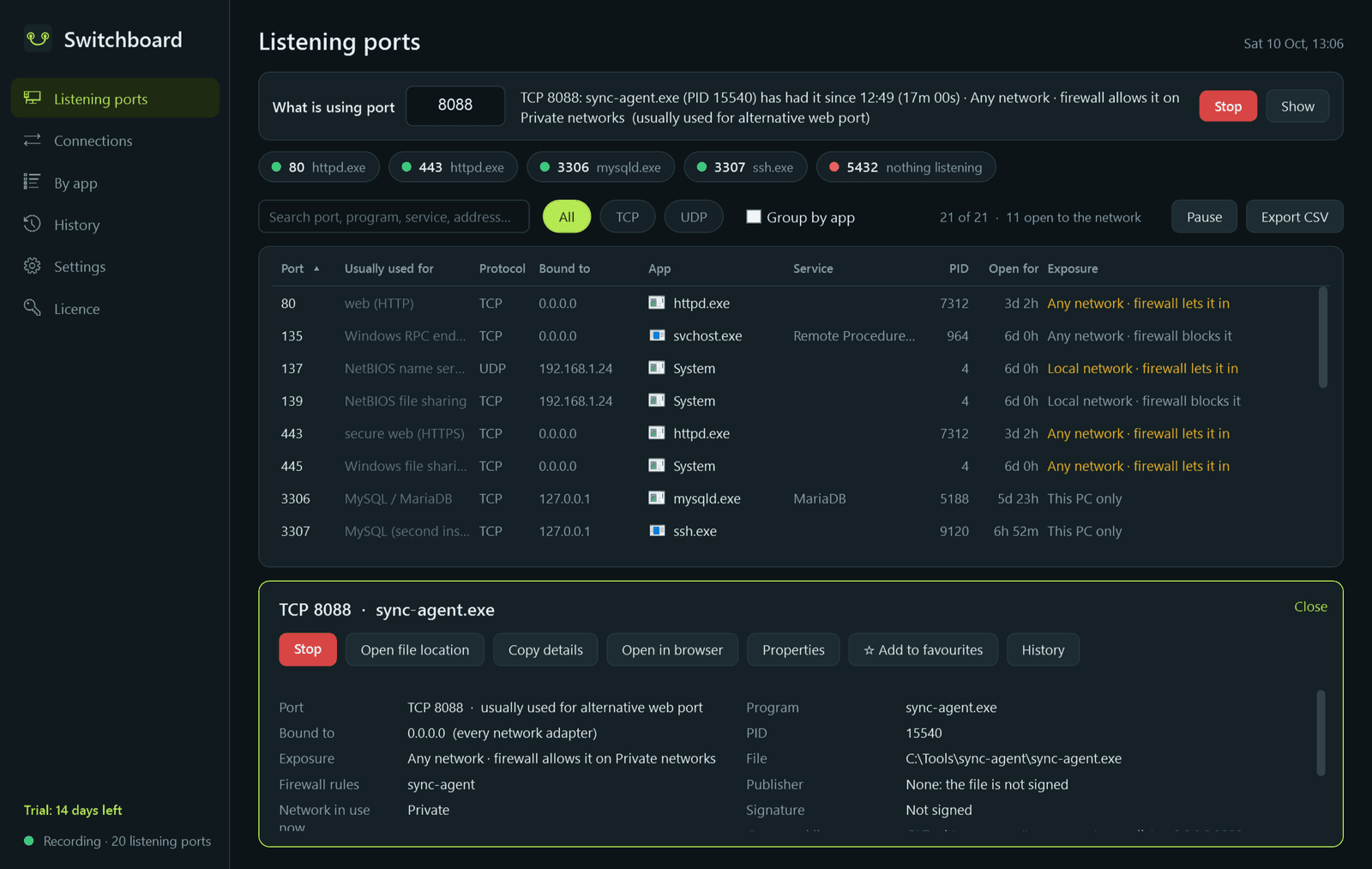
Switchboard shows which program is listening on which port of your PC, and who it is talking to. Type a port number and it answers in one line: who has it, since when, and how exposed it is, with a Stop button beside it. Or it tells you the port is free.
What it does
- Port look-up, always at the top: "what is using port 8080?" answered at once, with a Stop button.
- Listening ports: port, what it is usually used for, the address it is bound to, program, Windows service, how long it has been open, and a plain exposure label: this PC only, local network or any network, with whether Windows Firewall lets traffic in.
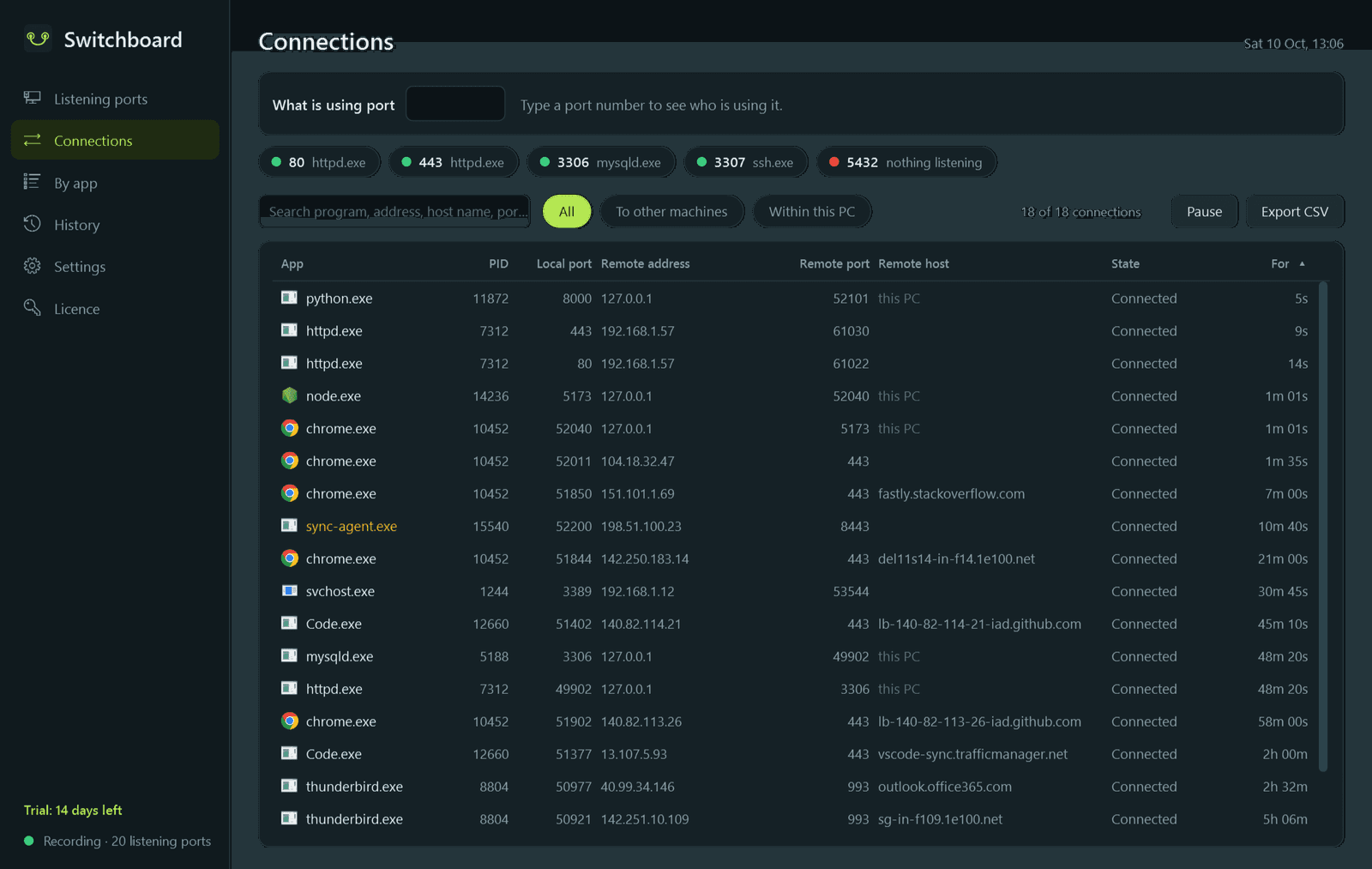
- Connections: every live connection with the program, remote address, host name, state and how long it has lasted.
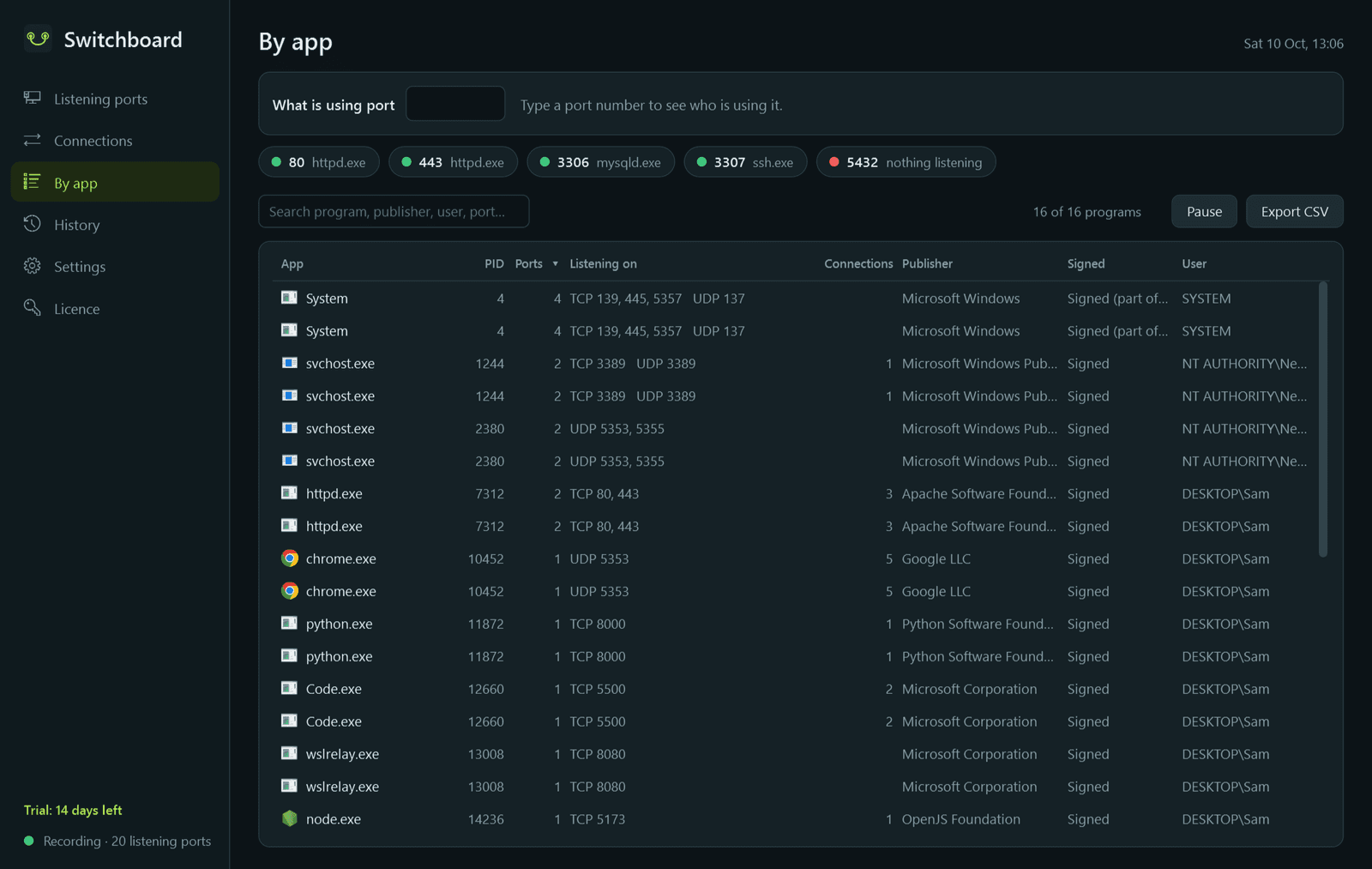
- By app: each program with all its ports and connections together, its file, publisher and whether it is signed.
- The service behind an svchost port is named, and ports held by Windows itself are explained: what its built-in web listener is serving and for which program, file sharing, port-proxy rules, and WSL, Docker and Hyper-V forwarding.
- Stop: a Windows service is stopped as a service; a program is asked to close first and only then offered Force end. The confirmation lists everything else the program has open.
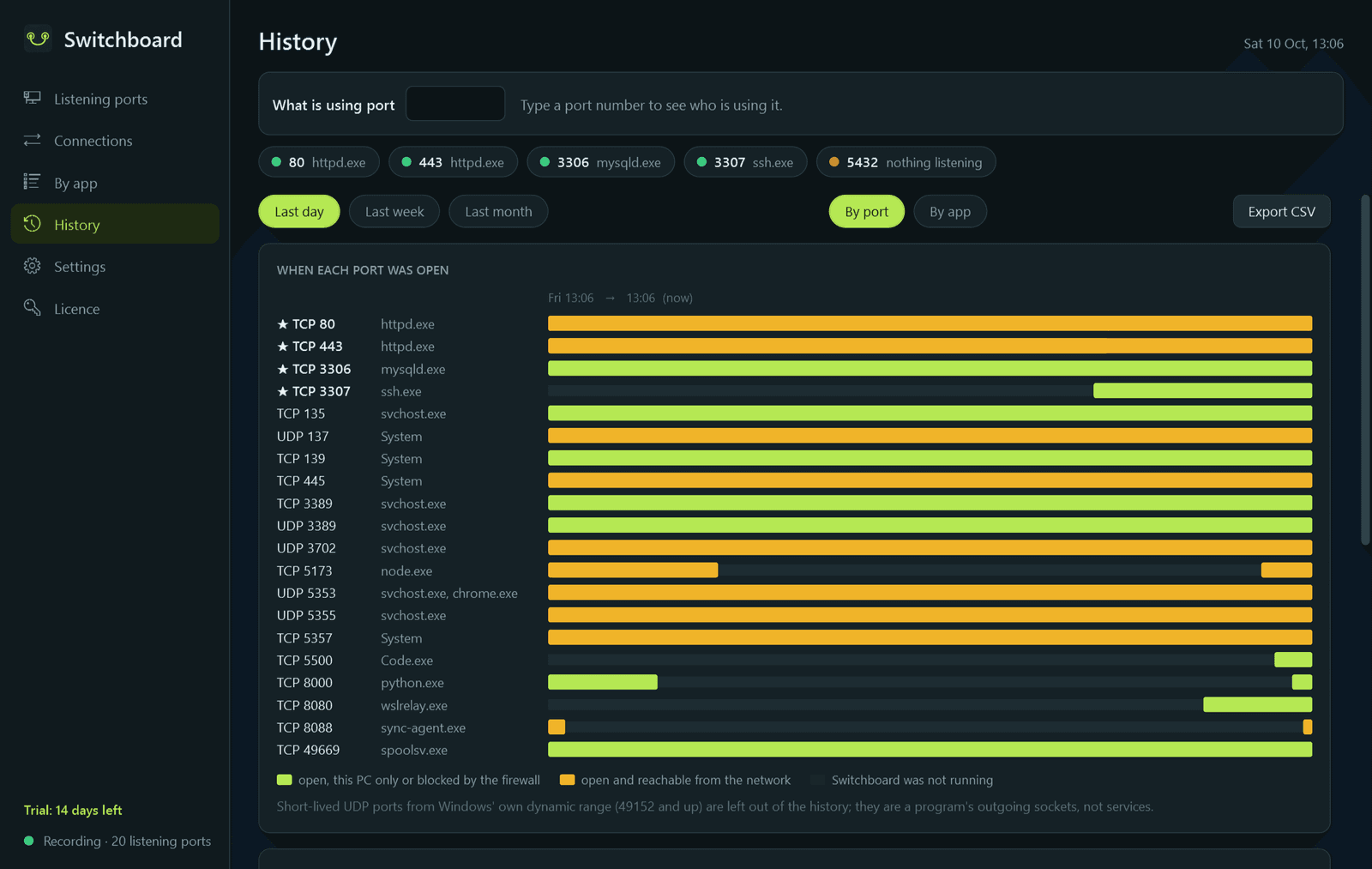
- History: a record once a minute of which program had which port, with a timeline for the last day, week and month.
- Favourite ports pinned at the top and in the notification-area menu, each with a status dot.
- Notifications, each with its own switch: a program newly listening on a port reachable from the network, a favourite port's owner gone or replaced, an unsigned program listening.
- Live refresh every two seconds, pause, search, sorting, CSV export of every list, light and dark mode.
What it does not do
- It only looks at your own PC. It never scans other machines or other devices on your network.
- It reads Windows Firewall and never changes a rule.
- It does not measure how much data a program uses, and it does not record individual connections.
- Nothing about your PC leaves it. Besides this store (licence and update checks), the only thing it contacts is your own DNS, to find the names of addresses your PC is already connected to; that can be switched off.
Good to know
- Critical Windows processes (System, csrss, lsass, services and the like) are never stopped; Switchboard says why instead.
- A few details Windows keeps from ordinary accounts, such as another account's command line, are marked "run as administrator to see". Stopping a program you do not own goes through Windows' own approval prompt.
- The history and the notifications work while Switchboard sits in the notification area, so let it start with Windows.
- It installs for your user account only and never asks for administrator rights to install. There is no background service.
- Free to try for 14 days with every feature. After that Switchboard needs a licence to keep running; without one it stops and shows only a trial-ended screen. The history it has recorded is kept for when you enter a key.
One-time purchase for one PC. Includes every version released in the following 12 months; the version you have keeps working after that.
Screens
A closer look.
Next project · Desktop appsAlmanac →
Need somethinglike this built?
A few lines is enough. You will hear back from a person within one business day.
Start a projector email [email to set] · [booking link to set]