Work / Desktop apps / Productivity
Valet
Keeps your Downloads folder tidy by itself: files things away by your rules, and can undo every bit of it.
C#.NET 8WPF
What it does
Keeps your Downloads folder tidy by itself: files things away by your rules, and can undo every bit of it.
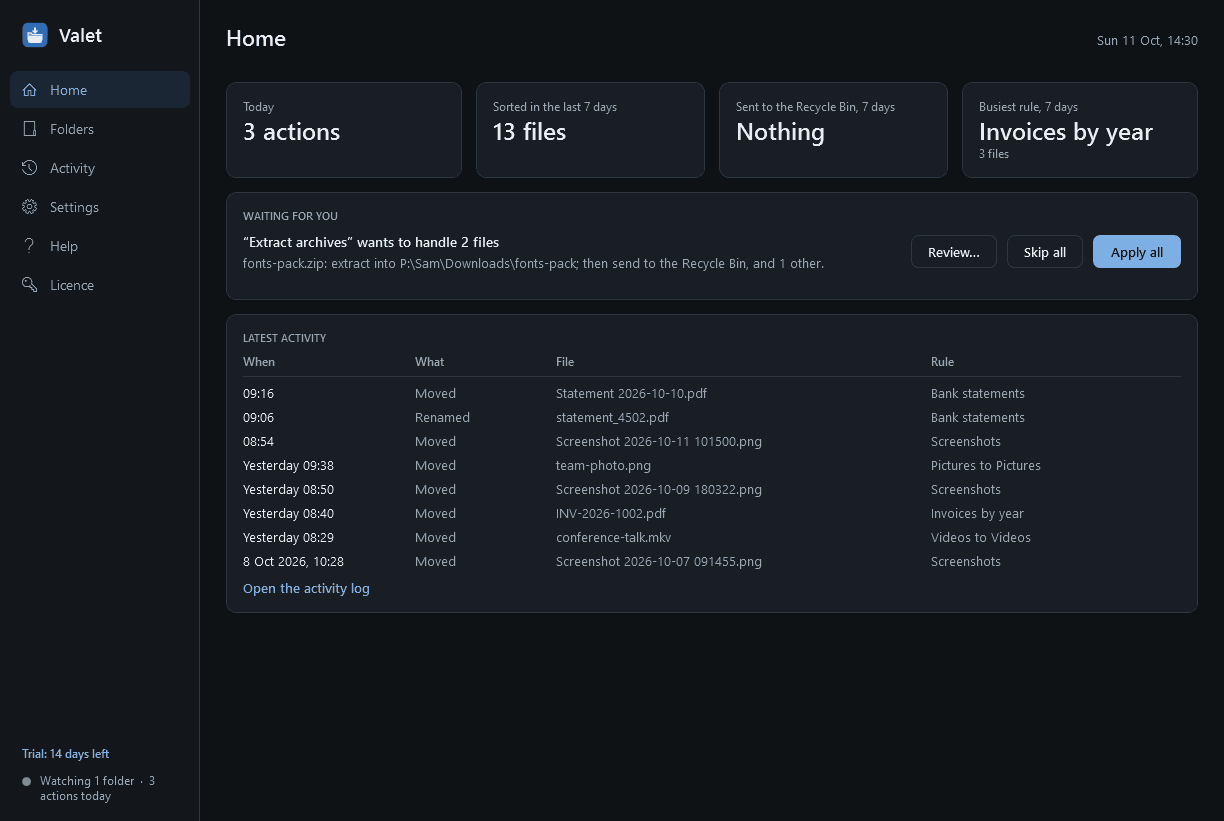
Valet is an automatic file sorter. It watches your Downloads folder, and any others you choose, and files things away by rules you set: invoices into Documents\Invoices\2026, pictures into Pictures, installers into the Recycle Bin after 30 days. The folder never becomes a dumping ground, every action is logged, and all of it can be undone.
Watching
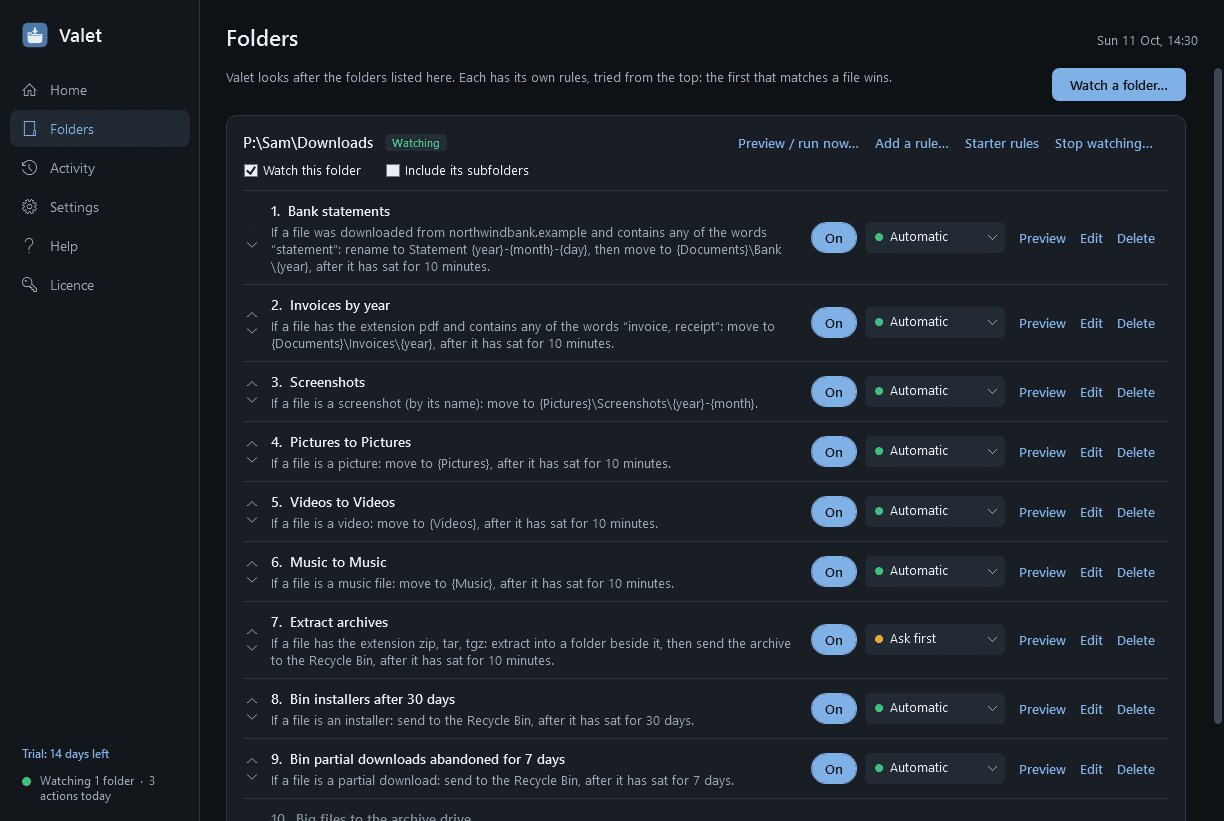
- Add the folders to watch, each with its own ordered list of rules and a choice of whether subfolders are included. Downloads is suggested on first run; nothing is watched until you confirm.
- New and changed files are picked up within seconds. A periodic sweep handles rules that depend on age and anything that arrived while the PC was off.
- A file that is still arriving is never touched: browser partial-download files (.crdownload, .part, .tmp and similar), a file whose size is still changing, a file another program has open.
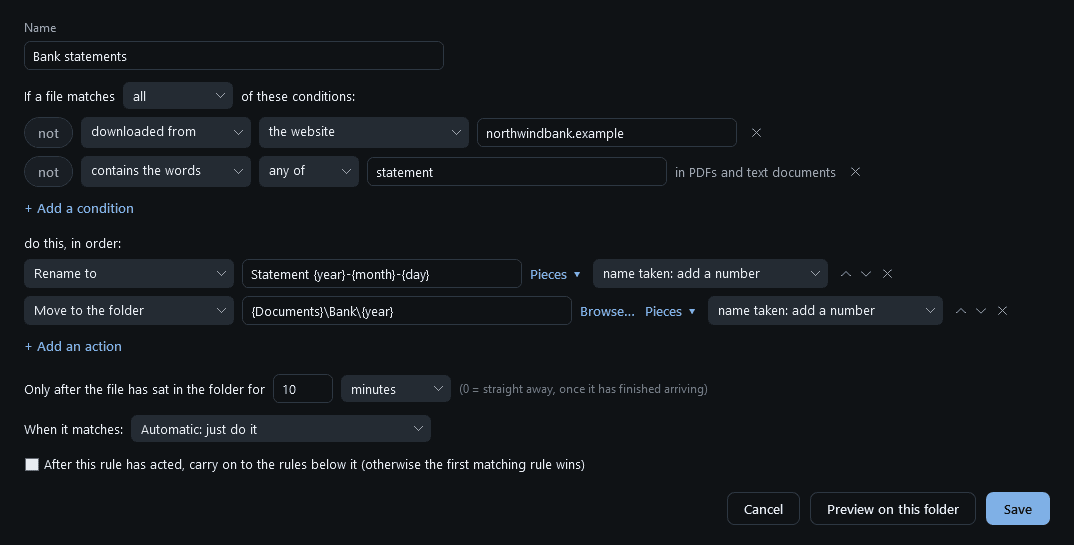
- Each rule can wait: "only after the file has sat for 10 minutes, 1 day, 30 days", so a fresh download is still where you expect it when you go to open it.
Rules: if a file matches these conditions, do these actions
- The first matching rule wins, unless you mark a rule "and continue".
- Conditions, combined with all or any, each with a "not": kind of file (documents, pictures, video, music, archives, installers, code) or specific extensions; name contains, starts with, ends with, matches a pattern or a regular expression; size; age since downloaded, created, modified or last opened.
- Where it was downloaded from: the website address Windows records with downloaded files. "From my bank's site" is a rule you can build straight from a file's details.
- For PDFs and text documents, "contains the words" such as invoice or statement. Real text only: Valet does not do OCR, so a scanned page has nothing to read.
- Picture details: date taken, dimensions, is a screenshot (by its name).
- Is a duplicate of a file already in a folder: same content, by checksum, whatever the names.
- Actions, one or several in order: move or copy to a folder whose path is built from pieces such as the year, the month, the kind of file, the source website or part of the name (missing folders are made); rename with the same pieces plus a counter; send to the Recycle Bin; extract an archive (.zip, .tar, .tar.gz, .tgz) and optionally bin it afterwards; open the file or its folder; show a notification; run a program with the file.
- When the name is taken at the destination: add a number, leave the file, or leave it only if the content is identical.
Trying a rule before trusting it
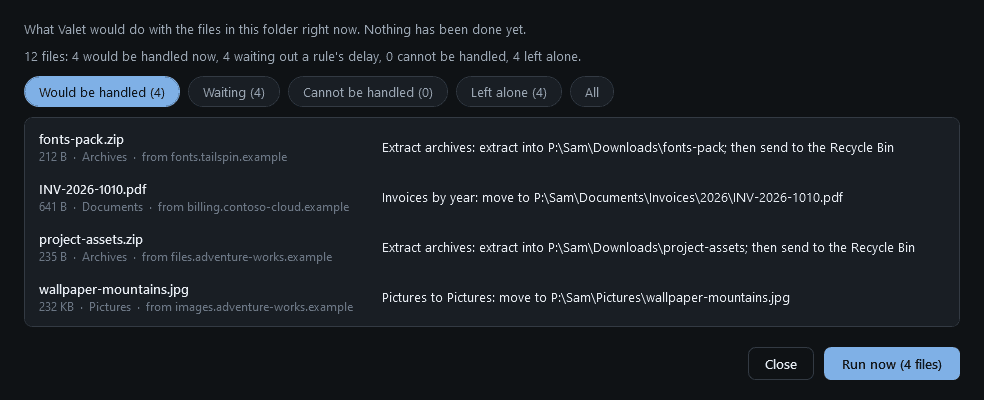
- Every rule and every watched folder has a Preview that lists exactly what would happen to the files there right now, without doing anything.
- A new rule starts in "ask first" mode: Valet shows what it wants to do, with Apply and Skip, until you switch that rule to automatic.
- "Run now" tidies a folder that is already a mess, always through the preview.
- Starter rules to switch on and edit: pictures to Pictures, videos to Videos, music to Music, documents by year, bin installers after 30 days, bin partial downloads abandoned for 7 days, extract archives.
Safe by construction
- Nothing is ever deleted for good. "Delete" always means the Recycle Bin; a file that cannot go there is left where it is.
- Nothing is ever overwritten.
- Valet refuses to watch or file into Windows, Program Files, ProgramData, AppData, the root of the system drive or a whole user profile, and refuses rules that would move a folder into itself or bounce files between two watched folders.
- It skips files that are in use, hidden or system files, shortcuts, and cloud files that are online-only (it never triggers a download).
- A runaway guard: a rule about to act on an unusually large number of files at once (more than 200, adjustable) pauses and asks.
- If a destination drive is missing or full, the file stays where it is and you are told. Across drives Valet copies, checks the copy against the original, and only then removes the original, so a file is never lost half-moved.
Activity and undo
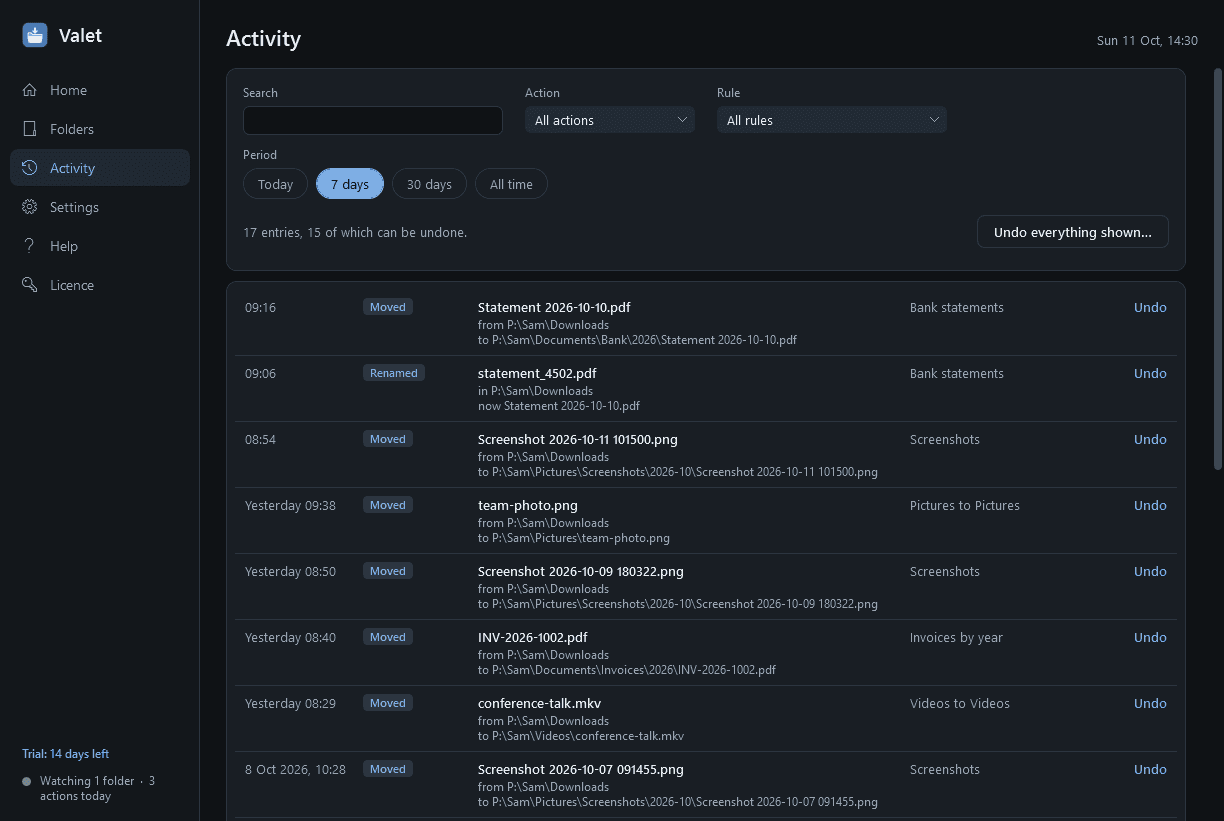
- A log of everything Valet did: the time, the file, where it was, where it went, and the rule responsible. Searchable and filterable.
- Undo any single action, or everything a rule did in a period. Files go back where they were, and come back out of the Recycle Bin if they are still in it. Valet checks first, undoes what can be undone and lists the rest with the reason.
- A weekly summary: files sorted, space sent to the bin, the busiest rule.
- A file's details show which rule matched and why, or why none did, condition by condition, so you can fix a rule that is not catching something.
Good to know
- A notification-area icon with a count of today's actions; from its menu: pause for 1 hour or until tomorrow, run all now, recent activity.
- Import and export rules as files. Light and dark mode.
- Negligible processor, memory and disk use while idle. A PDF's text is read once per file and remembered.
- It installs for your user account only, never asks for administrator rights, and runs no Windows service.
- File names and contents never leave your PC. The only thing Valet contacts is this store, to check the licence and look for a new version.
- Archives other than .zip, .tar, .tar.gz and .tgz (such as .7z and .rar) can be moved or binned like any file, but not extracted.
- Free to try for 14 days with every feature. After that Valet needs a licence to keep working; without one it stops watching and sorting at once and opens only a screen for entering a key. Two things still work there, so you are never left hunting for a file: "Show where Valet put my files" (the activity log, with undo) and "Export my rules". Your rules and the log are kept and work again once a licence is active.
One-time purchase for one PC. Includes every version released in the following 12 months; the version you have keeps working after that.
Screens
A closer look.
Next project · Desktop appsFerry →
Need somethinglike this built?
A few lines is enough. You will hear back from a person within one business day.
Start a projector email [email to set] · [booking link to set]