Work / Desktop apps / Security

Veil
See the hidden information inside your photos, videos and documents, and remove it before you share them, without touching the picture quality.
C#.NET 8WPF
What it does
See the hidden information inside your photos, videos and documents, and remove it before you share them, without touching the picture quality.
Veil is a metadata cleaner. Drop a file in and it shows the hidden information inside: where a photo was taken, which phone took it, who wrote a document. Then it removes what you choose before you share the file, without touching the picture quality.
See what is inside
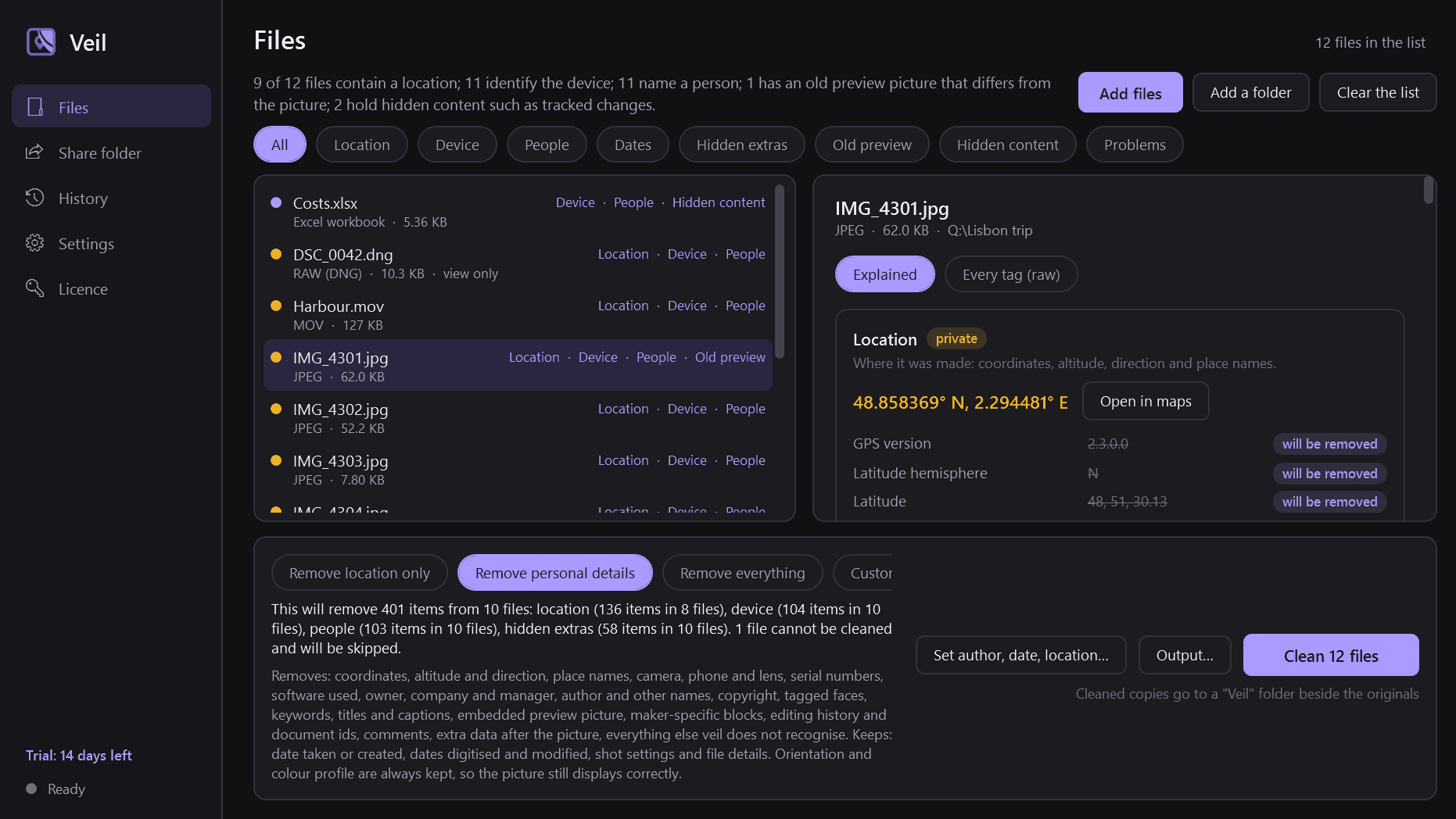
- Everything hidden in a file, grouped and explained in plain words, with the private items flagged: location, device, people, dates, and the hidden extras most programs never show.
- Location as numbers, with an "Open in maps" button that hands the coordinates to your browser only when you press it.
- The embedded preview picture, shown to you, because it can still hold the original from before a crop or an edit. Veil tells you when the preview no longer matches the picture.
- A raw view of every tag for people who want it.
- For a folder, a privacy summary: "37 of 120 photos contain a location; 120 identify the device; 4 have an old preview that differs from the picture", and a filter for each kind of data.
Clean with one click
- Three levels, each showing exactly what it will remove before it does: location only; personal details (location, device and serial numbers, names, software, previews, maker blocks, history and comments, keeping the date taken); or everything that can be removed.
- Custom: tick individual kinds to remove or keep, and save your choice as a preset.
- Orientation and the colour profile are kept at every level, so a photo still displays the right way up and in the right colours. They are not private; Veil says why if you untick them.
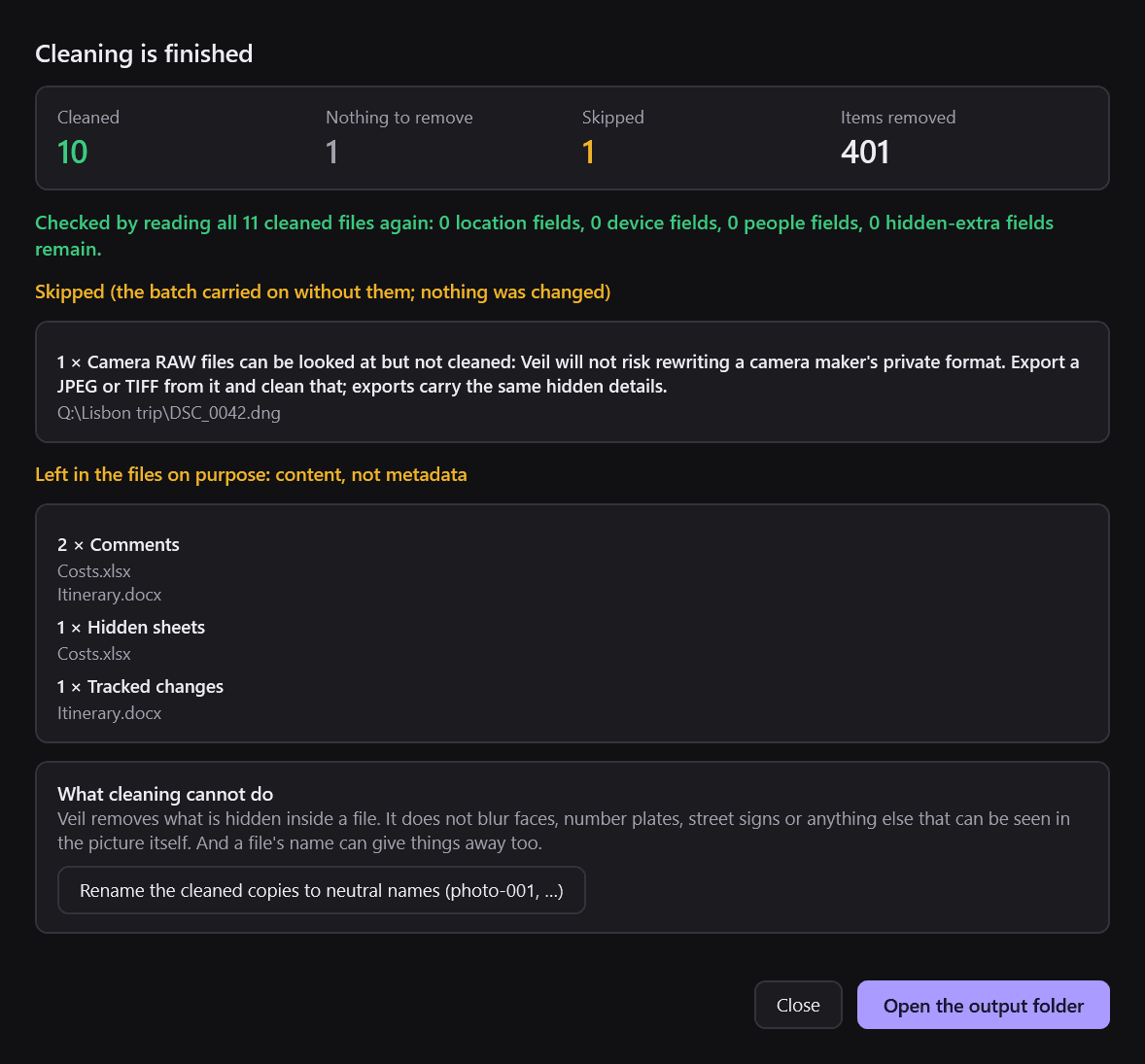
- After cleaning, every file is read again and you get a checked result: "0 location fields, 0 device fields remain". If something could not be removed, Veil says so. It never reports clean without checking.
Nothing is lost
- Cleaning is lossless. Only the metadata parts of a file are removed or rewritten; the picture, video and sound are copied through byte for byte and never decoded and saved again.
- Photos: JPG, PNG, WebP, GIF, TIFF, HEIC/HEIF and AVIF. Camera RAW files can be looked at but are not rewritten.
- Videos: MP4 and MOV, cleaned without re-encoding, however large.
- Documents: PDF, Word, Excel and PowerPoint: author, last modified by, company, manager, names on comments and tracked changes, revision count, template path, custom properties, and the hidden data of photos placed inside them.
- Audio: MP3, M4A and FLAC tags.
- Tracked changes, comments, hidden sheets and speaker notes are content, not metadata. Veil does not remove them, and points them out when they are there.
Your originals are safe
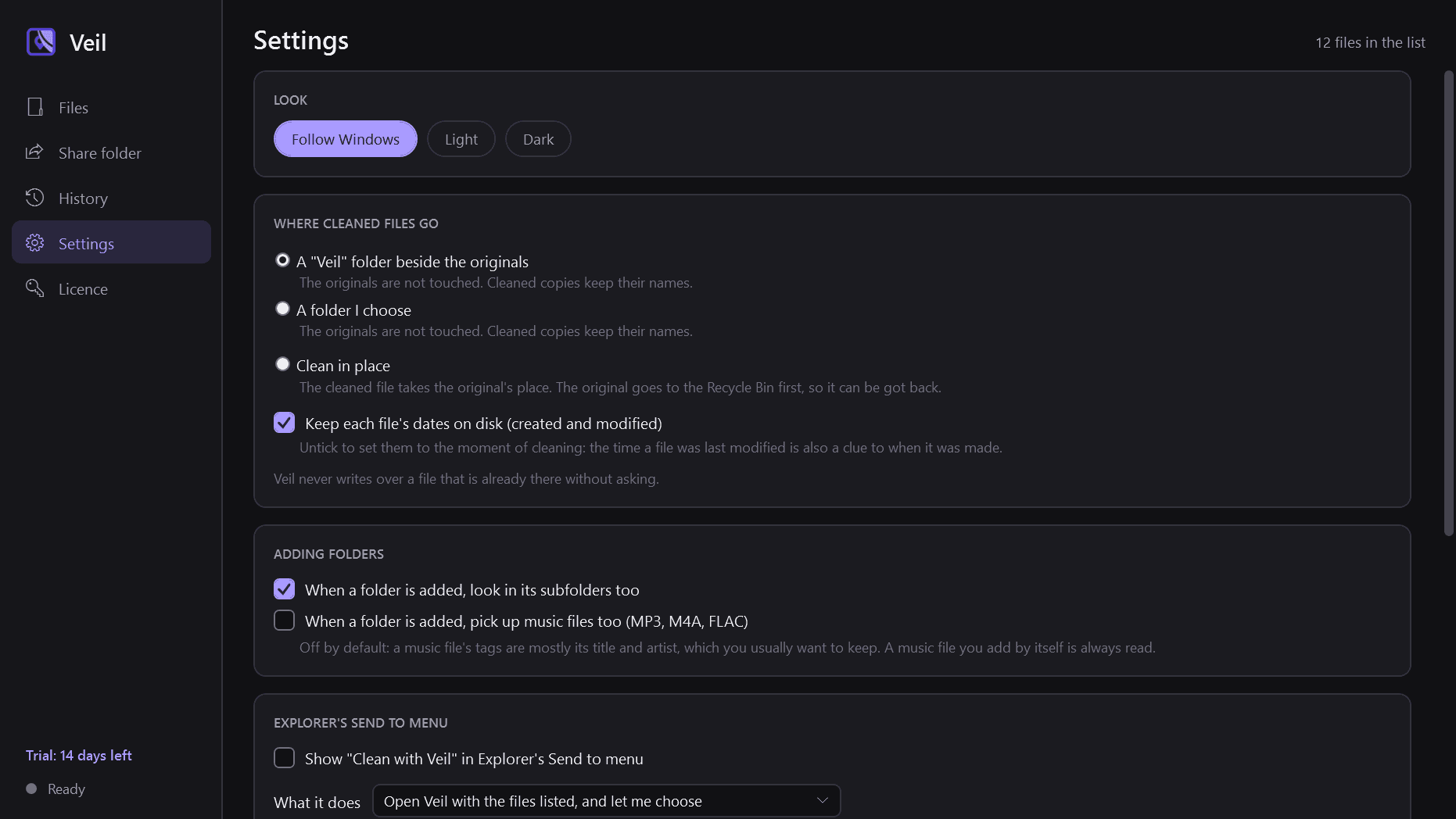
- Originals are never changed by default: cleaned copies go to a "Veil" folder beside them, or a folder you choose, with the same names.
- An explicit "clean in place" option sends each original to the Recycle Bin first, so it can be got back.
- No existing file is ever overwritten without asking. A file that cannot be read or cleaned is skipped and listed with the reason.
- File dates on disk can be kept or set to now, since a file's modified time is also a clue.
- Cleaned copies can be renamed to neutral names (photo-001), because a file name can give things away too.
Also
- Set or clear the author and copyright, move or set the date taken, and set a location by typing coordinates.
- "Clean with Veil" in Explorer's Send to menu, with a choice of level.
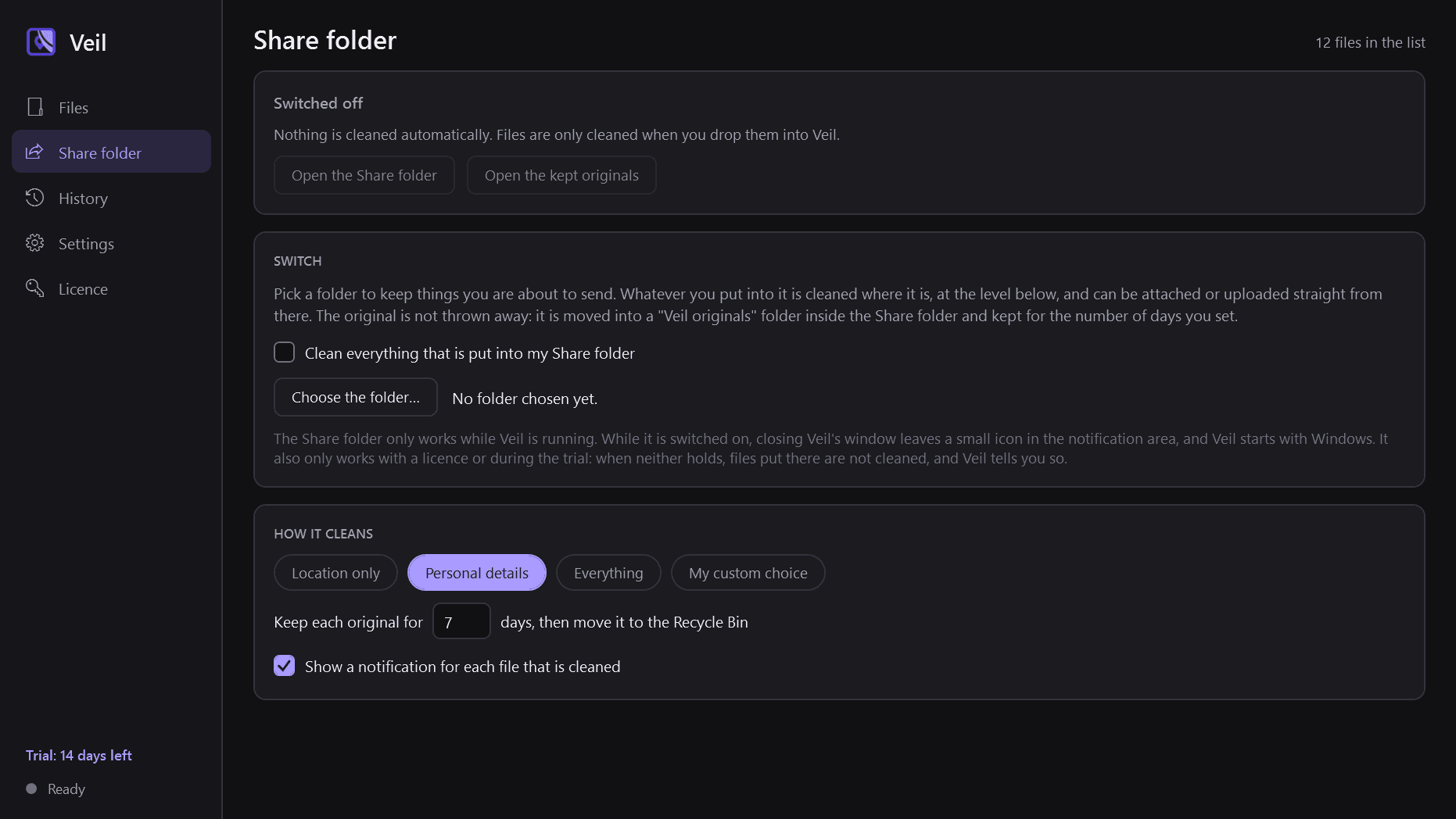
- An optional Share folder: whatever you put into it is cleaned automatically at the level you choose, with the original kept for a number of days. Off by default.
- A history of every batch as numbers only: no file names unless you ask for them.
- Light and dark mode.
Good to know
- Veil removes what is hidden inside a file. It does not blur faces, number plates or anything visible in the picture.
- Your files never leave your PC. The only thing Veil contacts is this store, to check the licence and look for a new version.
- It installs for your user account only and never asks for administrator rights. It runs no Windows service; it stays in the notification area only while the Share folder is switched on.
- Password-protected and digitally signed PDFs, old Office files (.doc, .xls, .ppt) and camera RAW files are not rewritten; Veil says why.
- Free to try for 14 days with every feature. After that Veil needs a licence to keep working; without one it opens only a screen for entering a key, and files put in the Share folder are no longer cleaned (the screen says so). Files already cleaned stay yours, and presets and history are kept for when a licence is active.
One-time purchase for one PC. Includes every version released in the following 12 months; the version you have keeps working after that.
Screens
A closer look.
Next project · Desktop appsMural →
Need somethinglike this built?
A few lines is enough. You will hear back from a person within one business day.
Start a projector email [email to set] · [booking link to set]